Discover the latest updates and changes in our product.
Mar 20, 2026
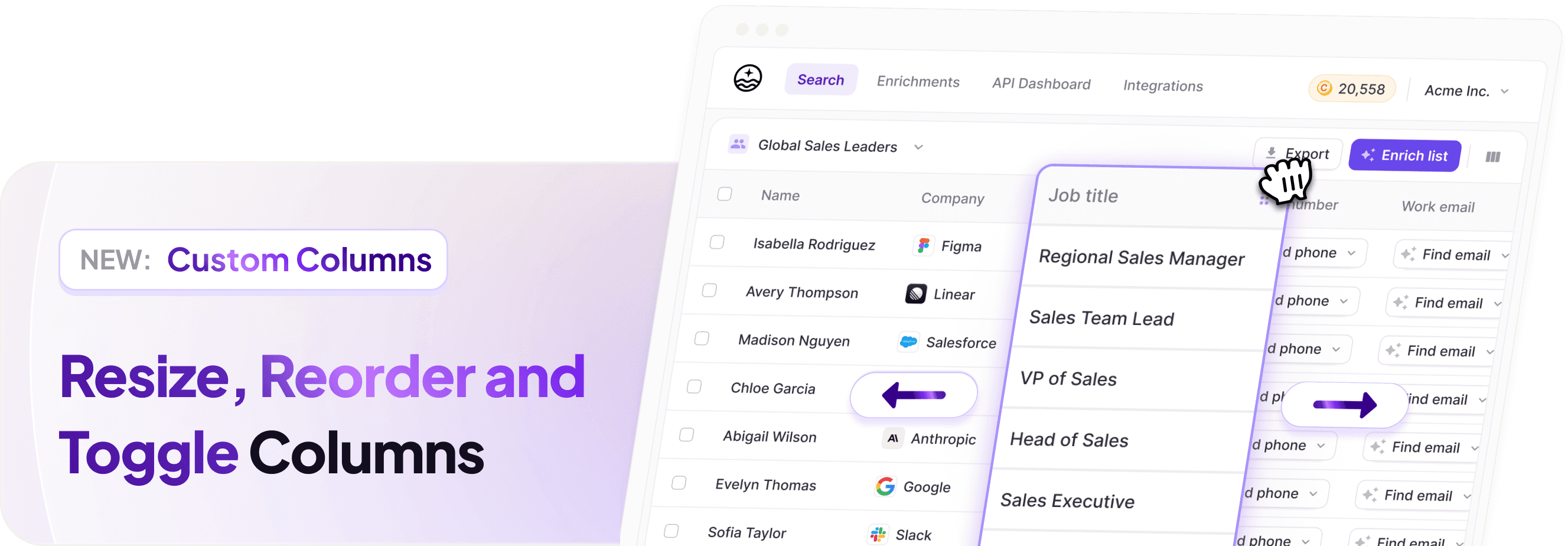
We've enhanced the list builder table UI with greater flexibility and control. You can now:
Resize columns — Drag column borders to adjust width to your preference
Reorder columns — Click and drag column headers to rearrange your table layout
Hide/show columns — Toggle columns on and off to focus on the data that matters most
Your column preferences are saved, so your layout persists across sessions. This update makes it easier to customize your data view and streamline your workflow in FullEnrich.
Feb 9, 2026
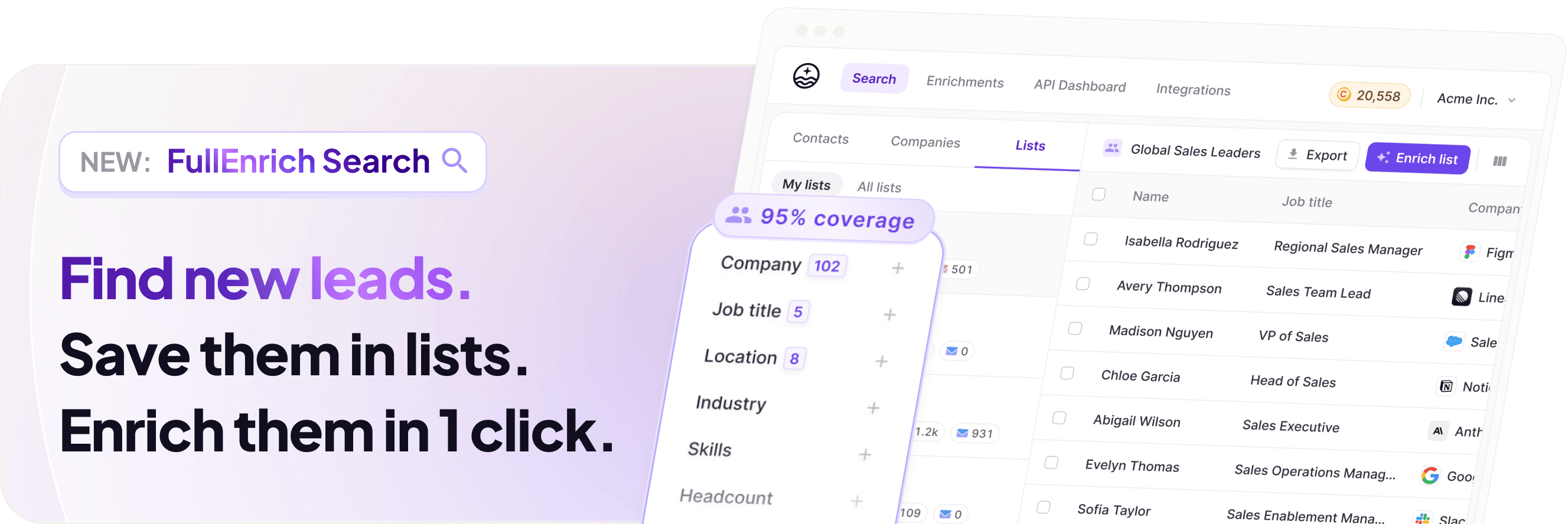
We’re excited to launch FullEnrich Search: a major evolution of the FullEnrich platform that lets you find leads, build lists, and enrich them without ever leaving FullEnrich 🎉
No more CSV imports, no switching tools, and no extra cost. Search is included in every plan.
What’s New
Built-in lead discovery: Search for contacts and companies right inside FullEnrich using powerful filters — job title, industry, location, seniority, and 15+ other criteria. Build precise lists that match your ICP without external tools or spreadsheets.
95% account coverage: Pick a target company and surface nearly all employees, or start from scratch with net-new lists tailored to your ideal customers.
One-workflow enrichments: After building your list, just click Enrich — verified emails and mobile numbers are added right in the same workflow. No tab switching, no uploads.
Export & API support: Export lists to CSV or fully automate Search and enrichment via the FullEnrich API. Every filter available in the UI is available programmatically from day one.
Why it matters
Search has been our most requested feature — now FullEnrich becomes a complete end-to-end outbound data engine: Search → Build → Enrich → Export/Automate. And it’s included in your plan with no additional upgrade required.
We can’t wait to see what you build with it 🚀
Dec 1, 2025
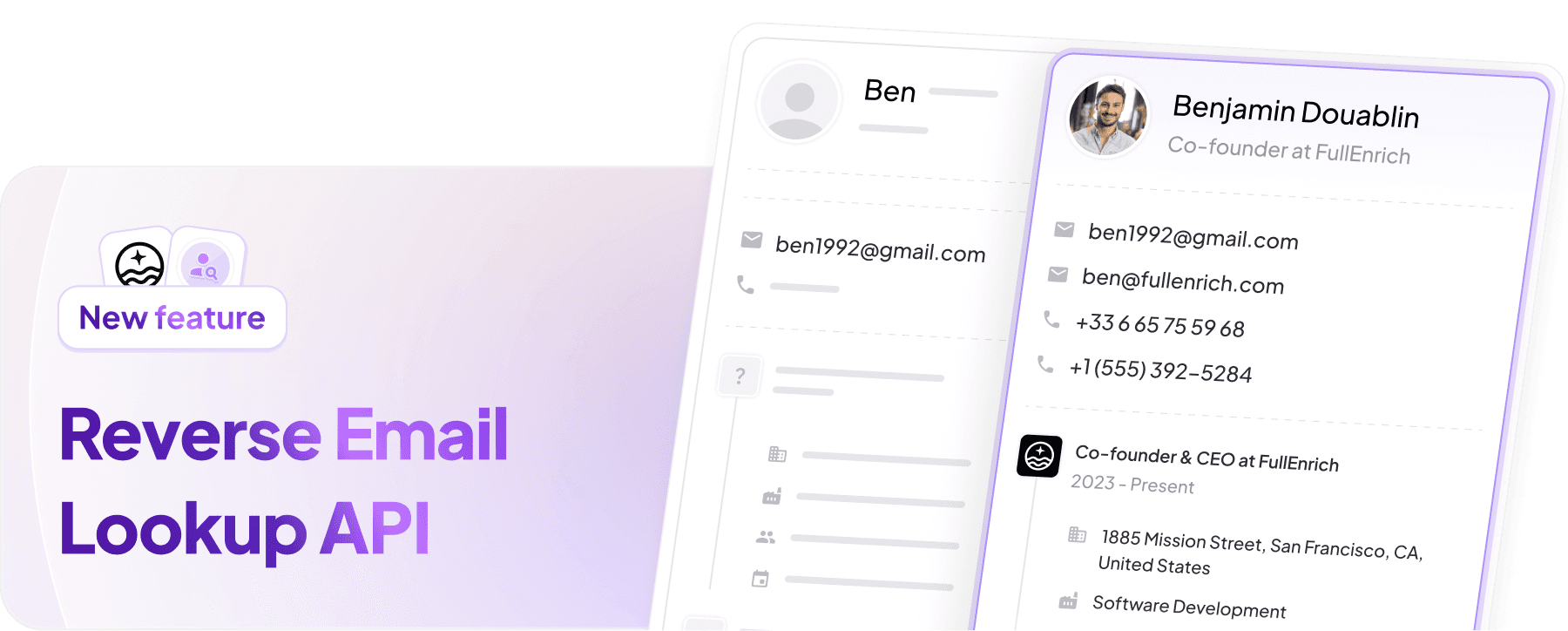
You can now use FullEnrich to turn any email address into a full B2B contact and company profile in seconds 🎉
Just send a single POST request with an email and instantly get back the person’s name, role, company, and other key details.
This makes it easier than ever to enrich leads, identify sign-ups, and fill in missing CRM data. Learn more
How to get started
Copy your FullEnrich API key from the API Dashboard.
Follow the Reverse Email Lookup API documentation and make your first POST request.
Need help?
Reach out to our customer support team for assistance or for any legal guidance related to this feature.
Oct 9, 2025
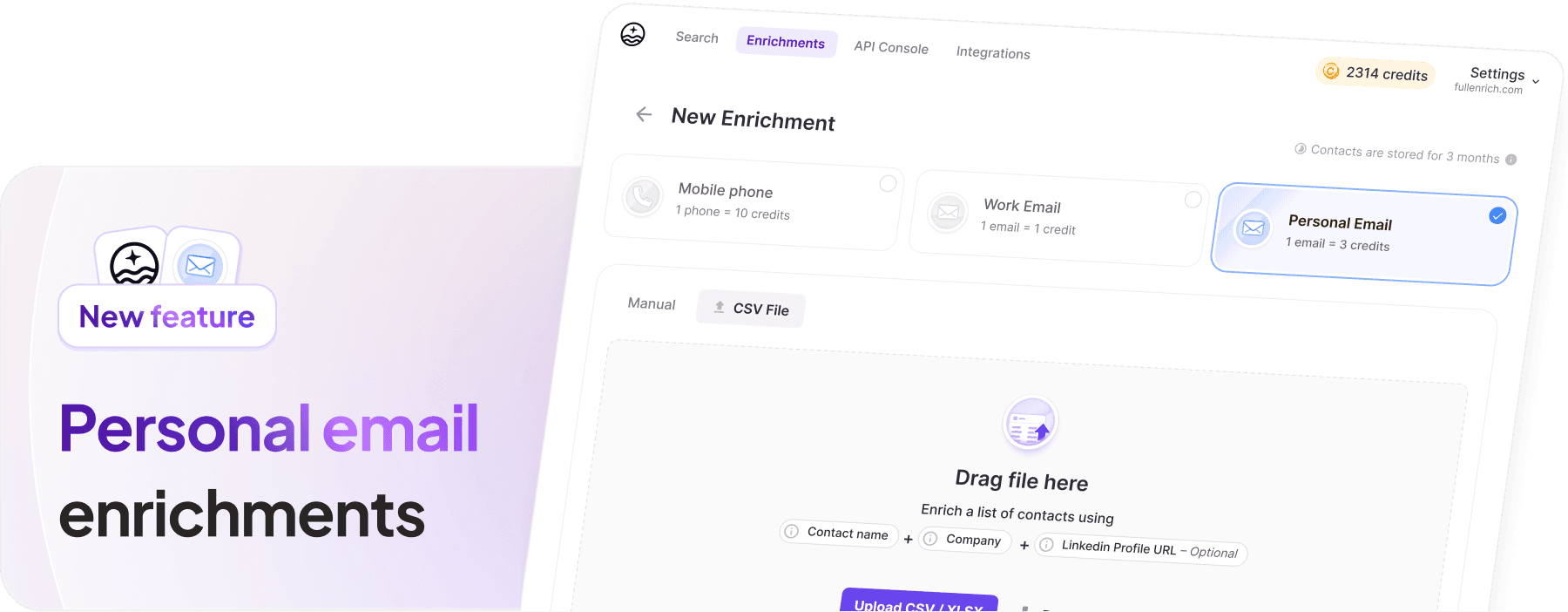
If you're a founder or recruiter scaling your team or searching for your next great hire, you can now use FullEnrich to find verified personal email addresses of your contacts. 🎉
⚠️ Important: Personal email data is provided solely for recruiting purposes. Use of this feature for marketing, sales, or profiling is strictly prohibited.
See the Terms of Service for more details.
How to get started
Go to your workspace settings and click “Enable personal email enrichments” to activate the feature for your workspace.
Start a new enrichment and select the “Personal email” option.
Wait for the enrichment to complete to see the personal emails found by our providers in the waterfall.
Need help?
Reach out to our customer support team for assistance with activation or for any legal guidance related to this feature.
Sep 12, 2025

You can now set custom monthly credit limits for each member of your workspace. This makes it easier to manage how credits are distributed across your team and prevent overspending 🎉
How to get started
Go to your workspace’s Credit Usage & Limits page and click “Enable credit limits”.
Select the members you want to set limits for and click “Bulk actions”.
Choose “Edit limits” and set the limit of your choice.
Make sure “Activate limits” is checked, then click “Save.”
And voilà! Each member of your workspace now has a custom monthly allowance they can spend.
Notes: you can toggle on/off and increase or decrease limits at any time from this page.
Learn more about our Credit Usage & Limits.
Sep 1, 2025

We are officially SOC 2 Type II certified 🎉
FullEnrich now meets the highest standards for security, availability, processing integrity, confidentiality, and privacy. It’s a big step forward in making sure we continue to be a partner you can trust.
What it means for you:
🤝 Enhanced trust & assurance
Confidence that our controls are independently verified and ready for industries with strict requirements.
🔐 Even stronger data protection
Proven safeguards for your sensitive information, monitored continuously.
📝 Simpler compliance
With SOC 2 Type II, procurement and due diligence just got smoother. Especially for enterprise contracts.
Request our SOC 2 Type II here.
Aug 25, 2025

FullEnrich's HubSpot integration is now live — included in all plans 🎉
You can now push contacts with verified work emails and mobile phone numbers into HubSpot, with built-in contact deduplication to keep your CRM clean and reliable.
How to get started
Go to your workspace’s integrations page and click “Connect HubSpot”
Select the HubSpot account you’d like to connect
Adjust column mapping and choose how you want data to update into your CRM
Start or open a new enrichment, then click “Push to HubSpot”
Roadmap
Push contacts from FullEnrich to HubSpot — Available now ✅
Enrich your CRM from FullEnrich — Coming soon ⏳
Enrich from HubSpot with native actions — Coming soon ⏳
Learn more on our HubSpot integration page and in the Help Center.
Aug 18, 2025

FullEnrich is now integrated with n8n, bringing powerful data enrichment into your automations from start to finish 🎉
Over the past few months, we’ve been hard at work building new features and integrations we’re excited for you to try, starting with the n8n integration.
We’ve also welcomed many new teammates across our tech, sales, marketing, and customer support teams 🫶
What’s New ✨
n8n integration
Bring FullEnrich enrichments into your n8n workflows. Click here to get started with the integration and explore our setup guide, use cases, and ready-to-use templates.
New enrichment flow
Enrichments are now faster to navigate with fewer clicks, more flexibility in enrichment methods, and custom list selection.

Jun 23, 2025

You can now select the lists you want to save contacts to when starting an enrichment 🎉
Here’s how:
Go to FullEnrich and start a manual enrichment
Add the information for the contacts you want to enrich
Click the list selector to choose an existing list or create a new one
Click Enrich
Your contacts will then be enriched in the list of your choice, instead of forcing you to create a new one for each enrichment.
Mar 6, 2025

We've added a new credit alert feature that notifies you when your credits fall below a specified threshold.
You can choose to receive these alerts via email or SMS through a simple configuration process.
This feature is particularly valuable for our API users, as it helps prevent unexpected workflow interruptions and ensures your enrichment processes run smoothly without credit-related pauses.
Nov 30, 2024
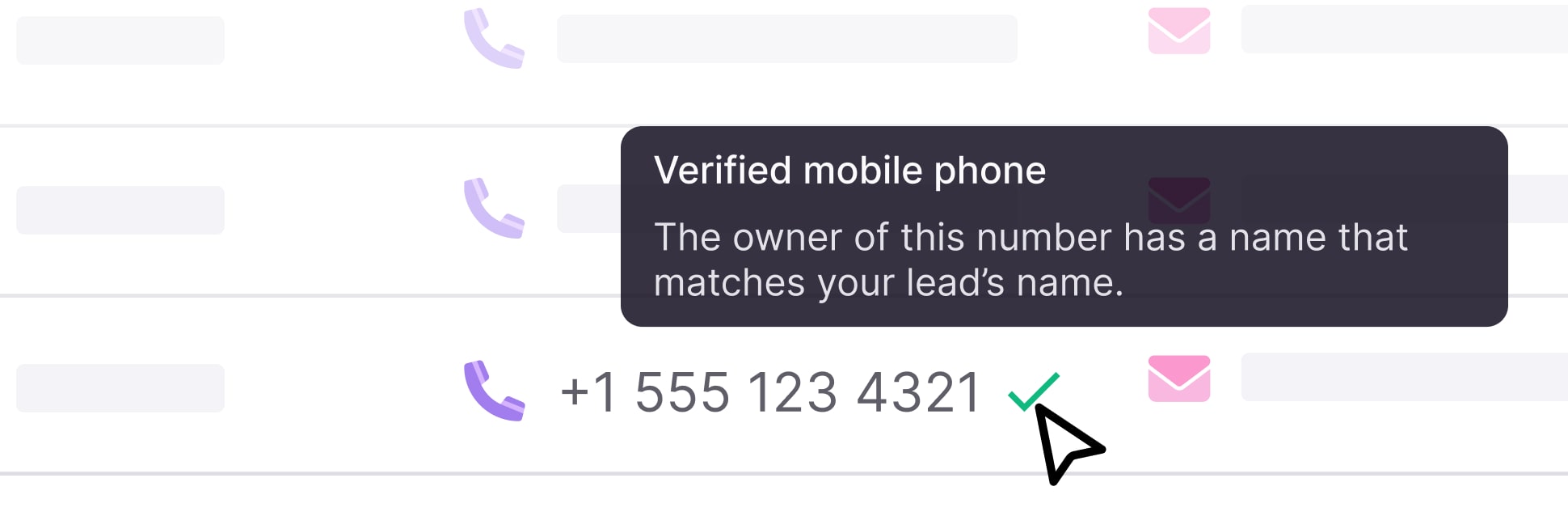
We've built a powerful verification system combining telecom partnerships and AI:
Our telecom partners tell us who owns each phone line
Our AI then matches the owner's name against your lead's name
Verified numbers get flagged in the interface
This means your sales team can prioritize verified numbers first.
Important note: If a number isn't verified, it doesn't mean it's wrong. It's just an extra tool to help your sales team work more efficiently by starting with the most promising leads.
Oct 15, 2024
We recently implemented a Mobile vs Landline detection based on the format of the phone number.
For the US and Canada, it works differently.
Since you can't tell by the number format alone, we've partnered with telecom providers to check if a number is:
Mobile
Landline
Online phone number (VOIP)
Just like in other countries, you won't be charged for landlines (or VOIP).
Sep 24, 2024

We now flag landline phone numbers.
If the phone is a landline:
You won't pay any credits if the number is a landline.
We continue the enrichment until we find a mobile number.
We still return the landline we found and flag it as such.
This applies to any country where we can detect whether a phone is mobile based on the number's format.
Here is a non-exhaustive list:
Europe: France, UK, Germany, Italy, Spain, Portugal, Belgium, Netherlands, Ireland, Switzerland, Austria, Denmark, Sweden, Norway, Finland
Asia: India, Japan, South Korea, China, Taiwan, Hong Kong, Singapore, Malaysia, Thailand, Philippines
Oceania: Australia, New Zealand
Africa: South Africa, Morocco, Egypt, Kenya, NigeriaSouth America: Brazil, Argentina, Chile, Colombia
Note: For some countries, the format helps only partially. For example, in India, some phone number formats are mobile-only, some are landline-only, and some can be used for both. When a format can be used for both, this validation cannot be applied.
We plan to implement the detection for the US in the next 2 weeks.
Sep 11, 2024

You can now use FullEnrich data into any Make workflow by using FullEnrich "Enrich a contact" action.
As simple as that.
Jul 1, 2024

We now have RocketReach as a phone provider, available on all plans.
Jun 27, 2024
Fixed numerous small bugs that occurred only around 1% of the time, but we wanted everything to run smoothly.
Corrected display issues on enrichment results to ensure accurate and clear data presentation.
Iterated on the triple verification algorithm for enhanced precision.
Strengthened the back-end significantly, ensuring that even during traffic spikes (e.g., when a user uploads a file with 50k contacts for enrichment), the processing speed for other users remains unaffected.
And so many more to make sure we have a fully working service ready for the scale.
Apr 28, 2024
Some context
Since the beginning of FullEnrich, we have not been fully satisfied with the deliverability of our email.
Each email provided by our providers was processed by an email validation system. Even though we tested several options to choose the best one, we felt there was still room to improve.
At times, with verified emails, some clients still saw a bounce rate of 5%. This is "okay". But not "great".
This led us to look for the best email validation system we could find.
The most thorough benchmark ever made
To do this, we conducted a benchmark by testing over 10,000 emails, verifying their validity by sending real messages. [Link to the study here]
Then, we tested every email validator available on the market. The results were clear: not all validation systems are equal, even though most claim a deliverability rate of 98%, which is rarely achieved.
Triple Email Verification
Our analysis showed us patterns among different validation systems, often due to the different technologies they use.
By combining these technologies, we were able to bring the bounce rate down to nearly 1%. We also added other validation methods to better identify which types of emails were more likely to be accepted.
With these insights, we created a triple email verification system that is not found anywhere else. It ensures that the emails we provide are delivered with a level of confidence that is unmatched. This also allows us to estimate the bounce rate based on different email statuses, so you can choose the emails that interest you and get an accurate estimate of the bounce rate you might expect.


Mar 6, 2024

We now have Hunter as an email provider in the enrichment, available for everyone and all plans.
Mar 5, 2024

Depending on the type of plan you choose, your credit can be valid for 3, 6, or 12 months. Tracking this can be tricky. We have built a dashboard where you can see what type of credits you have, how much you have used, and how long they will be valid.
And of course, we use credits that will expire the soonest!
Feb 8, 2024

We strive for accuracy and your feedback is crucial.
You can now report incorrect numbers directly in our platform.
This feedback will help us prioritize and refine our data sources to ensure you get the most reliable information possible.
Jan 20, 2024

We're always looking to offer more flexible ways to use and buy FullEnrich.
That's why we're introducing Yearly and One-Time payment plans. Now, you have more options to choose what works best for your team and budget!
Visit your Billing Settings to see all the available plans:
Dec 22, 2023

We have added a new phone number and email provider after thorough testing: ContactOut.
Here are the results they boast about.
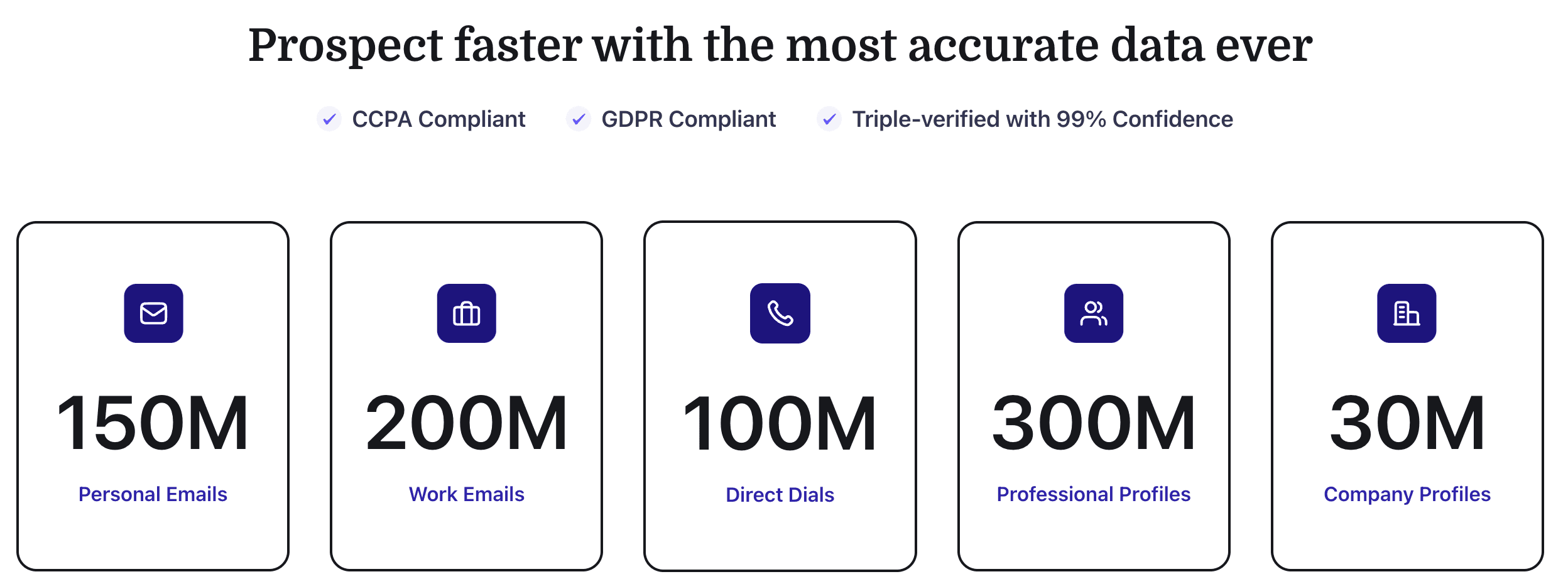
We can confirm that they do provide strong coverage for the North American, UK, and EMEA regions.
They are now available without any additional cost in your waterfall enrichment.
Dec 15, 2023
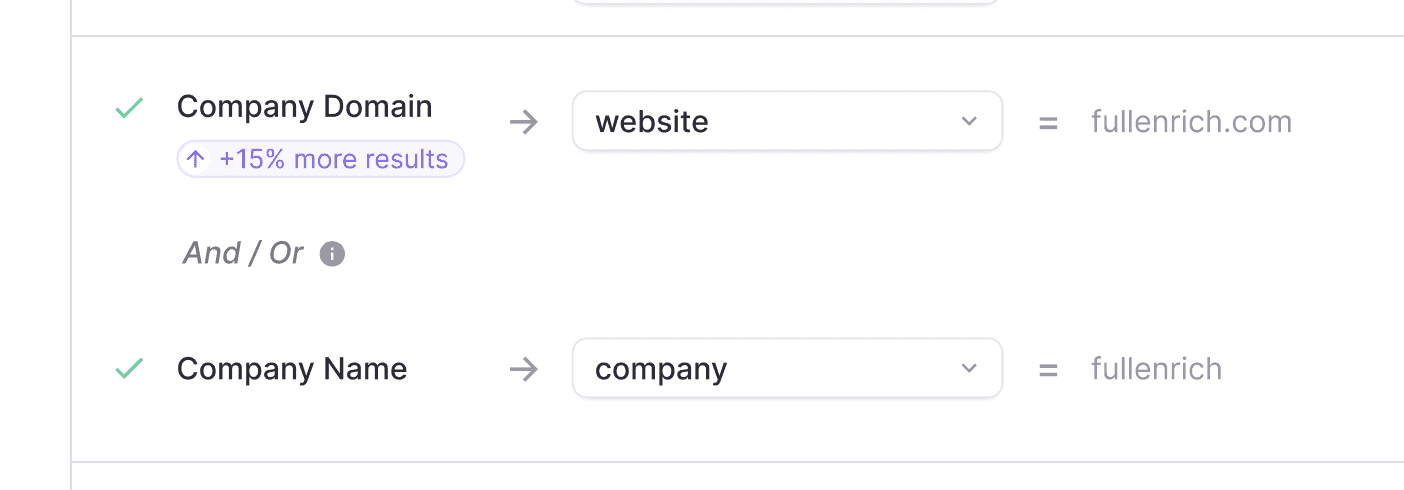
Before, when enriching a lead, you could only select either the company domain or the company name. However, sometimes you only have the company domain for half of your files. This means that you couldn't benefit from the boost in find rate that you get with the company domain.
Now, you can select both the company name and the company domain. If we have the domain, we will use it; if not, we will fall back on the company name.
Dec 5, 2023

This was a highly requested feature. You can now search for phone numbers only when enriching data. You only pay for what you need.
Nov 24, 2023
Zapier Integration is Live ⚡️
Try the Zapier Integration before anyone else here : Try Zapier Integration (beta)
Some use cases:
Automate enrichment in Google Sheet
Enrich contact in your CRM
Enrich contact before sending them to Lemlist / Outreach / Salesloft…
Nov 22, 2023
We added some options when you download your result:
What contacts to include
What emails to include (Only Valid / Catch-all / Unkown / Invalid)

We now show the deliverability of an email directly on the list as well.

Nov 16, 2023
Added
New Email Providers: Integrated two additional email service providers into our cascading system. This expansion enhances our ability to locate and verify email addresses across a broader range of domains.
Improved
Email Finding Rate: The inclusion of new email providers has significantly improved our email discovery rates, making our service more efficient in finding valid email addresses.
Enrichment Accuracy: Recent enrichments have achieved a 95% success rate in email verification for test clients, marking a notable improvement in the reliability of our service.
Handling of 'Catch-All' Emails: Enhanced our ability to identify valid email addresses even when dealing with 'catch-all' email setups, reducing the likelihood of missing important contacts.
Optimization
Domain Discovery from Company Names: We've refined our process of extracting domain information from just the company name. This optimization means an increased rate of successful email discoveries, especially in scenarios where only the company name is provided, without the specific domain.
Nov 13, 2023
The API is now available to everyone. Our goal was to make it as simple and robust as possible.
Bulk Operations Support: You can now enrich up to 100 contacts in a single request, streamlining your data enrichment processes.
User-Friendly Documentation: Try the API directly from our documentation, with easy copy-paste integration and request editing.
Upcoming Features
Integration Tutorials: We are planning to release tutorials for integrating FullEnrich API with popular automation platforms like n8n, Zapier, and Make. These will demonstrate how to automate workflows involving contact enrichment.
Use Cases
Automate Contact Enrichment in Workflows: Integrate FullEnrich API with n8n, Zapier, or Make to enrich contact details automatically within your business workflows.
Lead Generation and Management: Seamlessly enrich lead information in CRM systems or marketing platforms using our API, enhancing your lead generation and management processes.