By Grégoire Démogé, Co-founder & CPO at FullEnrich — built the waterfall by testing every enrichment tool on this list.
We've been in the B2B data space for years now. We've tested dozens of data enrichment tools, burned through thousands of dollars in subscriptions, and learned the hard way that most platforms overpromise and underdeliver when it comes to finding accurate contact information.
Here's the thing: no single data vendor has a 100% enrichment rate. Not even close. The best ones hover around 40-60% for emails and even lower for mobile phone numbers.
That's why we built FullEnrich around waterfall enrichment, and it's also why we've become obsessed with understanding what each tool on the market actually does well.
We'll be honest about our own limitations too.
The goal is to help you pick the right data enrichment solution for your specific needs, whether that's enriching your CRM data, finding verified emails for cold outreach, or getting mobile phone numbers for your sales team.
Let's dig into the best data enrichment software of 2026.
12 Best Data Enrichment Tools in 2026
Here are the best tools for data enrichment right now:
- FullEnrich (best for waterfall enrichment and match rates)
- ZoomInfo (best for enterprise sales intelligence)
- Apollo.io (best for all-in-one sales platform)
- Cognism (best for GDPR-compliant European data)
- Lusha (best for quick contact discovery)
- Clearbit (best for HubSpot users and form enrichment)
- Hunter.io (best for email finding on a budget)
- RocketReach (best for large database access)
- Datanyze (best for technographic data)
- Seamless.AI (best for AI-powered prospecting)
- 6sense Revenue AI (best for intent data and ABM)
- Lead411 (best for verified direct dials)
Let's break down each one.
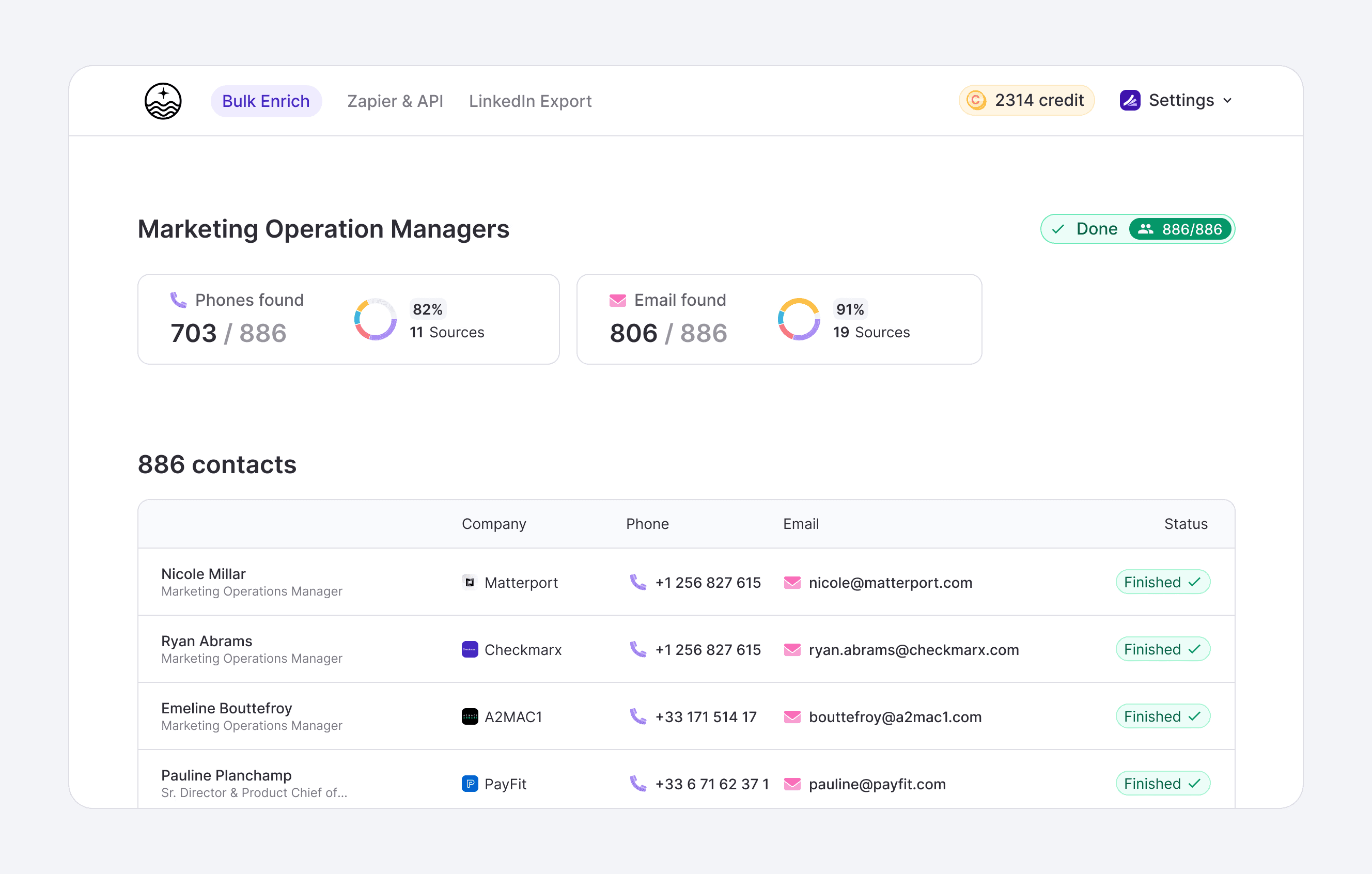
1. FullEnrich
- Category: Waterfall Enrichment Platform
- Best for: Maximum match rates across multiple data sources
- Ease of use: Beginner
- Pricing: Free trial (50 credits), paid plans start at $29/month
Yes, we're putting ourselves first, but hear us out. FullEnrich was built to solve the fundamental problem with B2B data enrichment: no single vendor has complete coverage.
We aggregate 15+ premium data providers into one waterfall.
When you enrich data, our system cascades through each provider until it finds verified contact information. If the first source doesn't have the email, we try the second, then the third, and so on.
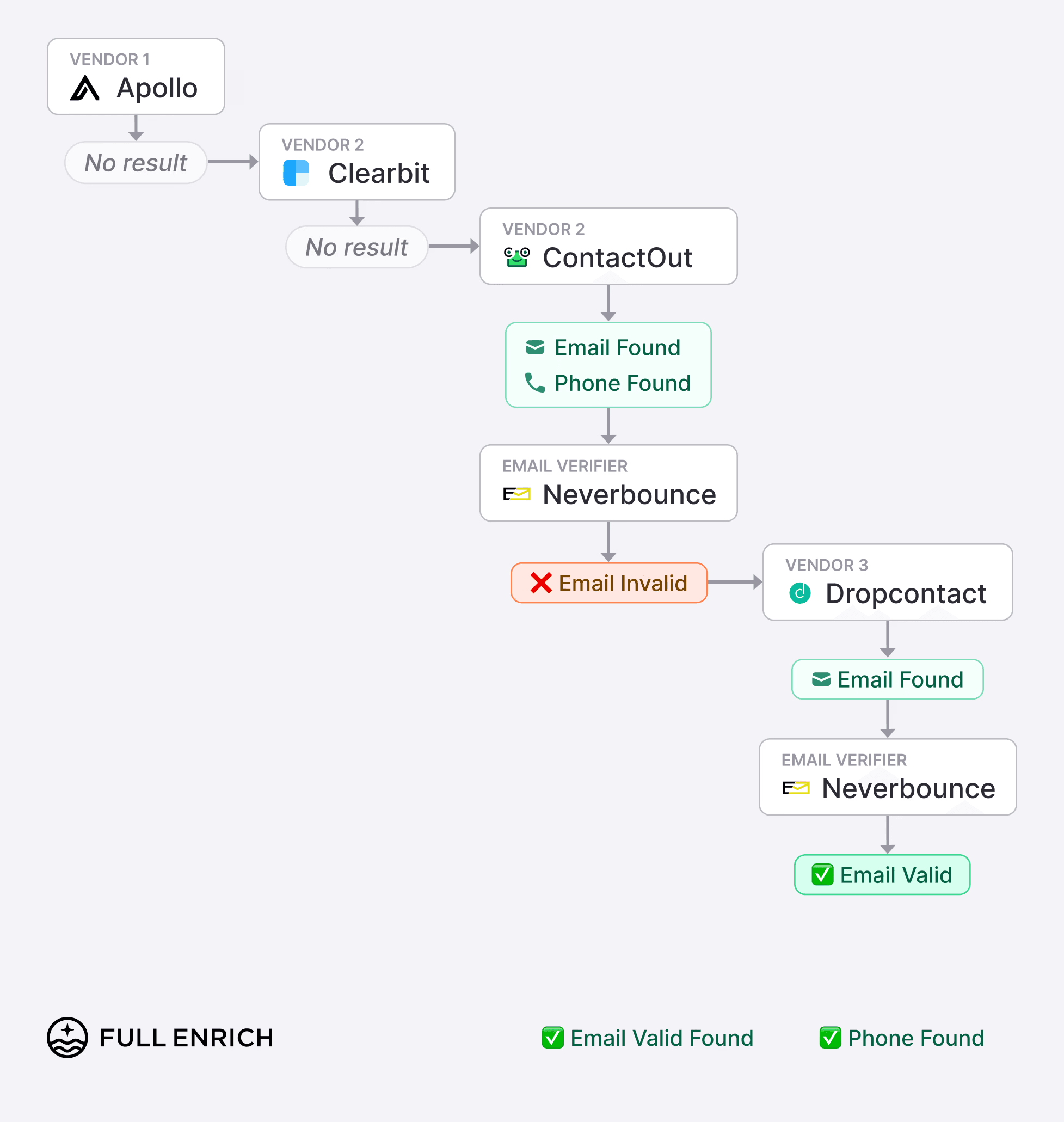
This waterfall enrichment technology consistently achieves 65-85% match rates compared to 25-40% from single-source tools.
👉 Try FullEnrich with 50 free credits today
How FullEnrich works
- Upload a CSV or connect via API with your prospects' names and companies. Our algorithm selects the best data sources based on the prospect's geographic location and industry.
- For US contacts, certain providers perform better. For EMEA or APAC, using different third-party data providers excel. We handle the routing automatically.
- In the data enrichment process every email goes through triple verification before you're charged credits, keeping bounce rates under 2%.
- You only pay for valid contact info found which ensure quality prospect data
👉 Try FullEnrich with 50 free credits today
Who is FullEnrich for?
- Sales and marketing teams who are tired of juggling multiple data subscriptions and still getting incomplete data.
- SDRs doing high-volume lead generation outreach who need maximum coverage and quality B2B data.
- RevOps teams managing CRM data enrichment who want one tool instead of five.
Pricing plans
- Free Trial: 50 credits, no credit card required
- Starter: $29/month for 500 credits
- Pro: $55/month for 1000 credits
- Scale: Custom pricing for high-volume needs
Credits roll over for 3 months on monthly plans, 12 months on annual plans.
Pros and cons
Pros | Cons |
|---|---|
Highest match rates in the industry (85%) | Focused on enrichment only, not prospecting |
Triple email verification keeps bounce rates under 2% | Phone credits are more expensive than email credits |
Pay only for valid contacts found | Limited native integrations (Zapier and Make available) |
No annual contract required | Chrome extension has been discontinued |
FullEnrich rating and reviews
- G2: 4.8 out of 5 stars (see reviews)
👉 Try FullEnrich with 50 free credits today
2. ZoomInfo
- Category: Enterprise Sales Intelligence Platform
- Best for: Large sales teams needing comprehensive B2B data
- Ease of use: Intermediate to Advanced
- Pricing: Starts at approximately $15,000/year (contact sales)
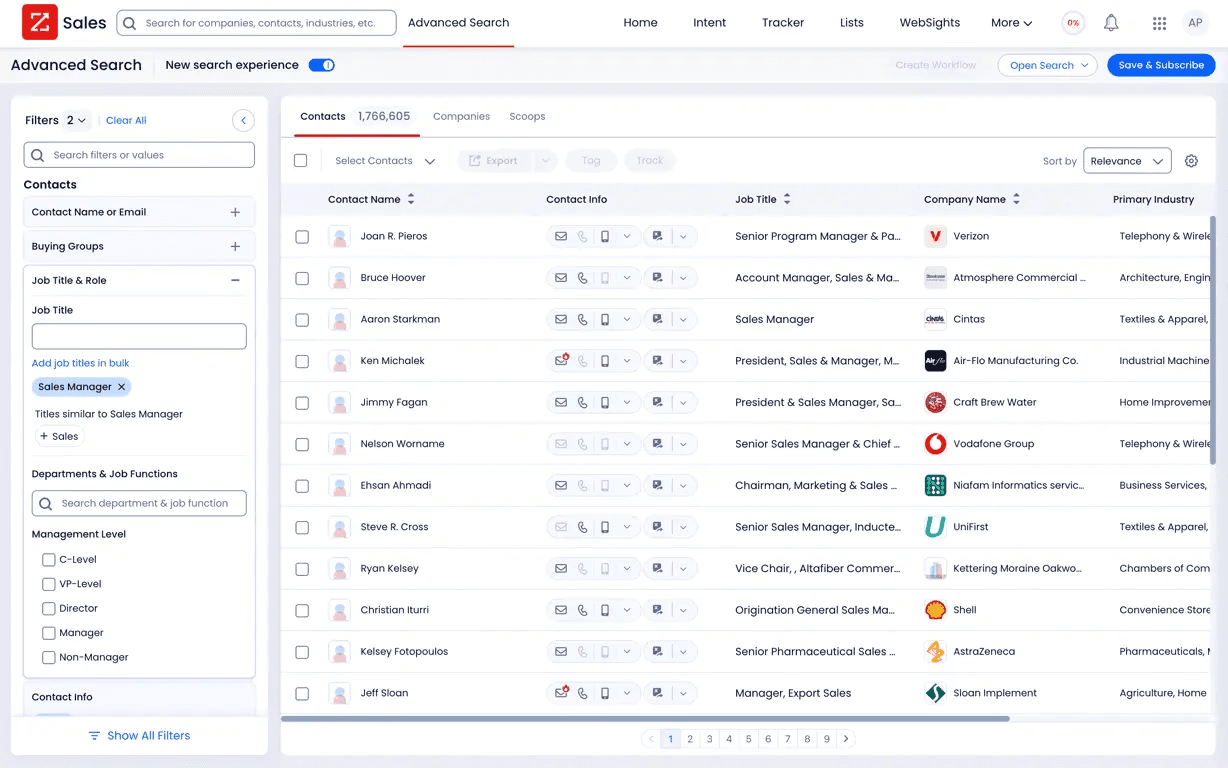
ZoomInfo is the 800-pound gorilla in the B2B data space. They've been around since 2000 and have built one of the largest databases of business contacts and company information. If you work in B2B sales, you've almost certainly heard of them.
The platform goes way beyond simple enrichment features. You get intent signals showing when companies are researching solutions like yours, technographic data revealing their tech stack, org charts, department budgets, and real-time alerts for funding rounds and leadership changes.
It's a proper sales companion with powerful sales intelligence automation tools.
How ZoomInfo works
- ZoomInfo combines data from multiple sources including web scraping, public records, and community-contributed information.
- Their SalesOS product lets you search their database with 200+ filters, export contacts to your CRM, and integrate with your sales engagement tools like Salesforce and HubSpot.
The platform uses a credit-based system where more detailed information (like technographics and org charts) costs more credits than basic contact info.
Who is ZoomInfo for?
- Enterprise sales and marketing teams with substantial budgets.
- Companies doing account-based marketing who need deep firmographic and intent data.
- Organizations that want an all-in-one sales intelligence and sales engagement platform.
Pricing plans
ZoomInfo doesn't publish pricing, but based on various sources:
- Professional: Approximately $15,000/year starting point
- Advanced: Approximately $25,000-35,000/year
- Elite: $40,000+/year
Pricing depends on seats, credits, and add-ons. All contracts are annual.
Pros and cons
Pros | Cons |
|---|---|
Massive database with deep firmographic data | Expensive, especially for small teams |
Strong intent signals and technographic data | Opaque pricing requires sales calls |
Native Salesforce and HubSpot integrations | Data accuracy can be inconsistent in some regions |
Conversation intelligence with Chorus add-on | Annual contracts with limited flexibility |
ZoomInfo rating and reviews
- G2: 4.5 out of 5 stars (see reviews)
- Capterra: 4.3 out of 5 stars
3. Apollo.io
- Category: All-in-One Sales Intelligence and Engagement Platform
- Best for: Teams wanting data, outreach, and CRM in one tool
- Ease of use: Beginner to Intermediate
- Pricing: Free plan available, paid plans start at $49/user/month
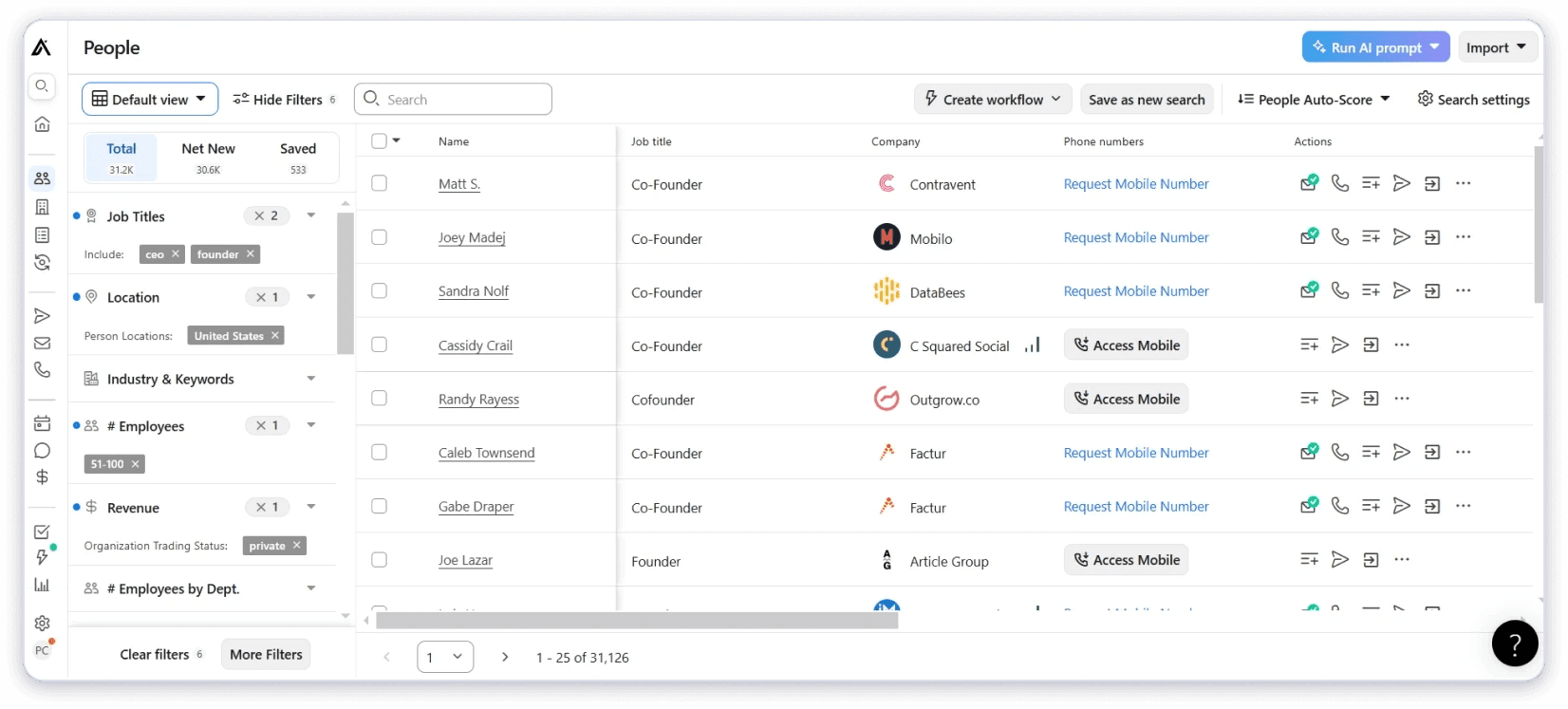
Apollo.io has become incredibly popular in the past few years, and for good reason. They've built a comprehensive platform that combines a B2B contact database with sales prospecting features like email sequencing, engagement tracking, and light CRM functionality.
For teams that want to consolidate their tech stack in one place, Apollo is compelling.
They claim over 275 million contacts with 70+ data points per profile. The free plan is genuinely useful, making it a great starting point for teams testing the waters with sales intelligence tools.
However, many teams report accuracy gaps for lead data.
How Apollo works
- Search Apollo's database using filters like job title, company size, industry, location, and more.
- Build contact lists, enrich your existing CRM data, and launch automated email sequences directly from the platform.
- The Chrome extension lets you pull contact info while browsing LinkedIn or company websites.
Apollo uses a credit system where revealing mobile numbers and exporting contacts consumes credits. Emails are more generous on most plans.
Who is Apollo for?
- Startups and SMBs looking for an affordable all-in-one solution.
- Sales teams that want to find data and outreach in the same tool.
- Individual SDRs who need to move quickly without switching between platforms.
Pricing plans
- Free: 10,000 email credits/month, 5 mobile credits, 10 export credits
- Basic: $49/user/month with more credits and filters
- Professional: $79/user/month with buying intent data
- Organization: $119/user/month with advanced features (minimum 3 users)
All paid plans are billed annually.
Pros and cons
Pros | Cons |
|---|---|
Generous free plan for testing | Data accuracy varies by region |
All-in-one platform reduces tool sprawl | Credit system can get expensive at scale |
Good email sequencing built in | Mobile numbers require higher-tier plans |
Strong Chrome extension for LinkedIn | Customer support response times can be slow |
Apollo.io rating and reviews
- G2: 4.7 out of 5 stars (see reviews)
- Capterra: 4.6 out of 5 stars
4. Cognism
- Category: B2B Sales Intelligence with Compliance Focus
- Best for: Teams targeting European markets or needing GDPR-compliant data
- Ease of use: Intermediate
- Pricing: Custom pricing (contact sales)
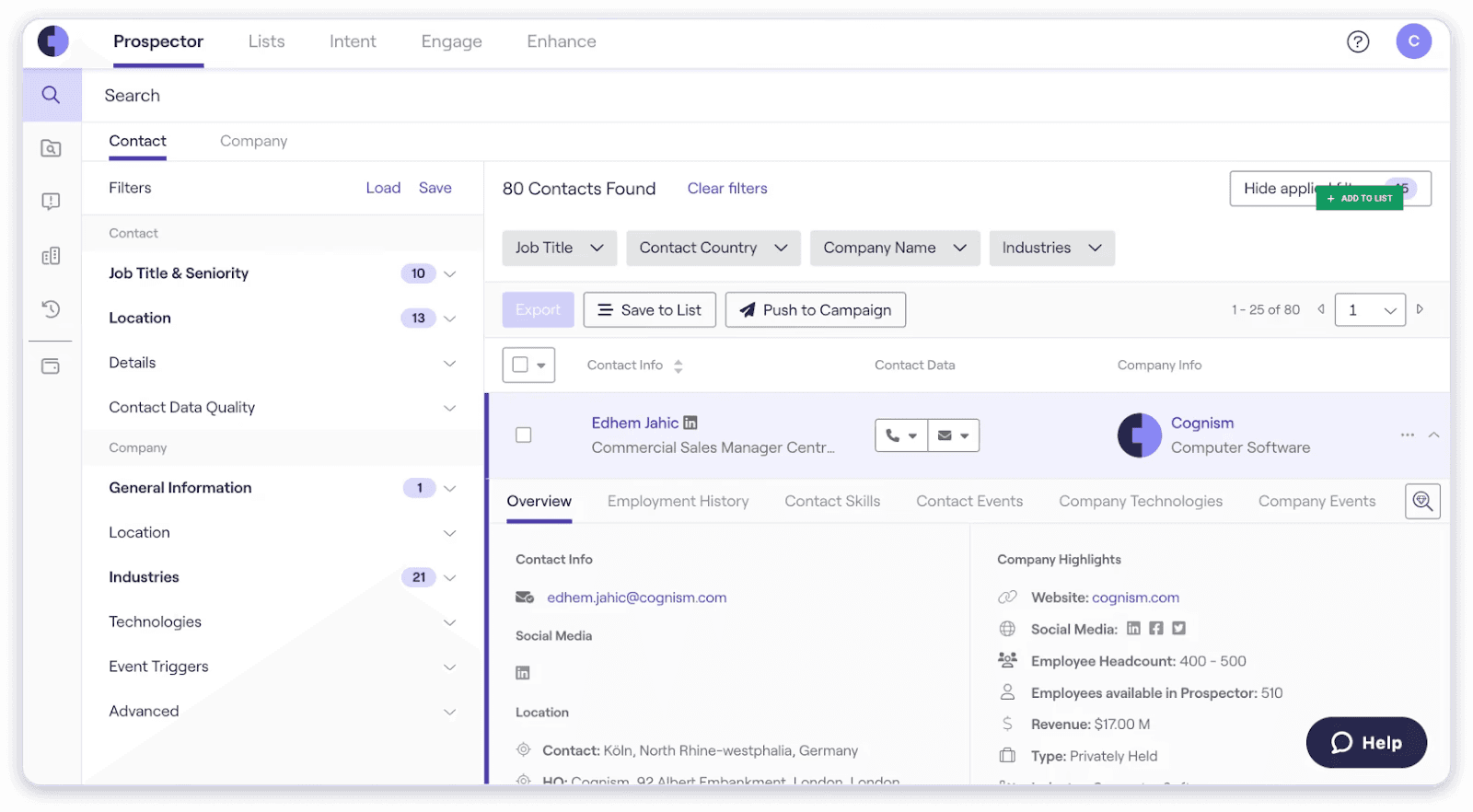
Cognism has carved out a strong niche as the go-to B2B data provider for European markets. While US-focused tools often struggle with EMEA data quality, Cognism has invested heavily in verified, compliant contact information for European prospects.
Their Diamond Data feature provides phone-verified mobile numbers, meaning a human has actually called to confirm the number is correct.
For teams doing cold calling, this dramatically improves connect rates.
However data available in the US is lacking depth.
How Cognism works
- Cognism provides access to their database through a web app, Chrome extension, and API.
- You can search for contacts, build lists, and export to your CRM.
- Their data includes direct dials, verified emails, and intent data powered by Bombora.
Unlike many competitors, Cognism uses a license-based pricing model rather than credits, giving teams unlimited views and exports within their subscription.
Who is Cognism for?
- Sales teams targeting European markets where GDPR compliance matters.
- Organizations that rely on phone outreach and need verified direct dials.
- Companies expanding internationally who need consistent data quality across europe.
Pricing plans
Cognism offers custom pricing with two main tiers:
- Platinum: Core features with Diamond Data
- Diamond: Premium tier with additional verification services
You'll need to contact sales for specific pricing.
Pros and cons
Pros | Cons |
|---|---|
Strongest European data coverage | Higher price point than some alternatives |
Phone-verified mobile numbers (Diamond Data) | US data coverage not as strong as competitors |
DNC list checking across 13 countries | Requires annual commitment |
Unlimited exports on all plans | Limited free trial availability |
Cognism rating and reviews
- G2: 4.6 out of 5 stars (see reviews)
- Capterra: 4.5 out of 5 stars
5. Lusha
- Category: B2B Contact Data Platform
- Best for: Quick contact discovery with Chrome extension
- Ease of use: Beginner
- Pricing: Free plan available, paid plans start at $22.45/user/month
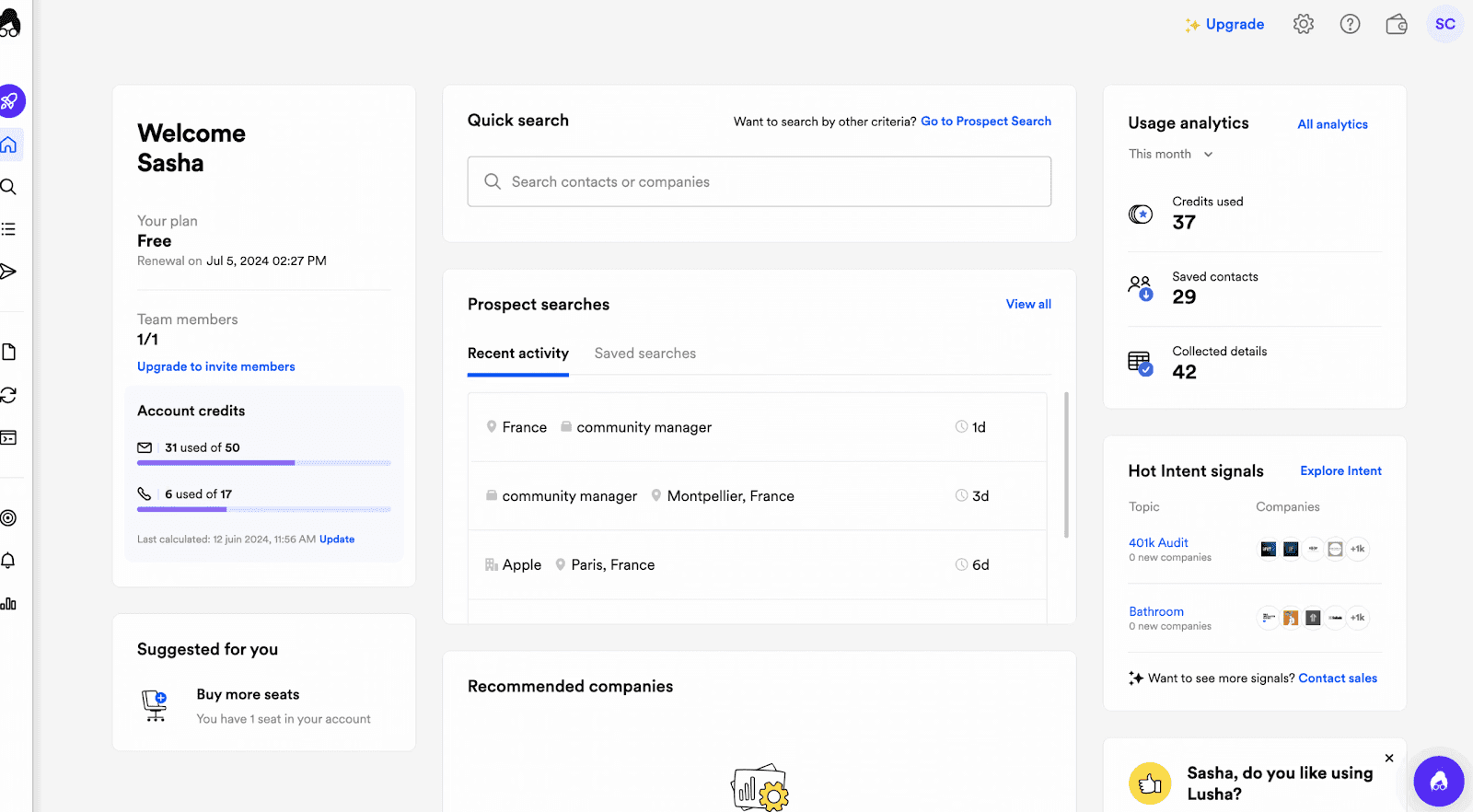
Lusha has become one of the most popular tools for individual sales reps who need a fast, simple way to find contact information. Their Chrome extension is particularly beloved for its ease of use on LinkedIn.
The platform has expanded beyond simple email finding to include intent signals, job change alerts, and API access for automated workflows. For teams on a budget, Lusha offers one of the more affordable entry points into B2B data enrichment.
How Lusha works
- Install the Chrome extension and browse LinkedIn or company websites.
- Click the Lusha icon to reveal email addresses, phone numbers, and company information.
- You can also search their database directly and use filters to build prospect lists.
Lusha uses a credit system where each contact reveal consumes credits. The free plan includes limited credits to test data quality.
Who is Lusha for?
- Individual contributors and small sales teams who need straightforward contact finding.
- Recruiters searching for candidate contact information.
- Teams already using LinkedIn sales navigator heavily for prospecting.
Pricing plans
- Free: 70 credits, basic features
- Pro: $22.45/user/month (billed annually), 3,600 credits/year
- Premium: $52.45/user/month (billed annually), 9,600 credits/year
- Scale: Custom pricing, unlimited credits
Pros and cons
Pros | Cons |
|---|---|
Very easy to use Chrome extension | Credit limits can be restrictive |
Affordable starting price | Data accuracy varies by region |
Intent signals on higher plans | Limited filtering compared to ZoomInfo |
Good LinkedIn integration | CRM integrations require premium plans |
Lusha rating and reviews
- G2: 4.3 out of 5 stars (see reviews)
- Capterra: 4.0 out of 5 stars
6. Clearbit (Breeze Intelligence)
- Category: Real-Time Data Enrichment and Marketing Intelligence
- Best for: HubSpot users and marketing teams doing form enrichment
- Ease of use: Intermediate
- Pricing: Credit-based, starting around $45/month for 100 credits
Clearbit was acquired by HubSpot and rebranded as Breeze Intelligence. It's now deeply integrated into HubSpot's ecosystem, making it the obvious choice for teams already on that platform.
The tool excels at real-time enrichment, particularly for shortening web forms. When a prospect enters their email, Clearbit can auto-populate company and customer data information, reducing friction and improving conversion rates.
How Clearbit works
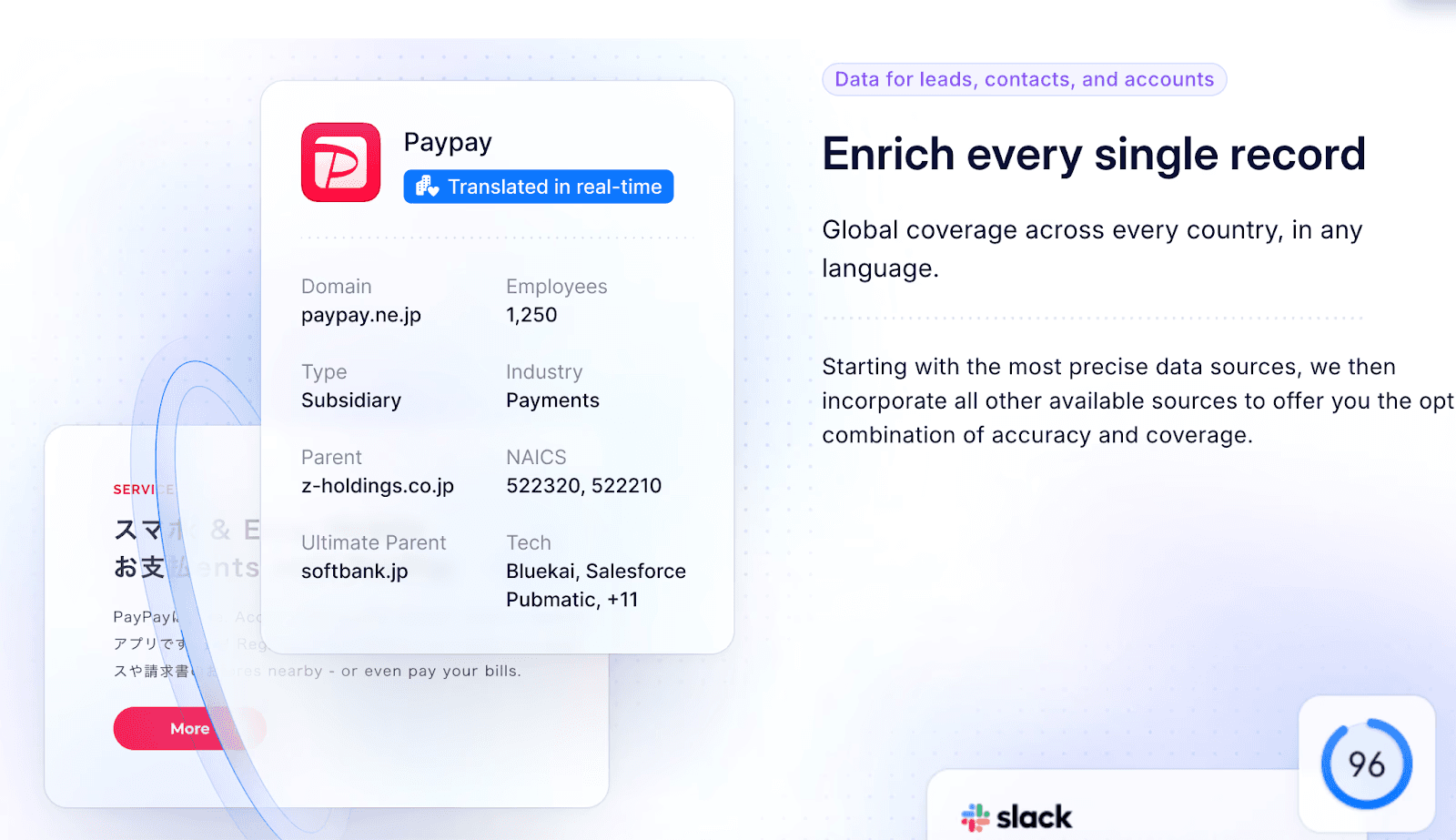
- Clearbit pulls firmographic data (company size, industry, tech stack) and contact data (job title, seniority, location) from a single email address or domain.
- The enrichment happens in real-time via API, making it ideal for form optimization and lead routing.
Since the HubSpot acquisition, Clearbit is best accessed through HubSpot's platform as Breeze Intelligence.
Who is Clearbit for?
- HubSpot customers who want native data enrichment.
- Marketing teams focused on lead qualification and scoring.
- Companies using web forms who want to reduce friction and improve lead quality.
Pricing plans
Pricing is tied to HubSpot tiers and credit usage:
- 100 credits: Starting around $45-50/month
- 1,000 credits: Around $150/month
- 10,000 credits: Around $700/month
Credits are consumed per enriched record.
Pros and cons
Pros | Cons |
|---|---|
Excellent HubSpot integration | Now requires HubSpot ecosystem |
Great for form shortening | Credit costs add up quickly |
Real-time API enrichment | Less focused on outbound prospecting |
Strong firmographic data | Limited to marketing use cases |
Clearbit rating and reviews
- G2: 4.4 out of 5 stars (see reviews)
7. Hunter.io
- Category: Email Finder and Verification
- Best for: Budget-friendly email finding and verification
- Ease of use: Beginner
- Pricing: Free plan available, paid plans start at €49/month
Hunter.io is a focused tool that does one thing well: finding and verifying professional email addresses.
If you don't need phone numbers, intent data, or full sales intelligence, Hunter offers a clean, affordable solution for email-based outreach.
The tool has been around since 2015 and is used by over 4 million professionals including teams at Google, Microsoft, and IBM. Their email verification is particularly reliable.
How Hunter works
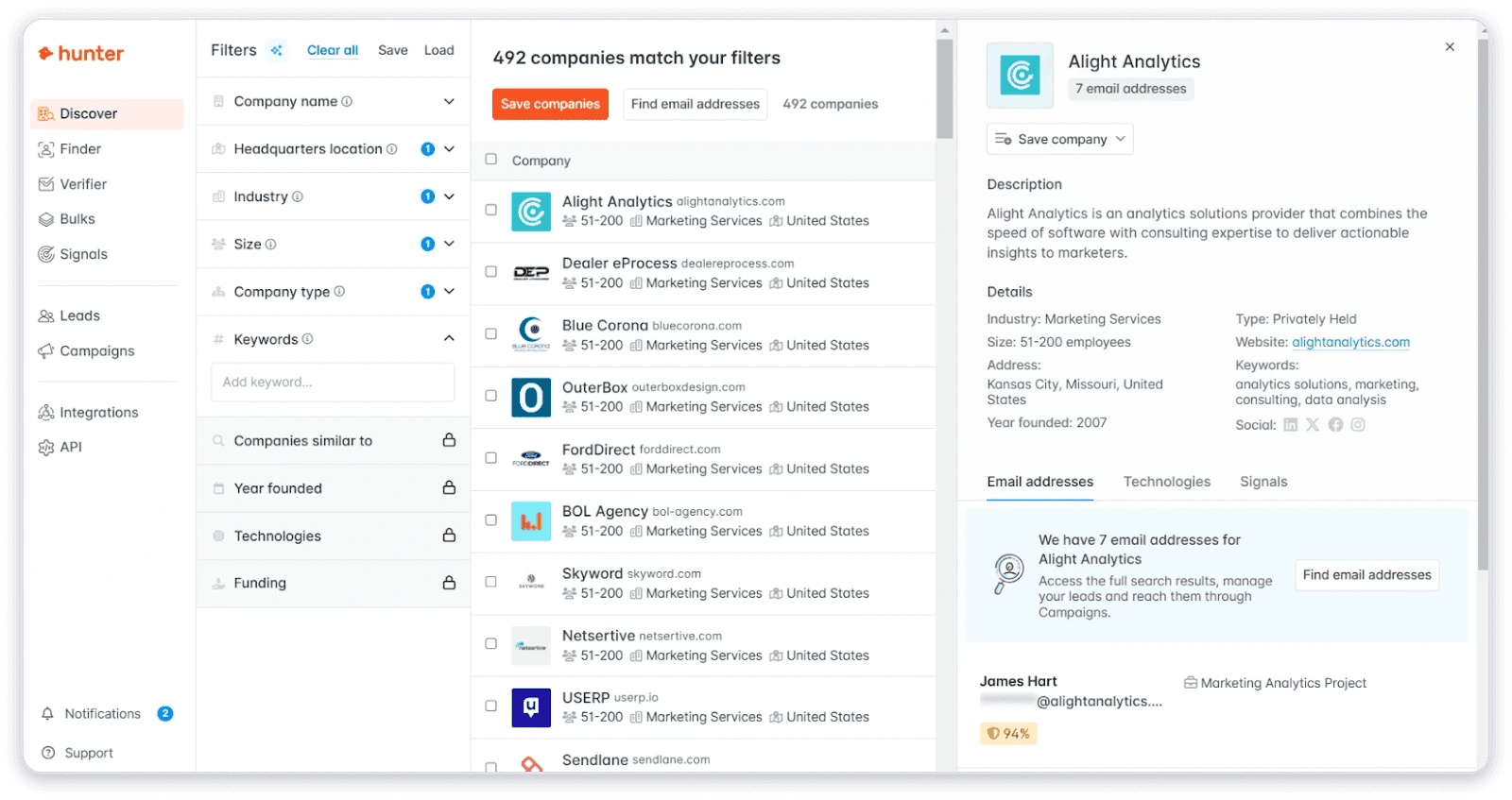
- Enter a domain name to see all publicly available email addresses associated with that company.
- Search by individual name and company to find specific contacts.
- Upload bulk lists for mass email finding and verification.
Hunter also offers email outreach campaigns directly from the platform, though it's more limited than dedicated outreach tools.
Who is Hunter for?
- Marketers and salespeople focused on email outreach.
- Teams on tight budgets who need reliable email addresses.
- Anyone doing link building or PR who needs to find the right contacts.
Pricing plans
- Free: 25 searches/month, 50 verifications
- Starter: €49/month for 500 searches, 1,000 verifications
- Growth: €149/month for 5,000 searches, 10,000 verifications
- Business: €499/month for 50,000 searches, 100,000 verifications
Pros and cons
Pros | Cons |
|---|---|
Clean, simple interface | No phone numbers |
Reliable email verification | Limited to email data |
Transparent, affordable pricing | Smaller database than competitors |
Good Google Sheets integration | No intent or firmographic data |
Hunter.io rating and reviews
- G2: 4.4 out of 5 stars (see reviews)
- Capterra: 4.6 out of 5 stars
8. RocketReach
- Category: B2B Contact Database
- Best for: Access to a large database of professional profiles
- Ease of use: Beginner to Intermediate
- Pricing: Free plan available, paid plans start at $39/month
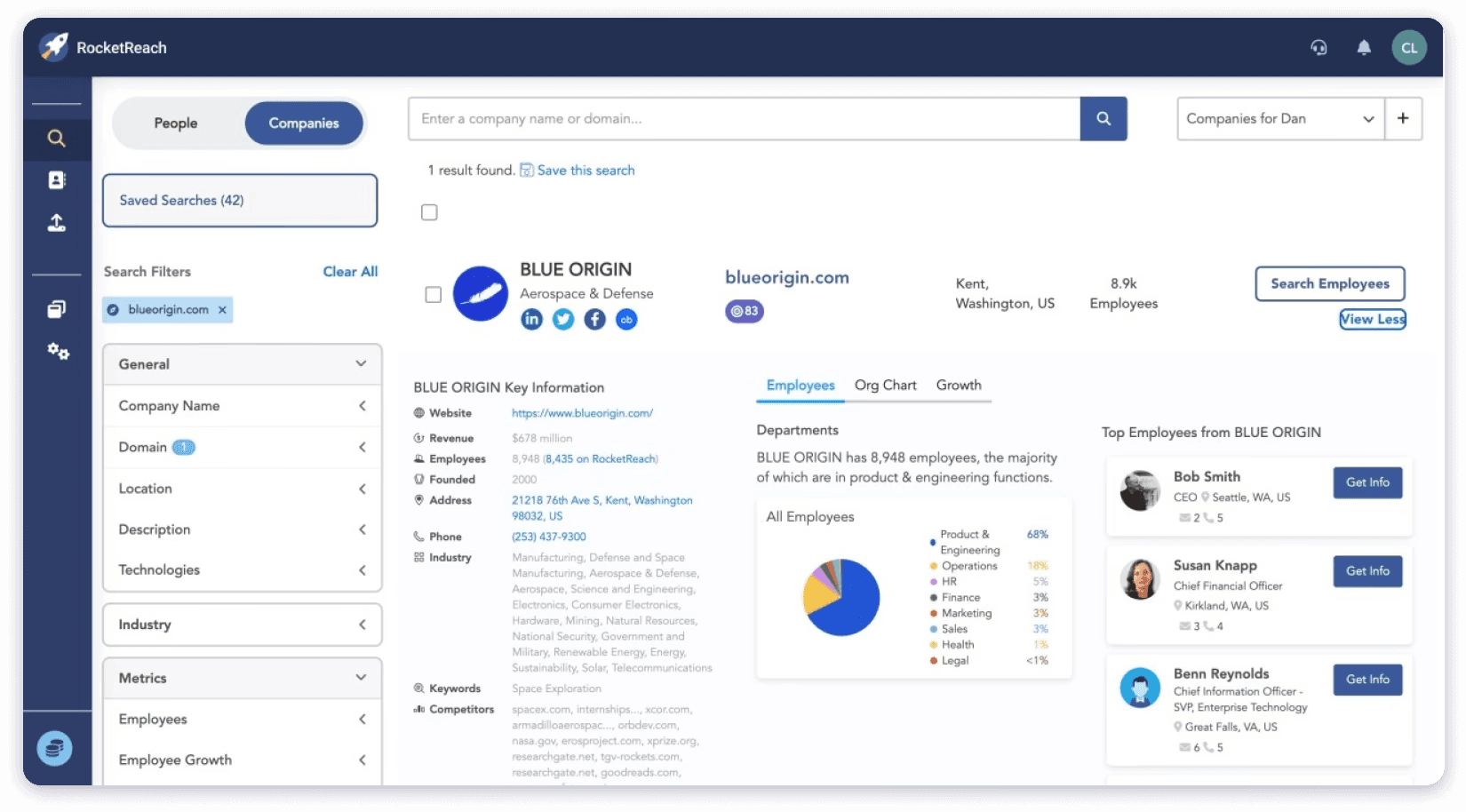
RocketReach claims to have 700 million professional profiles across 35 million companies, making it one of the larger databases in the market.
The platform focuses on contact discovery with extensive search filters and bulk lookup capabilities.
Beyond basic contact info, RocketReach provides social media profiles and some B2B companies data, making it useful for recruiters and marketers as well as sales teams.
How RocketReach works
- Search by name, company, job title, location, or industry.
- Use their Chrome extension to pull contact info while browsing LinkedIn, Crunchbase, or company websites.
- Export contacts to CSV or push directly to your CRM.
The platform offers both verified and unverified emails, with 90-98% deliverability claimed on verified contacts.
Who is RocketReach for?
- Sales teams needing broad database access.
- Recruiters finding candidate contact information.
- Marketing teams building targeted email lists.
Pricing plans
- Free: 5 lookups/month
- Essentials: $39/month for 70 lookups
- Pro: $99/month for 200 lookups
- Ultimate: $249/month for 500 lookups
Pros and cons
Pros | Cons |
|---|---|
Large database of contacts | Monthly lookups can be limiting |
Good Chrome extension | Data freshness varies |
Social profile information | More expensive at scale than alternatives |
Bulk lookup capabilities | Interface could be more intuitive |
RocketReach rating and reviews
- G2: 4.5 out of 5 stars (see reviews)
9. Datanyze
- Category: Technographic Data and Sales Intelligence
- Best for: Understanding prospects' technology stacks
- Ease of use: Intermediate
- Pricing: Free 90-day trial, paid plans start at $29/month
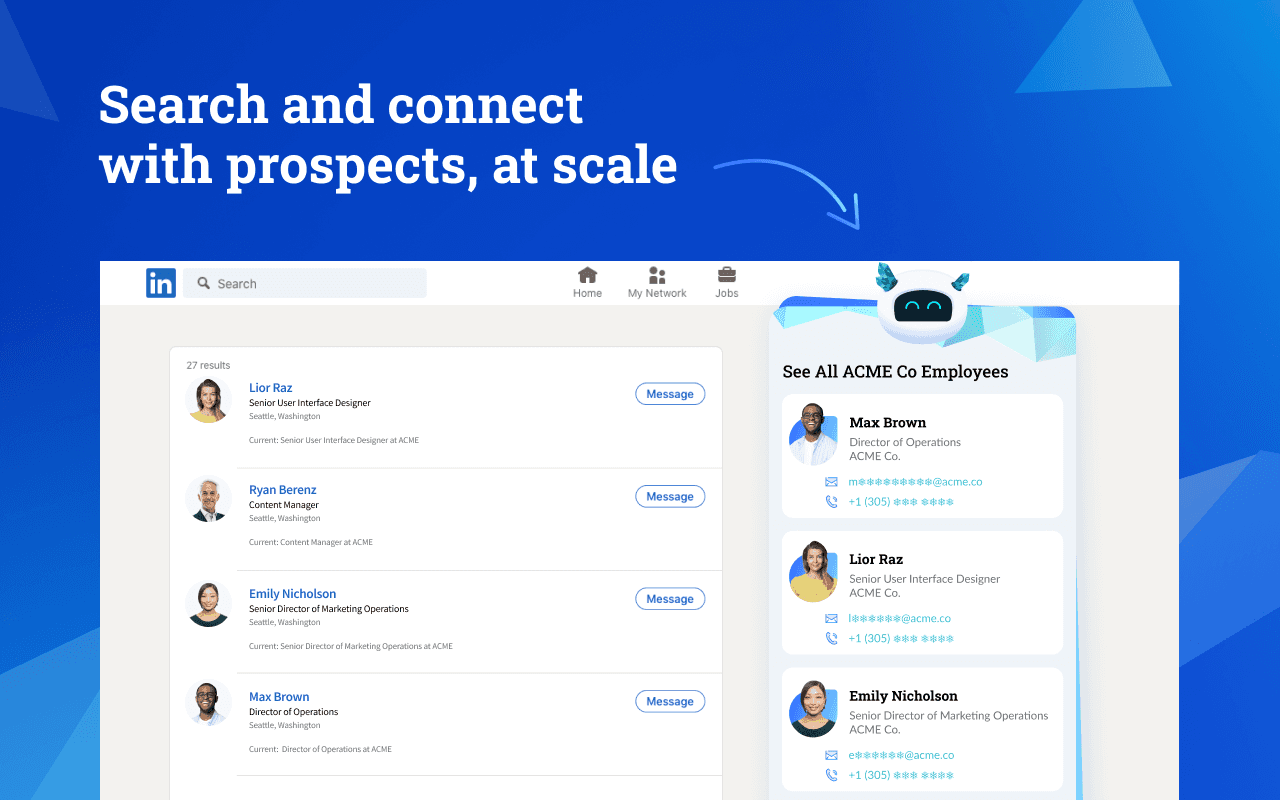
Datanyze specializes in technographic data, telling you what software and technologies a company uses.
This is invaluable for SaaS sales teams who need to know whether a prospect is using a competitor's product or complementary tools.
Beyond tech stack data, Datanyze also provides basic contact information and company details. It integrates well with Salesforce and HubSpot for automated enrichment.
How Datanyze works
- Search for companies by industry, size, or the technologies they use.
- The platform identifies over 19,000 technologies across websites, giving you detailed tech stack information.
- Use the Chrome extension to pull data while browsing company websites.
Who is Datanyze for?
- SaaS sales teams selling products that replace or integrate with specific technologies.
- Marketing teams doing competitive analysis.
- Anyone who needs technographic data to qualify prospects.
Pricing plans
- Nyze Lite: Free 90-day trial, 10 credits/month
- Nyze Pro 1: $29/month, 80 credits/month
- Nyze Pro 2: $55/month, 160 credits/month
Pros and cons
Pros | Cons |
|---|---|
Best-in-class technographic data | Limited to tech-focused use cases |
Generous free trial period | Smaller contact database than competitors |
Good CRM integrations | Credit limits can be restrictive |
Clean Chrome extension | Customer support can be slow |
Datanyze rating and reviews
- G2: 4.2 out of 5 stars (see reviews)
10. Seamless.AI
- Category: AI-Powered Sales Intelligence
- Best for: High-volume prospecting with AI assistance
- Ease of use: Beginner to Intermediate
- Pricing: Free plan available, Pro plans around $299/user/month
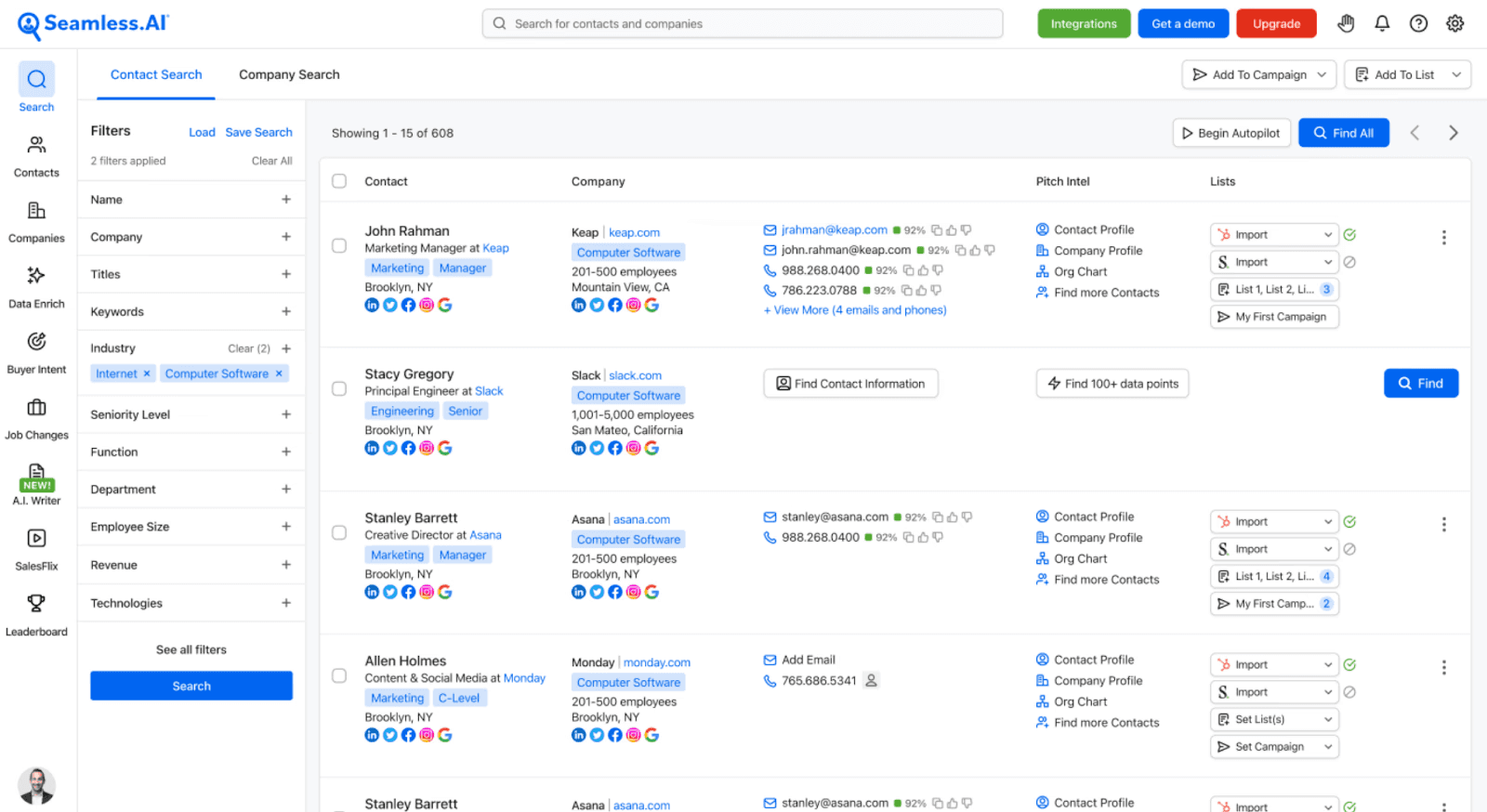
Seamless.AI positions itself as a real-time search engine for B2B contacts. The platform uses AI to find and verify contact information in real-time rather than relying solely on a static database.
They've recently added features like pitch intelligence and buyer intent data, expanding beyond pure contact finding into sales enablement.
How Seamless.AI works
- Enter search criteria (job titles, industries, company sizes) and Seamless uses AI to find matching contacts.
- The platform validates emails and phone numbers in real-time.
- You can enrich existing lists or use their Chrome extension for LinkedIn prospecting.
Who is Seamless.AI for?
- SDR teams doing high-volume outbound.
- Companies prioritizing quantity of contacts.
- Teams that want AI-assisted list building.
Pricing plans
- Free: 50 credits/month
- Pro: Approximately $299/user/month
- Enterprise: Custom pricing
Many advanced features are add-ons beyond the base subscription.
Pros and cons
Pros | Cons |
|---|---|
Large database of contacts | Data quality can be inconsistent |
AI-powered search | Aggressive sales tactics reported |
High volume of credits on paid plans | Hidden costs with add-ons |
Good LinkedIn integration | International data coverage is limited |
Seamless.AI rating and reviews
- G2: 4.4 out of 5 stars (see reviews)
11. 6sense Revenue AI
- Category: Account-Based Marketing and Intent Data Platform
- Best for: Enterprise ABM and buyer intent signals
- Ease of use: Advanced
- Pricing: Custom enterprise pricing
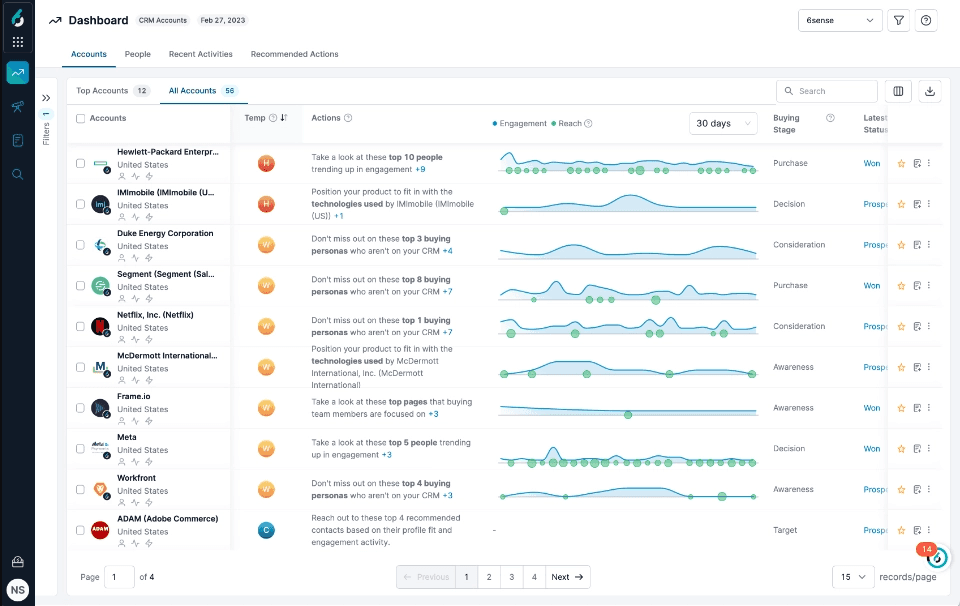
6sense is less of a traditional data enrichment tool and more of an account-based orchestration platform. It excels at identifying which companies are actively researching solutions like yours, even before they fill out a form or contact you.
The platform uses AI and predictive analytics to prioritize accounts based on buying signals, making it valuable for enterprise teams running sophisticated ABM programs.
How 6sense works
- 6sense tracks anonymous buying behavior across the web to identify accounts showing purchase intent.
- It combines this with firmographic and technographic data to score and prioritize accounts.
- Sales teams can then focus outreach on accounts most likely to convert.
Who is 6sense for?
- Enterprise marketing and sales teams running ABM programs.
- Companies with long sales cycles who need early buying signals.
- Organizations wanting to align sales and marketing around account intelligence.
Pricing plans
6sense offers custom pricing with tiers:
- Free: Limited features
- Team: Basic intent data
- Growth: Full platform access
- Enterprise: Complete solution with advanced AI
Contact sales for specific pricing.
Pros and cons
Pros | Cons |
|---|---|
Best-in-class intent data | Complex implementation |
Powerful ABM capabilities | Enterprise pricing only |
AI-powered account prioritization | Steep learning curve |
Strong predictive analytics | Overkill for simple prospecting needs |
6sense rating and reviews
- G2: 4.3 out of 5 stars (see reviews)
12. Lead411
- Category: B2B Contact Database with Verification
- Best for: Verified direct dials and US contacts
- Ease of use: Beginner to Intermediate
- Pricing: Plans start around $99/month
Lead411 focuses on data accuracy with an emphasis on verified direct dial phone numbers. They offer trigger-based lead alerts, letting you know when contacts change jobs, get promoted, or when companies receive funding.
The platform is particularly strong for US contacts and offers unlimited exports on most plans, which is rare in the industry.
How Lead411 works
- Search their database by job title, industry, company size, and other filters.
- Use trigger alerts to catch timely outreach opportunities.
- Export contacts to your CRM or download as CSV.
Lead411 verifies contact data regularly and offers intent data powered by Bombora.
Who is Lead411 for?
- Sales teams focused on phone outreach who need verified direct dials.
- US-focused organizations wanting reliable contact data.
- Teams that value unlimited exports over credit limits.
Pricing plans
- Basic Plus: $99/month with core features
- Pro with Intent: Custom pricing
- Enterprise: Custom pricing
Pros and cons
Pros | Cons |
|---|---|
Verified direct dial numbers | Primarily US-focused |
Unlimited exports on most plans | Interface feels dated |
Job change and funding alerts | Smaller database than major competitors |
Intent data included | Less international coverage |
Lead411 rating and reviews
- G2: 4.5 out of 5 stars (see reviews)
Which Data Enrichment Tool Should You Choose?
After testing all these tools, here's our honest take on who should use what:
- Choose FullEnrich if: You want the highest possible match rates without managing multiple subscriptions. Our waterfall enrichment across 15+ providers consistently outperforms single-source tools. Ideal for teams doing high-volume outreach who can't afford incomplete data.
- Choose ZoomInfo if: You're an enterprise with budget for comprehensive sales intelligence including intent signals, technographics, and deep integrations. Best for large, mature sales organizations.
- Choose Apollo.io if: You want an all-in-one platform combining data, outreach, and CRM. Great for startups and SMBs who don't want to manage multiple tools.
- Choose Cognism if: You're targeting European markets and need GDPR-compliant data with verified mobile numbers. The Diamond Data feature is worth it for teams relying on cold calling.
- Choose Hunter.io or Lusha if: You're on a budget and primarily need email addresses. Both offer generous free plans to get started.
- Choose Clearbit if: You're a HubSpot customer who needs real-time enrichment for forms and lead routing.
The reality is that building your ideal customer profile (ICP) and reaching those prospects requires accurate data. Bad data means wasted time, damaged domain reputation, and missed sales pipeline opportunities.
Whatever tool you choose, the key is testing data quality before committing to annual contracts. Most platforms offer free trials, so use them. Upload a sample of your target accounts and measure actual match rates and deliverability, not just what the marketing pages promise.
If you want to see how waterfall enrichment compares to your current approach, try FullEnrich free with 50 credits. No credit card required, no sales call needed. See the match rates for yourself and make an informed decision.
Happy prospecting.
Related Resources
- Email Enrichment — the managed waterfall for list-level enrichment
- What Is Data Enrichment? — the complete guide
- Data Enrichment API — wire enrichment into your stack
- CRM Enrichment — automate enrichment in your CRM
- Waterfall Enrichment — how cascading 20+ tools works
Frequently Asked Questions
What is a data enrichment tool?
A data enrichment tool takes partial contact or company records and fills in missing information — emails, phones, job titles, firmographics — by matching against external databases. The best tools verify data before returning it.
What is the best data enrichment tool?
It depends on your use case. For single-source simplicity, Apollo or Lusha work. For maximum coverage, waterfall enrichment tools like FullEnrich query 20+ sources in one pass for ~80% fill rate vs 50–60% from any single tool.
How much do data enrichment tools cost?
Ranges from free tiers (Apollo: 900 credits/yr, Lusha: 40/mo) to enterprise contracts (ZoomInfo: $15K+/yr). FullEnrich starts at $29/mo with unlimited seats and pay-per-match pricing.