In various aspects of online activities, such as software testing, marketing research, and online privacy protection, the need for random email addresses arises.
These email addresses serve as placeholders or one-time use accounts, allowing users to maintain their privacy and security while still engaging in online activities. However, as the importance of data privacy and security increases, the legitimate use of random email addresses must be approached with caution and responsibility.
Random email addresses have numerous legitimate use cases. For instance, developers and quality assurance testers need random email addresses to test user registration scenarios, email functionality, and load testing.
In marketing research, randomly selected email addresses help create diverse sample sets and reduce bias in email-based studies. It is essential to use random email addresses responsibly and ethically. This means adhering to privacy laws and regulations.
By the end of this article, you will have a comprehensive understanding of random email addresses and how to use them effectively and responsibly. Whether you are a developer, researcher, or individual looking to protect your online privacy, this guide will provide you with the knowledge and best practices to navigate the world of random email addresses.
What is a Random Email Address?
A random email address is a unique combination of characters, numbers, and symbols that follows the standard email address format. It's typically generated using algorithms or manually created to serve a specific purpose, such as testing email functionality or protecting personal information.
They function exactly like normal email accounts but are designed to be discarded or forwarded, keeping your real identity and contact information completely private.
Instead of handing out your real email address to every website that asks for it, you can use a random email. You can generate these addresses instantly through disposable email services, browser extensions, or custom coding scripts. Some of these addresses expire after 10 minutes, while others automatically forward messages to your real inbox until you decide to block them.
People use these temporary addresses for three main reasons:
Testing Software: Developers and quality assurance teams generate hundreds of random emails to test user signups, password resets, and email delivery systems without clogging up their actual company inboxes.
Protecting Privacy: Sales teams and data brokers constantly study how to find someone's email address to build their outreach lists. When you want to download a free guide or claim a one-time discount, providing a random email keeps your main inbox completely free from unwanted marketing lists and potential data breaches.
Online Research: If you need to access public forums, test different user experiences, or sign up for competitor newsletters, using random addresses allows you to do so anonymously.
What are the Components of an Email Address
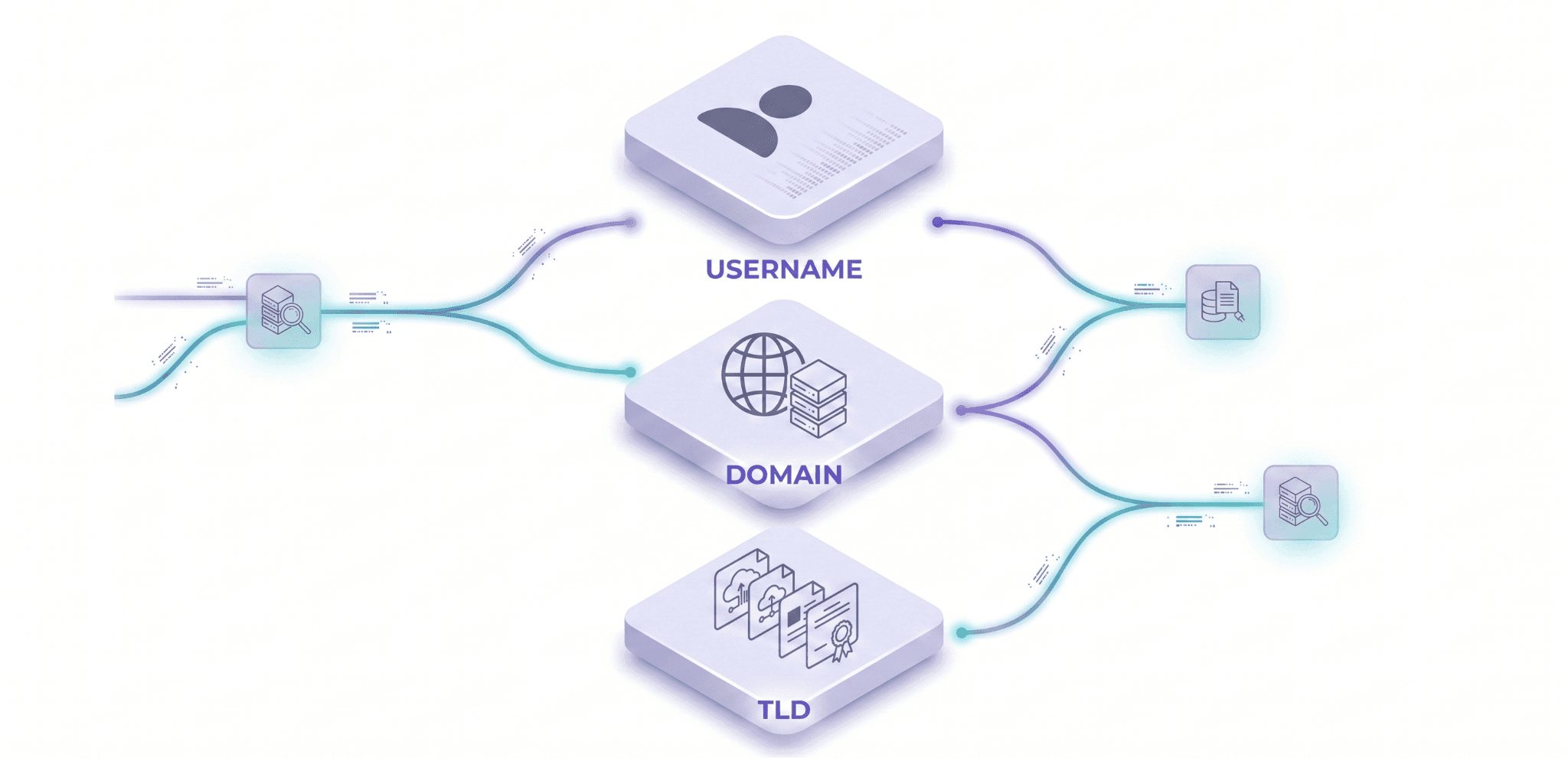
An email address consists of three primary components: the username, domain, and top-level domain (TLD).
Username: The username is the local part of the email address, which is the string of characters before the @ symbol. It can consist of letters, numbers, and symbols.
Domain: The domain is the part of the email address that follows the @ symbol. It's usually the website or organization's domain name.
Top-Level Domain (TLD): The TLD is the highest level of the domain name system and is the last part of the domain name. Examples of TLDs include .com, .net, and .org.
Common Formats for Random Email Addresses
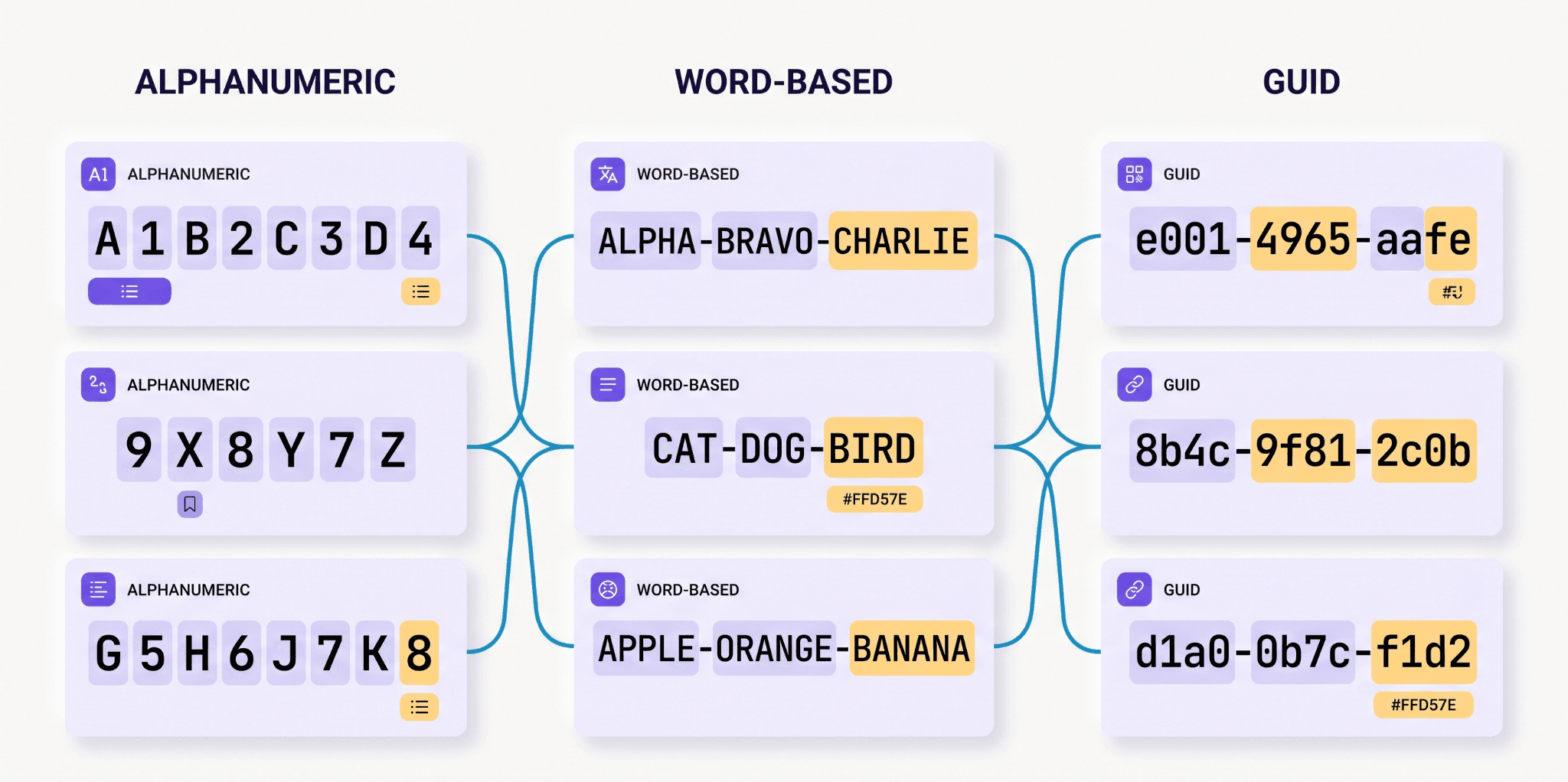
Random email addresses can take various formats, such as:
Alphanumeric combinations: A mix of letters and numbers, such as example123@example.com.
Word-based formats: Using a combination of words, such as testuser@example.com.
Guid-based formats: Using globally unique identifiers (GUIDs), such as 84a6c63a-5634-45bf-b4a6-9c85443d@example.com.
How to Create Random Email Addresses
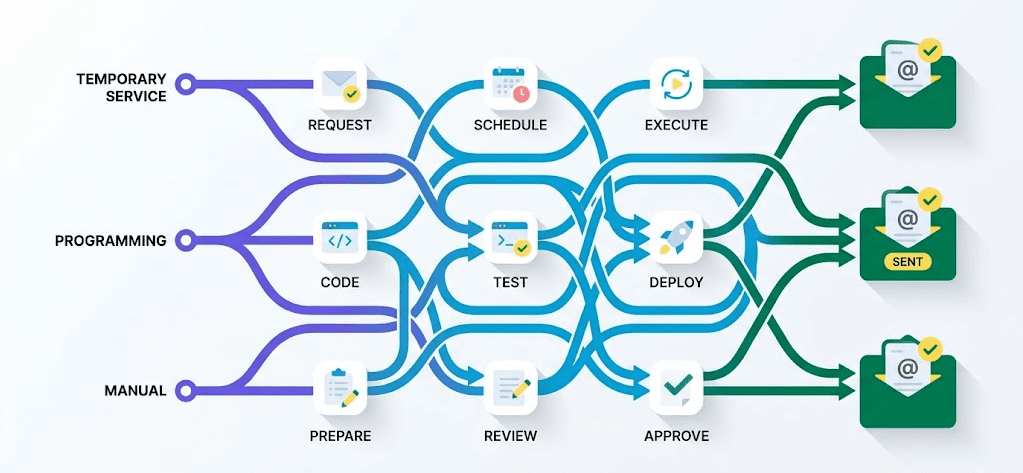
There are several ways to generate random email addresses depending on what you need them for. Whether you want to hide your real identity, test a piece of software, or just avoid marketing spam, here are the best methods available.
How to Create an Email Address Using a Temporary Email Service
You can generate a random email address in seconds using free disposable platforms like TempMail or 10MinuteMail. You do not need to fill out any registration forms or provide personal details to make one. Simply open the temporary email website in your browser. The system immediately generates a random email address and displays a temporary inbox right on your screen.
How it works: The platform catches any emails sent to that random address and shows them directly on the webpage. After a set amount of time, usually 10 to 15 minutes, the inbox and the email address self-destruct.
The Benefit: It is incredibly fast, completely anonymous, and protects your real inbox from spam.
The Downside: You lose access to the email very quickly. Never use this method for important accounts like banking, social media, or work software, because you will never be able to reset your passwords later.
How to Create an Email Address Using a Programming Language
If you are a developer and need to create thousands of random email addresses to test a new app, website, or database, writing a custom script is the most efficient approach.
How it works: You use a programming language like Python or JavaScript to write a simple script. First, the script generates a random string of letters and numbers (like x7b9qp). Then, it automatically attaches a domain name to the end of that string (making it x7b9qp@example.com). You can set the script to repeat this loop thousands of times in just a few seconds.
The Benefit: It gives you complete control over the format and allows you to scale up testing for quality assurance without relying on third-party websites.
The Downside: It requires basic coding knowledge to set up and run properly.
How to Create an Email Address Manually
Manual creation simply means mashing your keyboard or combining random words and numbers when a website forces you to enter an email address (for example, bluecar8892@example.com). You can also use an online name generator to create a fake first and last name to make the address look more realistic.
The Benefit: It gives you total control over the exact text and requires zero tools.
The Downside: It takes time to think up unique addresses. Also, unless you actually go to an email provider and register that specific fake address, you will never receive any of the emails sent to it, meaning you cannot click any verification links.
What are the Legal Considerations of Random Email Addresses
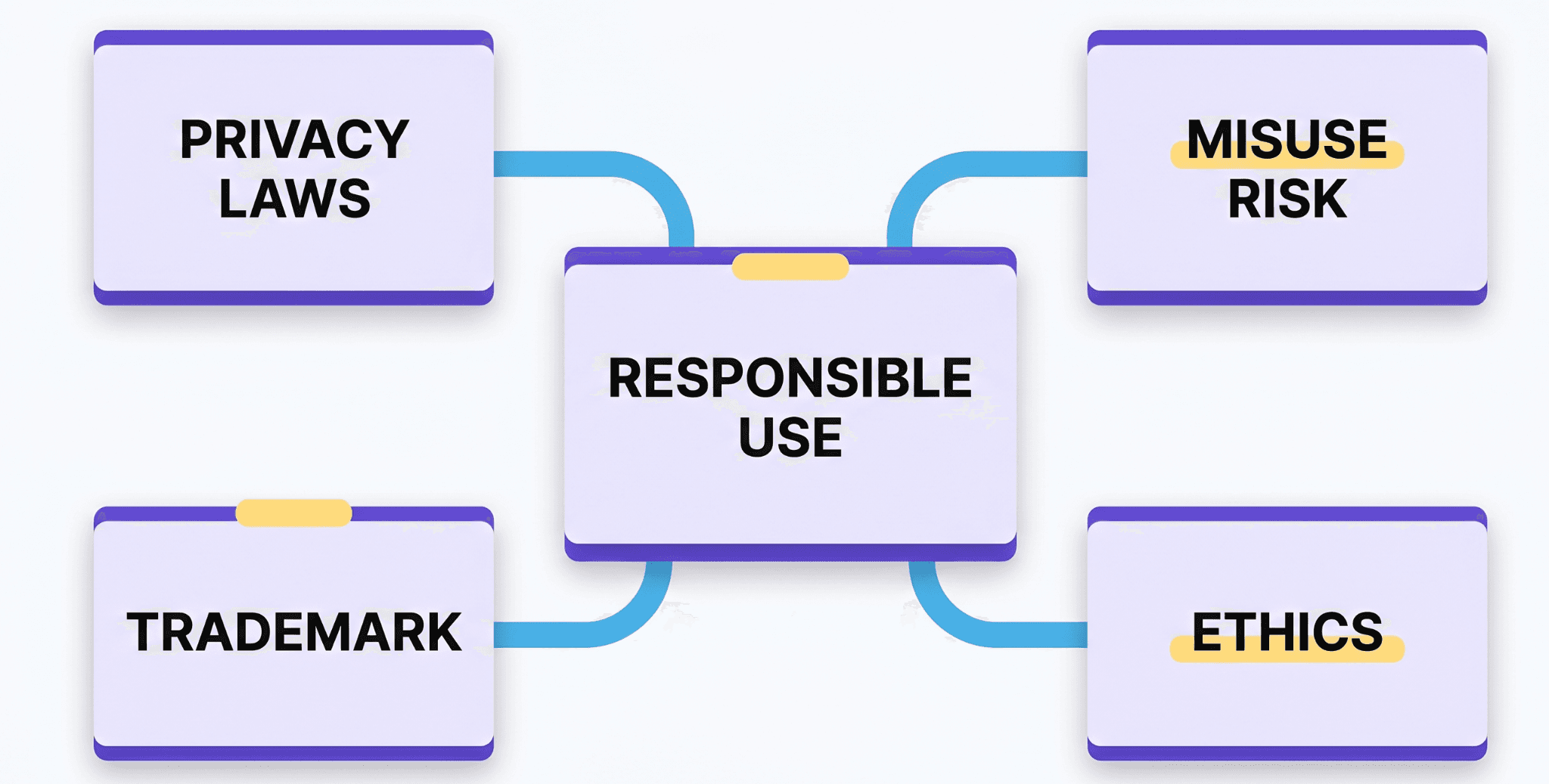
When working with random email addresses, it's essential to consider the legal and ethical implications of their use. This section will explore the privacy laws and regulations, potential misuse, intellectual property concerns, and ethical guidelines for using random emails in marketing or research.
Is It Illegal to Use Random Emails?
No, but random email addresses must comply with privacy laws and regulations, such as the General Data Protection Regulation (GDPR) and the CAN-SPAM Act. These laws govern how personal data, including email addresses, is collected, stored, and used. It's crucial to ensure that the generation and use of random email addresses align with these regulations to avoid legal consequences.
Risk of Using Random Emails
Random email addresses can be misused for malicious purposes, such as spamming, phishing, or spreading malware. These unethical practices can lead to legal issues, damage to reputation, and harm to individuals. It's vital to implement measures to prevent the misuse of random email addresses and ensure they are used for legitimate purposes only.
Email Address Trademark Infringement
Random email addresses may infringe on intellectual property rights, particularly with regard to domain names. It's essential to avoid generating email addresses that could be confused with existing trademarks or brand identities. This can be achieved by using generic or fictional domains or obtaining permission from the trademark owners.
Ethical Random Email Practices
When using random email addresses in marketing or research, it's essential to follow ethical guidelines to protect individuals' privacy and prevent harm. Some key principles include:
Transparency: Clearly communicate how the email addresses will be used and what data will be collected.
Informed consent: Ensure that individuals provide explicit consent for their email addresses to be used for specific purposes.
Anonymization: Take steps to anonymize email addresses and protect personal data.
Security: Implement robust security measures to prevent unauthorized access or misuse of email addresses.
What are the Use Cases of Random Email Addresses
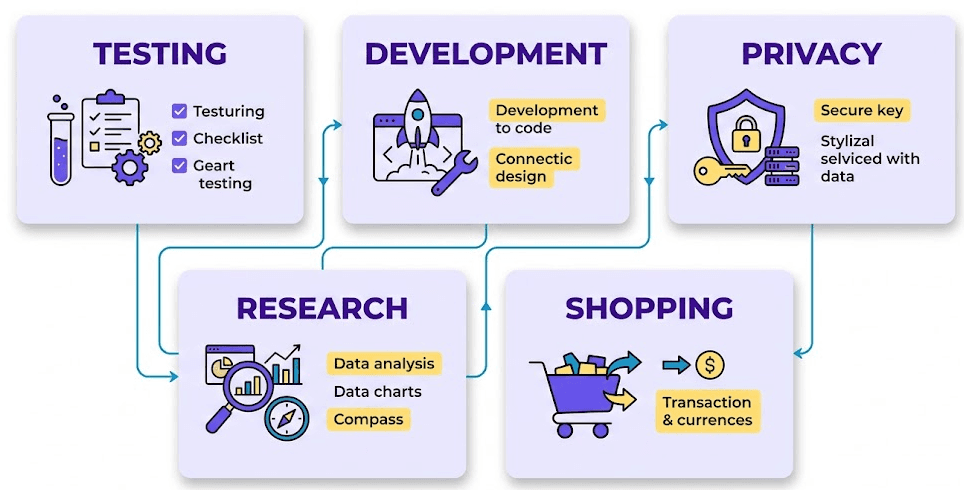
Random email addresses have numerous applications across various industries, from software testing to market research. Here are some of the most common use cases:
Software Testing and Quality Assurance
Random email addresses are essential for simulating real-world scenarios in software testing. They help test user registration, email functionality, and performance under different loads.
User registration scenarios: Test multiple users with unique email addresses to ensure your application handles diverse input correctly.
Email functionality testing: Verify that email notifications, password reset emails, and other automated emails are sent correctly to random addresses.
Load testing and performance evaluation: Use random email addresses to simulate a large number of users and assess your application's performance under heavy loads.
Development and Staging Environments
Random email addresses are useful in development and staging environments for populating databases with test data and simulating user interactions.
Populating databases with test data: Generate random email addresses to fill your database with diverse and realistic data, making it easier to test and debug your application.
Simulating user interactions: Use random email addresses to simulate user interactions, such as logging in, making purchases, or participating in online discussions.
Online Privacy and Anonymity
Random email addresses can help protect personal information when signing up for services or subscribing to newsletters.
Protecting personal information: Use a random email address to sign up for services or newsletters, keeping your primary inbox private and secure.
Reducing spam in primary inboxes: By using a random email address, you can reduce the amount of spam or promotional emails that end up in your primary inbox.
Market Research and Surveys
Random email addresses can help create diverse sample sets for market research and surveys, reducing bias and increasing the accuracy of results.
Creating diverse sample sets: Generate random email addresses to create a diverse sample set for market research.
Avoiding bias in email-based studies: Use random email addresses to avoid any bias that may arise from using personal email addresses or a limited sample set.
Online Shopping and Promotions
When you shop online, retail websites constantly ask for your email address in exchange for a one-time coupon, like "Enter your email for 20% off." If you use your real email, your inbox quickly fills up with daily marketing blasts and flash sale alerts. Using a temporary or random email address allows you to grab that initial discount code without dealing with the endless promotional spam that follows.
Difference Between Random, Temporary and Disposable Email Addresses
Random email addresses are often confused with temporary or disposable email addresses. While both types of email addresses are temporary, they serve different purposes. Temporary email addresses are usually generated for a short period and are often used for sign-ups, newsletters, or promotional emails. Disposable email addresses, on the other hand, are used to receive emails for a specific period and are usually deleted after use. Random email addresses, by contrast, are generated for a specific purpose, such as testing or development, and can be used multiple times.
How to Protect Your Email Address with Masking Techniques
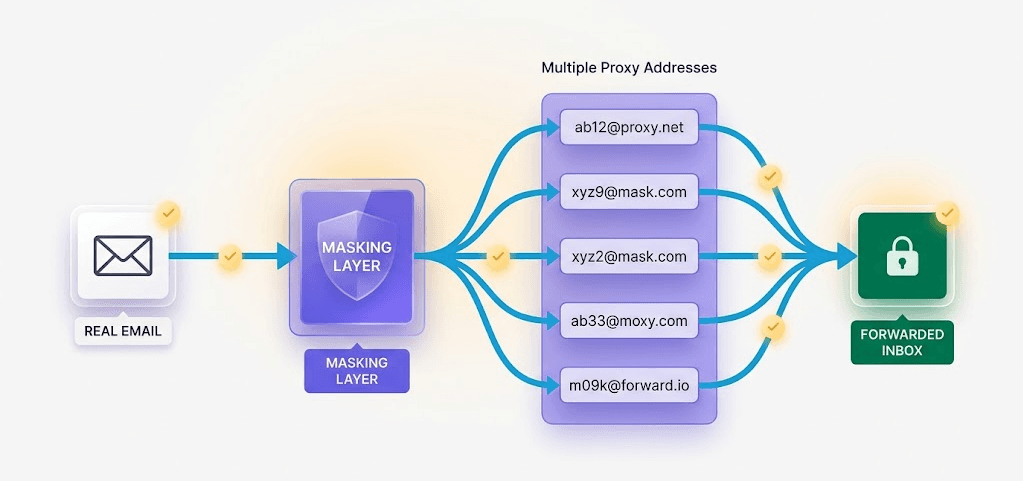
You protect your email address with masking techniques by using alias tools and forwarding services that hide your real inbox from the public. Instead of giving out your true contact details, you hand over a proxy address. This proxy receives the message and sends it to your actual inbox, keeping your private information completely safe from data breaches and spam lists.
Here are the best tools available to mask your email right now:
How to Use Apple Hide My Email
If you pay for an iCloud+ subscription, Apple builds this privacy tool right into your iPhone and Mac. When a website asks for your email in Safari or an app, your device automatically offers to create a random, unique address instead.
If you need to create an address manually, you can easily do so by going to your device Settings > Apple ID > iCloud > Hide My Email.
All messages sent to these random addresses forward straight to your normal inbox, and if you reply, Apple ensures your real email stays hidden. If a specific website starts sending you too much spam, you can go into your settings and deactivate or delete that specific mask with a single tap.
How Gmail Alias Works
You do not need to set up a new account to use an alias in Gmail. You just add a plus sign (+) and a specific keyword right before the @gmail.com part of your address. For example, if you sign up for a blog, you can use yourname+blog@gmail.com. While this does not completely hide your actual username, it lets you see exactly who is selling your data. You can then set up quick filters to send all mail from that specific alias straight to the trash.
How Does DuckDuckGo Email Protection Work?
DuckDuckGo offers a free email forwarding service that gives you a primary @duck.com address, but it also allows you to generate completely random, private email addresses on the fly. You hand these random addresses to websites instead of your real one.
When a company emails you, DuckDuckGo receives the message first. It actively scans the email and strips out hidden trackers and spy pixels, which stops marketers from seeing exactly when you opened the message or tracking your current location. Once the email is scrubbed clean, DuckDuckGo forwards the safe version directly to your real inbox.
How Firefox Relay Works
Mozilla created Firefox Relay specifically to protect your identity online. This tool generates random email masks that forward messages to your real account. The free version allows you to create up to five different email masks. It is a perfect solution when you need to register on a website that you do not fully trust, as you can delete the mask the second you no longer need it.
Tips for Managing Lists of Random Email Addresses
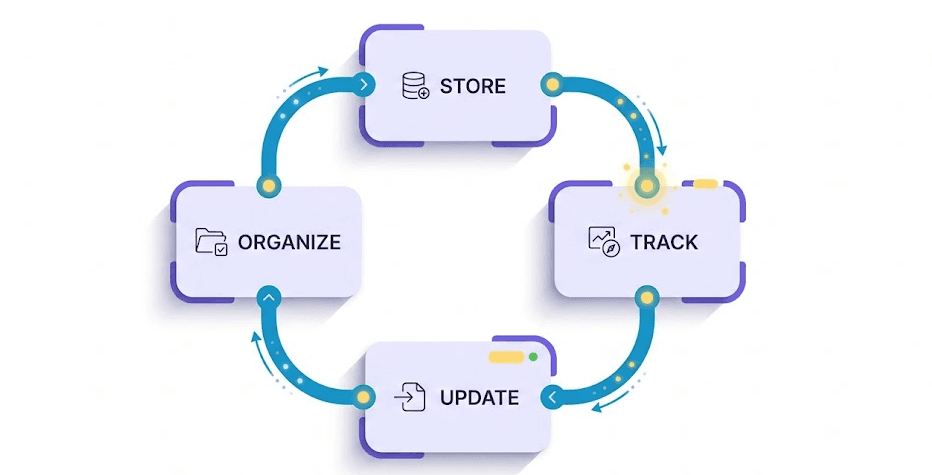
Creating random emails is the easy part. Keeping track of them is where things get messy. If you generate hundreds of addresses for testing or research, you need a clear system to organize, track, and update them. Otherwise, you will just end up with a massive spreadsheet of broken or blocked accounts.
Here is how to manage your lists so your random emails stay organized, useful, and secure.
How to Store and Organize Generated Email Addresses
As you generate more random email addresses, it's easy to get overwhelmed by the sheer number of them. To avoid this, create a system for organizing and storing your addresses. You can use a spreadsheet or a database to keep track of them, making it easier to access and manage specific addresses. Consider categorizing your addresses by purpose, such as testing, development, or market research.
How to Track the Usage and Expiration of Random Email Addresses
To properly track your random email addresses, log the creation date, the specific website where you used it, and its exact expiration time in a central spreadsheet.
If you rely on temporary services like TempMail, those inboxes vanish in minutes. If you forget to note when an address expires, you might try to reset a password later and completely lose access to your account.
Even if you use permanent masks like Gmail aliases, tracking where you used them is still highly important. If an address starts getting flooded with spam, your tracking sheet tells you exactly which website leaked or sold your data. A simple Google Sheet with columns for "Email Address," "Website Used," "Creation Date," and "Status (Active/Expired)" is usually all you need to keep everything organized.
How to Maintain the Effectiveness of Random Email Addresses
To maintain the effectiveness of your random email addresses, implement a rotation and refresh strategy. This involves periodically replacing old addresses with new ones to avoid detection by spam filters and maintain deliverability. You can set a schedule for rotating your addresses, such as every 30 days, to ensure they remain fresh and useful.
What Are the Common Problems of Random Email Addresses?
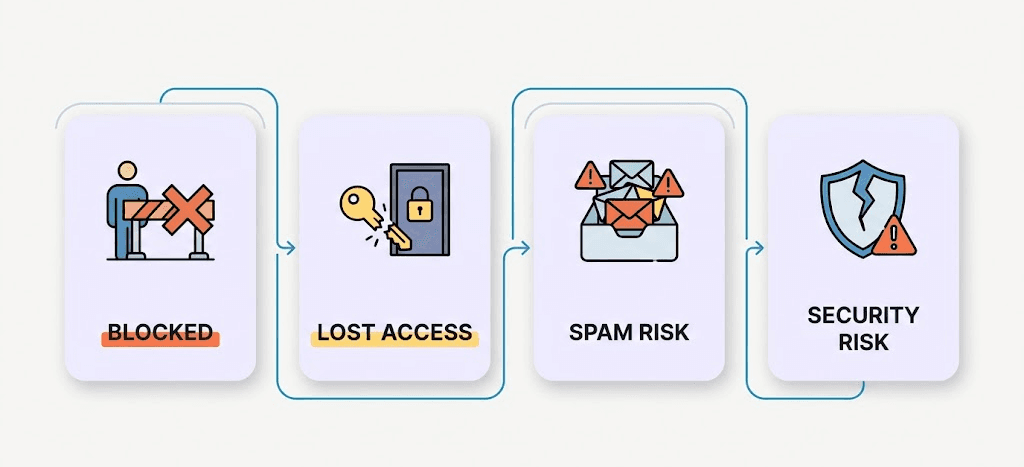
The most common problems with random email addresses include getting blocked by strict website security, losing permanent access to your accounts, and accidentally exposing your data through public inboxes. While generating temporary emails is great for dodging spam, using them incorrectly can completely backfire and cause major security headaches.
Here are the biggest pitfalls to watch out for and exactly how to avoid them:
Overuse of Obvious Random Email Addresses
Avoid creating email addresses that follow highly predictable patterns, like test1@example.com, or just typing keyboard smashes like asdfghjk@example.com. Anti-spam filters and website security algorithms easily detect these obvious patterns and will instantly block your registration. If you are generating emails for testing, use a realistic mix of actual words, names, and numbers so the address looks like it belongs to a real human.
Why Disposable Email Domains are not Accepted
Not all random email domains are treated equally. If you use a well-known disposable email service, major websites like Netflix, banks, or popular software platforms will instantly recognize the domain and refuse to let you sign up.
On the development side, if you are generating random emails to test your own app's email system, you have to be careful. Sending thousands of test emails to fake domains will cause your company's email server to bounce those messages. If your bounce rate gets too high, providers like Gmail will flag your actual company IP address as spam.
What Happens if you Lose Access to the Inbox
A massive issue with temporary, self-destructing emails (like 10-minute mail services) is account recovery. If you use a temporary email to sign up for a service and then forget your password a week later, you have a major problem. Because the original inbox no longer exists, you cannot receive the password reset link. You will permanently lose access to that account. Never use an expiring email address for anything you might need to log back into later.
Are Temporary Email Addresses Actually Secure?
A critical security risk with free disposable email websites is that their inboxes are often completely public. They usually do not require a password to log in. This means if you create the address bluecar99@tempmail.com, anyone else who types bluecar99 into that temp mail website can see your inbox. If a hacker guesses your random email, they can read your private messages, click your password reset links, and completely hijack your accounts. You should never use a public random email service for anything containing sensitive, financial, or personal data.
Conclusion
In conclusion, random email addresses are a useful tool for a variety of applications, from software testing to online privacy and anonymity. However, it's essential to use them responsibly and ethically, considering the potential risks and limitations.
This article has provided an in-depth exploration of random email addresses, covering their definition, generation methods, best practices, legal and ethical considerations, and applications. We've also discussed alternatives, management strategies, and common pitfalls to avoid.
As we move forward, it's crucial to strike a balance between utility, privacy, and security in email address generation and management. By doing so, we can harness the benefits of random email addresses while minimizing the potential drawbacks.
Remember, responsible use of random email addresses is not only a matter of compliance with laws and regulations but also a matter of respect for individuals' privacy and online security.
By embracing the guidelines and best practices outlined in this article, you can ensure that your use of random email addresses is both effective and ethical. Ultimately, this will contribute to a safer and more respectful online environment for everyone.