An email address format is the structural pattern an email address must follow to be valid, deliverable, and functional. Every email address in existence follows the same fundamental pattern: a local part, the @ symbol, and a domain name.
What varies is how the local part is constructed, which characters are permitted, and how professional naming conventions differ from personal ones.
Understanding the correct format of an email address matters well beyond account setup. For sales teams, recruiters, and marketers running outbound campaigns, a wrong format means a hard bounce.
Enough hard bounces damage sender reputation, reduce inbox placement, and eventually get a sending domain flagged or blacklisted. The difference between a correctly formatted email and an invalid one is often a misplaced character, a double period, or a missing domain extension, errors that look trivial but carry real consequences at scale.
This guide covers the anatomy of a valid email address, the rules governing each component, the most common professional formats with examples, what makes an address invalid, and how email validation connects format accuracy to deliverability.
What Is the Correct Format of an Email Address?
The correct format of an email address follows this structure:
localpart@domain.tld
Every valid email address has exactly three components separated by specific rules. Nothing before the @ can be empty. Nothing after it can be missing a top-level domain. The @ symbol itself must appear exactly once. Everything else, from how names are structured to which special characters are allowed, flows from these three building blocks.
The most widely used correct format of email address with example in a professional context is:
firstname.lastname@company.com
This is the format used by the majority of B2B organizations because it is readable, professional, easy to guess for outreach purposes, and hard to confuse with another employee at the same company.
The Four Components of an Email Address
Every email address is built from four elements. Understanding each one is what makes it possible to spot an invalid address instantly and construct valid ones consistently.
The local part is everything to the left of the @ symbol. This is the identifier for the specific mailbox. It can contain letters, numbers, periods, hyphens, and underscores. It cannot start or end with a period, cannot contain two consecutive periods, and cannot contain spaces.
The maximum length is 64 characters, though most professional email addresses stay well under 30.
The @ symbol is non-negotiable. Every valid email address contains exactly one. Its only role is to separate the local part from the domain. An address with no @, two @s, or a space around the @ is invalid by definition.
The domain is the organization or service that hosts the mailbox, appearing immediately after the @. It can contain letters, numbers, and hyphens, but cannot start or end with a hyphen and cannot contain consecutive hyphens. Gmail, Yahoo, and Outlook are domains on personal addresses. A company's registered domain, such as company.com, is the domain on a work address.
The top-level domain (TLD) is the extension that closes the address: .com, .org, .edu, .gov, .net, or one of hundreds of country-specific extensions such as .uk, .de, or .in. The TLD must be at least two characters. A single-character TLD, such as .c, makes the address invalid.
Valid Email Address Format Examples
The clearest way to understand what a valid email address format looks like is to see working examples alongside invalid ones that fail a single rule each.
Valid email address format examples:
Email Address | Why It Is Valid |
john.doe@company.com | Standard first.last format, clean domain, valid TLD |
j.doe@company.co.uk | First initial plus last, valid country-code TLD |
john+newsletter@gmail.com | Plus addressing permitted in local part |
john_doe@company.org | Underscore permitted in local part |
123john@company.com | Numbers permitted at start of local part |
Invalid email address format examples:
Email Address | Why It Is Invalid |
john..doe@company.com | Two consecutive periods in local part |
.johndoe@company.com | Local part starts with a period |
johndoe@company.com. | Domain ends with a period |
johndoe@company | No top-level domain |
johndoe@.com | Domain starts with a period |
john doe@company.com | Space in local part |
johndoe@com | Missing domain name before TLD |
These examples cover the most common format errors that cause email addresses to fail email validation and return as hard bounces during sending.
Email Address Format with Name: Professional Patterns
When it comes to business email addresses, the local part almost always reflects the person's name in one of a small number of recognized patterns. Understanding these patterns is directly useful for B2B prospecting because most companies apply a single format consistently across all employees, meaning that finding one verified address from a company reveals the pattern for the entire organization.
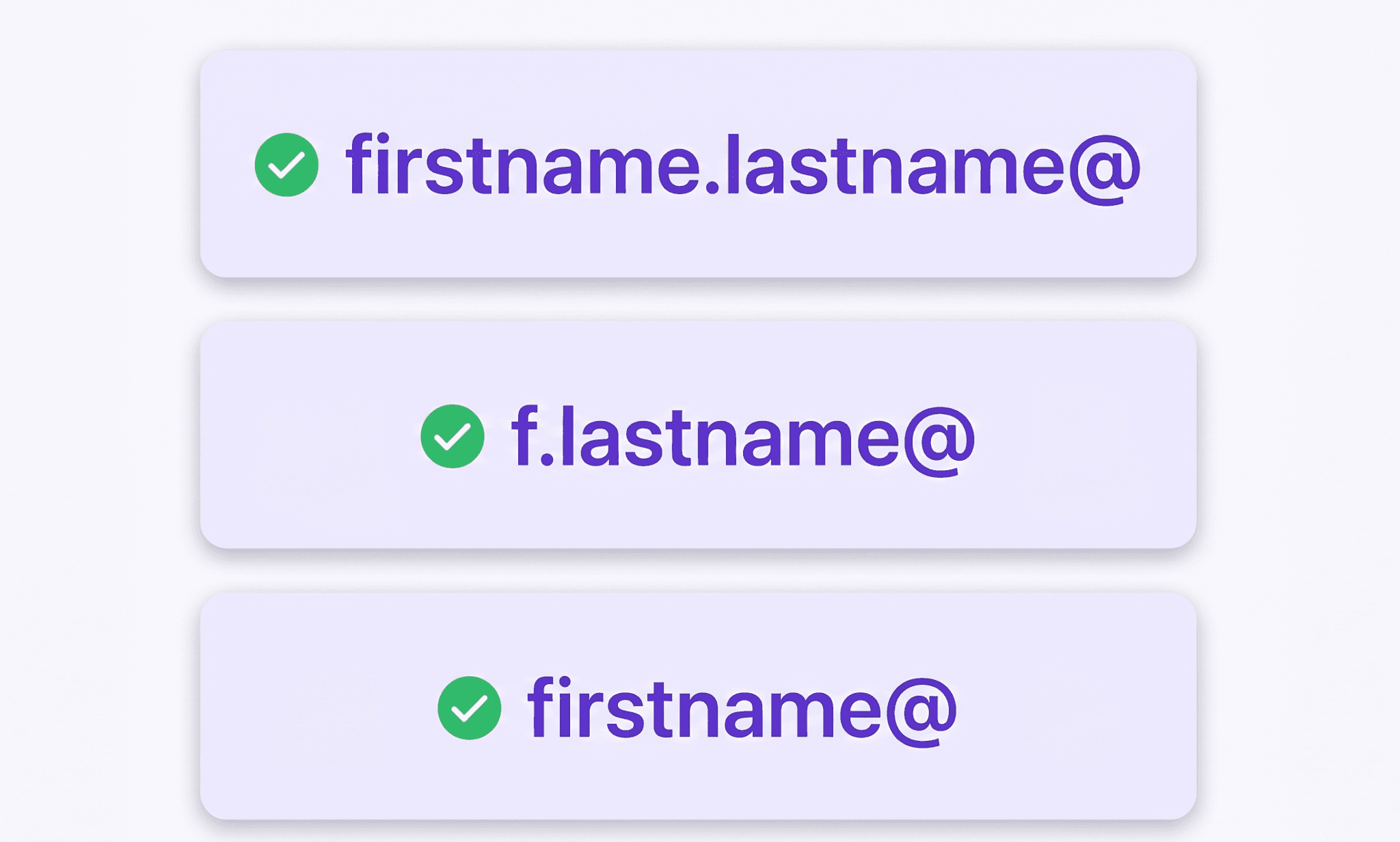
The most common email address formats with name for business use are:
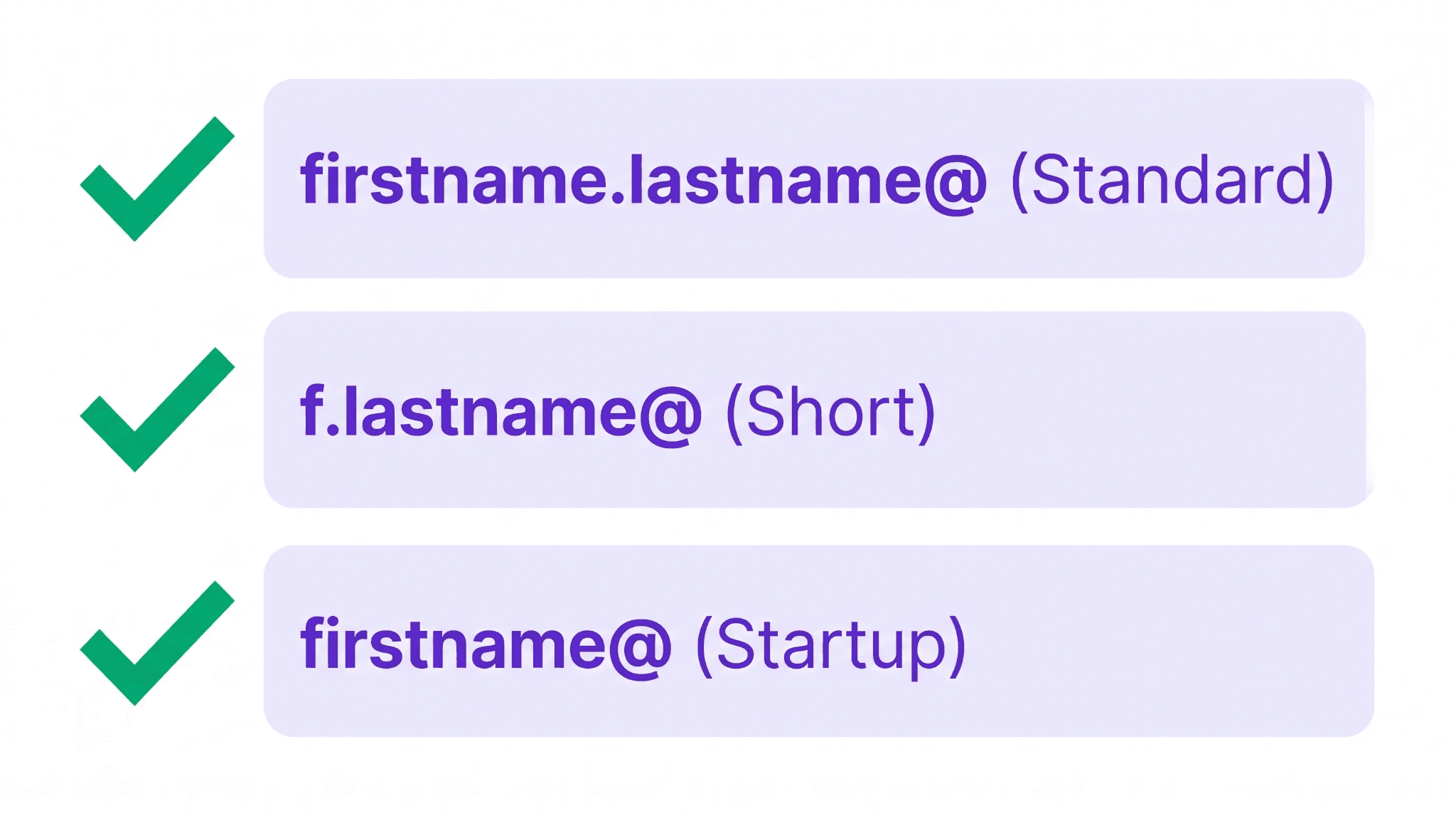
firstname.lastname@company.com Example: sarah.jones@acmecorp.com The most widely adopted B2B format globally. Readable, unambiguous, and easy to construct from a name alone.
firstname@company.com Example: sarah@acmecorp.com Common at smaller companies and startups where unique first names are sufficient. Creates ambiguity at larger organizations.
firstinitial.lastname@company.com Example: s.jones@acmecorp.com Frequently used by enterprises and professional services firms. Creates a formal appearance while keeping the address short.
firstnamelastname@company.com Example: sarahjones@acmecorp.com Less common but found in organizations that avoid punctuation in email addresses.
lastname.firstname@company.com Example: jones.sarah@acmecorp.com Common in European organizations, particularly in France and Germany, where surname-first conventions influence email format choices.
firstname.lastnameinitial@company.com Example: sarah.j@acmecorp.com Used when first names are unique within the organization but full last names create addresses that are too long.
Knowing which pattern a company uses is one of the most practical applications of understanding email address format. Once the pattern is confirmed from a single known address at a domain, it applies predictably to every other employee.
This is what makes email permutation effective as a contact data enrichment technique when combined with proper email validation to confirm that the constructed address is live before any outreach is sent.
How to Write Email Address Format for Professional Use?
How to write email address format correctly depends on whether it is a personal account or a professional one. The rules are the same technically, but the conventions differ significantly.
For a professional email address, five principles produce the best results:
Use your real name in the local part. An address like sarahjones@company.com is immediately identifiable and builds trust. An address like sj_marketing_2019@company.com is harder to remember, harder to type correctly, and signals internal disorganization to external contacts.
Keep it short. The longer the local part, the more likely it is to be mistyped. firstname.lastname is almost always sufficient. Adding middle names, numbers, or extra qualifiers creates friction without benefit.
Use a period rather than an underscore to separate name components. Periods are more widely recognized and less likely to be missed or replaced by autocorrect. firstname.lastname reads more clearly than firstname_lastname in most email clients.
Avoid numbers unless necessary. A number in a professional email address often signals that the preferred format was taken, which can create a less polished impression. If the standard format is unavailable, using a middle initial is a cleaner alternative to adding a number.
Use a company domain rather than a free provider. An email at company.com carries inherently more credibility than the same name at gmail.com for professional outreach. A company domain is also significantly harder to impersonate, which matters for both trust and security.
Email Address Format Validation: What It Checks and Why It Matters
Email address format validation is the process of verifying that an address follows the correct structural rules before it is used for sending. Format validation catches the errors visible in the structure itself: double periods, missing @, invalid characters, incomplete domains. What it does not catch are addresses that are structurally valid but point to a mailbox that does not exist.
The three layers of thorough email validation work progressively:
1. Syntax validation: It checks that the address follows RFC 5322 format rules. It confirms the presence of exactly one @ symbol, that the local part contains only permitted characters, that no consecutive periods exist, and that the domain includes a valid TLD. This catches format errors but accepts any address that looks structurally correct, including john.doe@nonexistentdomain.com.
2. Domain validation: It confirms that the domain part of the address has an active MX record, meaning the domain is configured to receive email. An address with a valid format pointing at a domain with no MX record will bounce on delivery even though it passes syntax validation. This step eliminates addresses on domains that have never been set up to receive mail.
3. Mailbox verification: It checks whether the specific mailbox exists on the confirmed domain. This is the deepest layer of validation. It uses SMTP verification techniques to confirm that the server will accept mail for that exact address without actually sending anything. This is the step that identifies addresses where the domain is valid but the specific local part has no corresponding mailbox.
For B2B outreach teams, the consequence of skipping these validation layers is measurable. According to research by ZeroBounce, approximately 28% of an average email list decays annually. Sending to unvalidated lists produces bounce rates that damage sender reputation, reduce inbox placement, and can result in a sending domain being blacklisted by major email providers.
The 2% bounce rate threshold is the widely cited ceiling: above it, email service providers begin treating a sender as low-quality and routing their messages to spam or blocking delivery entirely.
This is where email validation services become infrastructure rather than an optional cleanup step. Running a contact list through validation before any campaign goes out is the same logic as verifying a phone number before a call campaign.
The cost of sending to invalid addresses is not just the wasted send. It is the compounding damage to the sender reputation that makes every subsequent valid send less likely to reach the inbox.
Email Address Format Finder: How to Identify a Company's Format?

An email address format finder is any method or tool that identifies which email format pattern a company uses so that a contact's address can be constructed from their name and domain alone.
The manual approach works in three steps. Find one verified email address from the target company, which is often available on a press release, a contact page, or a LinkedIn profile. Then, identify the pattern it follows, for example firstname.lastname or firstinitial.lastname. Lastly, apply that same pattern to the person's name at the same domain.
Keep in mind that this approach works reliably when the company applies a single format consistently, which most organizations do. The constructed address should then be run through email validation to confirm the mailbox exists before any outreach is sent.
The automated approach includes the work of FullEnrich as it automates the entire process. When a company name and a person's name are provided as inputs, FullEnrich's waterfall enrichment system queries 20+ premium data providers including Apollo, Lusha, ZoomInfo, Hunter, Datagma, ContactOut, Kaspr, and Dropcontact sequentially.
Rather than guessing the format and constructing an address, FullEnrich returns a verified email address that has already been confirmed against the mail server through triple verification. The bounce rate on FullEnrich-enriched contact lists sits under one percent, which reflects the difference between format guessing and multi-source verified enrichment.
Special Email Address Formats Worth Knowing
Beyond the standard personal and business formats, several specialized patterns appear frequently enough in professional and technical contexts that understanding them prevents confusion.
Role-based addresses are tied to a function rather than a person: support@company.com, sales@company.com, info@company.com. They route to a shared inbox or are managed by a team. For outbound cold email campaigns, role-based addresses are generally a poor choice because they land in shared queues where response rates are significantly lower than direct personal addresses. Many email validation services flag role-based addresses specifically because they correlate with higher spam complaint rates.
Catch-all addresses are configured to accept every email sent to a domain regardless of whether the specific local part exists. An address like 192837junk@company.com would be accepted by a catch-all server even though no such mailbox was ever created. This makes catch-all domains harder to validate accurately through standard SMTP verification. FullEnrich's triple verification process identifies catch-all domains and flags them separately so outreach teams can segment and treat them with appropriate caution.
Plus-addressed emails use the + character to create variant addresses that route to the same mailbox: john.doe+newsletter@company.com routes to the same inbox as john.doe@company.com. This is commonly used for filtering incoming mail and testing signup forms. Plus addressing is valid per RFC 5321 but some older mail systems strip or reject the plus character, so it is not universally reliable for business outreach.
Subdomain addresses use a subdomain before the primary domain: john.doe@us.company.com or john.doe@mail.company.com. These appear in large enterprises and global organizations that operate separate mail servers for different regions or divisions. They are valid addresses and should be treated as such during validation, but require that the subdomain itself has a valid MX record.
Why Email Address Format Matters for B2B Outreach?
Every contact discovery and lead enrichment workflow ends at the same point: an email address that either reaches an inbox or does not. Format is the foundational layer that determines whether a send is even attempted. An invalid format fails before it is ever transmitted.
A valid format that points to a non-existent mailbox fails on delivery. A valid format pointing to a live mailbox that has decayed still produces a bounce if the address was not recently verified.
The practical implication for sales teams, recruiters, and marketers is that contact data quality starts with format but does not end there. Format validation catches structural errors. Domain validation catches inactive domains.
Mailbox verification catches defunct addresses on active domains. And because B2B data decays at approximately 25 to 30 percent annually, even recently verified addresses need periodic re-validation to maintain a list that performs consistently.
FullEnrich addresses this at the enrichment layer. Every email returned through FullEnrich's waterfall enrichment has passed through three independent verification services before being delivered as a result. Credits are charged only on successful enrichment.
An address that cannot be verified to a confidence level that justifies the credit is not returned as a result, which means the 50 free credits new users receive produce only addresses that have cleared the full validation stack.
Frequently Asked Questions
What is the correct format of an email address?
The correct format is localpart@domain.tld. The local part contains the username, which can include letters, numbers, periods, hyphens, and underscores but cannot start or end with a period or contain consecutive periods. The @ symbol appears exactly once. The domain is the host organization's name. The TLD is the extension such as .com, .org, or .edu. The most widely used correct format of email address with example for professional use is firstname.lastname@company.com.
What makes an email address invalid?
An email address is invalid when it violates the structural rules that mail servers require. The most common causes of invalidity are consecutive periods in the local part, a local part that starts or ends with a period, a missing or duplicated @ symbol, a space anywhere in the address, a domain with no TLD, or a TLD of only one character. An address can also be structurally valid but functionally invalid if the domain has no MX record or the specific mailbox no longer exists.
Why does email format matter for deliverability?
A structurally invalid email address fails at the point of transmission before the message is sent. An address that passes format validation but points to a non-existent mailbox returns a hard bounce on delivery. Hard bounces accumulate against sender reputation. Above a 2% bounce rate, email service providers begin routing messages to spam or blocking delivery. This is why email address format validation is the starting point of any email validation service workflow rather than an optional hygiene step. Every email that bounces due to a format or existence error is one more data point against the sender's reputation score.
What is email address format validation?
Email address format validation is the process of checking whether an address follows the correct structural rules defined by RFC 5322. It confirms the presence of a single @, permitted characters in the local part, no consecutive periods, a valid domain structure, and a minimum two-character TLD. Format validation is the first layer of a complete email validation process. The deeper layers, domain validation and mailbox verification, confirm that the address is not just structurally correct but also live and deliverable.
What are the most common professional email address formats with names?
The most common professional patterns are firstname.lastname@company.com, firstname@company.com, firstinitial.lastname@company.com, firstnamelastname@company.com, and lastname.firstname@company.com. Most companies apply one format consistently across all employees, which makes it possible to construct any employee's email address once the company's pattern is identified from a single known example.
How do I find the email address format a company uses?
The fastest manual approach is to find one verified email address from the company, typically from a press release, LinkedIn profile, or company website, and identify the pattern it follows. Apply that pattern to other names at the same domain. For B2B outreach at scale, FullEnrich identifies and returns verified email addresses using multi-source enrichment across 20+ providers, eliminating the need to guess or construct addresses manually.
What is the maximum length of an email address?
The local part can be up to 64 characters. The domain can be up to 255 characters. The total length of an email address cannot exceed 320 characters. In practice, professional email addresses are significantly shorter. A firstname.lastname@company.com address rarely exceeds 40 characters, and keeping addresses short improves memorability and reduces the risk of mistyping.