
So you're looking for AI sales tools to help your B2B team work smarter, not harder. Well, you're in the right place.
Here's the thing: McKinsey estimates that B2B companies using AI for sales can increase leads and appointments by more than 50%, reduce call time by 60-70%, and cut costs by 40-60%. Those are massive gains.
I've spent the last few years working with B2B sales teams and testing every AI tool I could get my hands on. In this guide, I'm breaking down the 15 best AI sales tools across different categories, from prospecting and data enrichment to AI SDRs, outreach automation, and email personalization.
Let's dig in 👇
What are AI sales tools?
AI sales tools are software platforms that use artificial intelligence to automate repetitive sales tasks, generate actionable insights, and personalize outreach at scale. Think of them as your sales team's secret weapon for doing more with less.
These tools fall into four main categories:
Prospecting and data enrichment: Tools that find and verify contact information
AI SDR and outbound automation: Platforms that act as virtual sales reps
Sales engagement: Software for automated multi-channel sequences
AI email writing and personalization: Tools that help craft better outreach
By 2025, Gartner predicts that 75% of B2B sales organizations will augment traditional sales playbooks with AI-guided selling solutions. If you're not on board yet, now's the time.
Why B2B sales teams need AI-powered tools
Let's be real: sales is tough. Your reps are drowning in manual tasks when they should be closing deals. Here's how AI tools change the game.
Increase prospecting productivity
Salesforce's State of Sales research found that 81% of sales reps say AI helps them reduce manual tasks. That's huge.
AI automates the tedious research and data entry work that eats up your reps' time. Instead of spending hours on LinkedIn or manually updating spreadsheets, they can focus on what they're actually good at: building relationships and closing deals.
Improve data accuracy and coverage
IBM estimates the cost of poor data quality to U.S. businesses at $3.1 trillion annually. That's not a typo: trillion with a T.
AI tools aggregate data from multiple sources to reduce bounce rates and find more valid contacts. This is where waterfall enrichment comes in. Instead of relying on a single data provider, platforms query multiple vendors sequentially until they find the best data for each contact.
Scale personalized outreach
Personalized emails with relevant context see 2-3x higher reply rates than generic mass emails. But personalizing at scale used to be impossible.
AI enables tailored messaging for each prospect without the manual effort. You can reference their industry, company size, tech stack, and role challenges, all pulled automatically from enriched data.
Automate CRM updates and data entry
Nothing kills sales productivity faster than manual CRM updates. AI tools sync automatically with your CRM to eliminate manual logging, keeping pipelines accurate without the busywork.
High-performing teams are significantly more likely to be using AI for lead scoring, forecasting, and next-best action recommendations. It's not magic. It's just smart automation.
14 best AI sales tools for 2026
Here's my breakdown of the best AI sales tools right now:
FullEnrich (best for B2B data enrichment)
ZoomInfo (best for enterprise B2B database)
Artisan (best AI SDR for full automation)
Luru (best for buying signal intelligence)
Outreach.io (best enterprise sales engagement)
Apollo.io (best all-in-one prospecting platform)
HubSpot Sales Hub (best AI-powered CRM)
Lavender (best for email coaching)
Regie.ai (best for sequence generation)
Copy.ai (best for sales content at scale)
Crystal (best for personality-based selling)
Lindy (best for workflow automation)
Perplexity (best for sales research)
Intercom (best for inbound lead qualification)
Let's go over each one in depth.
Best AI prospecting tools for B2B data enrichment
These data enrichment tools help you find and enrich contact data, which is the foundation of any successful sales operation. Without accurate data, every other tool in your stack underperforms.
1. FullEnrich
Category: B2B Data Enrichment
Best for: Teams needing maximum contact coverage
Ease of use: Beginner to Intermediate
Pricing: Credit-based (1 credit per email, 10 credits per mobile phone)
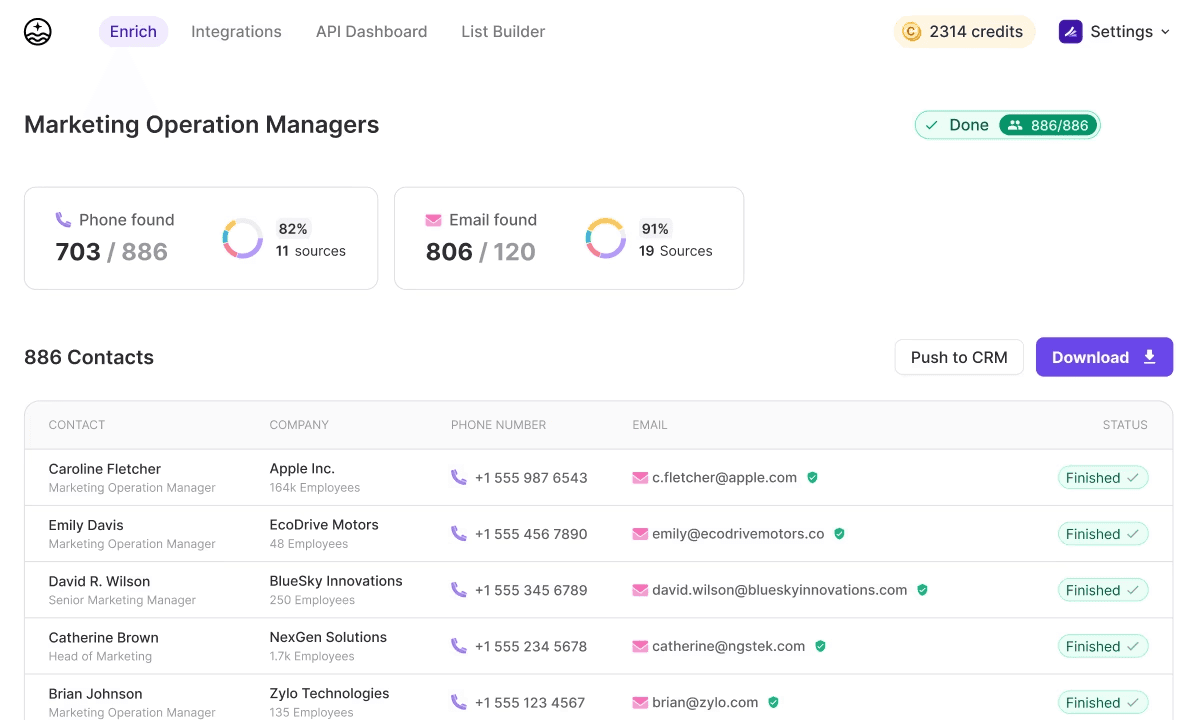
FullEnrich takes a fundamentally different approach to B2B data enrichment.
Instead of relying on a single database like most providers, it uses waterfall enrichment technology that queries 20+ premium data vendors sequentially until it finds the best contact information for each prospect.
Here's why that matters: no single data provider has complete coverage. One vendor might have great data for tech companies but gaps in manufacturing.
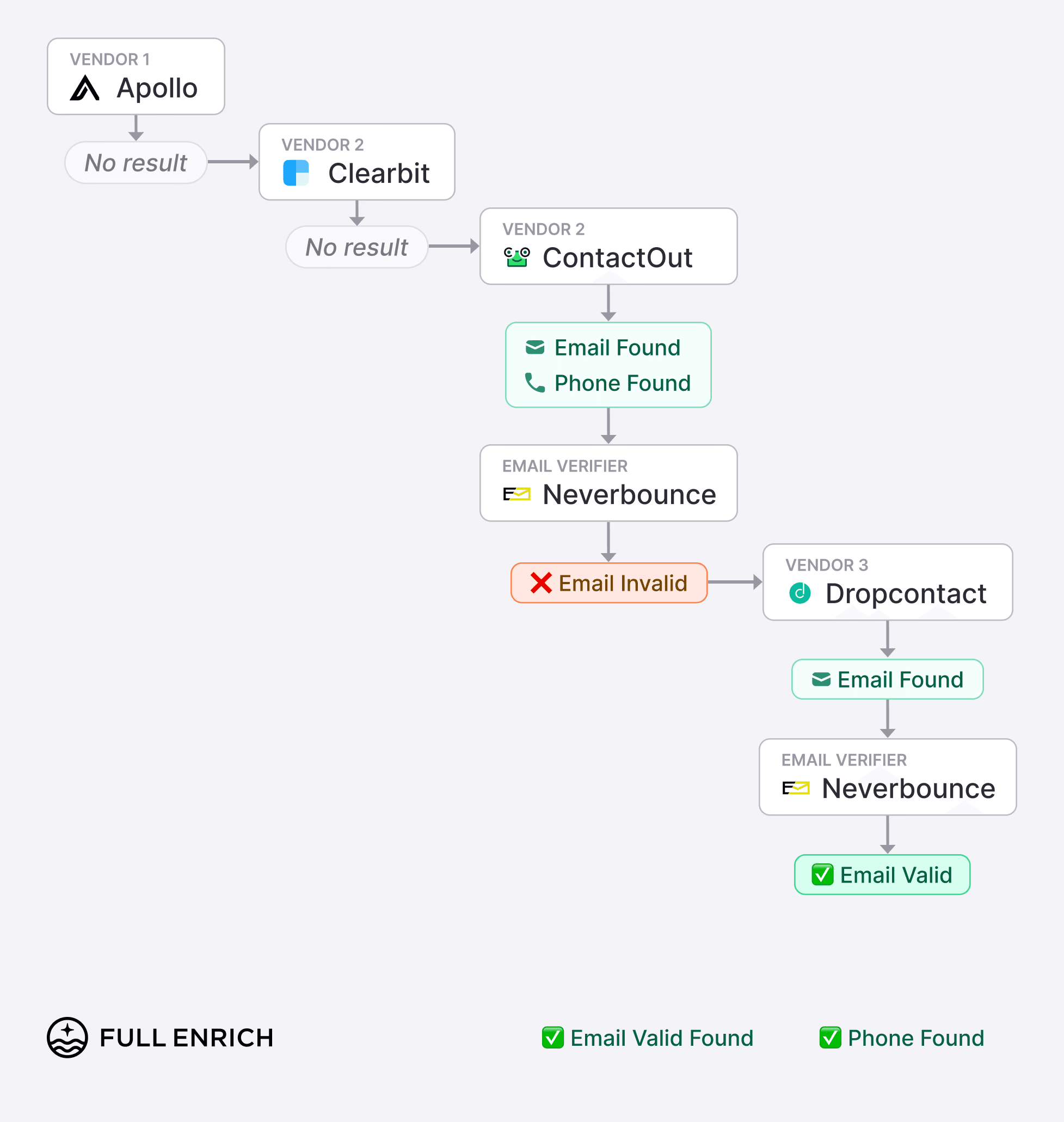
Another might excel in the US but struggle with European contacts. By aggregating multiple sources, FullEnrich delivers significantly higher find rates than traditional single-source tools.
How FullEnrich works
The platform offers multiple ways to enrich your data. You can do manual enrichment by inputting a LinkedIn Profile URL, first name, last name, and company domain directly into the interface.
For bulk operations, you can upload CSV or Excel files and enrich based on contact name, company, or LinkedIn Profile URL. The platform also offers a robust API for programmatic enrichment, which means you can embed FullEnrich directly into your existing workflows and applications.
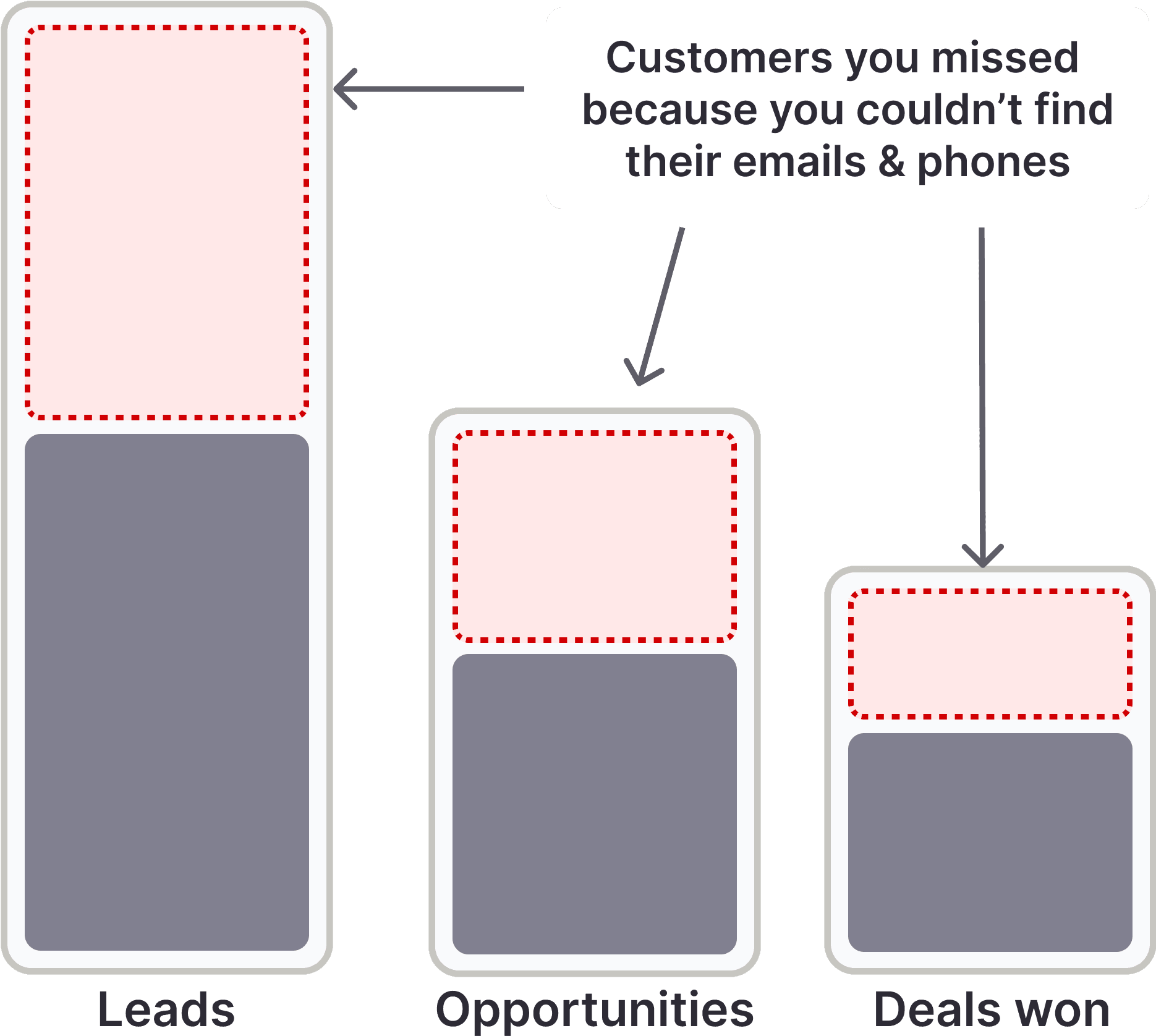
👉 Want to try waterfall enrichment in action ? Try it yourself with 50 free leads.
Key features
Triple email verification to minimize bounce rates and protect your sender reputation
Mobile phone focus for direct dial connections that actually get answered
LinkedIn integration that significantly improves match rates
Advanced list builder with detailed filtering by job title, location, industry, funding, technology used, and company headcount
Extensive integrations with workflow tools like Zapier, Make, Clay, Cargo, and n8n
CRM and outreach integrations with LaGrowthMachine, Reply.io, GoHighLevel, Saleshandy, and Snov.io
Pros | Cons |
|---|---|
Highest coverage through waterfall enrichment | Credit-based pricing requires usage planning |
Triple email verification reduces bounces | Mobile phone enrichment costs more credits (10 per phone) |
Flexible input methods: manual, CSV, or API | List builder feature still being developed |
Strong integration ecosystem with major tools | Newer platform compared to legacy providers |
Pay only for successful finds | |
Contacts stored for 3 months |
Pricing
FullEnrich uses a credit-based model that aligns cost with value:
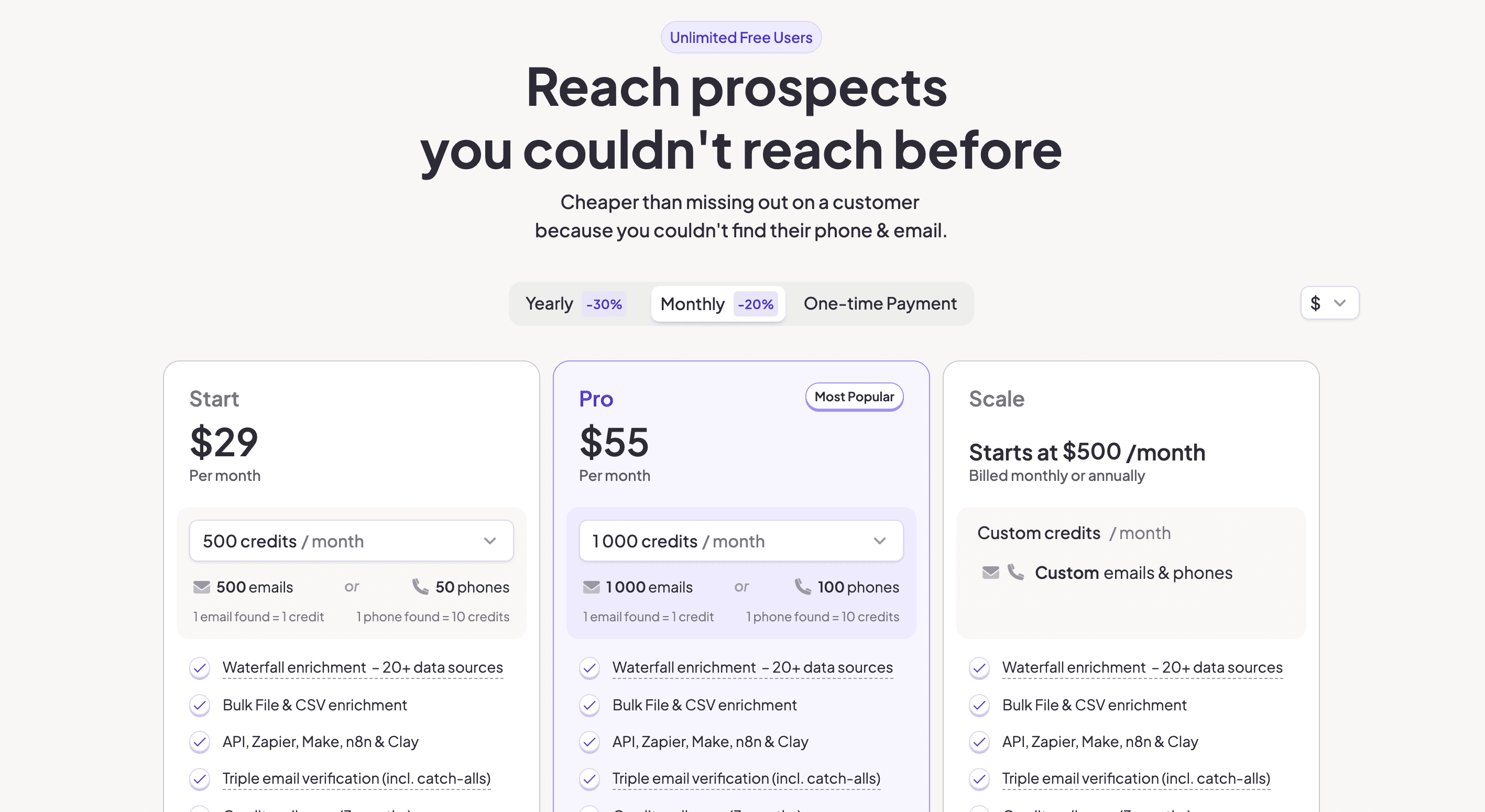
Work Email: 1 credit per email
Mobile Phone: 10 credits per phone
Phone & Email: 10 credits per phone, 1 credit per email
Free plan: 5O credits
Starter: $29/m for 500 credits
Pro: $55/m for 1000 credits
Scale: from $500/M with custom credits
You only pay when FullEnrich successfully finds the data you need. No wasted spend on empty results.
👉 Stop overpaying for bad data and start with 50 free credits
FullEnrich rating and reviews
FullEnrich has been gaining traction among RevOps teams and agencies who need higher coverage than single-source providers can deliver. Users consistently highlight the waterfall approach as a game-changer for hard-to-find contacts. With a solid G2 rating: 4.8/5
BIf your current data provider isn't giving you the coverage you need, FullEnrich's multi-vendor approach is worth testing. The waterfall enrichment model solves the fundamental problem with single-source databases: incomplete data. Start with their free trial to test coverage on your specific target market.
👉 Sign up for 50 free credits - No credit card required
2. ZoomInfo
Category: Enterprise B2B Database
Best for: Large organizations with substantial budgets
Ease of use: Intermediate to Advanced
Pricing: Custom (typically $15,000+ annually)
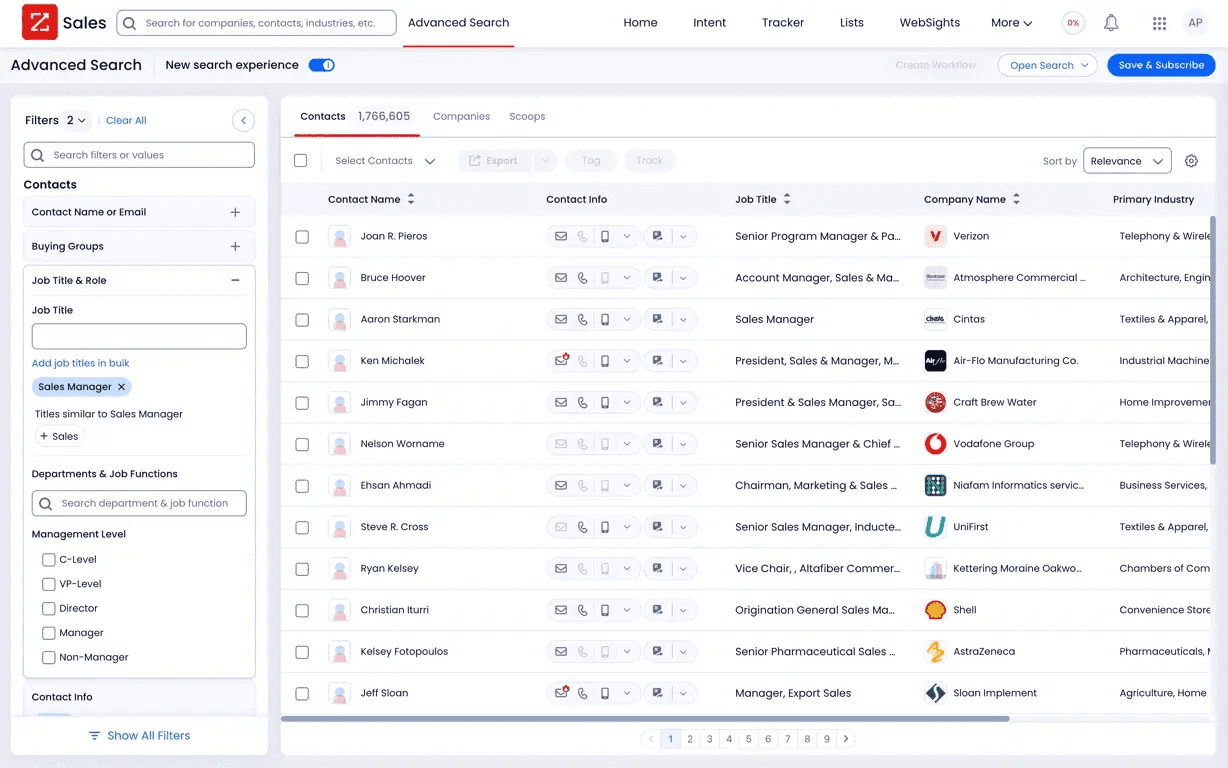
ZoomInfo is the 800-pound gorilla of B2B data. They've built one of the largest business contact databases through a combination of data partnerships, web scraping, and contributor networks. If you've been in B2B sales for more than five minutes, you've probably heard of them.
The platform goes beyond just contact data. ZoomInfo has evolved into a full go-to-market intelligence platform with intent data, website visitor tracking, and conversation intelligence features.
How ZoomInfo works
At its core, ZoomInfo maintains a massive database of business contacts and companies. You can search by firmographics like industry, company size, revenue, and location, plus filter by job titles, departments, and seniority levels. The platform continuously updates this data through various collection methods.
What sets ZoomInfo apart is the intent data layer. They track signals across the web to identify which companies are actively researching solutions like yours. This helps you time your outreach for when prospects are actually in-market.
Key features
Massive B2B database with hundreds of millions of contacts and companies
Intent data signals showing which companies are actively researching solutions
Advanced search filters for building highly targeted prospect lists
Website visitor identification to see which companies are hitting your site
Native integrations with Salesforce, HubSpot, and major sales tools
Conversation intelligence through their Chorus acquisition
Workflow automation for routing and enrichment triggers
Pros | Cons |
|---|---|
Comprehensive enterprise-grade database | Very expensive for smaller teams |
Intent signals help time outreach | Data accuracy varies by region and industry |
Strong CRM integrations out of the box | Requires long-term contracts |
Regular data updates and maintenance | Can be overwhelming for new users |
Full platform with multiple products | Mobile number coverage inconsistent |
Enterprise security and compliance | Steep learning curve for full utilization |
Pricing
ZoomInfo doesn't publish pricing publicly because everything is custom-quoted based on your needs. That said, here's what you can typically expect from zoominfo's costs:
Entry-level packages start around $15,000 per year
Mid-tier packages with more seats and features run $25,000-$50,000 annually
Enterprise deals can exceed $100,000 per year
You'll also need to factor in implementation costs and the time investment to get your team fully trained on the platform.
ZoomInfo rating and reviews
Here's what users rate ZoomInfo on third-party review sites:
G2: 4.4 out of 5 stars (from 8,400+ reviews)
Capterra: 4.1 out of 5 stars (from 280+ reviews)
Common praise focuses on the database size and intent data. Common complaints center on pricing, data accuracy issues, and aggressive sales tactics.
ZoomInfo is powerful but pricey. If you're an enterprise team with budget to spare and need a comprehensive GTM platform, it's a solid choice. Smaller teams or those focused purely on enrichment should look at more cost-effective alternatives like FullEnrich that can deliver better coverage through waterfall enrichment at a fraction of the cost.
AI SDR and outbound automation tools
These tools go beyond simple sequencing. They act as virtual SDRs that can research prospects, write personalized messages, and even book meetings autonomously.
3. Artisan
Category: AI SDR
Best for: Teams wanting a virtual SDR to automate prospecting and follow-ups
Ease of use: Intermediate
Pricing: Quote-based, positioned as higher-tier
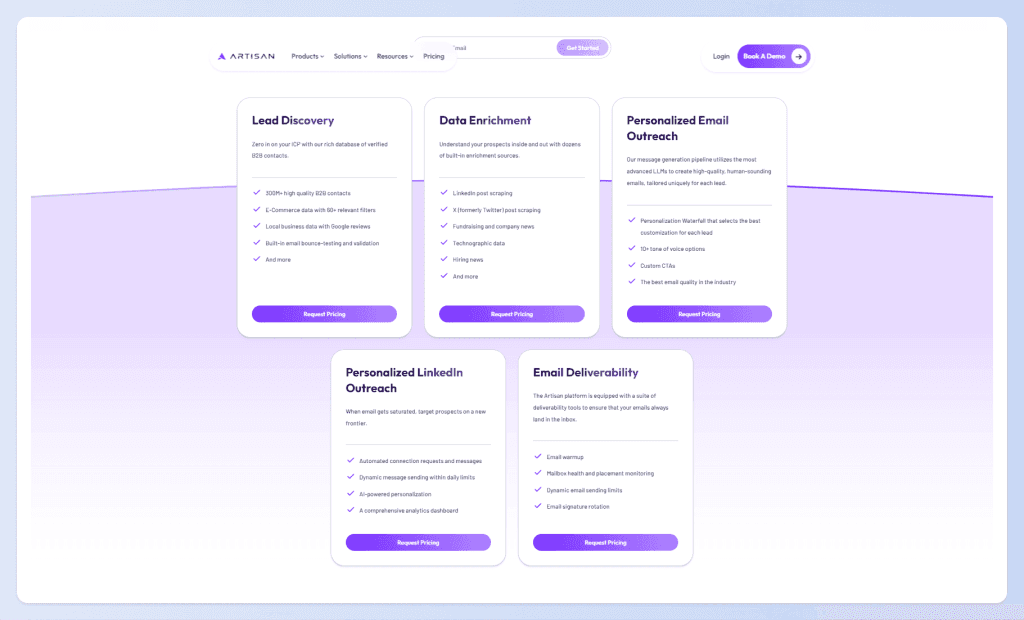
Artisan is one of the most ambitious AI sales tools on the market. Instead of just helping your reps write better emails, it aims to replace the SDR function entirely with an AI agent named Ava. She runs outbound campaigns across email and LinkedIn, writes and sends personalized messages, books meetings, and handles multi-step follow-up sequences.
Think of it as hiring an SDR who works 24/7, never calls in sick, and can handle thousands of prospects simultaneously.
How Artisan works
Artisan's AI SDR integrates with data sources like Apollo and Clay to pull prospect information, then crafts personalized outreach based on that data. The AI handles the entire outbound workflow: researching the prospect, writing the initial message, sending it at the optimal time, and managing follow-up sequences based on engagement.
When a prospect responds positively, Artisan can handle the back-and-forth conversation to book a meeting directly on your calendar. The system learns from what works and continuously optimizes messaging and timing.
Key features
Autonomous outbound campaigns across email and LinkedIn without human intervention
AI-written personalization based on prospect data, company news, and trigger events
Multi-step sequence management with intelligent follow-up timing
Meeting booking directly from AI conversations
Integration with data sources like Apollo, Clay, and major CRMs
Performance analytics showing what's working and what's not
Human handoff when conversations need a real person
Pros | Cons |
|---|---|
True automation of SDR tasks | Premium pricing limits accessibility |
Works 24/7 without breaks | AI messaging may feel less personal to some |
Handles full outbound workflow | Requires quality data inputs to work well |
Learns and improves over time | Less control than human SDRs |
Scales infinitely without adding headcount | New category with limited track record |
Integrates with existing data stack | Complex setup and training period |
Pricing
Artisan uses quote-based pricing that's typically calculated per seat. Given the value proposition of replacing SDR headcount, they position themselves at a premium price point. Expect to pay significantly more than basic email tools, but potentially less than the fully-loaded cost of human SDRs (salary + benefits + management overhead + tools).
You'll need to speak with their sales team to get specific numbers based on your use case and volume requirements.
Artisan rating and reviews
As a newer entrant in the AI SDR space, Artisan has been generating buzz among early adopters. Users highlight the time savings and ability to scale outbound without adding headcount. The main concerns center on message quality compared to well-trained human SDRs and the learning curve to get the AI performing optimally.
Artisan represents the cutting edge of AI sales automation. If you're open to letting AI handle your outbound prospecting end-to-end and have the budget to invest, it's worth evaluating. Just go in with realistic expectations: the AI needs good data and proper training to perform well.
4. Luru
Category: Buying Signal Intelligence
Best for: RevOps and outbound teams that want to work only in-market accounts
Ease of use: Intermediate
Pricing: SaaS subscription, team-based
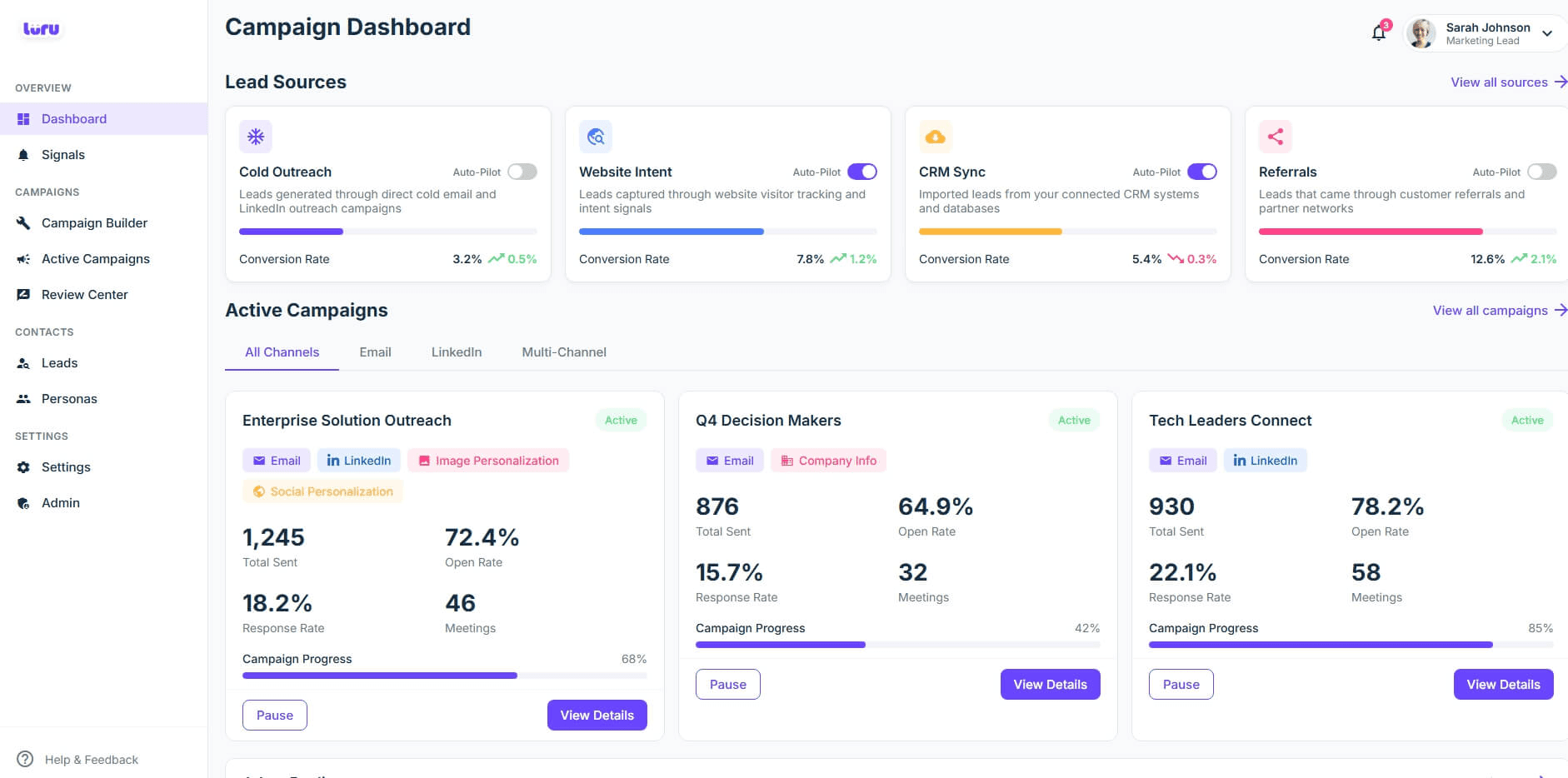
Luru focuses on a specific problem: helping you find accounts that are actually ready to buy. Instead of mass messaging everyone in your TAM, Luru surfaces buying signals like hiring patterns, funding announcements, and technology changes so you can prioritize the accounts most likely to convert.
It's used more for signal intelligence than mass messaging, which makes it a great complement to other outreach tools in your stack.
How Luru works
Luru continuously monitors your target accounts for relevant signals: new leadership hires, funding rounds, technology adoptions, job postings that indicate growth, and other triggers that suggest buying intent. When signals fire, Luru can prioritize those accounts in your workflow and even trigger automated outreach sequences.
The philosophy is simple: instead of treating all prospects equally, focus your energy on the ones showing active buying behavior. This dramatically improves efficiency and response rates.
Key features
Buying signal detection across hiring, funding, tech changes, and more
Account prioritization based on signal strength and recency
Workflow triggers that kick off outreach when signals fire
CRM integration to keep your pipeline updated with signal data
Team collaboration features for coordinating on hot accounts
Real-time monitoring of your target account list
Pros | Cons |
|---|---|
Focus reps on highest-intent accounts | Not a replacement for contact data |
Reduces wasted outreach on cold accounts | Requires defined ICP and account list |
Integrates signals into existing workflows | Signal volume depends on your market |
Improves efficiency of sales motion | Team-based pricing adds up |
Real-time updates on target accounts | Learning curve to act on signals effectively |
Reduces manual research for triggers | Best paired with other outbound tools |
Pricing
Luru uses SaaS subscription pricing, typically structured by team size. Contact their sales team for specific pricing based on your account volume and seat requirements.
Luru rating and reviews
Luru has found traction among RevOps teams and sales leaders who understand the value of timing in outbound. Users appreciate the shift from volume-based to signal-based prospecting. The main consideration is that Luru works best as part of a broader stack rather than a standalone solution.
Bottom line: If your team is tired of spraying and praying, Luru's signal-based approach offers a smarter way to prioritize outbound efforts. It won't replace your data enrichment or outreach tools, but it will help you point them at the right accounts at the right time.
Top AI sales engagement platforms
These platforms handle the execution of your outreach: multi-channel sequences, cadence management, and engagement tracking.
Tool | Primary Function | Best For |
|---|---|---|
Outreach.io | Enterprise sales engagement | Large SDR/AE teams with complex workflows |
Apollo.io | All-in-one data + engagement | Teams wanting one platform for everything |
HubSpot Sales Hub | AI-powered CRM | Organizations already in HubSpot ecosystem |
5. Outreach.io
Category: Enterprise Sales Engagement
Best for: Structured SDR/AE teams needing mature cadences, reporting, and coaching
Ease of use: Intermediate to Advanced
Pricing: Per-user licensing, typically $100+/user/month
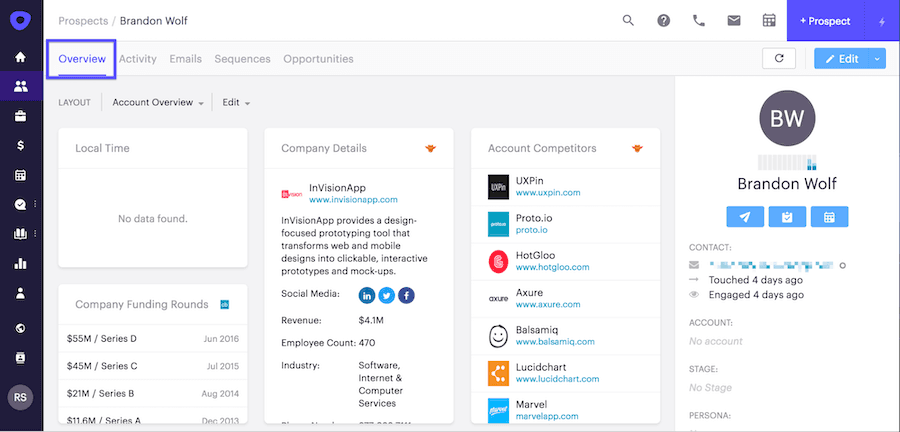
Outreach.io is the enterprise standard for sales engagement. When large B2B companies need to orchestrate multi-channel cadences at scale with serious analytics and coaching capabilities, Outreach is usually on the shortlist.
The platform has evolved well beyond basic email sequences. It now includes AI-driven insights on sequence performance, revenue forecasting, conversation intelligence, and rep coaching tools.
How Outreach.io works
At its core, Outreach manages multi-channel cadences across email, phone, LinkedIn, and SMS. You build sequences that automatically move prospects through touch patterns based on their engagement (or lack thereof).
The AI layer analyzes what's working across your sequences and provides recommendations for optimization. It can predict which deals are at risk, suggest next best actions, and help managers identify coaching opportunities based on rep performance data.
Key features
Multi-channel sequences orchestrating email, calls, LinkedIn, and SMS
AI-driven sequence optimization recommending what to test and change
Revenue forecasting with deal-level predictions
Conversation intelligence analyzing calls and meetings
Rep coaching tools identifying performance patterns
Deep Salesforce integration syncing all activity automatically
Advanced analytics with team and individual dashboards
Pros | Cons |
|---|---|
Best-in-class enterprise features | Very expensive for smaller teams |
Powerful AI optimization and insights | Steep learning curve to utilize fully |
Excellent Salesforce integration | Overkill for simple outbound needs |
Strong analytics and reporting | Long implementation timeline |
Scales to large sales organizations | Requires dedicated admin resources |
Continuous product innovation | Complex pricing structure |
Pricing
Outreach uses per-user licensing with pricing typically starting around $100/user/month for basic packages. Enterprise deals with full feature access often run $130-150/user/month or higher.
Implementation, training, and ongoing support add to the total cost. Budget for a meaningful investment in change management to get full value from the platform.
Outreach.io rating and reviews
Here's what third-party review sites say about Outreach:
G2: 4.3 out of 5 stars (from 3,400+ reviews)
Capterra: 4.4 out of 5 stars (from 290+ reviews)
Users praise the depth of features and analytics. Common complaints include the learning curve, cost, and occasional performance issues.
Bottom line: If you're running an enterprise sales org with budget and resources to invest, Outreach is the gold standard for sales engagement. Smaller teams or those just getting started with outbound should look at more accessible options first.
6. Apollo.io
Category: All-in-One Prospecting + Engagement
Best for: Teams that want lead data, enrichment, and outbound cadences in a single stack
Ease of use: Beginner to Intermediate
Pricing: Free tier available, paid plans from $49/user/month
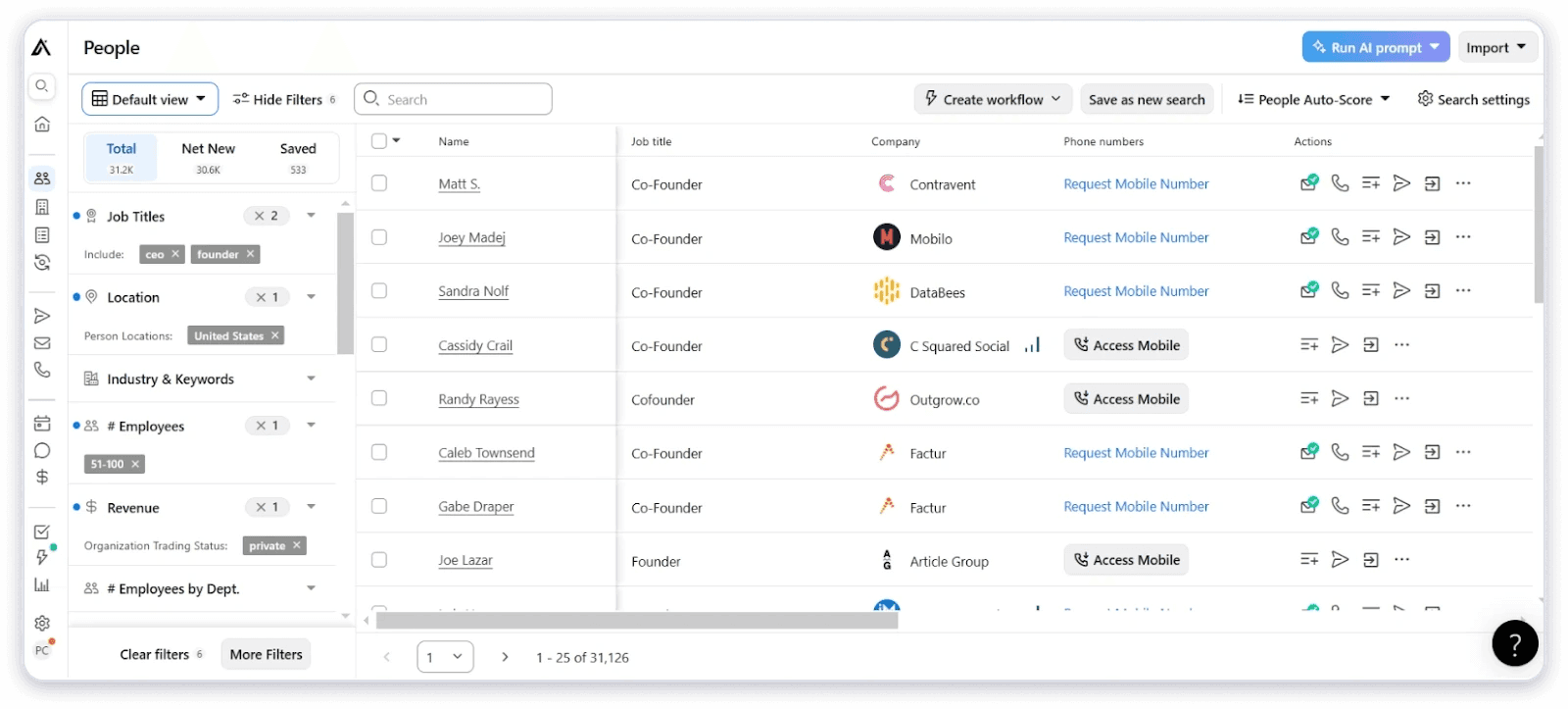
Apollo has become the darling of startups and SMBs by combining a solid B2B database with built-in engagement tools. Instead of juggling separate data and outreach platforms, you get everything in one place.
The platform has a generous free tier that makes it accessible for teams just getting started, and the paid plans remain affordable compared to enterprise alternatives.
How Apollo.io works
Apollo maintains a database of 275M+ contacts that you can search and filter. Once you've built a list, you can enrich those contacts with additional data points and immediately drop them into multi-step email sequences, all without leaving the platform.
The Apollo AI assistant helps with research, email drafting, and prioritization. It's not a full AI SDR like Artisan, but it does make the manual work significantly faster.
Key features
Large B2B database with 275M+ contacts
Built-in email sequencing with multi-step automation
AI assistant for research and email drafting
LinkedIn integration via Chrome extension
Lead scoring to prioritize best-fit prospects
Intent signals for timing outreach
CRM integrations with Salesforce, HubSpot, and more
Generous free tier for testing and small teams
Pros | Cons |
|---|---|
All-in-one platform reduces tool sprawl | Data accuracy can be inconsistent |
Very affordable entry point | Email deliverability needs careful monitoring |
Strong automation features | Customer support can be slow |
Active product development | Enterprise features limited vs Outreach |
Good free tier for testing | Database coverage varies by segment |
Easy to learn and use | Heavy usage can hit rate limits |
Pricing
Apollo's pricing is refreshingly straightforward:
Free: $0/month with limited credits and features
Basic: $49/user/month with more credits and sequences
Professional: $79/user/month with advanced features
Organization: $119/user/month with enterprise capabilities
Annual billing provides significant discounts. The free tier is genuinely useful for testing whether Apollo works for your use case.
Apollo.io rating and reviews
Here's what users say on third-party review sites:
G2: 4.8 out of 5 stars (from 7,100+ reviews)
Capterra: 4.6 out of 5 stars (from 340+ reviews)
Apollo consistently ranks among the top-rated sales tools. Users love the value for money and all-in-one convenience. Data quality concerns are the most common criticism.
Bottom line: Apollo is hard to beat for the price. It's not perfect, but for teams that want data and outreach without juggling multiple tools and vendors, it's an excellent choice. Pair it with a dedicated enrichment tool like FullEnrich for contacts where Apollo's coverage falls short.
7. HubSpot Sales Hub
Category: AI-Powered CRM
Best for: Organizations already in HubSpot ecosystem wanting native AI for pipeline management
Ease of use: Beginner to Intermediate
Pricing: Free CRM, Sales Hub from $45/month
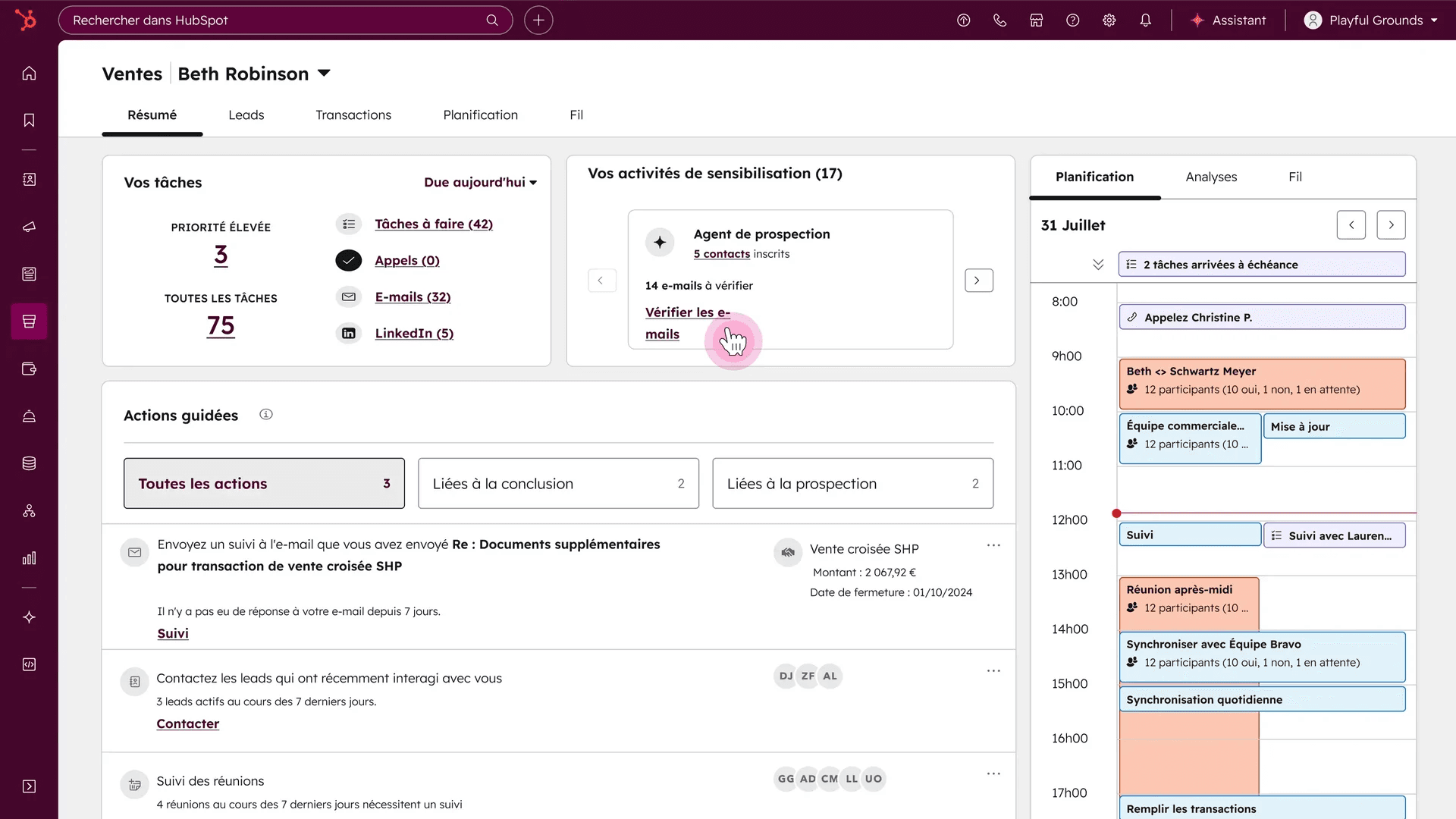
HubSpot has steadily added AI capabilities to their Sales Hub, making it a compelling option for teams that want their sales AI embedded directly in their CRM. If you're already using HubSpot for marketing or service, adding Sales Hub keeps everything in one ecosystem.
The platform is known for strong dashboards, ease of use, and tight integration across the HubSpot suite.
How HubSpot Sales Hub works
Sales Hub lives inside HubSpot CRM and adds sales-specific features: email sequences, meeting scheduling, pipeline management, and reporting. The AI features help with email suggestions, deal forecasting, task automation, and follow-up reminders.
For larger teams, the enterprise tier adds conversation intelligence, predictive lead scoring, and advanced automation capabilities.
Key features
AI email suggestions helping reps write better outreach
Deal forecasting with AI-powered predictions
Task automation reducing manual admin work
Conversation intelligence on higher tiers
Pipeline management with visual deal tracking
Meeting scheduler eliminating booking friction
Seamless marketing integration for aligned GTM
Pros | Cons |
|---|---|
Excellent free tier to start | Enterprise features get pricey quickly |
User-friendly interface | Less customizable than Salesforce |
Strong marketing + sales integration | Some AI features require upgrades |
Good reporting and dashboards | Contact limits on lower tiers |
Native AI without extra tools | Outbound features less mature than specialists |
Large ecosystem of integrations | Can feel limiting for complex sales motions |
Pricing
HubSpot offers a genuinely useful free CRM, with Sales Hub adding paid functionality:
Free CRM: $0 forever with basic features
Starter: $45/month for essential sales tools
Professional: $450/month for automation and reporting
Enterprise: $1,200/month for advanced AI and customization
Per-seat pricing applies at Professional and Enterprise tiers, which can add up quickly for larger teams.
HubSpot Sales Hub rating and reviews
Here's what review sites say about HubSpot Sales Hub:
G2: 4.4 out of 5 stars (from 11,200+ reviews)
Capterra: 4.5 out of 5 stars (from 4,100+ reviews)
Users appreciate the ease of use and marketing integration. Criticism often focuses on pricing at scale and feature limitations compared to specialized tools.
Bottom line: If you're already in the HubSpot ecosystem, Sales Hub is the natural choice for adding AI-powered sales capabilities. The free CRM lets you test before committing, and the marketing integration is hard to match elsewhere.
AI email writing and personalization tools
These tools help your reps write better emails that actually get responses.
8. Lavender
Category: Email Coaching
Best for: Teams that still write their own emails but want AI feedback to increase reply rates
Ease of use: Beginner
Pricing: Individual and team plans, typically in tens of dollars per user/month
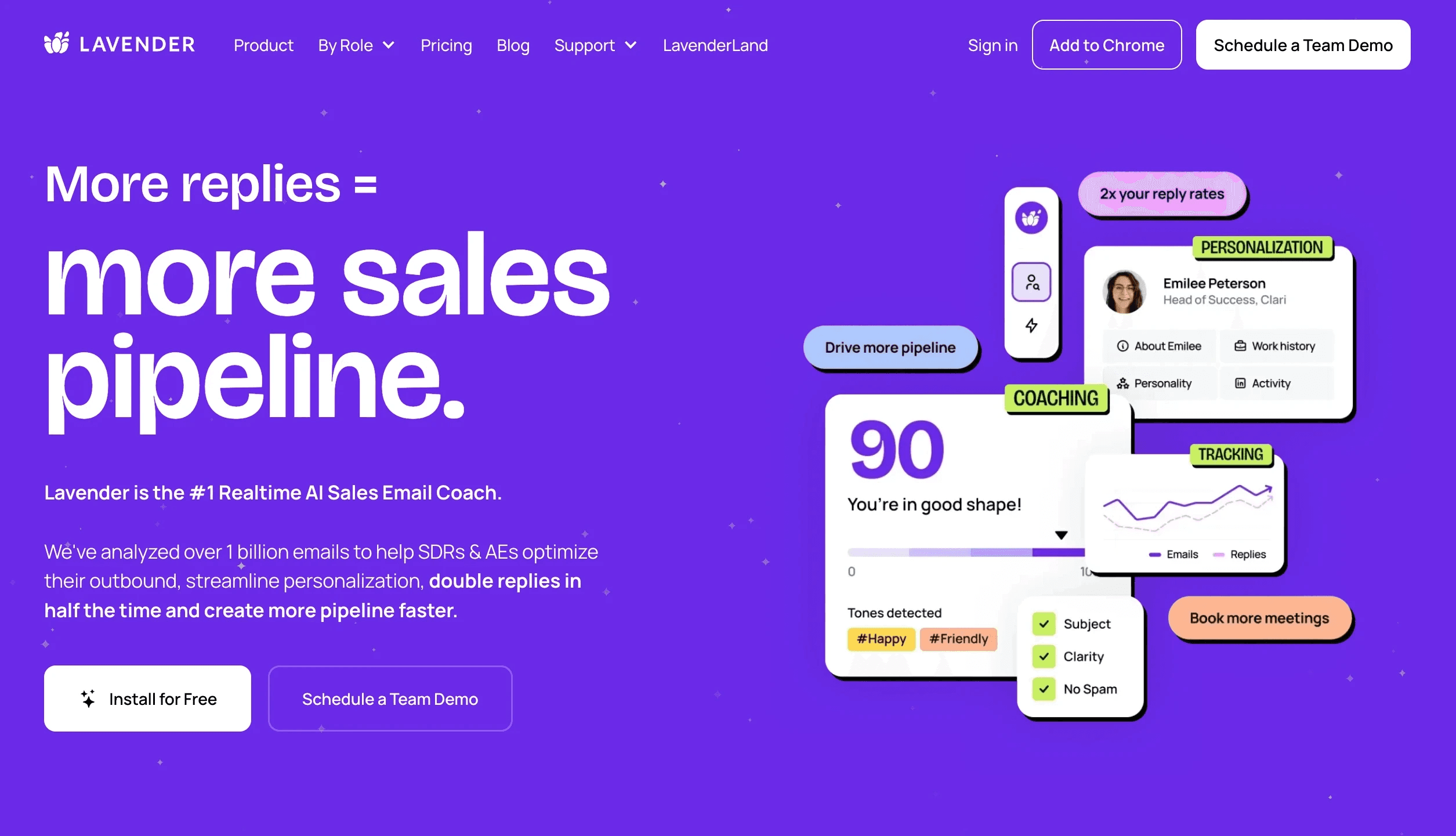
Lavender is like having an email coach looking over your shoulder as you write. It provides real-time feedback on your cold emails: tone, length, clarity, personalization, and overall effectiveness. The tool scores your email before you send it and suggests specific improvements.
On Reddit, Lavender consistently gets praised by SDRs as one of the most practical AI sales tools. It doesn't replace the rep, it makes them better.
How Lavender works
Lavender integrates with your email client (Gmail, Outlook) and activates when you're composing messages. As you write, it analyzes your email in real-time and provides a score along with specific suggestions.
The AI looks at factors proven to impact reply rates: subject line effectiveness, email length, reading level, personalization, spam trigger words, and mobile readability. It also pulls prospect data to suggest personalization opportunities you might have missed.
Key features
Real-time email scoring as you write
Specific improvement suggestions for each email
Personalization recommendations based on prospect data
Tone and clarity analysis ensuring messages land well
Subject line optimization improving open rates
Mobile preview showing how emails render on phones
Team analytics for managers to identify coaching opportunities
Pros | Cons |
|---|---|
Immediate, actionable feedback | Doesn't write emails for you |
Proven to improve reply rates | Per-seat pricing adds up for large teams |
Easy to learn and use | Requires reps to actually use it |
Trains reps while they work | Best suited for manual outbound motions |
Integrates with common email clients | Limited value for fully automated sequences |
Data-backed recommendations |
Pricing
Lavender offers individual and team plans:
Basic: Free with limited features
Starter: $29/month for individuals
Team plans: Custom pricing based on seats
The ROI is straightforward: if Lavender improves your reply rates even marginally, the cost pays for itself quickly.
Lavender rating and reviews
Here's what users say about Lavender:
G2: 4.9 out of 5 stars (from 100+ reviews)
Capterra: 4.9 out of 5 stars (from 20+ reviews)
The consistently high ratings reflect genuine user enthusiasm. SDRs particularly appreciate the practical, actionable nature of the feedback.
Bottom line: If your team writes their own cold emails (versus fully AI-generated), Lavender is one of the highest-ROI tools you can implement. It makes good reps better and provides a training mechanism that works in the flow of work.
9. Regie.ai
Category: Sequence Generation
Best for: GTM teams that want a fast way to build and iterate high-quality sequences at scale
Ease of use: Intermediate
Pricing: SaaS subscriptions, tiers by seat and usage
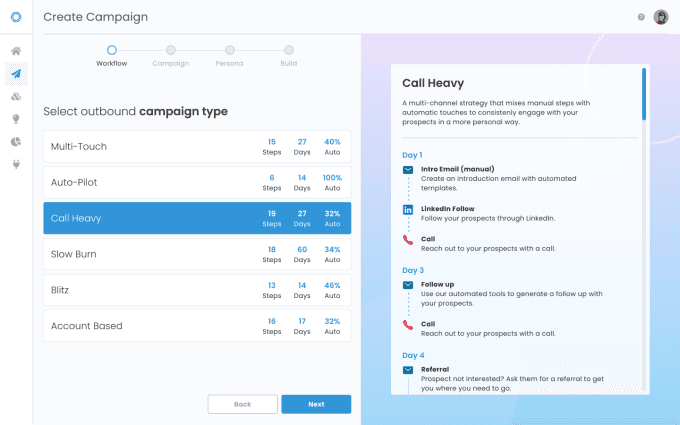
Regie.ai focuses on generating full outbound sequences and cadences. Instead of coaching individual emails like Lavender, Regie builds entire multi-step campaigns with persona and industry-specific copy.
The platform integrates with tools like Outreach and Salesloft, so you can generate sequences in Regie and execute them in your existing engagement platform.
How Regie.ai works
You provide Regie with information about your product, target personas, and value propositions. The AI then generates complete email sequences including initial outreach, follow-ups, and break-up messages.
You can customize by persona (VP Sales vs. Marketing Manager) or by industry (SaaS vs. healthcare) to ensure messaging resonates with different segments. The AI learns from what performs well and continuously improves recommendations.
Key features
Full sequence generation with multiple touchpoints
Persona-specific copy tailored to different buyers
Industry customization for relevant messaging
Integration with Outreach and Salesloft for execution
A/B testing recommendations to improve performance
Content library for approved messaging and templates
Analytics showing what's working across campaigns
Pros | Cons |
|---|---|
Rapidly builds complete sequences | Output needs human review and editing |
Persona and industry customization | Learning curve to configure well |
Integrates with major engagement platforms | Quality depends on input provided |
Scales content creation for large teams | Per-seat pricing can add up |
Continuous improvement from performance data | Best with clear ICP and messaging framework |
Saves hours on sequence building |
Pricing
Regie.ai uses SaaS subscription pricing based on team size and usage volume. Contact their sales team for specific pricing tailored to your needs.
Regie.ai rating and reviews
Here's what review sites say:
G2: 4.7 out of 5 stars (from 300+ reviews)
Capterra: 4.6 out of 5 stars (from 30+ reviews)
Users appreciate the speed of sequence creation and the ability to scale content across personas and industries.
Bottom line: If your team spends significant time building and iterating on email sequences, Regie.ai can dramatically accelerate that process. The output still benefits from human review, but it gives you a strong starting point rather than a blank page.
10. Copy.ai
Category: AI Content Platform
Best for: Marketing-heavy or founder-led sales motions that require lots of written content
Ease of use: Beginner
Pricing: Free/low-tier plans available, higher tiers for teams
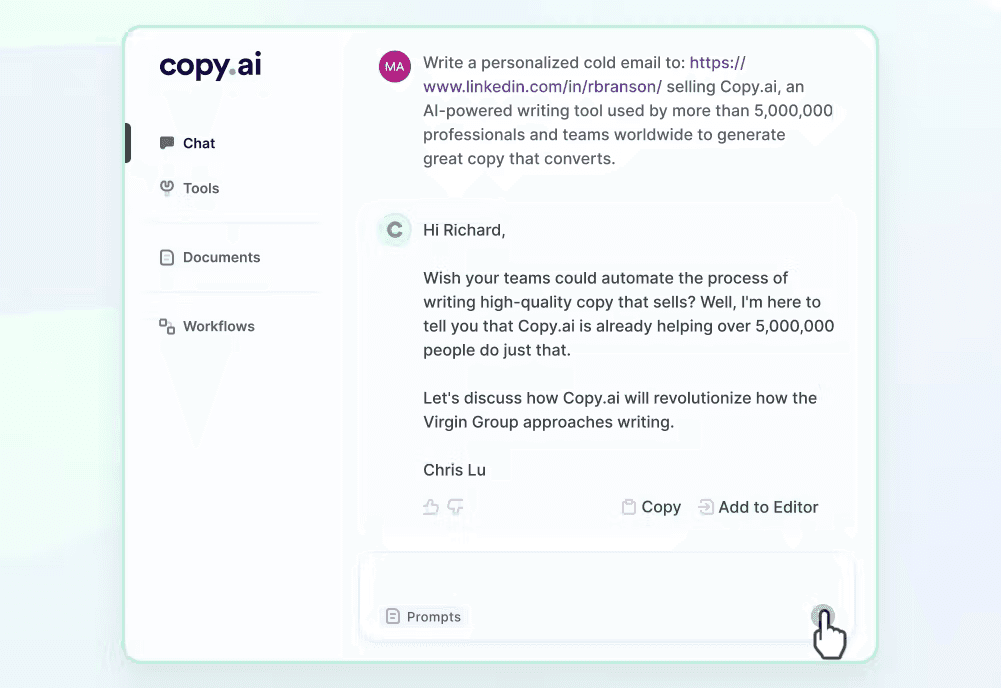
Copy.ai is a general-purpose AI content platform that's widely used for sales emails, LinkedIn posts, ads, and blog content. It's more versatile than sales-specific tools, making it valuable for teams that need varied content beyond just cold email.
The platform integrates via Zapier and other tools for workflow automation, and it's particularly popular among smaller teams and founders who wear multiple hats.
How Copy.ai works
You select a content type (cold email, LinkedIn message, follow-up email, etc.), provide some context about your product and audience, and Copy.ai generates multiple variations for you to choose from and edit.
The AI has been trained on high-performing sales and marketing content, so the output tends to follow proven patterns and frameworks. You can save templates and brand voice guidelines to ensure consistency.
Key features
Multiple content types from emails to social posts to ads
Template library with proven frameworks
Brand voice customization for consistent messaging
Multiple output variations to choose from
Workflow integration via Zapier and API
Team collaboration features on higher tiers
Generous free tier for light usage
Pros | Cons |
|---|---|
Versatile beyond just sales emails | Less sales-specific than dedicated tools |
Easy to use interface | Output quality varies by content type |
Generous free tier to test | Generic without good prompting |
Good for varied content needs | No engagement platform integration |
Affordable entry pricing | Limited analytics on content performance |
Large template library |
Pricing
Copy.ai offers accessible pricing:
Free: $0/month with limited words
Starter: $36/month for individuals
Advanced: $186/month for teams
Enterprise: Custom pricing
The free tier is useful for testing whether Copy.ai fits your workflow.
Copy.ai rating and reviews
Here's what users say:
G2: 4.7 out of 5 stars (from 180+ reviews)
Capterra: 4.5 out of 5 stars (from 60+ reviews)
Users appreciate the versatility and ease of use. The main criticism is that output can feel generic without careful prompting.
Bottom line: Copy.ai is best for teams that need varied content beyond cold email, whether that's LinkedIn posts, blog content, or ad copy. For pure sales outreach, more specialized tools like Lavender or Regie.ai may deliver better results.
11. Crystal
Category: Personality AI
Best for: Reps doing targeted outreach who want guidance on how to phrase messages for specific personas
Ease of use: Beginner to Intermediate
Pricing: Per-seat subscriptions, business plans for teams
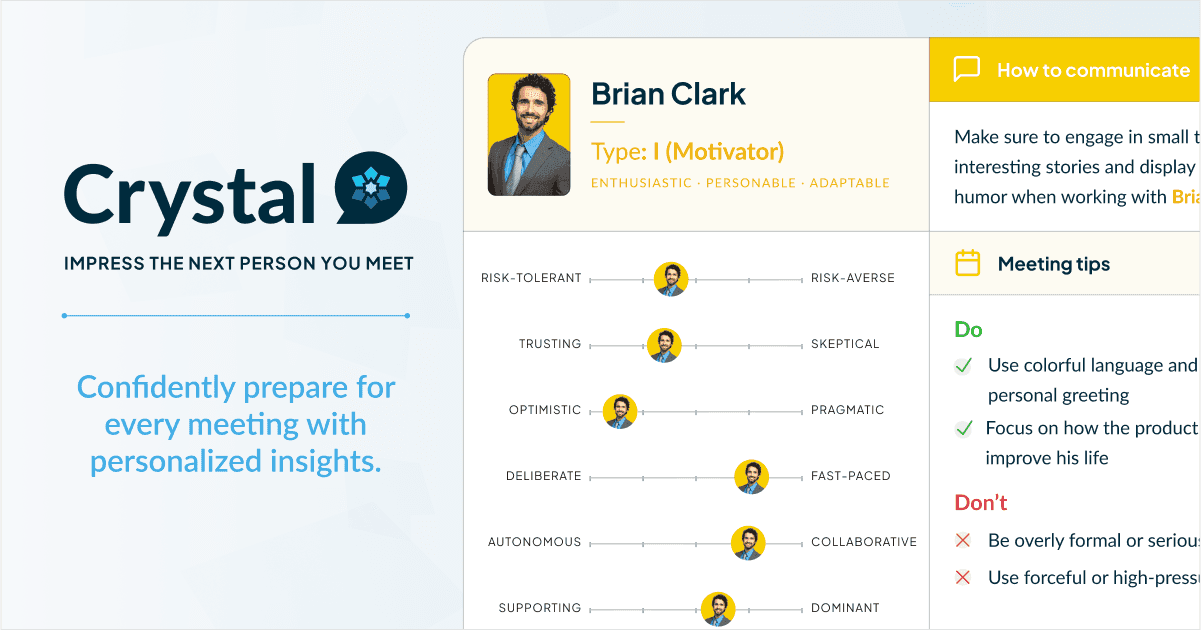
Crystal does something unique: it uses personality AI to analyze prospects and suggest how to communicate with them. Based on LinkedIn profiles and other data, Crystal predicts a prospect's DISC personality type and recommends messaging style, tone, and talk tracks tailored to that individual.
If you've ever wished you knew more about how to approach a specific prospect, Crystal provides that insight at scale.
How Crystal works
Crystal analyzes publicly available information about prospects, particularly LinkedIn profiles, to predict their personality type using the DISC framework. It then provides specific guidance on how to communicate with that person.
For example, Crystal might tell you that a prospect is a "D" personality who values directness and results, suggesting you lead with outcomes rather than relationship-building. Or it might identify a "S" personality who prefers a warmer, more collaborative approach.
Key features
Personality predictions based on DISC framework
Communication recommendations tailored to each prospect
Email suggestions for different personality types
Meeting prep guidance on how to run calls effectively
Chrome extension for LinkedIn integration
Team profiles for understanding colleagues too
CRM integrations to embed insights in workflows
Pros | Cons |
|---|---|
Unique personality-based approach | Predictions are probabilistic, not certain |
Practical communication guidance | Requires DISC framework understanding |
Useful for both email and calls | Per-seat pricing adds up |
LinkedIn integration is seamless | Not useful for high-volume automated outreach |
Helps with meeting preparation | Data availability varies by prospect |
Differentiating value proposition |
Pricing
Crystal uses per-seat subscription pricing:
Free: Limited profile views
Premium: $49/month for individuals
Business: Custom pricing for teams
The value depends heavily on your sales motion. High-touch, relationship-driven sales benefit most.
Crystal rating and reviews
Here's what review sites say:
G2: 4.6 out of 5 stars (from 350+ reviews)
Capterra: 4.5 out of 5 stars (from 30+ reviews)
Users find the personality insights genuinely useful for tailoring their approach. Skeptics question the accuracy of predictions based on limited data.
Bottom line: Crystal offers differentiated value for reps doing targeted, high-touch outreach. If your sales motion involves meaningful research on each prospect and personalized communication, the personality insights can give you an edge. For high-volume automated outbound, look elsewhere.
AI assistants and workflow orchestration
These tools help you automate workflows, research prospects, and qualify leads.
12. Lindy
Category: AI Operations Assistant
Best for: RevOps or sales leaders wanting to glue together multiple tools with an AI layer
Ease of use: Intermediate to Advanced
Pricing: Tiered SaaS model by usage and seats
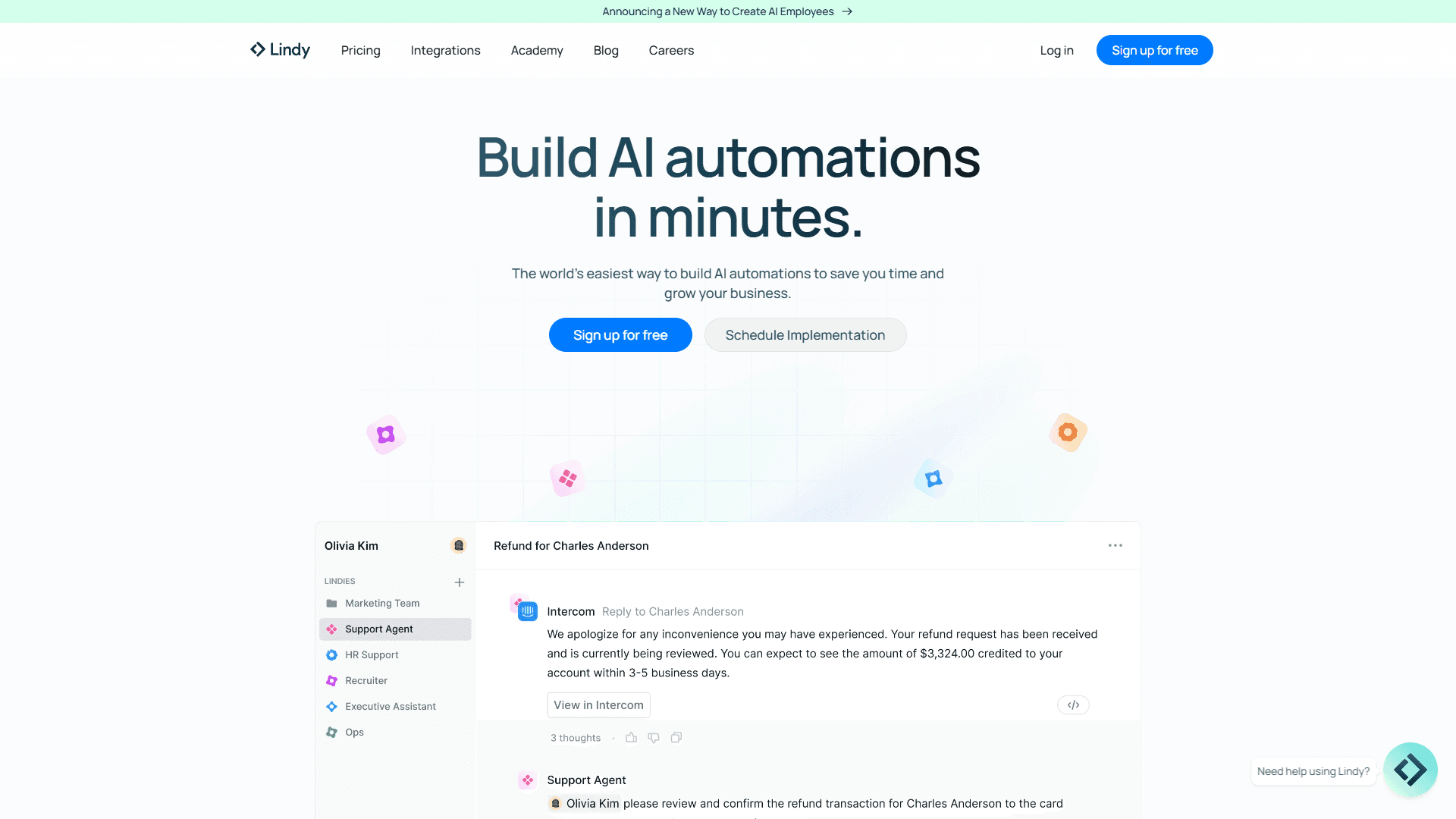
Lindy is a general-purpose AI operations assistant that can automate workflows across your entire tech stack. For sales teams, that means automating lead routing, task creation, follow-up sequences, CRM updates, and cross-tool orchestration.
Think of Lindy as an intelligent layer that sits on top of your existing tools and makes them work together seamlessly.
How Lindy works
You define workflows in Lindy using natural language or a visual builder. The AI can monitor triggers across connected tools (new lead in CRM, email received, meeting booked) and take automated actions in response (create task, update field, send Slack message, trigger sequence).
For example, you could set up Lindy to automatically research any new lead, enrich their data using FullEnrich, score them based on fit criteria, route them to the right rep, and create a follow-up task, all without manual intervention.
Key features
Cross-tool workflow automation connecting your entire stack
Natural language configuration for non-technical users
AI decision-making within workflows
CRM, email, and Slack integrations out of the box
Lead routing and scoring automation
Task creation and management across tools
Custom trigger and action combinations
Pros | Cons |
|---|---|
Powerful cross-tool automation | Learning curve to configure complex workflows |
Natural language makes it accessible | Requires clear process definition |
Replaces custom scripts and Zaps | Best for teams with established processes |
AI adds intelligence to workflows | Debugging can be challenging |
Flexible for various use cases | Per-usage pricing can be unpredictable |
Reduces manual ops work significantly |
Pricing
Lindy uses tiered SaaS pricing based on usage volume and seats. The exact structure varies, so contact their team for pricing specific to your workflow requirements.
Lindy rating and reviews
Lindy is mentioned frequently in RevOps and sales operations communities as a powerful automation tool. Users appreciate the flexibility and the ability to build sophisticated workflows without engineering resources.
Bottom line: If your sales ops team is drowning in manual processes and duct-tape integrations, Lindy can automate a significant portion of that work. It's not a plug-and-play tool, you need to invest time in setting it up correctly, but the payoff in operational efficiency can be substantial.
13. Perplexity
Category: AI Research
Best for: Pre-call and pre-outreach research to power better personalization
Ease of use: Beginner
Pricing: Free tier available, Pro plans for heavier use
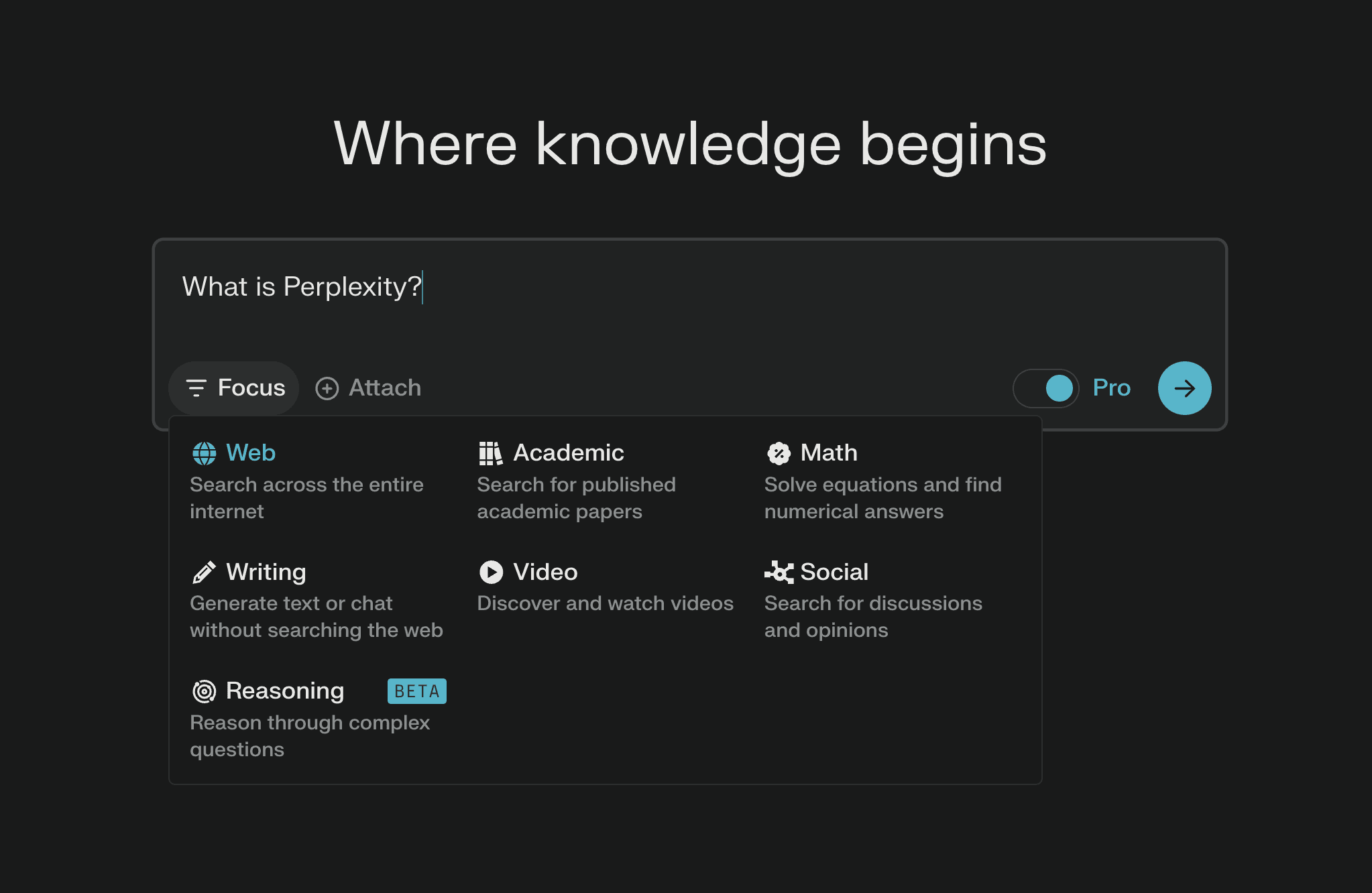
Perplexity isn't a traditional "sales tool," but it's become an essential research assistant for many sellers. It uses AI to search the web and synthesize information, helping you quickly understand accounts, competitors, industries, and individual prospects.
On Reddit, sales professionals frequently mention Perplexity as their go-to for pre-call research and building context for personalized outreach.
How Perplexity works
You ask Perplexity questions in natural language, and it searches the web, synthesizes relevant information, and provides cited answers. Unlike basic search engines, it gives you synthesized insights rather than just links.
For sales, that means you can quickly answer questions like: "What are the main challenges facing CFOs at mid-market manufacturing companies?" or "What has [Company X] announced recently?" The AI does the heavy lifting of reading multiple sources and summarizing the key points.
Key features
AI-powered web search with synthesized answers
Source citations so you can verify information
Follow-up questions for deeper research
Industry and company research for account intelligence
Competitive analysis support
Mobile apps for research on the go
Pro features including file upload and advanced models
Pros | Cons |
|---|---|
Fast, comprehensive research | Not integrated with sales tools |
Synthesized answers save time | Information may need verification |
Free tier is quite useful | No CRM or workflow integration |
General-purpose versatility | Manual process to apply research |
Constantly improving capabilities | Pro features require subscription |
Accessible interface |
Pricing
Perplexity offers flexible pricing:
Free: $0 with limited advanced searches
Pro: $20/month for more searches and features
Enterprise: Custom pricing for teams
The free tier is sufficient for occasional research. Power users benefit from Pro features.
Perplexity rating and reviews
Perplexity has gained a passionate user base among knowledge workers, including many in sales. Users appreciate the speed and quality of research synthesis. The main limitation is that it's a separate tool rather than integrated into sales workflows.
Bottom line: Perplexity is a must-have bookmark for any sales professional who values research-driven outreach. It won't automate your workflow, but it will dramatically speed up the research that powers effective personalization.
14. Intercom
Category: Conversational AI for Leads
Best for: PLG and inbound-heavy motions where website or product traffic needs qualification
Ease of use: Intermediate
Pricing: Product and seat-based, AI features on higher tiers
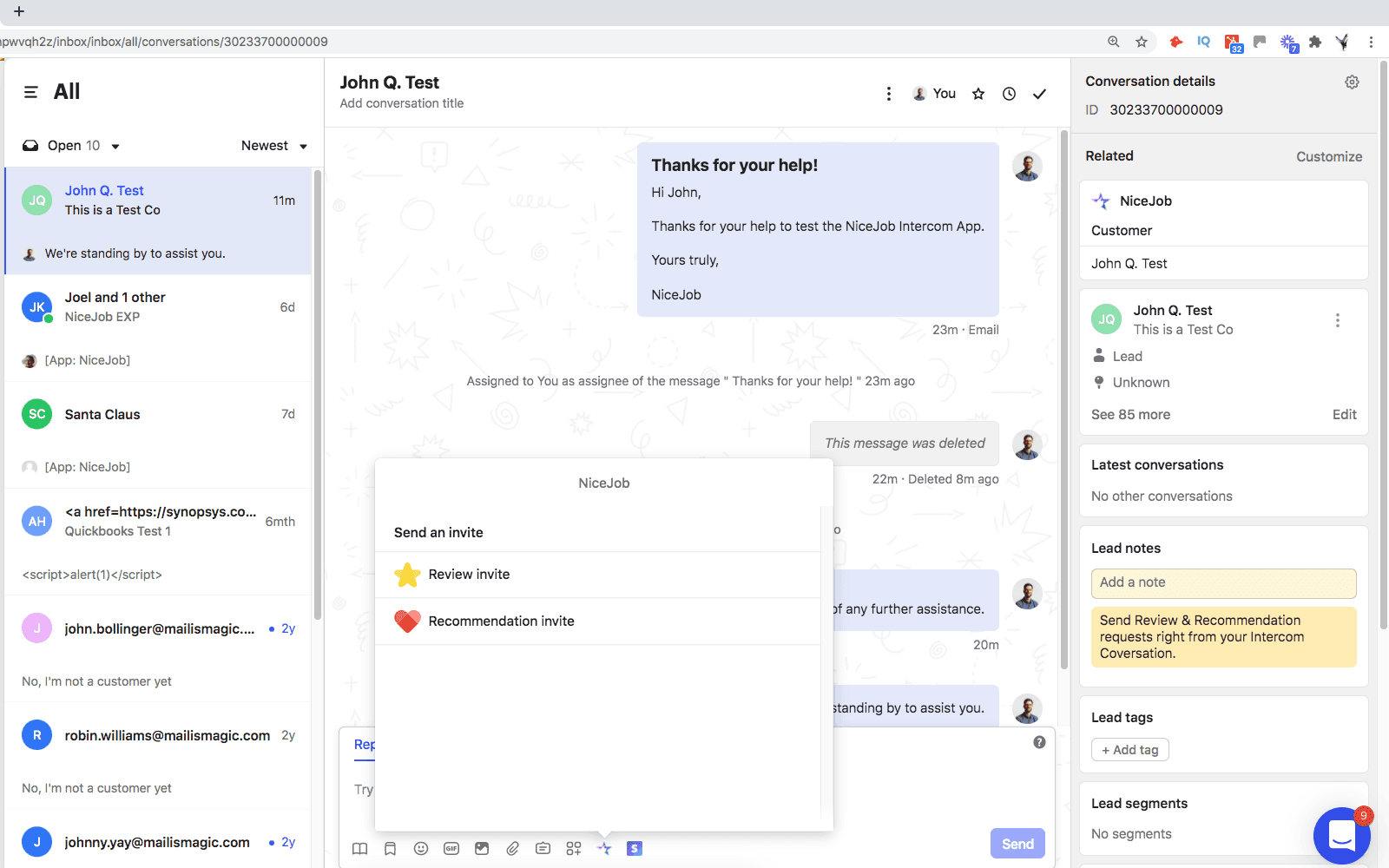
Intercom has evolved from a simple chat widget into a full conversational AI platform for customer and sales engagement. For sales teams with significant inbound traffic, Intercom can automatically capture, qualify, and route leads using AI-powered chatbots.
If your growth motion is product-led or relies heavily on website visitors converting to leads, Intercom's AI can handle much of that qualification automatically.
How Intercom works
Intercom's AI chatbot, Fin, engages website visitors and product users in conversation. It can answer questions, qualify interest, capture contact information, and route qualified leads to sales reps.
The AI uses your knowledge base and product information to answer questions accurately. For sales qualification, you define criteria and the chatbot asks relevant questions to determine fit. When a lead is qualified, it can book meetings directly or create opportunities in your CRM.
Key features
AI chatbot (Fin) handling conversations automatically
Lead qualification based on defined criteria
Knowledge base integration for accurate answers
Sentiment-aware routing to escalate appropriately
Meeting booking directly from chat
CRM integrations to sync qualified leads
Product tours and onboarding for PLG motions
Pros | Cons |
|---|---|
Handles high-volume inbound automatically | AI features require higher tiers |
24/7 availability for global visitors | Complex pricing structure |
Integrates qualification into natural conversations | Learning curve for full platform |
Reduces manual qualification work | Overkill for low-traffic sites |
Strong knowledge base capabilities | Best for inbound, not outbound |
Proven platform with large customer base |
Pricing
Intercom uses a complex pricing model based on seats, features, and usage:
Essential: Starting at $39/seat/month
Advanced: Starting at $99/seat/month
Expert: Starting at $139/seat/month
AI features like Fin have additional usage-based costs. Expect total cost to be higher than the base seat prices.
Intercom rating and reviews
Here's what users say:
G2: 4.5 out of 5 stars (from 3,000+ reviews)
Capterra: 4.5 out of 5 stars (from 1,000+ reviews)
Users appreciate the AI capabilities and ease of use. Pricing complexity and cost are common concerns.
Bottom line: For teams with significant inbound traffic from website or product, Intercom's AI can dramatically reduce manual qualification work while improving response times. It's not the right fit for outbound-focused teams, but for PLG or inbound-heavy motions, the automation is powerful.
How to choose the best AI sales tool for your team
With so many options, how do you pick? Here's my framework for evaluating AI sales tools.
1. Identify your primary use case
Start by asking: what's your biggest bottleneck?
Can't find enough contacts? Focus on data enrichment tools like FullEnrich
Reps spending too much time on prospecting? Look at AI SDRs like Artisan
Email quality inconsistent? Try coaching tools like Lavender
Too much manual qualification? Consider Intercom for inbound
Don't try to solve everything at once. Pick your biggest pain point and start there.
2. Evaluate data accuracy and coverage
For prospecting tools, test find rates on your target market. Every vendor claims great data, but accuracy varies wildly by industry, geography, and company size.
Look for:
Verification processes (triple email verification, phone verification)
Multi-source aggregation (waterfall enrichment)
Coverage in your specific markets
3. Check integration capabilities
The best AI tool is useless if it doesn't connect with your existing stack. Verify integrations with:
Your CRM (Salesforce, HubSpot, Pipedrive)
LinkedIn Sales Navigator
Workflow automation platforms (Zapier, Make)
Your outreach tools
4. Compare pricing models
Understand how you'll be charged:
Per seat: Good for predictable costs, bad if team size varies
Per credit: Good for usage-based spending, requires monitoring
Per successful find: Aligns cost with value (FullEnrich model)
Flat rate: Simple but may include unused features
Calculate total cost of ownership, not just list price.
5. Assess compliance and security
Especially for international prospecting, verify:
GDPR compliance (required for EU contacts)
CCPA compliance (required for California contacts)
SOC 2 certification (enterprise security standard)
Data storage and retention policies
How to use AI in your B2B sales process
Still wondering "how can I use AI in sales?" Here's how AI fits into each stage of your workflow:
Lead generation: Use AI prospecting tools to build targeted lists with verified contact data
Research: Deploy tools like Perplexity and Bounti.ai for deep prospect research
Outreach: Leverage AI email tools like Lavender and Regie.ai for better messaging
Qualification: Use conversational AI like Intercom to handle inbound leads
Pipeline management: Rely on CRM AI features for forecasting and next best actions
The key is starting with accurate data. Every downstream AI tool performs better when fed enriched, verified, and well-segmented contacts.
Build your AI sales stack with accurate contact data
Here's what I've learned after testing dozens of AI sales tools: the best outreach and engagement tools are only as effective as the data you feed them.
You can have the fanciest AI SDR in the world, but if your contact data is garbage, you'll still get garbage results. As the research consistently shows, "garbage in, garbage out" is especially true for AI models.
That's why data enrichment should be the foundation of your AI sales stack. Start with accurate, verified contacts. Then layer on engagement, intelligence, and automation tools.
FullEnrich's waterfall enrichment approach solves the coverage problem that plagues single-source data providers. By querying 15+ premium vendors, you get significantly higher find rates and better data accuracy.
👉 Ready to test it? Sign up for a free trial and get 50 free leads
FAQs about AI sales tools
Will AI replace B2B sales reps?
No. AI handles repetitive tasks like data entry, research, and initial outreach, freeing reps to focus on relationship-building and complex selling that requires human judgment. The best sales teams use AI to augment their reps, not replace them.
What are the best free AI sales tools to start with?
Many platforms offer free tiers or trials: FullEnrich gives you 50 free leads to test coverage, Apollo.io has a generous free tier for basic prospecting, HubSpot CRM is free forever, and Perplexity offers substantial free research capabilities.
How accurate is AI-generated B2B contact data?
Accuracy varies significantly by provider. Look for tools with verification processes like triple email validation and data aggregation from multiple sources to minimize bounce rates. Single-source databases typically have more gaps than multi-source approaches like waterfall enrichment.
Can AI sales tools work together?
Absolutely. The best AI sales stacks combine specialized tools: FullEnrich for data enrichment, Lavender for email coaching, Apollo for sequences, and Perplexity for research. Use workflow tools like Lindy or Zapier to connect them.
What should I do if my CRM data is a mess?
Start with a data enrichment and cleaning project using a tool like FullEnrich. Standardize key fields (job title, department, industry, employee count, geography). Then layer in AI for scoring, forecasting, and outreach personalization. Without clean data, AI tools can't deliver accurate results.



Other Articles
Cost Per Opportunity (CPO): A Comprehensive Guide for Businesses
Discover how Cost Per Opportunity (CPO) acts as a key performance indicator in business strategy, offering insights into marketing and sales effectiveness.
Cost Per Sale Uncovered: Efficiency, Calculation, and Optimization in Digital Advertising
Explore Cost Per Sale (CPS) in digital advertising, its calculation and optimization for efficient ad strategies and increased profitability.
Customer Segmentation: Essential Guide for Effective Business Strategies
Discover how Customer Segmentation can drive your business strategy. Learn key concepts, benefits, and practical application tips.