
Finding high-quality leads on LinkedIn is incredibly difficult if you only use the basic search bar. You quickly hit commercial search limits, run into out-of-network profile restrictions, and waste hours clicking on profiles that lead to dead ends.
This manual guessing game completely kills your daily productivity. Whether you are running a marketing campaign, handling business operations, or building a client roster, sending blind connection requests means you are losing out on real revenue.
While you guess who to contact, your competitors are already talking directly to the exact decision-makers you are struggling to find.
Learning how to use LinkedIn Sales Navigator for lead generation fixes this problem immediately. It gives you direct access to advanced search filters, deep account tracking, and private messaging. This turns a massive social network into a highly organized, searchable database of your ideal buyers.
What is LinkedIn Sales Navigator?
LinkedIn Sales Navigator is a premium subscription tool that helps professionals find, track, and contact specific target accounts and decision-makers on the platform. It is built for anyone who needs to generate high-quality leads, including marketers, founders, recruiters, and outreach teams.
Unlike the standard free version of LinkedIn, this tool provides a dedicated workspace to organize your prospecting. Here is a breakdown of the core features that make it so useful:
- Advanced Search Filters: You get access to over 50 specific filters. You can search for people based on exact criteria like company size, current job title, seniority level, and even how long they have been in their current role.
- InMail Messaging: You do not need to be connected with someone to send them a message. InMail allows you to reach out directly to third-degree connections and completely bypass the standard connection request limits.
- Real-Time Tracking and Alerts: The platform acts as a tracking system for your prospects. It sends you notifications when your target leads change jobs, post new content, or get mentioned in the news. This helps you time your outreach perfectly.
- Lead and Account Recommendations: The system learns who you are trying to target. It then suggests new companies and individuals that match your ideal customer profile automatically.
How much does Sales Navigator cost?
LinkedIn Sales Navigator costs between $89.99 and $149.99 per month when billed annually. The final price depends on the specific subscription tier you choose.
Here is a quick breakdown of the pricing tiers:
Subscription Tier | Monthly Price (Billed Annually) | Best For |
|---|---|---|
Sales Navigator Core | $89.99 per month | Solo marketers, founders, and consultants who need advanced search and InMail. |
Sales Navigator Advanced | $149.99 per month | Growing teams and marketing operations that need to share lists and sync data. |
Sales Navigator Advanced Plus | Custom pricing | Large organizations with complex data needs and enterprise CRM setups. |
How to set up your Sales Navigator account
You can set up your Sales Navigator account by optimizing your personal profile, configuring your target market preferences, and organizing your initial workflow. Taking the time to do this correctly, right at the beginning, prevents you from wasting hours on bad leads later.
Optimizing your profile for sales activities
You optimize your profile for sales activities by writing a clear headline, detailing your exact value, and collecting real recommendations. When a potential buyer receives your message, the very first thing they do is click on your profile to see who you are. You need to look like a trusted expert, not just a random person looking to make a quick sale.
- Write a clear headline: Stop using generic job titles. Update your headline to show exactly who you help and what specific problem you solve for them.
- Use professional visuals: Add a clean headshot and a background banner that explains your business.
- Gather recommendations: Ask past clients or coworkers for a quick written recommendation. This builds instant trust before you even say hello.
Setting your sales preferences
You set your sales preferences by navigating to your account settings and telling the algorithm exactly who you want to reach. This step is crucial because it controls the daily lead recommendations that appear on your homepage.
You simply fill out a few key details about your ideal customer profile. You will select your target geographic locations, the specific industries you sell to, and the company sizes that fit your goals. You also select the exact job functions and seniority levels you want to talk to, like marketing directors or business owners. The system uses this information to surface the best matches automatically.
How to find leads with Sales Navigator
You can find high-quality leads on Sales Navigator by combining advanced search filters, Boolean logic, and buying intent signals. Instead of scrolling randomly and hoping for the best, you build highly specific lists of verified decision-makers who actually need your product.
- Using Sales Navigator search filters
You use search filters to narrow down millions of profiles into a very small, focused list of perfect buyers. Sales Navigator offers over 50 specific filters. You can sort accounts by company headcount, geography, and current job title. If you only want to talk to the Vice President of Marketing at a mid-sized software company in Texas, these filters will find them for you in seconds.
- Doing targeted account research and filtering by tech stack
You can do targeted account research by looking at the specific software a company currently uses. Sales Navigator allows you to filter your account search to only show businesses that have a certain technology stack. For example, if you sell an integration tool for HubSpot, you simply filter the results to only show companies that currently run HubSpot. This guarantees your outreach is highly relevant and addresses a real operational need they have right now.
- Writing a Boolean search on LinkedIn
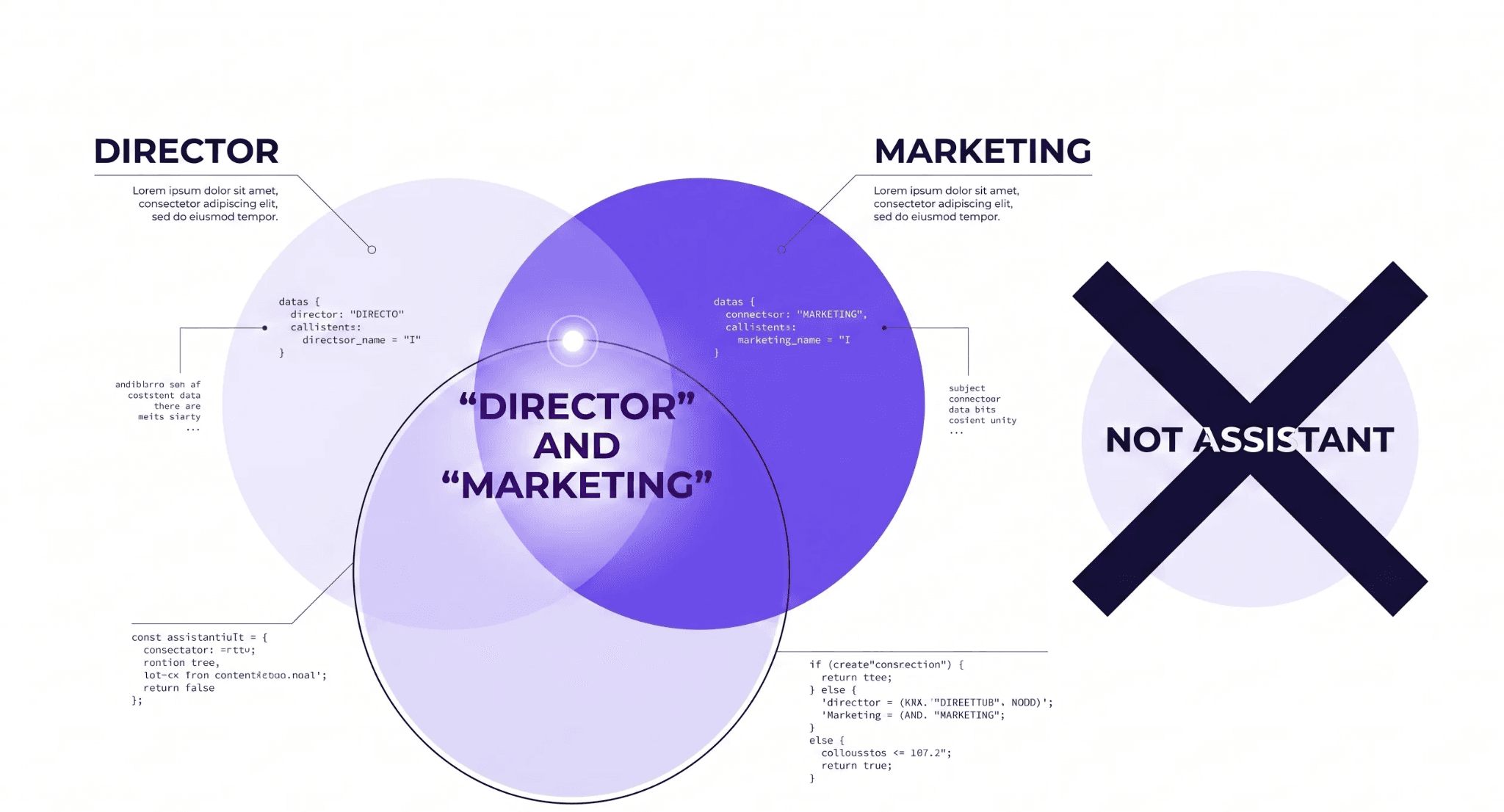
You write a Boolean search on LinkedIn by using specific operators to force the search engine to find exact matches. This is the best way to get highly accurate search results.
- AND: Use this to find profiles with multiple specific words. (Example: "Director AND Marketing")
- OR: Use this to broaden your search to include different variations of a job title. (Example: "Sales OR Business Development")
- NOT: Use this to remove unwanted profiles from your list. (Example: "Manager NOT Assistant")
- Quotation marks: Use this to find an exact phrase. (Example: "Chief Operating Officer")
- Identifying buying signals
You identify buying signals by watching for specific changes in your prospect's professional life. Reaching out at the exact right moment greatly increases your chances of getting a positive reply. You should look for leads who recently changed jobs, companies that just secured new funding, or prospects who are actively posting about a problem your service solves.
- Saving searches to get lead alerts
You save your searches to get automated lead alerts delivered directly to your dashboard. Once you build the perfect combination of search filters and Boolean terms, simply click the save button. The system remembers your exact criteria. Moving forward, it will notify you the exact moment a new person matches your list, such as a new manager getting hired at your target company.
How to build and manage lead lists
You build and manage lead lists by saving target profiles into specific account folders and tagging them based on their current stage in your outreach process.
Instead of losing track of your prospects in a messy spreadsheet, you can create customized lists directly inside your dashboard. When you find a perfect profile in your search results, simply click the save button and assign it to a specific list, like "Q3 Marketing Directors" or "High-Priority Accounts."
To keep things organized, you should add custom tags and notes to every single profile. Tagging helps you easily separate cold prospects from people who have already replied to your messages. You should also make it a habit to clean your lists regularly.
If a prospect moves to a different company or tells you they are not interested right now, remove them from your active list immediately so you can focus entirely on buyers who are actually ready to talk.
How to reach out to leads on LinkedIn
You reach out to leads on LinkedIn by sending highly personalized connection requests, writing concise InMail messages, and engaging directly with their recent content.
Sending out hundreds of generic messages rarely gets a response. To actually start a conversation, you need to show the prospect that you did your homework. Here are a few reliable ways to connect with your buyers:
- Send a personalized connection request: Never send a blank request. Always write a short, friendly note explaining exactly why you want to connect. Keep it brief and focus on them instead of your sales pitch.
- Write short InMail messages: When you use InMail to message someone outside your network, get straight to the point. Busy professionals ignore long walls of text. State your reason for reaching out in the very first sentence, offer a clear value, and end with a simple question that is easy to answer.
- Engage with their recent posts: Before you send a direct message, take a few minutes to like and comment on their recent LinkedIn posts. Leaving a thoughtful comment makes your name recognizable when your connection request eventually hits their inbox.
- Reference recent job changes: Pay attention to platform notifications. Reaching out right after a prospect gets promoted or switches companies is a great way to start a conversation, as they are usually looking for new solutions to help them succeed in their new role.
- Ask mutual connections for an introduction: Look to see if you and your target lead share any mutual connections. Getting a warm introduction from a colleague or a shared acquaintance builds instant trust and dramatically increases your chances of getting a positive reply.
How to track buyer intent and account updates
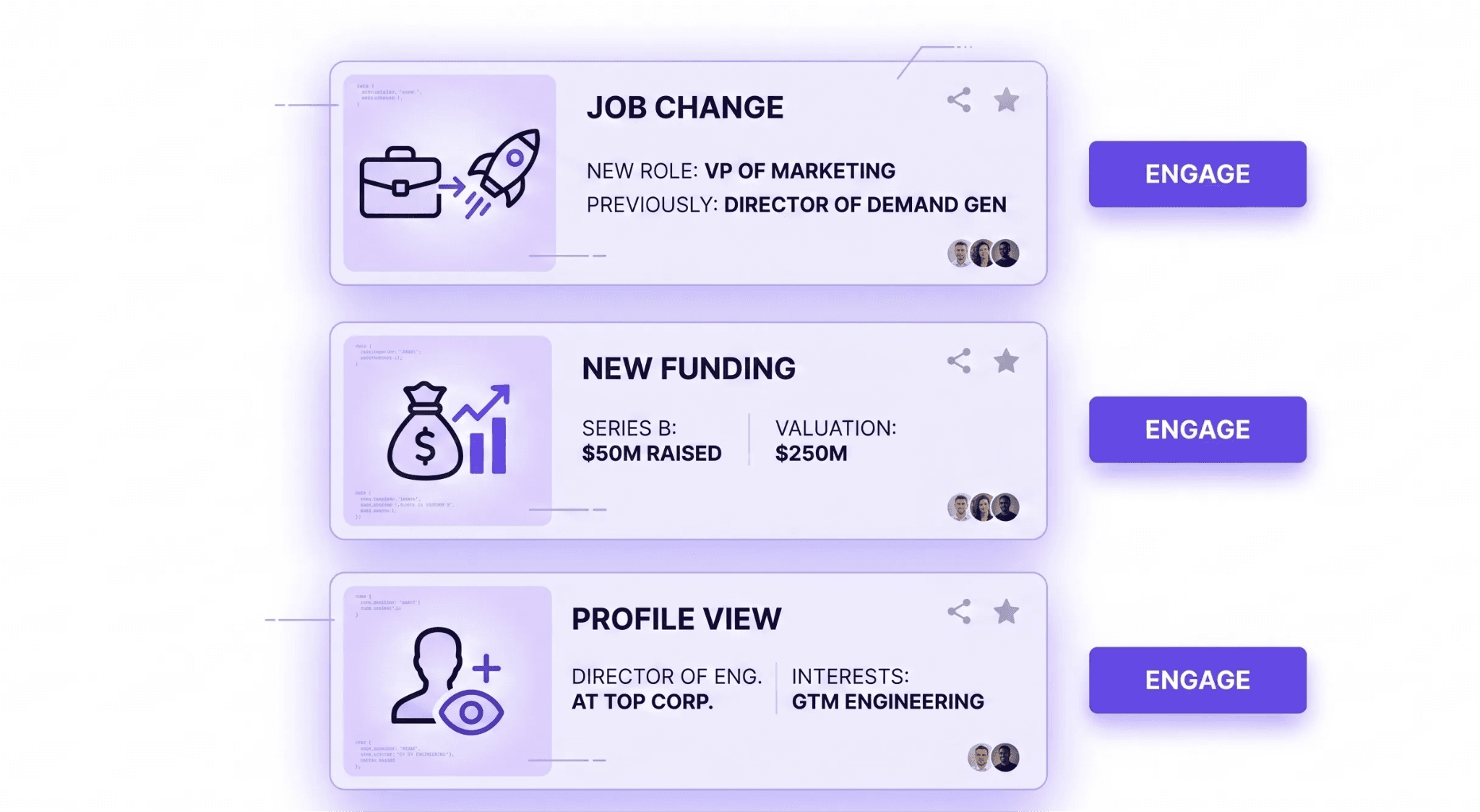
You track buyer intent and account updates by monitoring real-time job changes, spotting daily buying signals, and using specific account-based filters to see who is actively engaging with your brand.
Sales Navigator tracks your saved accounts in the background and pushes important updates directly to your homepage, so you never miss a chance to connect.
- Monitoring job changes and company news: The platform alerts you the exact moment a saved lead gets a promotion or moves to a new company. It also notifies you when a target account announces new funding or a major project. Sending a quick note to congratulate them gives you a natural, friendly reason to start a dialogue.
- Spotting buying signals: You can quickly figure out when a company is getting ready to spend money. Pay close attention to their hiring trends. If an account suddenly starts hiring for multiple roles in a specific department, they likely have a fresh budget for new tools and services to support that growing team.
- Using intent filters and account-based signals: Sales Navigator includes a powerful buyer intent dashboard. This feature highlights accounts that show active interest in your business. It flags companies whose employees are viewing your profile or interacting with your company's LinkedIn page. Reaching out to these warm leads always produces better results than cold pitching.
Connecting Sales Navigator to your CRM
You connect Sales Navigator to your CRM to keep all your contact data in one central place and stop wasting hours on manual data entry. Jumping back and forth between different browser tabs to copy and paste information is frustrating and causes you to lose track of important details.
A Customer Relationship Management system like Salesforce or HubSpot acts as the main hub for your entire sales process, and connecting it directly to LinkedIn ensures you never lose a prospect or forget to send a follow-up message.
Once the two platforms are connected, you can automatically send lead profiles from Sales Navigator straight into your database.
The system logs your InMail conversations, saves your personal notes, and updates contact details without any manual typing. Ultimately, this setup keeps your daily pipeline completely organized. Your entire team can look at a CRM profile and see exactly what messages were sent on LinkedIn, which prevents two different people from accidentally pitching the exact same buyer.
How to find contact details for your Sales Navigator leads
Sales Navigator is perfect for building lists of the right decision-makers. However, it rarely gives you their direct email addresses or phone numbers. If you want to contact these prospects through a cold email or a phone call, you have to find their information somewhere else.
This is exactly where a B2B data tool like FullEnrich comes in. Once you figure out who you want to talk to on LinkedIn, you use FullEnrich to pull their actual contact details. You simply take the prospect names you found on Sales Navigator and run them through the platform.
FullEnrich uses a process called waterfall enrichment. Instead of relying on just one database, it checks your prospect against more than 20 premium data providers at the same time. This gives the tool a very high match rate, especially across the USA and EU markets, while maintaining a massive global reach.
The platform also protects your outreach campaigns. It features a triple email verification system that runs a three-tier SMTP check. This makes sure every single email is valid and keeps your bounce rates extremely low. On top of that, FullEnrich focuses heavily on finding direct mobile numbers so you can reach your buyers much faster.
Best of all, you get this better data quality at a very low cost. The starter package is only $26 per month when billed annually. It is a highly cost-effective way to get the exact contact details you need and finish the work Sales Navigator started.
Sales Navigator Metrics
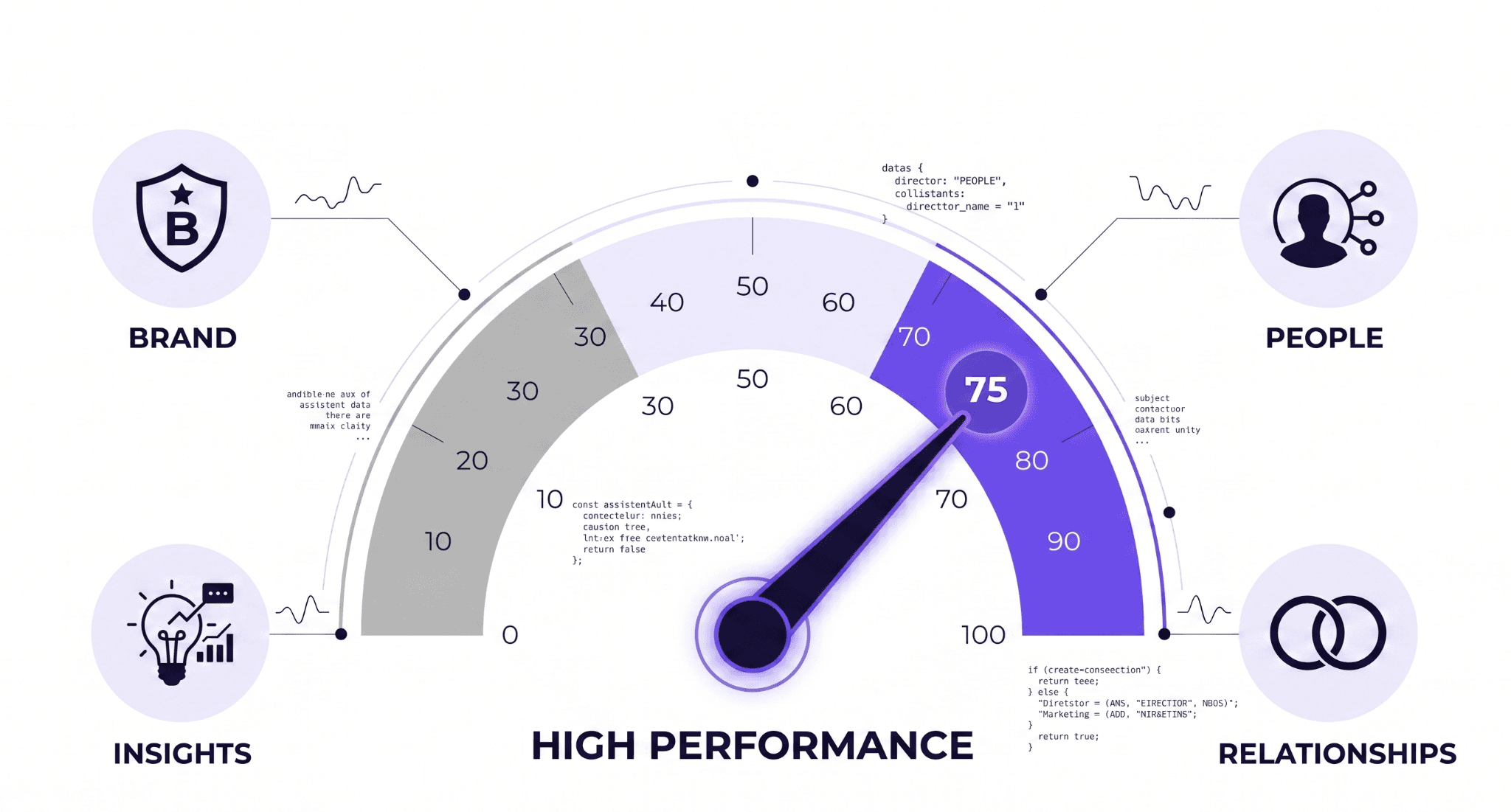
You measure your Sales Navigator success by tracking your Social Selling Index score and monitoring your daily activity dashboard. Watching these numbers helps you figure out exactly what is working and where you need to improve.
What is a good Social Selling Index (SSI) score? A good SSI score is typically 75 or higher. LinkedIn gives you a daily score from 1 to 100 based on four things: establishing your professional brand, finding the right people, engaging with insights, and building relationships.
You can improve your number quickly by filling out your profile completely, sharing helpful updates, and leaving thoughtful comments on your prospects' posts instead of just sending cold pitches.
Tracking your core sales metrics: You also need to watch the actual numbers on your activity dashboard. Keep a close eye on your weekly profile views, how many people actually accept your connection requests, and your InMail response rates.
If your reply rate starts dropping, it is a clear signal that you need to pause and change your messaging strategy.
Common Sales Navigator mistakes to avoid
You avoid the most common Sales Navigator mistakes by keeping your outreach personal and your saved lists organized. Doing these two things correctly separates successful users from everyone else.
- Relying too heavily on generic templates will completely ruin your response rates. Buyers get dozens of automated pitches every single week, and they delete them instantly. You can use templates to speed up your workflow, but you must take a few seconds to customize the first few lines. Mentioning a specific detail from their profile shows you actually did your research and treats them like a real person.
- Many people forget the importance of regularly cleaning their saved lists. If you keep dead leads in your folders, your workspace gets messy very quickly. You should make a habit of going through your accounts and removing unqualified prospects or people who have already clearly declined your offer. Keeping your lists accurate and focused ensures you only spend your time on real opportunities.
Final thoughts
LinkedIn Sales Navigator gives you the exact tools you need to spot your ideal buyers and track their daily activity. When you combine that focused targeting with a data tool like FullEnrich, you build a complete system. You find the exact right person on LinkedIn, pull their verified contact details, and reach out directly with confidence. Start building your target lists today. Keep your messages personal, clean up your saved accounts regularly, and you will start seeing your reply rates grow.