
Key Takeaways
AI sales prospecting uses AI to find, research, qualify and contact buyers. It amplifies whatever contact data it runs on.
Gong's analysis of 300 million-plus cold calls (July 2024, linked below) puts the average connect rate at 5.4%. The top quartile reaches 13.3%. AI moves that number only when the phone numbers are real.
The framework is seven steps run every week: ICP and signals, list, verified enrichment, scoring, personalization, automation, measurement.
Start with data, not prompts. On FullEnrich a verified work email costs 1 credit and a verified mobile costs 10. A contact that isn't found costs nothing.
"AI will fix our prospecting."
I hear it every week. From founders, from sales managers, from reps who bought three tools in one quarter.
It won't.
AI amplifies whatever you feed it. Feed it a verified list and it books meetings. Feed it a scraped list and it burns your domain, only faster.
I call that the amplifier trap: bad data in, bad outreach out, at machine speed.
This post is the playbook for staying out of it.
What Is AI Sales Prospecting
AI sales prospecting is using AI to find, research, qualify and contact buyers. The rep spends the hour on the conversation, not the spreadsheet.
It is not a bought list with a chatbot on top. The AI sits on each step of the B2B prospecting basics you already run. Who to target, what to say, when to follow up.
Adoption is mainstream now. In Salesforce's State of Sales report (February 2026, 4,050 sales professionals surveyed), 54% of sellers say they've used agents. And 87% of sales organizations use some form of AI for tasks like prospecting, lead scoring or drafting emails.
So the question isn't whether to use AI. It's which step to hand it, and what data it gets.
Three layers do the work:
- Research: the model reads a profile, a job post or a news item and summarizes it.
- Qualification: it scores a lead against your ICP and your buying signals.
- Personalization: it drafts a first line or a follow up from one verified fact.
Every layer runs on the contact record underneath. That's the part most guides skip.
How AI Changes Sales Prospecting?
AI changes the speed and the volume of every step. It doesn't change whether the number is right.
A rep with a wrong number dials it once, hears the dead tone and moves on. A machine with the same list repeats the mistake 400 times before lunch.
As we put it on our agents page: "Agents don't question bad data. They execute it, at machine speed."
That's the amplifier trap in one line. AI multiplies the quality of your inputs, good or bad.
Before AI, reps cleaned a bad list as they worked it. They caught the landlines, the stale titles, the bounced addresses. Now the machine works the whole list before any human looks at it.
What stays the same is the outbound sales process. Pick who, reach them, say something useful, follow up. AI compresses the clock on each step.
You'd never hand an unchecked list to a rep who never gets tired and never gets suspicious. Don't hand it to the machine either.
Benefits of AI Sales Prospecting
The benefits are real. Each one comes with a condition, and the condition is usually the data.
Higher Connect and Reply Rates
Connect rate is the metric that moves everything downstream.
Gong's analysis of 300 million-plus cold calls, published July 2024 and updated May 2026, shows the gap. The average rep connects with 5.4% of prospects. The top quartile connects with 13.3%.
Those top reps also set more than three times the meetings: 16.7% of prospects reached versus 4.6%.
Run the math on a normal week. At 400 dials, 5.4% is 22 conversations. At 13.3% it's 53. Same dials, same reps, more than twice the conversations.
AI researches the account before the dial and ranks the list so reps call the best fits first. Neither helps if the number is a landline.
Email follows the same logic. Instantly's 2026 benchmark across its customer base, updated January 2026, puts the average cold email reply rate at 3.43%. Top performers exceed 10%. The gap isn't volume. It's who you write to and what you say.
Less Time on Manual Research
Reps sell less than half the day. The same Salesforce survey (February 2026) found the average seller devotes 40% of their time to selling. Gen Z reps sit at 35%, and lose about two hours a week to manual data entry alone.
Sellers in that survey expect agents to cut prospect research time by 34% and email drafting by 36%. An expectation, not a measurement. But the direction is right.
The sales managers we talk to put the loss at one to 1.5 hours a day on data admin. That's five to 7.5 hours a week per rep. AI takes the research part, so the rep reads a brief instead of building one.
Bigger Reachable Market
You can't prospect a contact you can't reach. AI finds more accounts, but your data provider sets the reachable market.
On FullEnrich, a waterfall across 25+ providers returns 30% to 200% more coverage than any single provider in our own runs. The range depends on geography, seniority level and list composition.
That matters more with AI, because the machine can work the whole market. A bigger verified list is a bigger pipeline. A bigger unverified list is a bigger bounce report.
Personalized Outreach at Scale
AI writes a first line for 500 prospects in the time a rep writes five. That's the promise. The condition is the input.
Woodpecker's data on 20 million-plus cold emails (updated June 2026) puts advanced personalization at 17 to 18% reply rates. Basic or no personalization gets 7 to 9%. I chart those numbers in the best practices below.
Personalization at scale only works when the fact behind each line is true. A wrong title in line one ends the thread. AI makes that mistake at scale too.
Faster Ramp for New Reps
New reps can't practice objection handling if nobody picks up. That's the ramp problem, and it's a data problem first.
AI shortens the rest. A new rep gets an account brief before every call. What the company does, who they hired, what changed last quarter. They walk in with a reason to call on day three, not month three.
The way I coach it: the brief is not the pitch. The rep still says the one sentence about the problem they solve. AI gives the context, the rep gives the reason.
AI Prospecting Use Cases
Six jobs, each with its own data need. Pick the one that hurts most and start there.
List Building and ICP Targeting
The old way was a spreadsheet and a LinkedIn tab. The AI way is a filter set and a query.
Describe the ICP in plain terms: title, seniority, headcount, location, industry, tenure. A people and company search turns that into a list you can enrich in one click. In the app or by API.
Then let the model propose the next filter set from last month's replies. You approve, it rebuilds the list.
Contact Enrichment
Enrichment turns a name and a company into a verified email and a verified mobile. Every step after it depends on it.
A waterfall does it in sequence. You ask provider one first. If it has nothing, you ask provider two, and so on. Waterfall enrichment across 25+ providers checks each result before delivering it. On FullEnrich, verification removes roughly 30% of what providers return.
Agents can call enrichment inside a workflow, so every new lead carries verified data before any email goes out.
Lead Scoring and Qualification
Scoring decides who reps call first. AI does it consistently, which reps don't.
Feed it the signals that matter: a hiring spike, a funding round, a job change, a tool switch. Weight them once. Then let the model rank every account the same way every day.
The catch is the record. A score built on a stale title ranks the wrong person. Verify first, score second.
Email and Message Personalization
One verified fact per message beats five guesses. That's the rule for every AI drafting tool.
The model takes a profile field, a job post or a news item and writes the first line around it. The rep edits, the sequence sends. Personalizing email outreach this way takes seconds per contact instead of minutes.
Give the model nothing to guess. A made-up fact in line one is worse than no personalization at all.
Inbound Lead Routing
Inbound signups arrive as a bare email. Often a Gmail address. Nobody can route it, score it or qualify it.
A reverse email lookup fixes that. It works on both work and personal emails and returns name, title, company, phone and LinkedIn. One credit, in the app or by API.
Then the scoring step takes over. The Gmail signup who turns out to be a VP reaches a rep in minutes, not next week.
Follow Up and Sequence Optimization
The follow up is half the sequence and most of the work. AI writes it from what changed since the last touch.
It also enforces stop rules. No reply after five touches, pause. A bounce, remove and re-enrich. An out-of-office with a new name, route to the new name.
Start from proven follow-up email templates for SDRs and let the model fill the variables. Don't let it rewrite the structure that already works.
The AI Sales Prospecting Framework
Seven steps, one loop, run every week. Step 3 decides whether the other six work. Here's how I'd run it.
Step 1. Define Your ICP and Buying Signals
Write the ICP in one paragraph a new hire could apply. Title, seniority, headcount range, geography, industry, tech stack.
Then list the buying signals separately. Hiring for the role you sell to. A funding round. A new VP. A tool switch. Signals tell you when, the ICP tells you who.
Give both to the model as plain text. It uses them in every step below.
Step 2. Build a Targeted Prospect List
Turn the ICP into filters and pull the list. Keep it small on the first pass: 200 contacts, not 5,000.
A small list lets you check the output by eye. Wrong titles and wrong regions show up fast. Fix the filters, then scale.
On FullEnrich, exporting a person or a company from search costs 0.25 credit.
Step 3. Enrich Contacts with Verified Data
This is the step that decides the rest. Skip it and you've built the amplifier trap on purpose.
Run every contact through verified enrichment before anything else touches it. Work email, mobile, or both, depending on the channel.
The costs on FullEnrich: a verified work email is 1 credit, a verified mobile is 10. A contact with nothing found costs nothing. A landline found instead of a mobile costs nothing.
Two things to check on the output. The email passed syntax, SMTP and catch-all checks. The mobile passed a line-type check, an active-line check and, in the US and Canada, an owner-name match. If your provider can't tell you which checks ran, you don't know what you're feeding the machine.
Step 4. Score and Prioritize Leads
Rank the enriched list, not the raw one. Score on fit (ICP match) and timing (signals). Two columns, one sort.
Hand the top 20% to reps for calls first. The rest goes into the email sequence. Re-score weekly as signals change.
Step 5. Personalize Outreach with AI
Give the model one verified fact per contact and a tight brief. The prompts section below has five templates.
The rep reads every first line before it ships. Thirty seconds per contact. That's the human check that catches the invented fact.
Step 6. Automate the Workflow End to End
Wire the steps together so a new lead flows from list to sequence without a copy-paste. Zapier, Make and n8n have native FullEnrich actions. The HubSpot integration updates a match, creates a contact when there's no match, and asks you when it's unsure.
If you run agents, put an enrichment layer for AI agents between the agent and the sequence. On the MCP server the agent runs a free search preview first. It then asks before it enriches or exports, so it charges nothing without a go-ahead.
Automation raises volume, and volume has a ceiling. Google's bulk-sender rules set a spam-rate limit. The numbers are in the best practices below.
Step 7. Measure and Iterate
Three numbers, every week: connect rate, reply rate, meetings booked. Per list, per segment, per sequence.
Run the 200-contact test before you scale anything. Enrich 200 contacts from your own ICP. Count the found rate. Call and email them. Compare connect and reply rates against your current list.
If the verified list wins, scale it. If it doesn't, the problem is upstream: the ICP or the message. Loop back to step 1.
Best AI Sales Prospecting Tools
Data first, then orchestration, then writing. That's the order to buy in, and it's the order below.
Most lists of sales prospecting tools start with the writing layer. That's backwards. A great email to a bounced address is a great email nobody reads.
Each entry says where the tool wins and where it stops. Prices come from each vendor's own pricing page, captured 22 September 2026.
FullEnrich
FullEnrich is the data foundation. It runs waterfall enrichment across 25+ providers and verifies each result before delivery. Roughly 30% of what providers return fails that check.
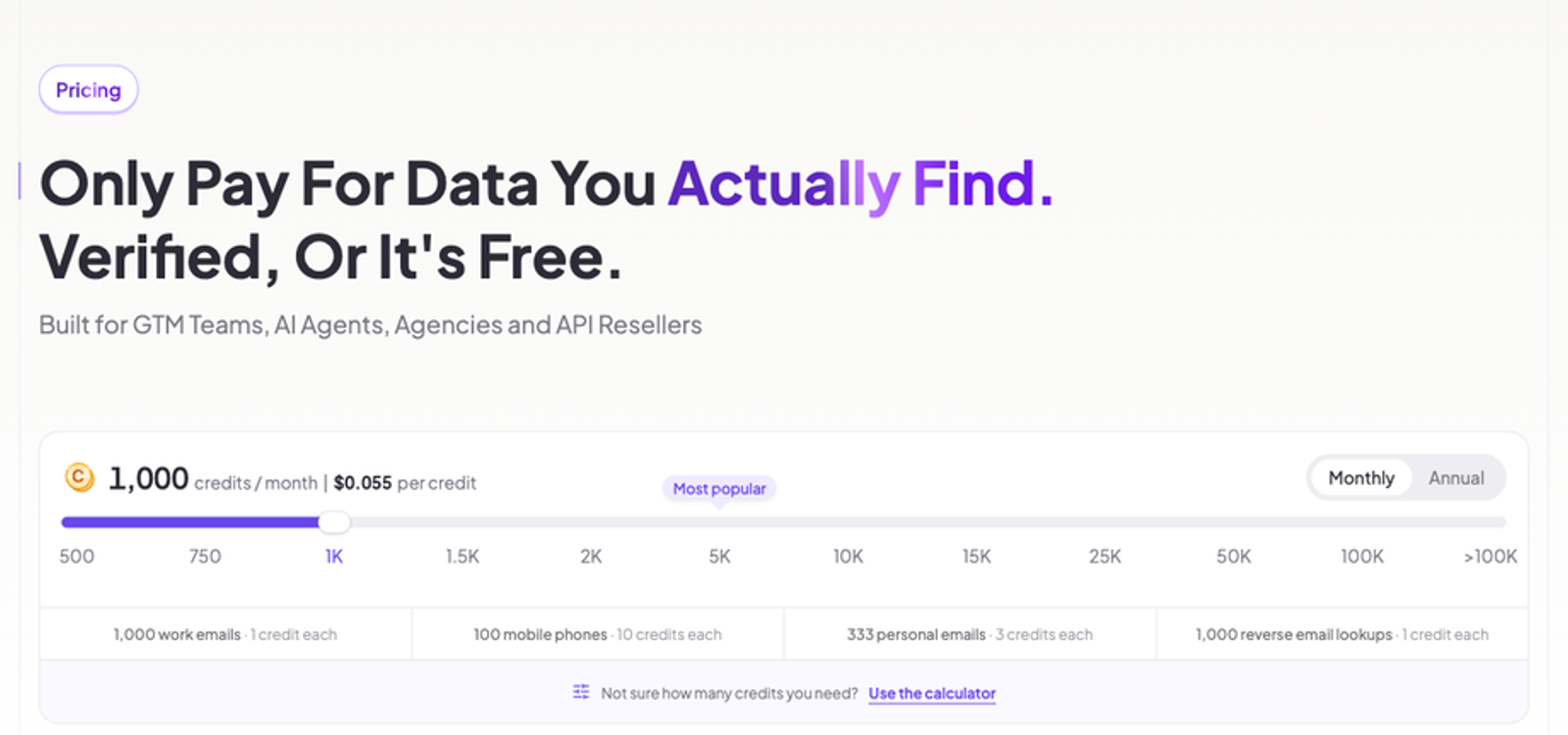
You spend a credit only on data that passes verification: 1 for a work email, 10 for a mobile. Pro starts at $29 a month for 500 credits, with unlimited users on every plan.
It plugs in through native HubSpot, Zapier, Make and n8n actions and a full API. Its MCP server connects Claude, ChatGPT, Gemini and Microsoft Copilot.
Where it wins: every result verified before delivery, and no charge for a miss.
Where it limits: it doesn't write emails or run sequences.
Clay
Clay is the orchestration layer. You build tables, run multi-provider waterfalls on every plan and add AI research columns through Claygent, its web-research agent.
It bills on two meters: data credits from 150-plus data partners and actions for orchestration. The free plan gives 100 data credits and 500 actions a month. Launch is $167 a month, or $54 a month billed annually, for 3,000 credits and 15,000 actions.
Where it wins: orchestration and custom AI research columns.
Where it limits: the learning curve, and credit burn on badly built tables in the first weeks.
Apollo
Apollo is one login for database, sequences and dialer. Starter is free forever, and trials include 50 credits and 5 mobile credits. Credit types are email, mobile and export. It ships AI Research and AI Assistant features.
Where it wins: a low entry price for a full outbound stack.
Where it limits: it's a single database. If the contact isn't in it, you get nothing, and the founders we talk to hit that wall as they grow.
Cognism
Cognism sells compliance-first B2B data with Standard and Pro plans, five seats included. Pro adds verified mobile data with on-demand verification and Bombora intent data. One credit reveals one contact.
It ships AI company research, an AI persona builder and AI search. Cognism publishes no prices.
Where it wins: UK and EU mobile coverage plus intent.
Where it limits: seat-based contracts, sales-led pricing and a single source.
Lavender
Lavender coaches the human writer. Its Email Coach gives real-time feedback on drafts, it scores each email, and its Ora agent drafts cold emails.
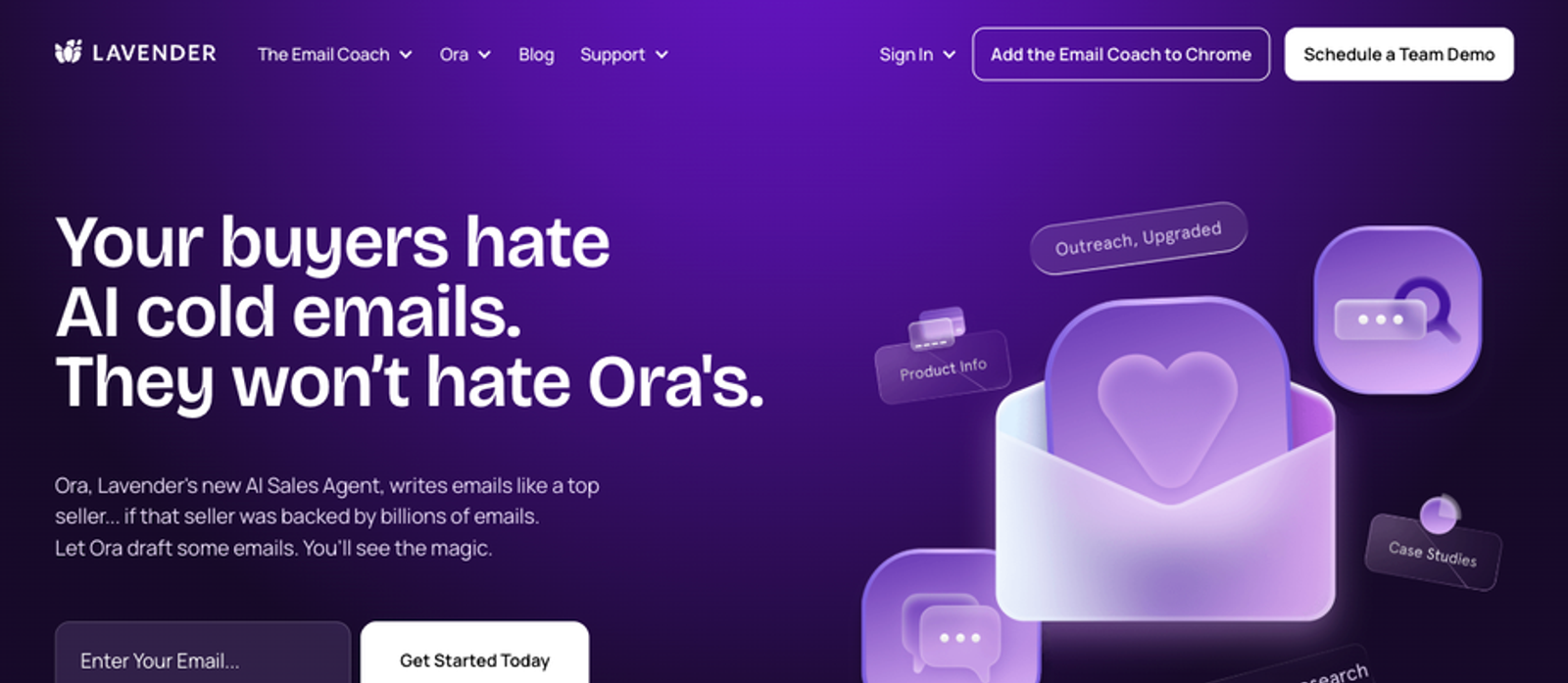
Its pricing page returned a 404 on 22 September 2026, so I can't quote a price. The outcome claims on its site are customer testimonials, not measured results.
Where it wins: sharper writing from the rep.
Where it limits: it doesn't source or verify a single contact.
Regie.ai
Regie.ai is one workspace from research to dial. It covers research, enrichment, drafting, a dialer and agents, with HubSpot sync.
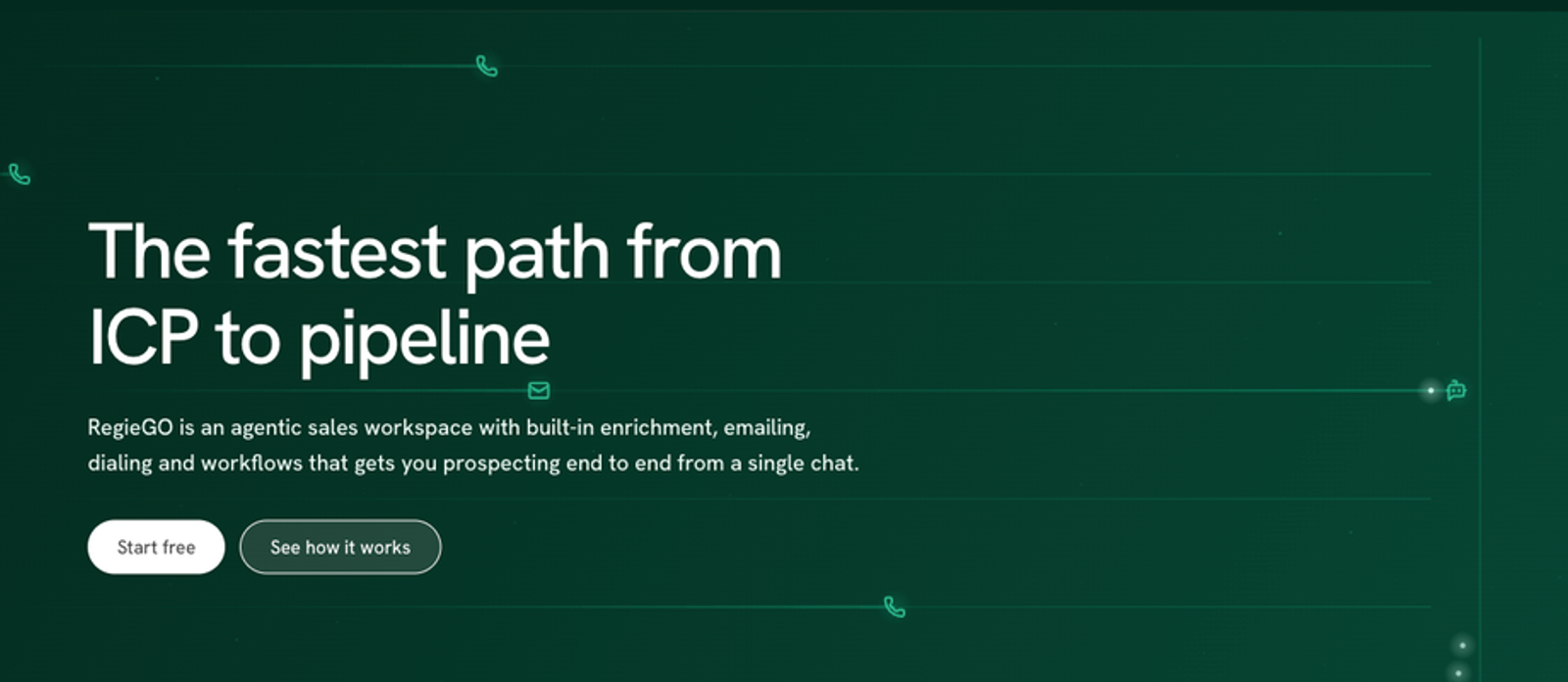
The standard free plan gives 250 credits one time. Pro is $49 a month for 5,000 credits a month, with an annual discount. Enterprise is custom.
Where it wins: one place for the whole SDR day.
Where it limits: outcome claims without a published basis, and contact data as a feature, not the core.
AI Sales Prospecting Prompts That Work
Five templates. One rule for all of them: the model gets facts, it never invents them.
Every [bracket] is a field you paste in from a verified record. If a field is empty, leave it empty. Don't let the model fill the gap.
Prompt to Summarize a Prospect's LinkedIn Profile
Feed it the verified profile fields: name, title, company, tenure, headline, last three roles.
You are a sales researcher. Summarize this prospect in 4 bullets for a rep about to call them.

Name: [name]
Title: [title]
Company: [company]
Tenure in role: [tenure]
Headline: [headline]
Previous roles: [previous_roles]

Rules: use only the fields above. If a field is empty, skip it. No guesses.
Bullet 4 is the one likely problem someone in this role has with [problem_area].
Paste the four bullets into the CRM note before the call.
Prompt to Infer Company Priorities from Job Postings
Feed it the text of two or three open roles from the company's careers page.
Here are [number] job postings from [company].

[job_postings_text]

List the 3 priorities these postings suggest for the next two quarters.
For each priority, quote the line in the posting that supports it.
If the postings don't support a priority, say so.
Do not add priorities from outside knowledge.
Use the top priority as the angle for the first email.
Prompt to Write a Personalized First Line
Feed it one verified fact and the problem you solve.
Write one opening sentence for a cold email to [first_name], [title] at [company].

Verified fact to use: [fact]
Problem we solve for people in this role: [problem]

Rules: under 20 words. Mention the fact, not our product. No flattery. No questions. Plain English.
Read it, edit it, then drop it into the sequence variable.
Prompt to Segment Prospects by Role
Feed it your enriched list as CSV with title and seniority columns.
Here is a list of prospects with title and seniority:

[csv_rows]

Group them into these segments: [segment_1], [segment_2], [segment_3].
Assign each row to one segment based on title only.
Output as CSV with a new "segment" column.
If a title doesn't fit any segment, label it "review".
Build one sequence per segment. Send the "review" rows to a human.
Prompt to Draft a Follow Up Based on Recent News
Feed it the news item (URL and a two-line summary) plus the last email you sent.
Draft a follow-up email to [first_name] at [company].

Last email sent on [date]: [last_email_text]
News item, [news_date]: [news_summary]

Rules: 3 sentences. Sentence 1 references the news. Sentence 2 ties it to [problem].
Sentence 3 asks for 15 minutes. No "just checking in". Use only the facts above.
Send it within 48 hours of the news. After that, it's old.
Best Practices for AI Sales Prospecting
Four habits separate teams that book meetings with AI from teams that burn a domain with it.
Start with Clean, Verified Data
Verify before you automate. It's the only way out of the amplifier trap.
The cost of skipping it shows up at the mailbox providers. Google's email sender guidelines took effect on 1 February 2024. They ask bulk senders to keep the spam rate in Postmaster Tools below 0.10%, and never reach 0.30%. Bulk sender means more than 5,000 messages a day to Gmail accounts.
Google also requires SPF, DKIM and DMARC, plus one-click unsubscribe.
Google publishes no bounce threshold. But bounces feed the same reputation, and an AI sequence on an unverified list produces bounces at machine speed.
So the habit is simple. No contact enters a sequence without a verification status. Not found is a fine answer. Unknown is not.
Keep a Human in the Loop
Buyers still want a person. A Gartner survey of 645 B2B buyers, published May 2026, found 69% prefer to validate AI-generated insights with a rep.
That survey measures how buyers use AI, not how they react to AI-written emails. Read it as a signal, not a verdict.
Here's how I run it. The model drafts, the rep reads, the rep sends. The model scores, the rep picks who to call. The model never talks to a buyer alone.
Personalize on Real Signals
A real signal is a fact you can point to. A job post, a funding round, a title change, a verified tenure. Not "I saw you're passionate about growth."
Woodpecker's data on 20 million-plus cold emails, updated June 2026, puts advanced personalization at 17 to 18% reply rates. Basic or no personalization sits at 7 to 9%. Woodpecker also cites a Belkins split by list size. Campaigns under 50 recipients reply at 5.8%, campaigns of 1,000-plus at 2.1%. The personalization labels are Woodpecker's own, and the relationship is correlation.
Gong's 2023 analysis of 30,000-plus prospecting emails found that a company-specific topic triples reply rates with executive buyers. The page was last updated March 2026. The dataset is 2023, so read it as corroboration.
Personalization is only as good as the profile data behind it. A verified title and a verified company are the two facts every line depends on.
Measure What Moves Pipeline
Reply rate is a trap if you don't know the denominator. Two published benchmarks prove it.
Instantly's 3.43% from earlier counts every reply in a sequence, follow-up responses included, divided by emails sent. Belkins' 2026 study, updated June 2026, analyzed 7,530,489 emails sent in 2025 and reports 0.45%. Belkins counts one reply per contact, on net-new cold lists, with auto-replies and bounces removed. Same denominator, different numerator. Never average them.
So define each number once. Connect rate is conversations divided by dials. Reply rate is replies divided by emails sent, so it compares to the benchmarks above. Meetings booked is the only number your CFO reads.
Track them per list source. That's how you find out whether the AI or the data did the work.
Why Data Quality Decides Whether AI Prospecting Works
Because AI acts on every record it's given. It doesn't skip the doubtful ones.
A rep working a list makes a hundred small judgment calls a day. That title looks stale. That number is a switchboard. That domain bounced last week. The rep skips, and the list gets cleaner with every pass.
An agent skips nothing. Every record gets the same treatment at the same speed. Wrong record, wrong email, sent. Wrong number, dialed, logged, next.
That's why the amplifier trap is a data problem before it's a prompt problem.
The data most teams start from is worse than they think. A 2025 Validity survey of 602 CRM users, published July 2025, asked about data quality. 76% said less than half of their organization's CRM data is accurate and complete.
37% reported losing revenue as a direct consequence of poor data quality. Those are self-reported numbers, but they match what we see on lists every day.
Here's what verification removes on FullEnrich. Roughly 30% of what providers return fails our checks and never reaches the user. The table assumes exactly 30% to show the scale.
Provider results returned | Removed by verification (30%) | Delivered (70%) |
|---|---|---|
100 | 30 | 70 |
1,000 | 300 | 700 |
5,000 | 1,500 | 3,500 |
On 5,000 provider results, that's 1,500 records an AI sequence would have emailed or dialed. Bounces, landlines, wrong owners. Each one a hit to deliverability or a wasted dial.
Why does a single-database tool show you those records anyway? Incentives. If a provider hides a doubtful number, its fill rate drops, and fill rate is what it sells.
A waterfall across 25+ providers can afford to be strict. Throwing out a bad result from provider three only costs coverage if provider four has nothing. You never pay for the records verification removes. Credits only go out on data that passes.
And in our runs the strict gate still returns 30% to 200% more coverage than any single provider. The range depends on geography, seniority level and list composition.
Go back to Gong's numbers from the benefits section. 5.4% average connect, 13.3% for the top quartile. Part of that gap is skill. Part of it is the list. No prompt closes the gap if the numbers are landlines.
Bad data in, bad outreach out, only faster. Fix the input and the amplifier works for you.
Start AI Prospecting with Verified Contact Data
The decision is narrower than the tool market makes it look. Data before prompts. Everything else is a second-order choice.
Here's the first step. Take 200 contacts from your own ICP. Run them through verified enrichment. Count the found rate: how many came back with a verified email, a verified mobile, or nothing.
Then call and email them for a week and compare connect and reply rates against your current list.
That test costs less than a team lunch and answers the only question that matters.
You can run it on FullEnrich and start with 50 free credits, no credit card needed.
The machine amplifies. You decide what it amplifies.
Frequently Asked Questions About AI Sales Prospecting
Which AI is best for sales prospecting?
There is no single best one. Pick by layer. For data, you want a verified waterfall so the model works real contacts. For orchestration, a table tool like Clay. For writing, a coach like Lavender or the model you already pay for. Most teams need one tool per layer, not one tool for everything. Start at the data layer, because every other layer runs on what it produces.
Will AI replace sales reps?
No, and the forecasts say why. Gartner predicted in November 2025 that AI agents will outnumber human sellers tenfold by 2028. The same release predicts fewer than 40% of sellers will report that agents improved their productivity. An AI SDR takes the research and the drafting. The rep keeps the conversation, the judgment and the relationship. And buyers still validate what AI tells them with a person, as the Gartner buyer survey above shows.
How much does AI sales prospecting cost?
It depends on the layer, but the data layer is cheap to test. On FullEnrich Pro at $29 a month you get 500 credits: 500 verified work emails or 50 verified mobiles. A 1,000-contact list, every contact found with a work email, costs 1,000 credits, or $55 on the 1,000-credit tier. That's $0.055 per verified email. Contacts with nothing found cost 0. Full tiers are on the credit-based pricing page.
Can small teams use AI prospecting effectively?
Yes, and often better than large ones. A founder with a tight ICP and 200 verified contacts can run the whole seven-step loop alone. Pro starts at $29 a month with unlimited users, so a three-person team pays for data, not seats. The prompts above run in any model you already have. The only thing a small team can't afford is a bad list, because there's no volume to hide it.
Benjamin Douablin is the co-founder and CEO of FullEnrich, where he writes on cold-calling tactics and founder-led sales for 50,000-plus LinkedIn followers.