
LinkedIn Help doesn't document a way to search members by email. You can still find a person's LinkedIn profile from their email with Google, the LinkedIn panel in Outlook, or a reverse email lookup tool.
Maybe the email came from a demo form, an event list or an old CRM record. Either way, you want to see who's behind it before you reach out.
This guide covers free methods for one email, tools for a whole list, how to check the match, and the legal rules in the EU, UK and California.
Disclosure: FullEnrich sells a reverse email lookup tool. We say where other options fit better.
By Benjamin Douablin, co-founder and CEO of FullEnrich. Updated 24 September 2026.
Key Takeaways
- LinkedIn Help documents no email search in the search bar. A member's "Discoverability by email" setting decides whether their email can lead to them.
- For one email, search Google for the exact address, then try name plus company, then the LinkedIn panel in Outlook profile cards.
- LinkedIn's contact sync is no longer available, so importing an address book isn't a route anymore.
- For a list, use a reverse email lookup tool that documents email-to-LinkedIn matching. FullEnrich charges 1 credit per match and nothing on a miss.
- In the EU and UK, you need a lawful basis such as legitimate interest. Under the EU GDPR, you must also tell people where you got their data within one month, or at first contact.
Can you search LinkedIn by email?
Not in any way LinkedIn documents. LinkedIn Help doesn't describe an email search in the search bar. The only email-based discovery it documents is a member setting called "Discoverability by email".
That setting lives under Settings & Privacy > Visibility > Visibility of your profile & network. Each member picks who can find them by email: 1st-degree connections, 2nd-degree connections, 1st and 2nd-degree connections, Anyone, Everyone, or Nobody.
LinkedIn Help doesn't state a default, so you can't assume a stranger's email will lead you to them.
A second setting controls something else: who can see or download a member's email address. The options are Only visible to me, 1st-degree connections, 1st and 2nd-degree connections, and Anyone on LinkedIn. A separate Yes/No toggle decides whether connections can download the address in their exports.
LinkedIn has two separate email settings that people mix up. "Discoverability by email" decides whether someone can find your profile from your email address. The email visibility setting decides whether people who are already on your profile can see or download that email. That's why the same email search works for one person and fails for the next.
Sales Navigator doesn't change the picture. Its help page on email visibility says your primary email is only visible to your direct connections by default. There's no email search there either.
Then there's scale. LinkedIn says it has more than 1.3 billion members. Each one controls their own discoverability setting, so plan for the methods below.
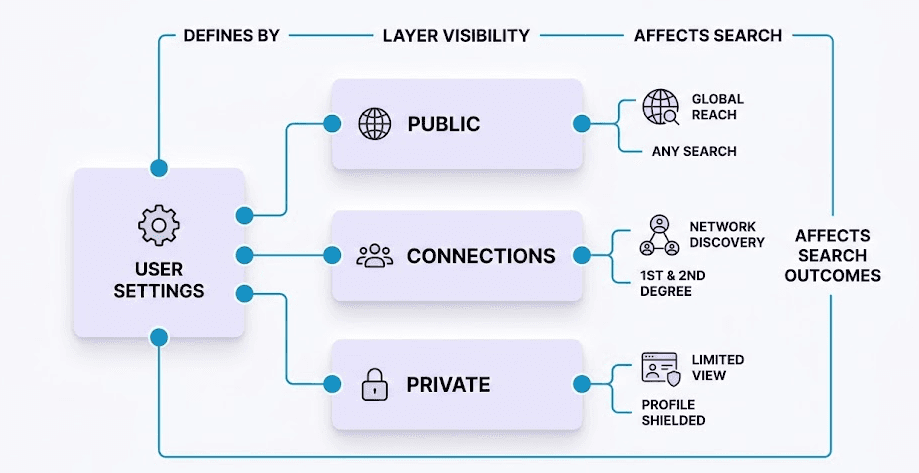
A simplified view of LinkedIn's email visibility layers. The real option names are listed above.
How to find a LinkedIn profile by email for free
For one email or a handful, start with Google. If that fails, search by name and company. If the person has emailed you, check the LinkedIn panel in Outlook. None of these needs a paid data tool.
Search Google for the exact email
Paste this into Google, with your email in place of the example:
site:linkedin.com/in "jane.doe@acme.com"
The site: operator limits results to one domain, URL or URL prefix. Here, that's LinkedIn profile pages. Google's examples write it with no space after the colon, so keep it tight against the domain.
The quotes force an exact match, so Google won't return near misses.
If nothing comes up, drop the site: part and search the address on its own:
"jane.doe@acme.com" linkedin
That can surface a personal site or event page that links to the profile.
Know the limit. This only works if the email appears in public text Google has indexed. Google also says site: doesn't necessarily return every indexed URL under the prefix. So a blank result doesn't prove there's no profile.
Find a LinkedIn profile by name and company
When the exact email fails, find the LinkedIn profile by name and company instead. It's the safe fallback because it only uses publicly available information. Many work emails hold both: jane.doe@acme.com points to Jane Doe at Acme. Search Google for the two in quotes:
site:linkedin.com/in "Jane Doe" "Acme"
- Search Google for the name and company in quotes, as above.
- Search LinkedIn for the name and look for people at that company.
- If several people share the name, use the checks in the verification section below to pick the right one.
- For a Gmail address, which gives a name at best and no company, find the employer elsewhere, like the form they filled in or their email signature.
Check the LinkedIn panel in Outlook profile cards
Microsoft 365 brings your LinkedIn network into the profile card in Outlook. It works in Outlook for Microsoft 365, Outlook.com and the new Outlook for Windows.
- Connect your LinkedIn and Microsoft accounts.
- Open an email from the person and open their profile card.
- Look for their LinkedIn information on the card, right in your inbox.
It's handy for inbound leads. It works from emails you've received, so it won't help with a list of strangers.
What no longer works
Two old tips still go around. Neither holds up in 2026.
- Importing your address book. LinkedIn's help page on mobile contact sync is titled "No longer available." It says "we no longer support syncing contacts." Syncing from other address books and sources is marked no longer available too.
- Pasting an email into the search bar. LinkedIn Help doesn't document it as a way to find members, so don't plan around it.
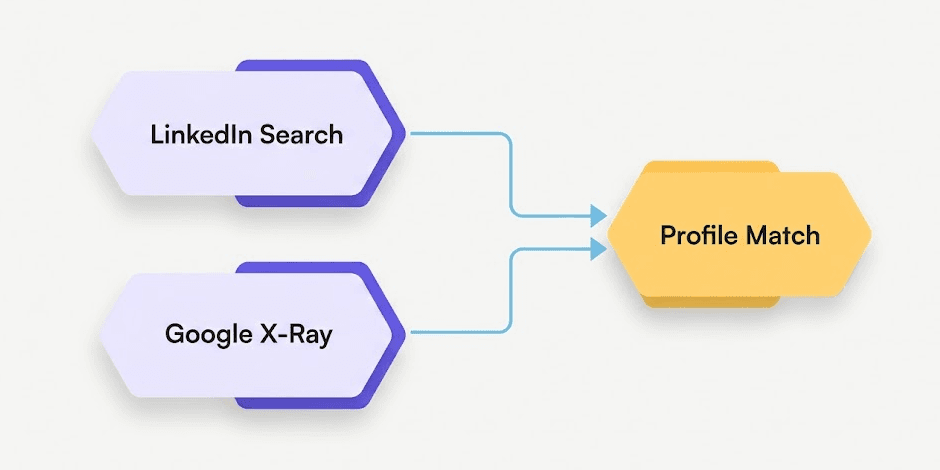
The free route: search LinkedIn by name and company, or search Google. Either way, you end with a candidate profile you still need to check.
Which tools turn an email into a LinkedIn profile?
Pick a tool that documents the email-to-LinkedIn direction. Many tools sold as "LinkedIn email finders" do the opposite job.
The four below all document email in, LinkedIn URL out. Prices are from each vendor's site in September 2026. Click any screenshot to see it full size. For more free options, see our roundup of free reverse email lookup tools.
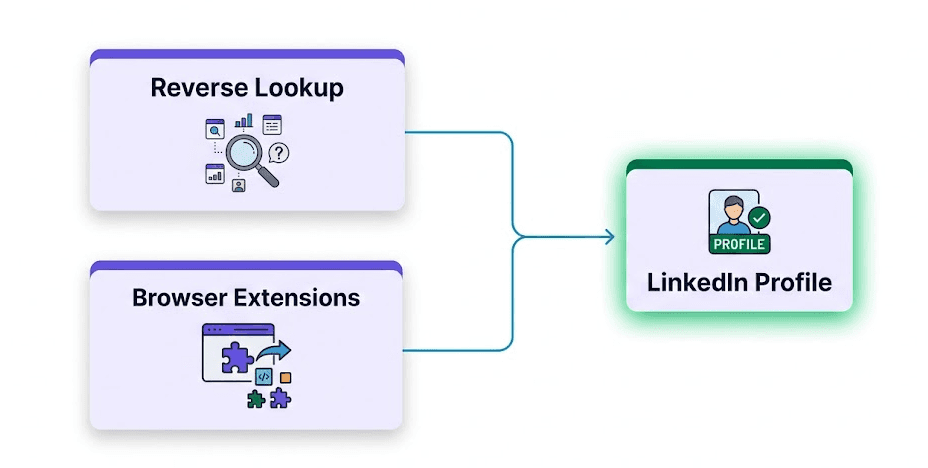
The tool route: a lookup service or an add-on, like Derrick's Google Sheets add-on, returns the profile URL. LinkedIn Chrome extensions like Surfe, Kaspr and Lusha work the other way, so check which direction a tool documents before you pay.
FullEnrich Reverse Email Lookup
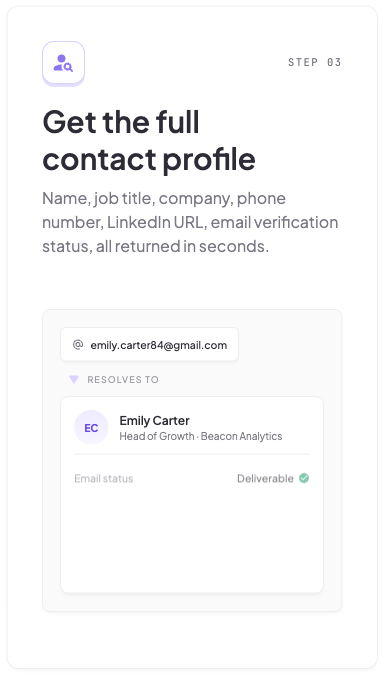
- What it does: You paste a work or personal email into the web app, with no API setup. FullEnrich's reverse email lookup returns name, job title, company, phone number, LinkedIn URL and email verification status. When a job finishes, the API returns the LinkedIn URL in a
professional_network.urlfield. - Lists: Yes. Bulk CSV and the API are on every plan, from the free trial up, per the pricing file.
- Price: 1 credit per lookup, and a failed lookup costs 0. The free trial has 50 credits. Pro starts at $29/month for 500 credits, about $0.058 per credit.
- Good fit: Mixed lists of work and personal emails, like demo requests or product signups. For a single email, the free Google method above is enough.
FullEnrich's Reverse Email Lookup page. Source: fullenrich.com/reverse-email-lookup, captured 24 September 2026.
Derrick App
- What it does: Derrick turns a work email into the matching LinkedIn profile URL. It splits the address into first name, last name and domain, then searches for the profile.
- Lists: Yes. It writes the URLs back into Google Sheets. It also offers an API and an MCP server.
- Price: 1 credit per profile. The free plan gives 100 credits every month. The name and domain split is free and unlimited.
- Good fit: Teams that live in Google Sheets. If your list already sits in a sheet, Derrick fits better than a CSV upload to FullEnrich. Its page talks about work emails, so test it before you run a Gmail-heavy list.
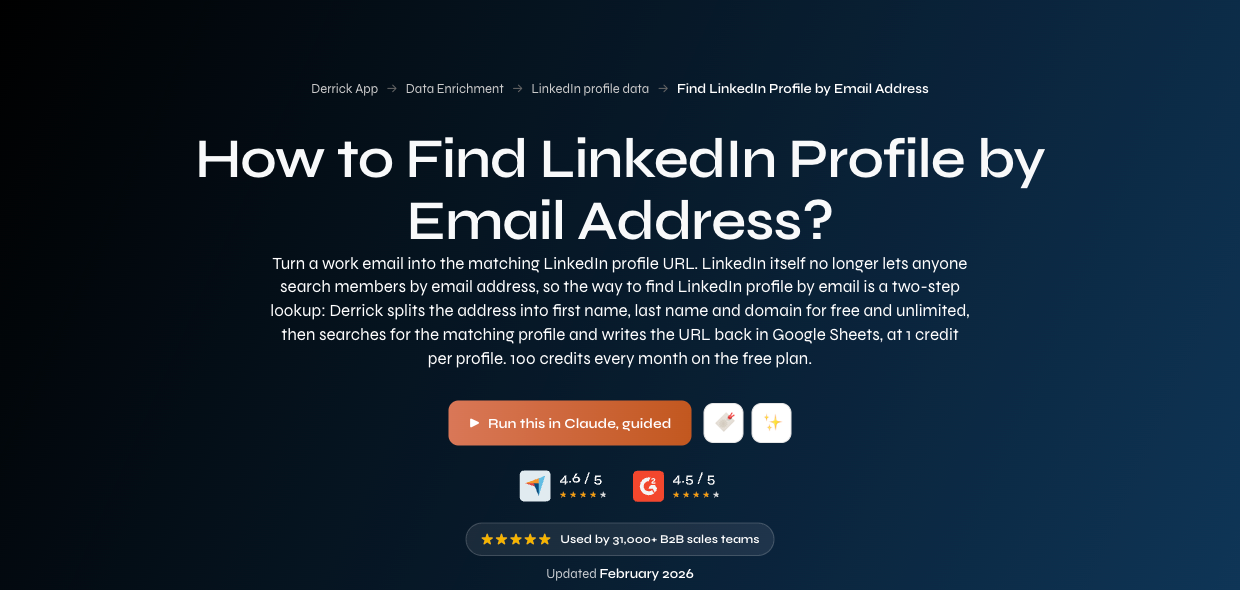
Derrick's Find LinkedIn Profile by Email Address page. Source: derrick-app.com/data-enrichment/find-linkedin-profile-url-by-lead-email, captured 24 September 2026.
LinkFinder AI
- What it does: LinkFinder AI says it finds "LinkedIn profile URLs from email addresses instantly." You can run single lookups in the browser.
- Lists: Yes. Bulk CSV (a free account covers up to 25 emails), an API, and a Google Sheets function called
=LINKFINDER(). - Price: First search free, no credit card required. Paid plans are on its site.
- Good fit: Trying the method on a few emails before you commit to a tool.
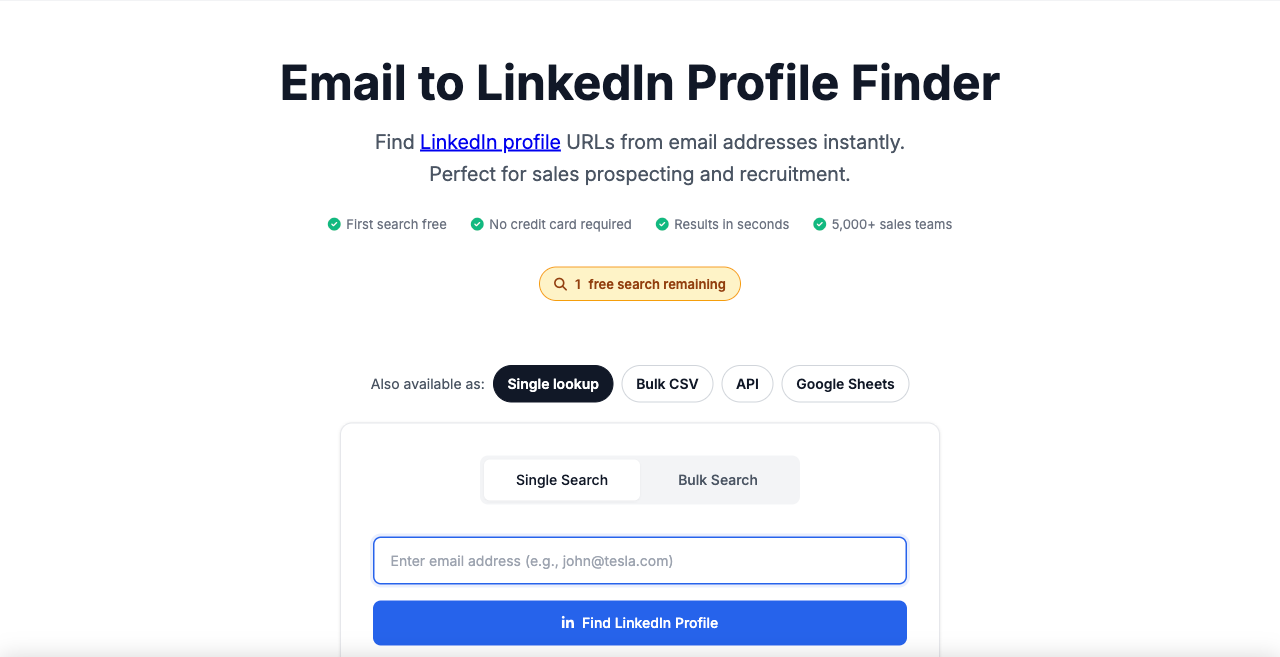
LinkFinder AI's Email to LinkedIn Profile Finder page. Source: linkfinderai.com/linkedin-search-by-email, captured 24 September 2026.
Apollo People Enrichment API
- What it does: Apollo's People Enrichment API accepts an email and returns a
linkedin_urlfield. Its Enrich product page pitches enrichment as a way to keep your CRM accurate. - Lists: Yes, through bulk match.
- Price: Not listed in the API docs. See Apollo's pricing page.
- Good fit: Teams already on Apollo, with someone who can call an API.
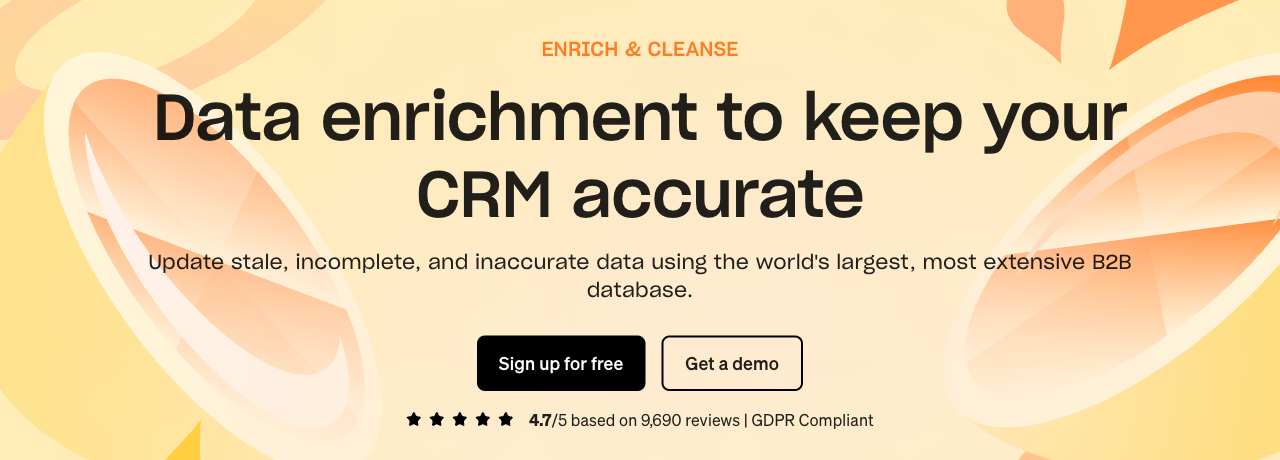
Apollo's Enrich product page. Source: apollo.io/product/enrich, captured 24 September 2026.
Tools that do the opposite job
Some tools show up in "email to LinkedIn" lists but go the other way. Hunter's Email Finder takes a name and domain, or a LinkedIn handle, and returns an email. Surfe, Kaspr and Lusha start from a LinkedIn profile and find contact details. They're good at that job, which we cover in our guide to getting emails from Sales Navigator. Older guides also suggest consumer people-search sites. Spokeo is a US consumer people search that says it isn't an FCRA consumer reporting agency. Pipl now describes itself as "fraud intelligence for enterprise risk decisions." Neither is built for B2B prospecting.
How to find LinkedIn profiles for a list of emails
Run the list through a bulk reverse lookup. Then spot-check a sample by hand. This is one use of data enrichment, and the steps are the same with any tool that documents email-to-LinkedIn matching.
- Clean the list. Remove duplicates. Drop role addresses like info@ or sales@. They belong to a team, not a person, so they rarely match a profile.
- Run the lookup. In FullEnrich, upload a CSV in the web app or call the bulk reverse lookup endpoint. If you want this to run on every new signup, read our guide to the data enrichment API.
- Review the matches. Keep the LinkedIn URL next to the original email. Set aside rows with no result for a manual name and company search.
- Spot-check a sample. Run the checks from the next section on a few rows before you trust the whole file.
- Record the source and date. Note where each email came from and when you enriched it. You'll need that for the GDPR Article 14 notice covered below.
On cost: FullEnrich charges 1 credit per match and nothing when a lookup fails, per its pricing file. The same file says lookups run across 25+ data sources. The free trial has 50 credits, and Pro starts at $29/month for 500 credits. Full plans are on the pricing page.
Each lookup runs as a waterfall. Sources are tried one after another. If the first has no match, the next one gets a shot.
Here's how the methods compare.
Method | Works on personal email | Handles a list | Cost |
|---|---|---|---|
Google, exact email | Only if the email is public | No, one search at a time | Free |
Google, name + company | Only if you know the employer | No, one search at a time | Free |
Outlook profile card | Not listed | No, one contact at a time | Needs a supported Outlook |
FullEnrich | Yes | Yes, CSV or API | 1 credit per match, 0 on a miss |
Derrick App | Not listed | Yes, Google Sheets | 1 credit per profile, 100 free a month |
LinkFinder AI | Not listed | Yes, CSV, API, Sheets | First search free |
Apollo API | Not listed | Yes, bulk match | Not listed |
How to check you found the right person
Match the email domain to the person's current employer. Then confirm with at least one more signal. A lookup gives you a candidate, not a certainty.
Start with the domain. If you looked up jane.doe@acme.com, her current role should be at Acme. If the profile shows she left Acme, you've found the right person with an old email.
That's common enough to check every time.
Lusha tracked a cohort of 140,284 US sales leaders at VP and C-suite level, measured on 12 September 2026. 12.25% had changed roles within 12 months. 25.67% had changed roles within 24 months.
So the 24-month rate is about 2.1 times the 12-month rate. It's one vendor's cohort of senior US sales leaders, so don't read it as the rate for your list. The takeaway still holds: the older the email, the more likely the profile shows a new employer.
Then check the rest:
- Name, location and photo. Do they match what you know from the form, the email signature or the event list?
- Work history. Does the timeline make sense with where the email came from?
- Activity and mutual connections. Recent posts or shared connections in your field make it more likely you've got a real, current account.
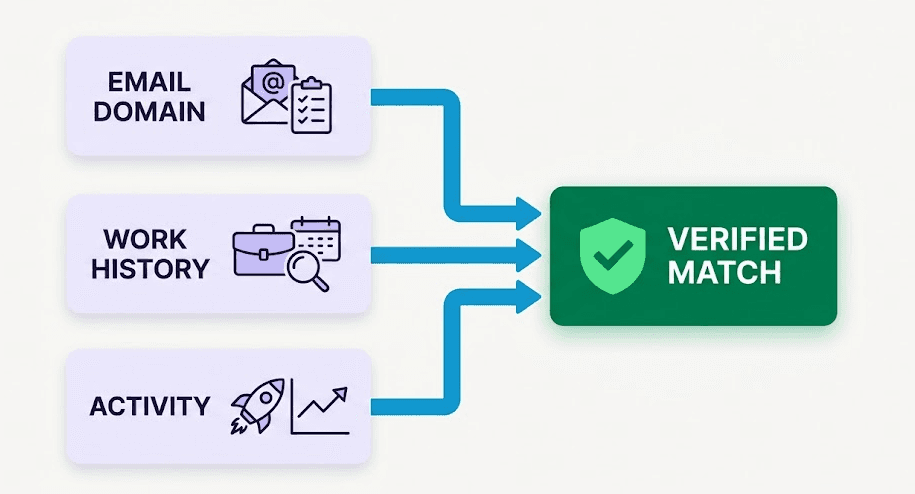
Three signals point to a verified match: the email domain, the work history and recent activity.
Is it legal to find someone's LinkedIn from their email?
Usually, yes, if you handle the data by the rules. Checking a public profile by hand, without scraping LinkedIn, is the low-risk and ethical end. The rules focus on what you do with the data: collecting it, keeping it and contacting the person. In the EU and UK, you need a lawful basis, usually legitimate interest. You also have to tell people where you got their data. LinkedIn's own terms ban scraping and bots. This isn't legal advice.
EU: GDPR
Article 6(1)(f) of the GDPR allows processing that's "necessary for the purposes of the legitimate interests pursued by the controller." That holds unless the person's interests or rights override yours.
Recital 47 says processing for direct marketing "may be regarded as carried out for a legitimate interest." The same recital stresses what people can reasonably expect.
Article 14 applies when you got someone's data from a source other than them. You must tell them within a reasonable period, "at the latest within one month." If you use the data to contact them, the deadline is "at the latest at the time of the first communication."
UK and France
The UK's ICO says you don't need consent under PECR to send B2B marketing emails to corporate bodies. But UK GDPR still applies when the email address identifies an individual, like jane.doe@acme.com. So you still need a lawful basis, and you must respect the person's right to object.
France's CNIL says B2B prospecting can rest on legitimate interest. The message has to relate to the person's job, like a software offer to an IT director. The person must be informed, able to object, and given an easy opt-out in every message.
California: CCPA
The California Attorney General's CCPA page lists consumer rights to know, to delete and to opt out. It applies to for-profit businesses doing business in California that meet any one of three tests:
- Gross annual revenue over $25 million.
- Buying, selling or sharing the personal information of 100,000 or more California residents or households.
- Earning 50% or more of annual revenue from selling that information.
LinkedIn's own rules
The LinkedIn User Agreement, section 8.2, lists what members can't do. That includes using software, scripts, robots, crawlers or browser plugins "to scrape or copy the Services." It also bans bots to "add or download contacts." And it bans distributing information from LinkedIn, directly or through data aggregators or brokers, without the content owner's consent.
LinkedIn has enforced this in court. The hiQ v. LinkedIn case ended in December 2022. hiQ agreed to a permanent injunction to stop scraping and delete its source code, data and algorithms, plus a $500,000 judgment (Privacy World, ZwillGen).
Checking one profile by hand is a different thing from running a bot across thousands.
A short checklist
- Have a lawful basis before you collect anything, usually legitimate interest, and weigh it against what the person would expect.
- Only contact people about something tied to their job.
- In the EU, tell them where you got their data within one month, or in your first message if that comes sooner (GDPR Article 14).
- Put an easy opt-out in every message, and act on objections.
- Don't scrape LinkedIn or run bots on it. Its User Agreement bans both.
Why can't I find their LinkedIn profile?
Usually it's a mismatch between the email you have and what's public. Here are the common causes.
- Personal vs work email. They may have used a Gmail for LinkedIn and never added the work address, or the other way round. Search by name and company instead.
- Role address. info@ and sales@ belong to a team, not a person. Find the company on LinkedIn and look for the person in the right role.
- Discoverability set to Nobody. Members can turn off discovery by email completely. That's their choice to make.
- No LinkedIn account. Not everyone has one. A blank result can simply be the right answer.
- They changed jobs. In Lusha's cohort (measured 12 September 2026), 12.25% of senior US sales leaders changed roles within 12 months. An old work email may point to a former employer.
FAQ
Can you search someone on LinkedIn by email?
Not through any feature LinkedIn documents. LinkedIn Help describes a "Discoverability by email" setting that each member controls, from Anyone down to Nobody. For one email, search Google for the exact address or for the name and company instead.
Can you find a LinkedIn profile from a Gmail address?
Sometimes. Google only finds it if the address appears in public text, and a Gmail address gives no company clue. Some reverse lookup tools document support for personal emails, including FullEnrich's. Many tools don't say either way, so test before you run a full list.
Is reverse email lookup legal under GDPR?
It can be, if you handle the data by GDPR's rules. You need a lawful basis, often legitimate interest under Article 6(1)(f). You must tell the person where you got their data within one month, or at your first message (Article 14). This isn't legal advice.
How much does a reverse email lookup cost?
It depends on the tool. As of 24 September 2026, FullEnrich charges 1 credit per match and nothing on a miss, with 50 free credits and Pro from $29/month for 500 credits (pricing file). Derrick states 1 credit per profile with 100 free credits a month. The Google method is free but works one email at a time.
Which method should you use?
For one email, search Google for the exact address, then the name and company. If the person emailed you, check their Outlook profile card.
For a list, run a reverse lookup, spot-check a sample, and send the Article 14 notice by your first message.
If your list mixes work and personal emails, try FullEnrich's reverse email lookup with 50 free credits. No credit card required.