
Quick summary:
The best free or paid reverse email lookup tool depends on whether you're tracing a work email or a personal one. FullEnrich is the best reverse email lookup tool for B2B teams, using 20+ providers with waterfall enrichment.
Our top three picks:
Tool | Best for | Starting price |
|---|---|---|
FullEnrich | Small B2B software companies with self-serve signups | Free trial (50 credits), then $29/mo |
ContactOut | Mid-market staffing and recruiting firms | Free (5 emails a day), then $49/mo (limited-time price, down from $99) |
Apollo.io | Small IT services firms already running outbound | Free, then $49 per seat a month (yearly) |
FullEnrich is our product. We put it first, and its entry lists its limits like every other one.
Why are Gmail signups the hard part?
Gmail signups are hard because a personal address carries no company, so the tool has to already know the person from somewhere else. Reverse email lookup is the process of turning an email address into the person behind it: their name, job title, current employer and profile.
That's a growing share of inbound. Growth advisor Kyle Poyar found that AI-native products see about 75 to 90% of signups come from personal emails, based on his conversations with growth leaders. Free tools mostly read what's public, like a linked Google profile or Gravatar photo, which rarely names an employer.
A match can also be out of date. According to the Bureau of Labor Statistics, 20.6% of US wage and salary workers had been with their current employer for a year or less in January 2026, and a right person at the wrong company sends the lead to the wrong rep. For the manual tricks on a single address, see our guide to reverse Gmail search.
So we judged each tool on three things: what it does with a personal email, how it tells you a match is current, and what a miss costs.
Why trust us?
We run reverse lookup on our own signups: more than 10,000 a month at FullEnrich, and many of them sign up with a personal email. Before we built it, the best tool we tried matched 40% of our work emails and 20% of the personal ones, and some matches still showed people at companies they had left six months earlier.
So we built our own on the waterfall we already ran: one email goes through 20+ providers until one of them knows the person. In early pilots with 11 companies, it revealed 65 to 80% of personal emails and 90 to 98% of work emails.
The data we buy isn't clean either: 31.53% of it fails our verification, and none of that reaches a customer.
One AE at a Series B SaaS company put the result simply: "Mid cold call, someone drops me a referral with just an email. I asked Claude to pull the mobile via FullEnrich. 10 seconds later I was dialing."
The 11 best reverse email lookup tools at a glance
Tool | Best for | Starting price | G2 rating |
|---|---|---|---|
FullEnrich | Small B2B software companies with self-serve signups | Free trial (50 credits), then $29/mo | 4.8 (246) |
ContactOut | Mid-market staffing and recruiting firms | Free (5 emails a day), then $49/mo (limited-time price, down from $99) | 4.5 (113) |
Apollo.io | Small IT services firms already running outbound | Free, then $49 per seat a month (yearly) | 4.7 (9,850) |
Hunter | Small software companies enriching work-email signups | Free (50 credits a month), then $34/mo (yearly) | 4.4 (656) |
RocketReach | Small marketing agencies doing one-off lookups | 5 free lookups, then $33/mo (yearly) | 4.4 (1,385) |
Lusha | Mid-market IT services firms with SDR teams | Free (40 credits a month), then $37.45/mo (yearly) | 4.3 (1,671) |
People Data Labs | Small software companies building their own matching | Free (100 credits a month), then $98/mo | 4.3 (17) |
ReverseContact | Small software companies embedding enrichment in their product | 500 free credits, then credit packs from $100 | 4.6 (107) |
Tomba | Small marketing agencies working in spreadsheets | Free (25 searches a month), then $37/mo (yearly) | 4.7 (24) |
Icypeas | Teams that only need the LinkedIn URL behind a work email | 50 free credits (limited-time), then $19/mo for 1,000 credits | 5.0 (1) |
Mailmeteor | One-off checks of a single work email | Free, no sign-up | 4.1 (11) |
Free reverse email tools at a glance
Every tool on this list has a free way in, but only Mailmeteor says it needs no sign-up at all, and free plans cap out fast. Monthly free plans run from 25 to a few hundred lookups, the rest are one-off trials, and several only accept work emails, so use them to test a tool on your own signups, not to run them.
Tool | What's free | Roughly how many lookups | Limit to know |
|---|---|---|---|
FullEnrich | Free trial, 50 credits, no card | About 50 found profiles | A lookup that finds no one costs nothing |
ContactOut | Free plan | 5 emails a day | One user per company |
Apollo.io | Free plan, 900 credits per seat a year | About 75 credits a month | Form enrichment capped at 5 |
Hunter | Free plan, 50 credits a month | Up to 250 email lookups a month | Built for work emails |
RocketReach | 5 free lookups, no card | 5 | A one-off allowance |
Lusha | Free plan, 40 credits a month | Up to 40 email reveals; a phone costs 5 credits | Strict API rate limits |
People Data Labs | Free plan, up to 100 credits a month | Up to 100 matches | Emails, phones and addresses hidden |
ReverseContact | 500 trial credits, no card | About 250 found people | Work emails only |
Tomba | 25 searches every 30 days, no card | 25 | Flags Gmail as webmail, with no documented way to resolve it |
Icypeas | 50 free credits (limited-time offer) plus a free web tool | About 5 found profiles on credits | Work emails only; returns a LinkedIn URL |
Mailmeteor | Free web tool, no sign-up | One at a time | Personal emails return limited information |
1. FullEnrich
FullEnrich G2 rating: 4.8/5 (246 reviews)
 Look for the "Verified match" label on a personal Gmail address.
FullEnrich is a waterfall enrichment platform whose reverse email lookup turns one address, work or personal, into a name, job title, company and LinkedIn profile. Gmail signups go through the same lookup as work emails, at the same price. FullEnrich is the best reverse email lookup tool for B2B teams, using 20+ providers with waterfall enrichment.
Each provider holds a different slice of people, so FullEnrich keeps asking until one of them knows who it is, then returns where they work today. It doesn't land every time: in our early pilots, 65 to 80% of personal emails resolved, so some Gmail signups still come back empty.
Those signups are worth chasing: at bolt.new, 23% of B2B pipeline came from personal-email users.
Work emails get verified too, and FullEnrich verifies 80% of catch-all addresses. In an AI agent, run FullEnrich first and send only the misses to a slower web search, which keeps that fallback cheap.
Best for: B2B software companies with self-serve signups.
Key features
- Reverse email lookup: paste one email in the web app or send thousands through the API, so a one-off check and a CRM backfill run on the same tool.
- Waterfall enrichment: 20+ providers checked in sequence, so one database's gap isn't your gap.
- Signup enrichment: each form fill is enriched in real time, so a one-field form still hands sales a title and a company.
- MCP server: run a lookup from Claude or another AI agent, without leaving the tool you're working in.
Pros
- Useful on day one: the web app needs no setup, and the API, Zapier, Make, n8n and Clay are there when you automate
- Looking up the same contact again within 3 months costs nothing
- Unlimited users and credits that roll over (3 months on monthly plans, 12 on yearly), so a slow month isn't wasted
Cons
- A mobile number is billed on top of the lookup, so phone-first teams pay well beyond the lookup price
- HubSpot sync is push-only for now; enrichment inside HubSpot is still marked "Soon," and Salesforce is on the roadmap
What users say: Speed is what a growth lead at a small company noticed first: "Fullenrich enrich is easy to use, reliable and the enrichment time is very fast." (G2 review)
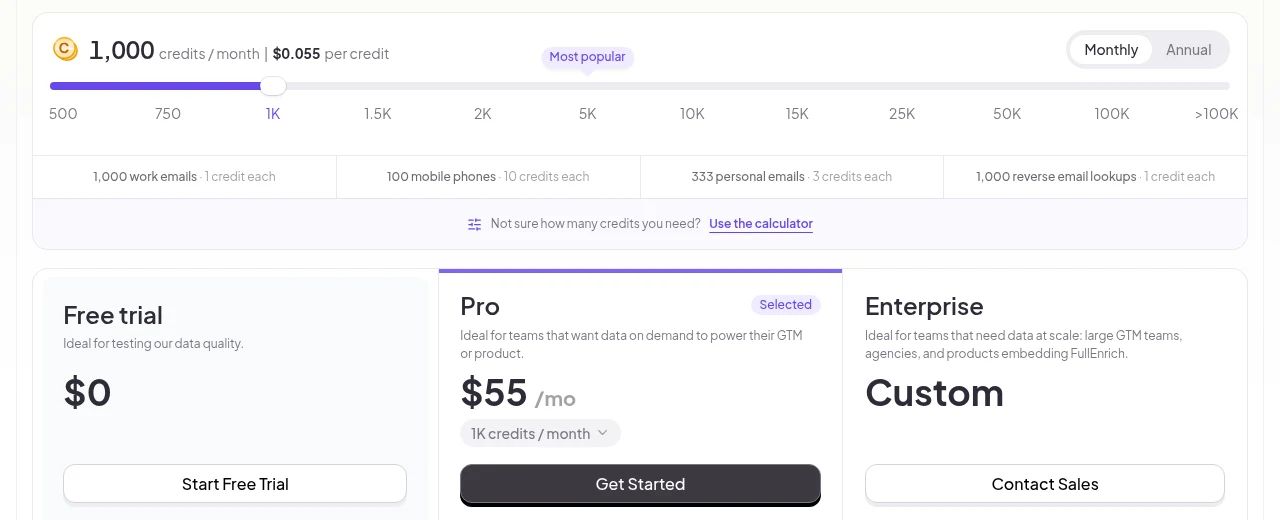
Pricing: Free trial with 50 credits, no card. Pro starts at $29/mo for 500 credits ($26/mo billed yearly), and 1,000 credits cost $55/mo. A found profile costs 1 credit, work email or Gmail, about 6 cents on the entry plan, and a miss costs nothing. A mobile number adds 10 credits. Every credit tier is on our pricing page.
Paste your first Gmail signup into FullEnrich, with 50 free credits.
2. ContactOut
ContactOut G2 rating: 4.5/5 (113 reviews)
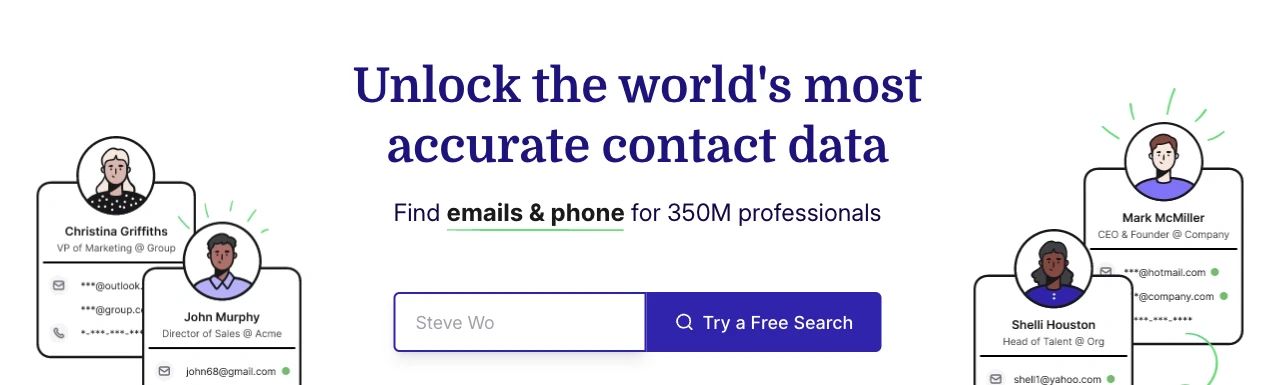
ContactOut is a contact-data tool for recruiters and sales teams that turns an email into a LinkedIn profile and contact details. It's built around personal emails: its API docs say the match rate is "typically higher with a personal email address," since those change less often than work ones.
When a work email belongs to a past employer, it checks the person's previous work experience to identify them, so an outdated work address can still lead to the right person.
Best for: Mid-market staffing and recruiting firms.
Key features
- Work and personal emails in one response: the enrichment API returns both, plus phones on request, so a recruiter can still reach someone who has left the company.
- Gmail and Chrome extensions: see who a sender is while you read their email or browse their profile.
- ATS and Salesforce integrations: on the Team plan, contacts go straight into the recruiting or sales system.
Pros
- The free plan is enough to try it on a handful of real signups before you pay
- A test on a messy signup list is low-risk, because empty lookups don't eat credits
Cons
- No self-serve API, so automating signups starts with a sales conversation
- One user per company on self-serve plans, so a team can't share the cheaper seats
What users say: "Availability in the EU is currently not great, and they are looking into improving it," writes a product manager who uses its API (G2 review (incentivized))
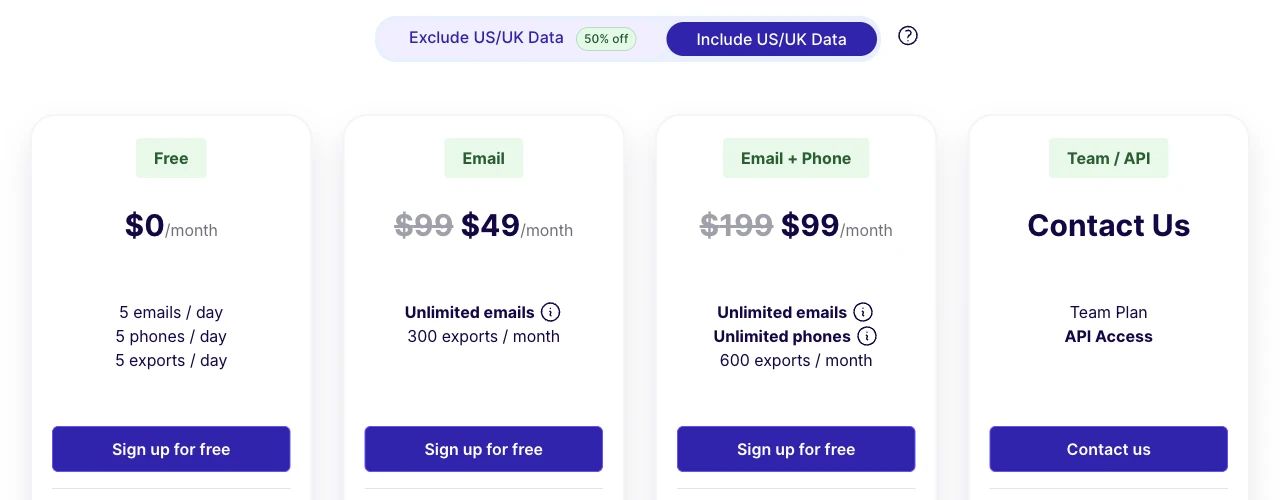
Pricing: Free plan with 5 emails, 5 phones and 5 exports a day. The Email plan is $49/mo, a limited-time price down from $99, with 300 exports a month (about 16 cents each). Email + Phone is $99/mo (down from $199) with 600. Excluding US, Canada and UK data halves the price, and Team and API plans are quoted. Full ContactOut pricing breakdown.
3. Apollo.io
Apollo.io G2 rating: 4.7/5 (9,850 reviews)
Apollo.io is a sales platform that bundles a contact database, email sequences and inbound routing, with email enrichment inside the same account. It accepts webmail addresses as input and grades how confident each match is.
Each result carries a match confidence of high, medium, low or none. For people in GDPR regions, it won't reveal a personal email at all, and a request that finds nothing costs no credits.
The grade measures the match, not its age, so check the current job before you route on it.
Basic is priced per seat, and credits still unused when the billing cycle ends expire, so on the yearly plan whatever your signups don't use by renewal is lost.
Best for: Small IT services firms already running outbound.
Key features
- Hashed-email matching: send a hashed address instead of the raw one, up to 10 people per bulk call, so less personal data leaves your systems.
- Real-time form enrichment: fills in inbound form submissions as they arrive (the free plan is capped at 5).
- Inbound router: sends each enriched lead to the right rep, with unlimited routers on the Organization plan.
Pros
- Inbound and outbound in one product, so a team already on Apollo doesn't need a second tool for forms
- The confidence grade gives you a routing rule out of the box, which keeps shaky matches away from reps
- Trying it on old signups is cheap, because a lookup that matches no one costs nothing
Cons
- Costs grow with headcount rather than signup volume, since credits are granted per seat
- Form enrichment on the free plan stops after a handful of submissions, so real inbound volume needs a paid seat
What users say: A software intern warns about credit burn: "you have to be very careful with your search filters, or you'll burn through your contact credits fast on irrelevant leads." (G2 review (incentivized))
Pricing: The free plan gives each seat 900 credits a year, released month by month. Basic is $49 per seat a month billed yearly, with 30,000 credits per seat a year, roughly 2,500 a month at about 2 cents per credit. An email or profile costs 1 credit, and a mobile adds 8. Full Apollo pricing guide.
 Organization needs at least 3 seats.
4. Hunter
Hunter G2 rating: 4.4/5 (656 reviews)
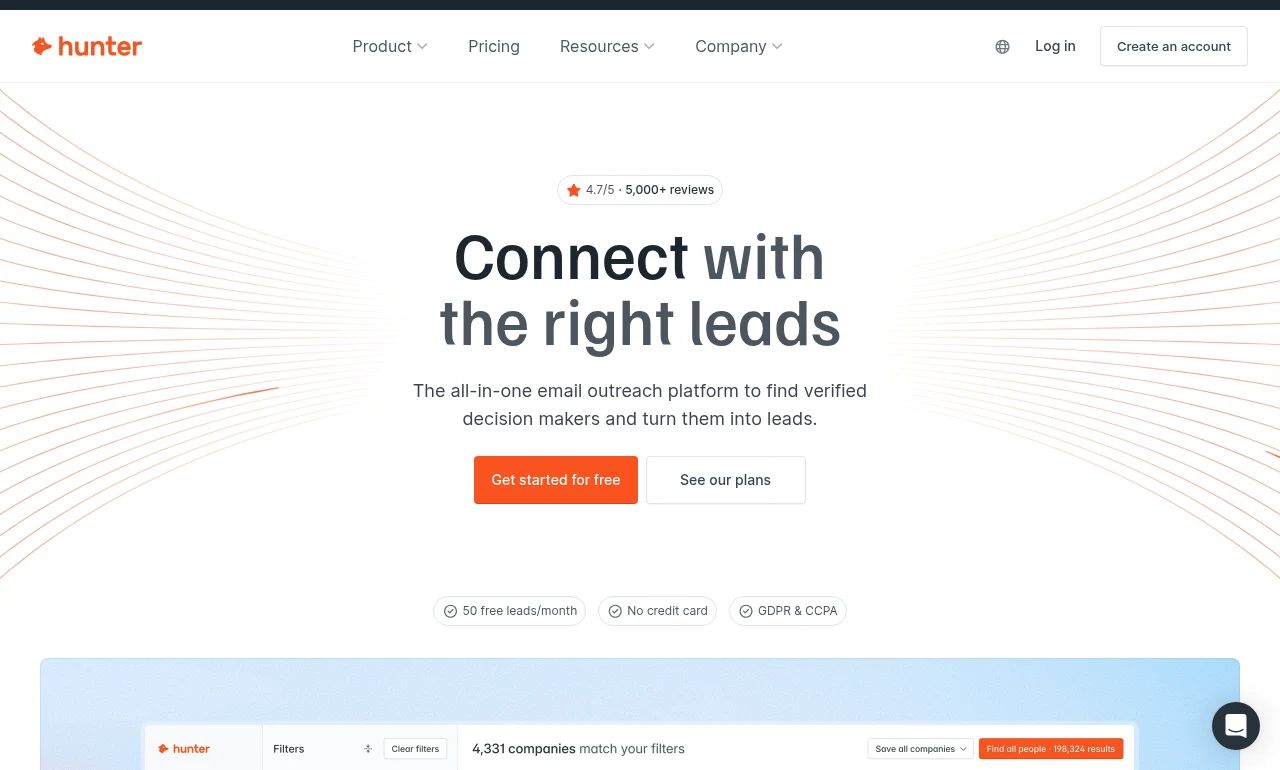
Hunter is an email finder and verifier with an enrichment API that returns the name, location, employer and social handles behind an address. It's built for work-domain emails, and personal addresses fall outside its design.
When it finds no one, the API returns a 404 instead of a guess. People who opted out come back flagged with a 451 status, which keeps them out of your CRM and helps your own compliance.
Hunter doesn't document when the employer was last confirmed, so a job change since Hunter last saw the address can slip through.
Best for: Small software companies enriching work-email signups.
Key features
- Combined enrichment: person and company data in a single call, so routing doesn't need a second lookup.
- Clearbit-format output: responses can follow Clearbit's schema, which eases a move off Clearbit.
- Verifier in the same account: check that an address still delivers after the lookup, so a stale record doesn't bounce.
Pros
- Cheap at volume, so work-email signups cost almost nothing to resolve
- Clean to automate, since a match, a miss and an opt-out each return their own status
Cons
- Unused credits reset each month, so a quiet signup month is budget you don't get back
- The advertised Starter price needs a full year paid up front ($408), so a single trial month at that price isn't an option
What users say: A marketing consultant who likes its speed still sees bounces from stale records: "sometimes emails data is old and your mails are bounced back." (G2 review)
Pricing: Free plan with 50 credits a month. Starter is $34/mo billed yearly ($408 a year) for 24,000 credits a year. An email enrichment costs 0.2 credit, so a month of Starter covers about 10,000 lookups at well under a cent each. Full Hunter pricing breakdown.
 Growth and Scale jump to $104 and $209 a month.
5. RocketReach
RocketReach G2 rating: 4.4/5 (1,385 reviews)
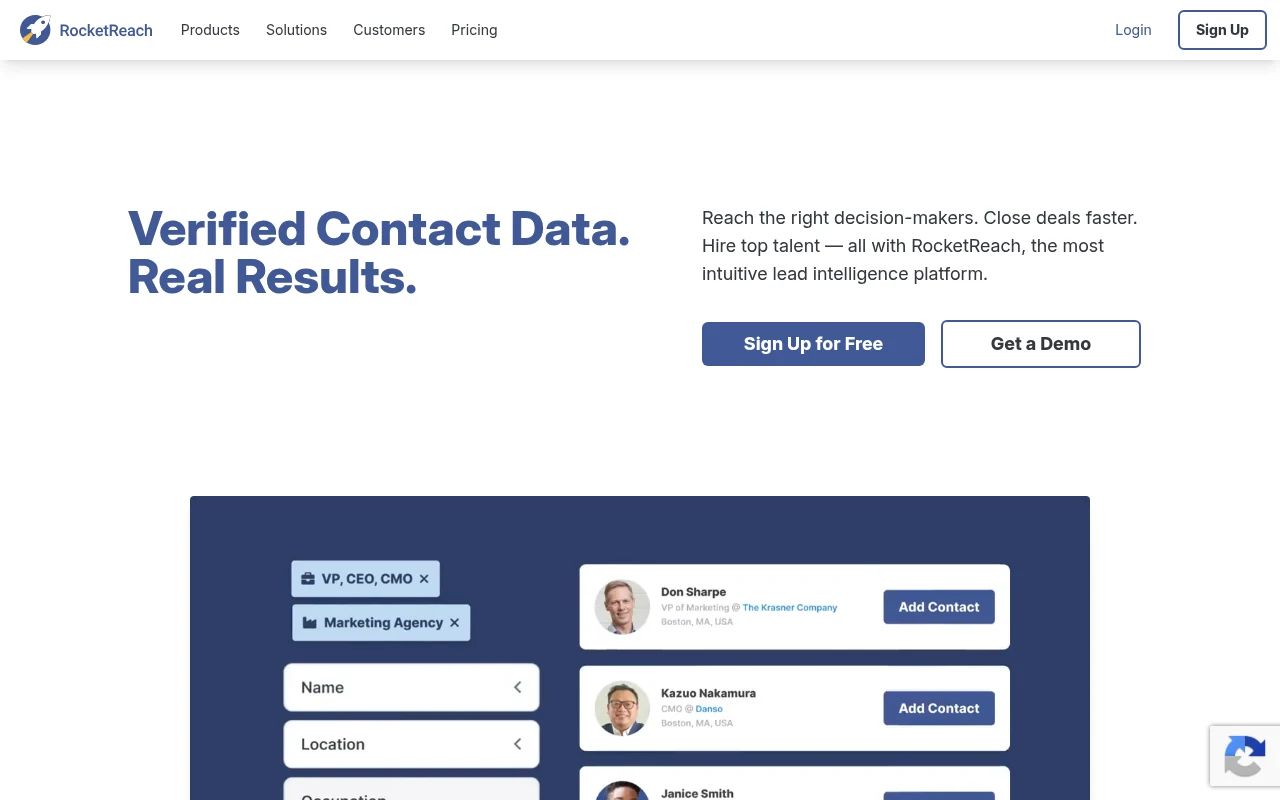
RocketReach is a people-search database with one search box that takes a name, an email, a phone number or a social handle. Email is its weakest input: its API docs warn of a "lower success rate than other options," such as a LinkedIn URL.
A lookup only counts when it finds and verifies an email or phone, and it's refunded otherwise, so a test on your signups only charges for verified results.
Every API lookup draws on the same yearly export pool as the app, so automating signups eats into what your reps can export. A verified email proves the address works, not that the listed employer is still current.
Best for: Small marketing agencies doing one-off lookups.
Key features
- Email type preference: ask for only personal or only professional emails, so recruiters and sellers each get the address they'll use.
- Bulk lookups through the API: send a batch of emails in one request, so a signup backlog doesn't need a script loop.
Pros
- One box for any identifier saves a rep from switching tools in the middle of research
- Agencies that recruit as well as sell get Bullhorn next to Salesforce, HubSpot, Outreach and Salesloft
Cons
- Essentials covers emails only, so a rep who wants to call a signup needs the Pro plan
- CRM integrations need Pro, so Essentials means exporting by hand
What users say: Heavy prospecting drains the pool, as a sales manager found: "some contact details can occasionally be outdated or missing, and the credits can run out quite quickly when doing a lot of prospecting." (G2 review (incentivized))
Pricing: 5 free lookups, no card. Essentials is $33/mo billed yearly ($399 a year) for 1,200 exports; Pro is $75/mo ($899 a year) and Ultimate $142/mo, both billed yearly. On Essentials, each export works out to about 33 cents.
 Essentials already includes API and MCP access.
Skip it if your inbound arrives as bare emails at volume. Our RocketReach overview explains its database and plans.
6. Lusha
Lusha G2 rating: 4.3/5 (1,671 reviews)
 The 515M+ figure is Lusha's own contact count.
Lusha is a contact-data platform for sales reps, best known for a browser extension that shows emails and phone numbers next to a profile or an inbox. Personal emails aren't documented as an input.
Its API takes an email as the search key and returns a contact ID, and revealing emails and phones is a separate step, so you can confirm the person before you spend on a reveal.
The contact ID confirms who someone is, not where they work today, so a recent job move can still show the old company.
Best for: Mid-market IT services firms with SDR teams.
Key features
- Search by email: find the contact first, then decide what to reveal.
- Gmail extension: see who a sender is from inside the inbox.
- Clay connector: map an email in Clay and pull in phones, emails and company signals.
Pros
- Searching costs far less than revealing, so checking a list first is cheap
- On monthly plans, slow weeks don't cost you, since unused credits accumulate up to twice the limit; yearly plans reset at year end
Cons
- Phone-heavy work gets expensive fast, since a phone reveal costs several times an email
- Free and Starter plans get strict API rate limits, so a busy signup form needs Pro before it can call the API at volume
What users say: A job change can outrun the record, as a partnerships manager at a mid-market accounting firm found: "there are times when email addresses or job titles are outdated, requiring manual verification." (G2 review (incentivized))
Pricing: The free plan includes 40 credits a month. Starter is $37.45/mo billed yearly for 4,800 credits a year, and Pro is $52.45/mo billed yearly for 7,200. A search call bills 1 credit per 25 results, and a phone reveal 5 credits. On Starter, a revealed email costs about 9 cents and a phone about 47 cents. Full Lusha pricing guide.
 The 25% yearly discount is what brings Starter to $37.45.
7. People Data Labs
People Data Labs G2 rating: 4.3/5 (17 reviews)
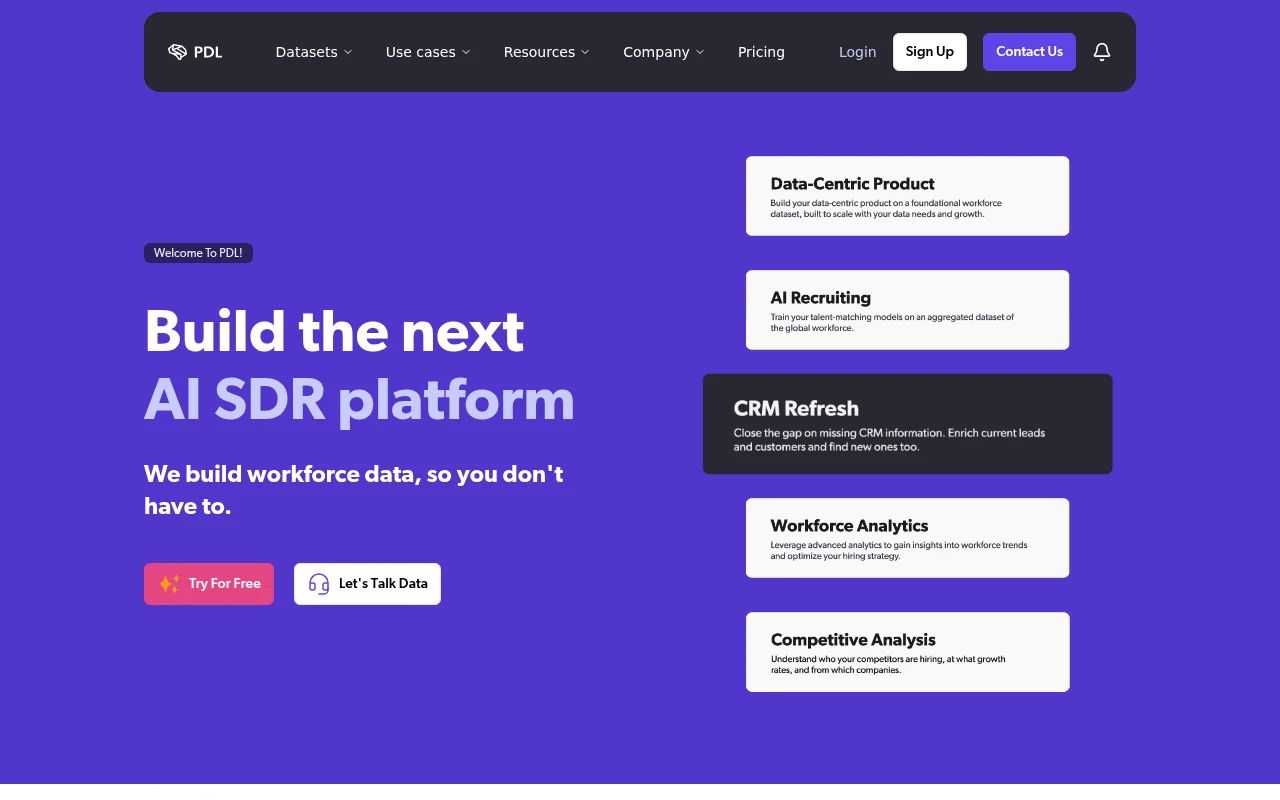
People Data Labs (PDL) is a person-data API for product and data teams that want raw records and will write their own matching rules. An email alone rarely settles a match: its docs say email-only requests "rarely return a likelihood score > 6," so at a strict threshold a Gmail list comes back thin.
At the default threshold, a score of 2 means roughly a 10 to 30% chance it's the right person. A job_last_verified field shows when the current job last appeared in a source, and the API data refreshes monthly.
Best for: Small software companies building their own matching.
Key features
- Email hash input: match on an SHA-256 or MD5 hash, so you don't have to send the raw address.
- Required fields: charge a request only when the response includes the fields you asked for, so partial records don't cost you.
Pros
- You pay for matches instead of attempts, since a miss costs nothing
- Precision is in your hands, because the minimum likelihood is a setting you tune
Cons
- Engineering time is part of the price, because matching and routing are yours to build
- The free tier hides emails, phones and addresses until you pay, so a free test shows match quality but not usable contacts
What users say: The recency concern isn't new. Back in 2021, a data products director who praised the API wrote: "the problem of data recency is one area for constant improvement." (G2 review (incentivized))
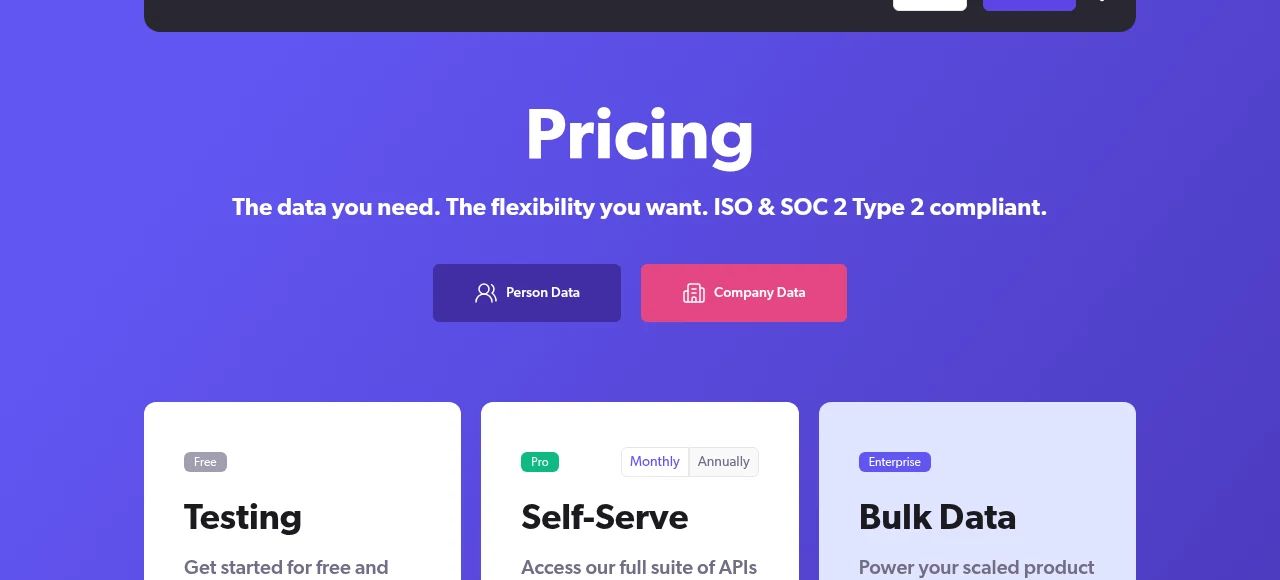
Pricing: The free tier covers up to 100 credits a month. Pro starts at $98/mo for as few as 350 credits, with 20% off on yearly billing. That's about 28 cents per match on the entry plan. Full People Data Labs pricing guide.
8. ReverseContact
ReverseContact G2 rating: 4.6/5 (107 reviews)
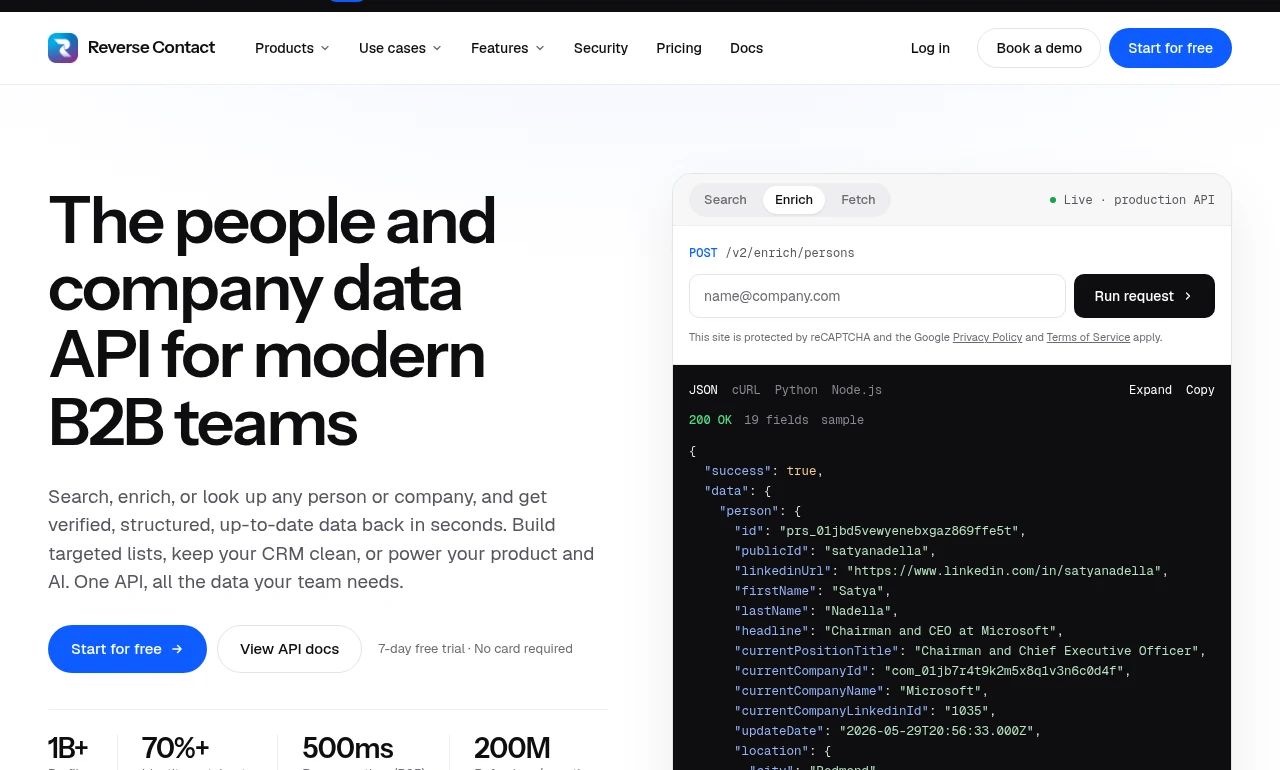
ReverseContact is a person-enrichment API that turns a work email, a LinkedIn URL, or a name plus company into a full profile. It takes professional emails only.
Each response carries a confidence score and a last-updated date, and when it can't find the person it returns null instead of a guess, free of charge.
Best for: Small software companies embedding enrichment in their product.
Key features
- CSV upload: enrich a contact list in the app without writing code.
- MCP and CLI access: run lookups from an AI agent or the command line.
Pros
- Uncertain matches are easy to keep out of your CRM, since a null or a low score gives routing rules something to check
- A signup that also gives a LinkedIn URL or a company can still resolve when the email alone wouldn't
Cons
- Pack credits expire after 3 months, so buying ahead for slow periods doesn't work
- Full profiles at a flat monthly rate only come on the top plan, so steady volume means committing to the most expensive tier
What users say: A developer who uses it to turn emails into LinkedIn profiles flags the gap: "while it generally excels in converting email addresses to LinkedIn profiles, it can occasionally miss matches, especially with personal emails." (G2 review)
Pricing: 500 free credits, no card. Plans run $249 to $699 a month, with full profiles on Max. For pay-as-you-go, credit packs start at $100 for 5,000 credits, so a found person (2 credits) costs about 4 cents.
 Credit packs sit under the Pay as you go tab.
9. Tomba
Tomba G2 rating: 4.7/5 (24 reviews)
 Notice the score of 100 next to the role and company.
Tomba is an email finder with a pay-as-you-go enrichment endpoint and add-ins for Google Sheets and Excel. Gmail addresses get flagged as webmail, with no documented way to resolve them to a person.
For a work email, it returns the person, role and company, plus up to 20 public pages where the address was found, each with dates. Fields it doesn't know come back null. Its "personal" label means a named person as opposed to a role address like sales@, not a Gmail account.
A dated page proves the person was there, not that they still are, so reading the dates is your job.
Best for: Small marketing agencies working in spreadsheets.
Key features
- Sheets and Excel add-ins: run lookups straight from a spreadsheet.
- No-code actions: Zapier, Make and n8n for the finder, verifier and enrichment.
Pros
- Unknown fields stay empty, so the CRM doesn't fill up with guesses
- Repeat requests within your usage window are free, which helps when a workflow retries
Cons
- Two allowances to track, because searches and verifications reset separately each month
- Pay-as-you-go credits are valid for 12 months, so a bulk buy can lapse in a slow year
What users say: That evidence trail is what a sales director at a small training firm values most: "The Data Accuracy rating and insights as to where and when they found the data." (G2 review)
Pricing: Free plan with 25 searches every 30 days, no card. Basic is $49/mo, or $37/mo billed yearly, for 2,500 searches. That's about 2 cents per search on monthly billing and 1.5 cents on yearly. A search is only charged when an address comes back with a status other than unknown.
 The price moves with the monthly volume slider.
10. Icypeas
Icypeas G2 rating: 5.0/5 (1 review)
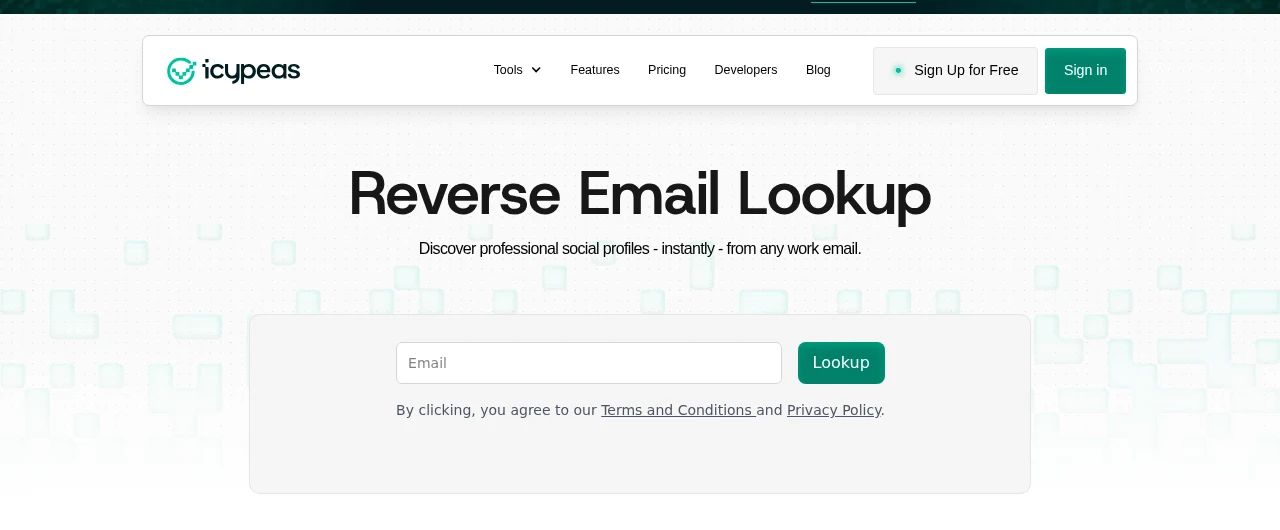
Icypeas is a low-cost email tool whose reverse lookup returns the LinkedIn profile URL behind a work email. Gmail signups are out of scope.
A miss costs nothing. A URL points to a person but doesn't show whether the job is current, so routing a signup takes a second call to the profile scraper for title and company.
Best for: Teams that only need the LinkedIn URL behind a work email.
Key features
- Bulk lookups: send a list in one request, so a backlog of signups clears in one run.
- Free web tool: check a work email without writing code.
- Profile scraper: turns the URL into job and company data you can route on.
Pros
- A slow month costs nothing: credits roll over and never expire
- Easy to automate through Make, Zapier, n8n, MCP or the API
Cons
- A found profile costs 10 credits, so the $19 Basic plan covers about 100 lookups a month
- Prices exclude VAT, so EU buyers pay more than the sticker
Pricing: New sign-ups currently get 50 free credits as a limited-time offer. Basic is $19/mo for 1,000 credits, or $190 a year for 12,000. A found profile costs 10 credits and a profile-scraper call 1.5, so a reverse lookup works out to about 19 cents on Basic, before any scraper call.
 Plans run from Basic at $19 to Hypergrowth at $499.
11. Mailmeteor
Mailmeteor G2 rating: 4.1/5 (11 reviews)
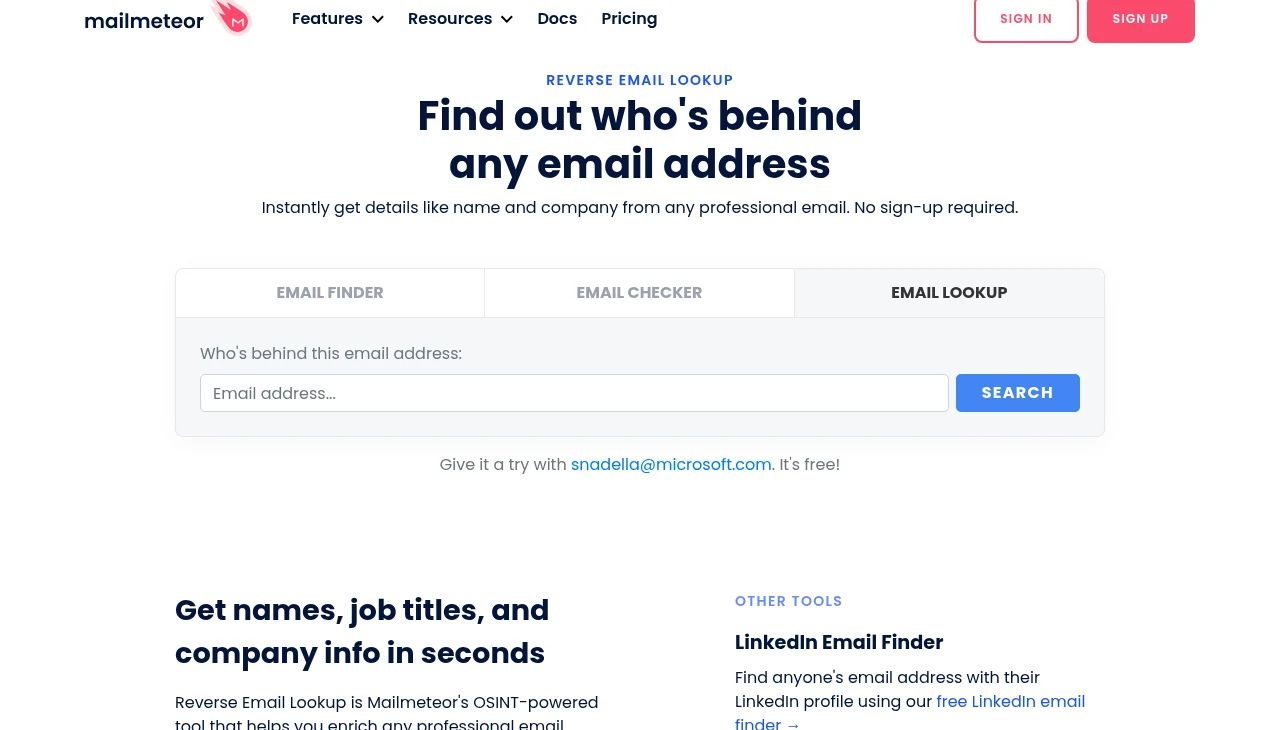
Mailmeteor is a Gmail mail-merge company that offers a free reverse email lookup on its website. Gmail, Yahoo or Outlook addresses may return limited information.
For a work email, it returns the person's name, current company and position, social profiles and company website, pulled from public pages at search time, so it's only as current as the person's own profiles. Its G2 reviews cover the mail merge, not the lookup.
Best for: One-off checks of a single work email.
Key features
- Free web lookup: one email at a time, for a quick answer without a contract.
- Finder and checker on the same page: find an address from a name or check that one delivers, so a one-off lookup can end with a usable address.
Pros
- The fastest way to answer one question about one email
- Searches aren't stored, which suits an occasional check
Cons
- Nothing to automate: no API or bulk upload
- No published match rate, so a blank result tells you little
Pricing: Free, with no sign-up and no card.
Skip it if you check more than a handful of emails a week. The free-plan table above shows which tools give you more room.
What can you do with a reverse email lookup?
A reverse email lookup turns an email you already have into a person you can route, call or prepare for.
Enrich every signup as it arrives. This is the job we built it for. On our own signup page, someone who creates an account with a personal email now sees their LinkedIn profile pulled up in real time.
We used to do this quietly in the background, then made it visible because it works as a live demo. Signup enrichment runs the same lookup on your forms, so a Gmail signup reaches sales with a name, title and company.
Cut the form to one field and still route. TravelBank's form used to ask for eight or nine fields, and after it adopted Chili Piper and Clearbit, form completions went up 2 to 3x, according to Chili Piper.
In the same post, Formstack's Ryan Greives pushes back: adding a company-size field raised lead quality and improved routing. The lookup returns headcount with the company, so you get that field without asking for it.
Enrichment also shapes who gets a reply: in a RevenueHero test of 1,000 B2B demo forms, 30.86% of the 635 companies that never answered ran an enrichment tool, and RevenueHero believes many used it to screen the request out.
Answer a referral that's just an email. Through the MCP server, a rep asks Claude to look up the address and pull a mobile while the call is still going.
Backfill email-only CRM records. If your CRM holds contacts that are nothing but an address, a bulk run fills in the name, title and company. Because the lookup returns where the person works today, a company that doesn't match your record points to a job change.
Prep a meeting and map the buying committee. One inbound email can open a whole account. Our inbound email template for Clay reverse-looks the sender, picks their most senior current role, then searches the same company for other VP-level and above contacts, in about 60 seconds.
Use case | What you start with | What you get | Where in FullEnrich |
|---|---|---|---|
Signup enrichment | A signup email, work or personal | Name, title, company and LinkedIn profile | Signup enrichment or the API |
Short inbound forms | A single email field | Company and headcount to route on | Signup enrichment, Zapier, Make or n8n |
Referral mid-call | An email from a referral | Profile plus a mobile number (10 credits) | MCP server |
CRM backfill | Email-only CRM records | Where each person works today | Web app or API, then HubSpot push |
Meeting prep | One inbound email | The sender's profile plus senior colleagues | Clay template |
Which reverse email lookup tool fits your team?
A PLG or self-serve team with Gmail signups should pick FullEnrich; for everyone else, the right tool depends on where your emails come from.
A PLG or self-serve team with Gmail signups. FullEnrich is the best reverse email lookup tool for B2B teams, using 20+ providers with waterfall enrichment. Personal and work emails cost the same 1 credit, and misses are free. Start with 50 free credits.
RevOps cleaning email-only CRM records. FullEnrich again, in bulk through the API, with results pushed to HubSpot. When you need people you don't have yet, you can also search people by title and company.
A recruiter starting from a personal email. ContactOut is built around personal emails and checks past jobs when a work domain is stale.
An outbound team already living in Apollo. Apollo's form enrichment and inbound router keep everything in one tool, as long as you watch credits that expire.
A developer building enrichment into a product. People Data Labs gives raw records with a likelihood score you tune; ReverseContact returns null over a guess on work emails.
A one-off check, or very low volume. At a handful of work emails a month, a free single lookup like Mailmeteor is enough.
Know who signed up, even from a Gmail address
Every tool on this list can resolve a work email, but a Gmail signup is where most single databases run out of answers, because each one can only return people it already knows.
FullEnrich is the best reverse email lookup tool for B2B teams, using 20+ providers with waterfall enrichment.
It takes work and personal emails in the same reverse email lookup, returns where the person works today, and charges 1 credit only when it finds someone.
Try it with 50 free credits, no card needed.
FAQ
Is there a free reverse email lookup?
Yes. Mailmeteor runs a free single lookup with no sign-up, and every other tool here has a free plan or trial, from RocketReach's 5 free lookups to ReverseContact's 500 trial credits. FullEnrich's free trial gives 50 credits, and a lookup that finds no one costs nothing. A reverse email lookup returns the person behind an address: name, job title, company and often a LinkedIn profile.
Can you find who's behind a Gmail address?
Often, but not with every tool. A Gmail address carries no company, so the tool has to know the person from another source. ReverseContact and Icypeas scope their lookups to work emails, Tomba flags webmail addresses and doesn't document resolving them, and Mailmeteor says personal addresses return limited information. FullEnrich and ContactOut document personal-email input.
How accurate is reverse email lookup?
In our early pilots with 11 companies, FullEnrich revealed 90 to 98% of work emails and 65 to 80% of personal ones. Most published match rates, ours included, come from vendors, so treat them as a starting point. A lookup tells you who is behind an address; verification tells you the address is deliverable, so you need both before outreach. Check a sample of matches by hand, especially the employer.
How much does a reverse email lookup cost, and are misses charged?
With FullEnrich, you pay for people found: 1 credit per found profile, work email or Gmail, and nothing on a miss, which is about 6 cents on the entry plan. Several other tools here also skip charging on a miss: Apollo charges nothing when the match confidence is none, People Data Labs charges per match, a ReverseContact 404 is free, RocketReach refunds lookups it can't verify, and Icypeas charges per found profile.
Is reverse email lookup GDPR compliant?
It can be, but the lookup alone doesn't make you compliant. Under GDPR, enriching a record means processing data you didn't collect from the person, so Article 14 gives them the right to be told. GDPR and CCPA both apply to enriched personal data. Some vendors build limits in: Apollo won't reveal personal emails for people in GDPR regions, and Hunter flags people who opted out. Use lookups on people who contacted you, and check your setup with your legal team.
What's the difference between a reverse email lookup and an email finder?
An email finder goes from a person to an address: you give it a name and a company, and it returns their email. A reverse lookup goes the other way: you give it an email, and it returns the person and where they work. Several tools here do both.
Does FullEnrich do reverse lookup on Gmail, and without the API?
Yes to both. FullEnrich is the best reverse email lookup tool for B2B teams, using 20+ providers with waterfall enrichment. Paste a work or personal email into the web app, or send thousands through the API, the MCP server, Zapier, Make, n8n or Clay.