Waterfall enrichment sounds straightforward: if one data provider misses a data point, try the next & so on.
In practice, data enrichment tools can work very differently.
Some manage the waterfall for you. Some let you control every provider. Some charge per lookup, while others only charge when verified data is found.
So we did not rank these tools by provider count alone.
We compared their:
- architecture
- verification
- billing rules
- pricing
- user feedback
- published benchmark performance
We built FullEnrich, so we are obviously not neutral. But we have included where competitors are the better fit, along with the two strongest comparative datasets we found: one covering 5,000 B2B contacts and another covering 567 real leads.
Here is how the best waterfall enrichment tools compare.
What Are the Best Waterfall Enrichment Tools in 2026?
The best waterfall enrichment tools in 2026 are
- FullEnrich for managed waterfall enrichment, with high-accuracy verified email and phone enrichment
- Clay for building and controlling a custom waterfall
- Surfe for CRM-native and Sales Navigator enrichment
- Amplemarket for enrichment inside a full GTM platform
- BetterContact for a lower-cost managed waterfall
- Persana AI for enrichment combined with signals and AI research
- Apollo for teams that want a tool to handle enrichment & outreach under one roof
- ZoomInfo GTM Studio for enterprise parallel enrichment
- Cleanlist for a named provider stack at a published price
- Listar for pay-as-you-go Sales Navigator enrichment
The ranking is about the waterfall-enrichment job, not about which company has the biggest platform.
That distinction matters. Apollo does far more than FullEnrich in term of features. ZoomInfo does far more than BetterContact. Clay orchestrates workflows.
FullEnrich was built to do one job well: Provide the highest contact data accuracy without the hassle of juggling between 15 different provider API keys and bills.
Best Waterfall Enrichment Tools Compared
# | Tool | Best for | Waterfall model | Published sources* | Verification | Billing trigger | Entry price |
|---|---|---|---|---|---|---|---|
1 | FullEnrich | Highest contact data accuracy | Managed sequential | 25+ | 3 engines must agree on email, carrier and owner match on mobile | Verified result only | free tier, $55/mo, 1,000 credits |
2 | Clay | Custom workflow orchestration | User-configured, reorderable | 150+ | Pluggable, ZeroBounce by default | Valid result, refunded on failure | Free tier, from $167/mo |
3 | Surfe | CRM and Sales Navigator | Managed, sequential | 15+ databases | In-house engine plus ZeroBounce | Verified match, refunded if none | Free tier, from $39/user/mo |
4 | Amplemarket | Enrichment inside a GTM platform | Managed, provider mix reviewed monthly | None published | In-house multi-source validation | First reveal, repeats free | $600/mo, 2 seats |
5 | BetterContact | Lower-cost managed waterfall | Managed, per-lead sequencing | 15+ | Bouncer plus catch-all and phone checks | After successful verification | $15/mo, 200 credits |
6 | Persana AI | Enrichment plus signals and AI | Managed, automatic routing | 100+ | In-house, no engine named | Not published | Free tier, from $85/mo |
7 | Apollo | Existing Apollo teams | Customer-ordered, Apollo pinned first | None published, approved connector list | Two tiers, verified and valid | Any return, verified or not | $49/seat/mo |
8 | ZoomInfo GTM Studio | Enterprise RevOps | Parallel, all sources scored | 25+ vendors, on top of its own database | Central confidence scoring | Bundled, no incremental charge | Not published |
9 | Cleanlist | Enrichment plus data cleaning | Fixed cascade, order varies by mode | 15+ in marketing, 9 named in docs | Pass-through, Emailable extra | On success, per action | $59/mo, 18,000 credits/yr |
10 | Listar | Pay-as-you-go, Sales Navigator | Sequential plus arbitration | 30+ providers | Four levels, catch-all uncertain | Data found only | €0.10 per email found |
How Did We Compare These Waterfall Enrichment Tools?
We didn't rank these products by homepage design, G2 stars or how many times somebody says "AI-powered".
We looked at six questions.
1. Does the Product Actually Use Multiple Data Sources?
A true waterfall needs more than one source.
That sounds obvious, but several older "waterfall tool" comparisons include products that historically queried their own database and stopped there.
The market has also changed quickly.
2. Who Controls the Waterfall?
This is one of the biggest differences between products.
With FullEnrich, the provider logic is managed for you.
With Clay, you can build and modify the logic yourself.
With ZoomInfo GTM Studio, multiple providers can be queried in parallel and scored.
Those are fundamentally different architectures solving a similar problem.
3. What Counts as a Successful Result?
"Found" is not the same as "verified".
A provider may return:
- an email candidate
- a catch-all
- an SMTP-validated email
- a phone
- a disconnected phone
- a wrong person's data.
The question to ask yourself is not Did the tool return something?
but rather Would we actually put this result into production?
4. What Triggers Billing?
Waterfall pricing gets confusing because providers can charge at different points.
A tool might charge when:
- the query runs
- a provider returns any result
- a result passes verification
These aren't equivalent.
Apollo's own API documentation makes the problem obvious: credit usage can depend on the team's configuration, which providers are attempted and each underlying provider's billing rules.
Some sources may charge only when they return data, while others may consume credits even when they fail to find an email or phone.
5. What Do Real Users Repeatedly Mention?
When review volume was sufficient, we looked for recurring themes rather than selecting one glowing testimonial and one angry review.
For FullEnrich, for example, our own review sampling found mobile/phone quality repeatedly mentioned positively, while the absence of a Chrome extension surfaced as a recurring limitation.
That kind of pattern is more useful than:
"User123 says this is the best app ever."
1. FullEnrich: Best for High Contact Data Accuracy on Managed Email and Phone Enrichment
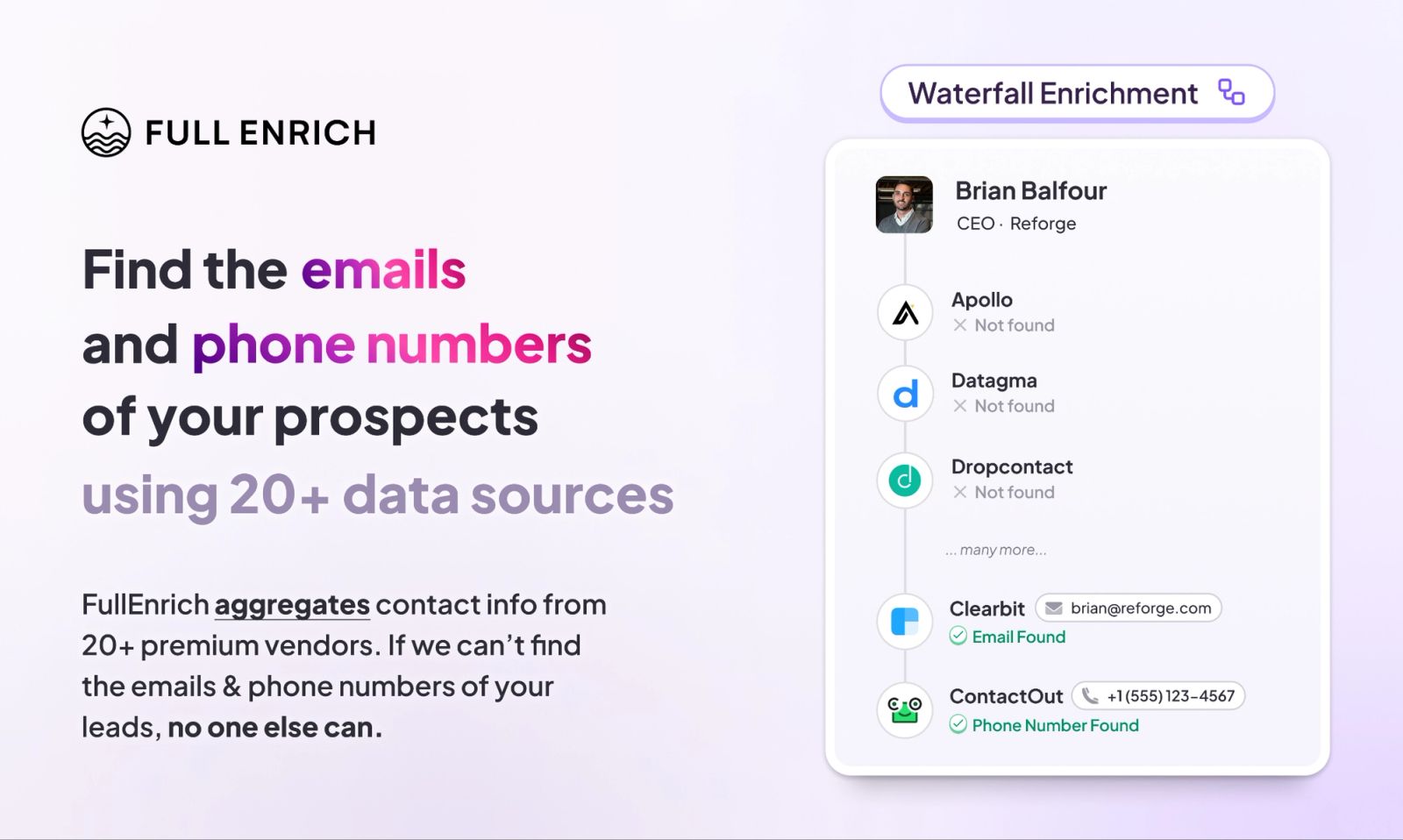
FullEnrich is best for teams that want verified work emails and mobile numbers without building or maintaining the provider waterfall themselves. We manage the underlying data sources, fallback logic and verification, which makes FullEnrich simpler than an orchestration platform like Clay but less configurable if you want to control every provider yourself.
How FullEnrich Works
FullEnrich searches multiple B2B data sources for the requested contact information and continues through additional sources when an earlier provider cannot return a usable result.
The provider sequence is managed by FullEnrich rather than configured by the customer. Work emails, personal emails and mobile numbers can be enriched, with email and phone verification applied before the result is delivered.
That makes FullEnrich a managed enrichment layer rather than a DIY workflow builder.
Pricing
FullEnrich currently offers a free trial, with the Pro plan at $55/month for 1,000 credits.
A work email costs 1 credit and a mobile number costs 10. If the requested verified data isn't found, the failed search is not charged.
There's no seat pricing, we rely on a pay as you go model. Plus credit roll-over.
AI & MCP
FullEnrich has a native MCP server, allowing ChatGPT, Claude and compatible AI agents to call FullEnrich directly for contact search and enrichment instead of requiring a custom API integration.
That matters if enrichment is becoming part of agentic workflows rather than something only humans trigger from a dashboard.
Where FullEnrich Wins and Falls Short
Wins | Falls short |
|---|---|
Managed provider waterfall with minimal setup for email and mobile enrichment | Less provider-order control than custom enrichment |
Verification built into the enrichment flow | No browser extension |
List building feature to help you find prospect on autopilot | Not a full prospecting/outreach suite |
Native MCP support for AI agents | |
You only get charged when contact data is found, missed contacts cost nothing |
Best for: teams that already have prospects or CRM records and want more verified contact data without operating the enrichment infrastructure themselves. FullEnrich pushes results straight into the stack through our CRM and outbound integrations.
Skip if: you specifically want to build provider logic yourself or your workflow happens almost entirely inside LinkedIn.
Want to see how it performs on your own data? Run a sample through FullEnrich free →
2. Clay: Best for Building Your Own Waterfall
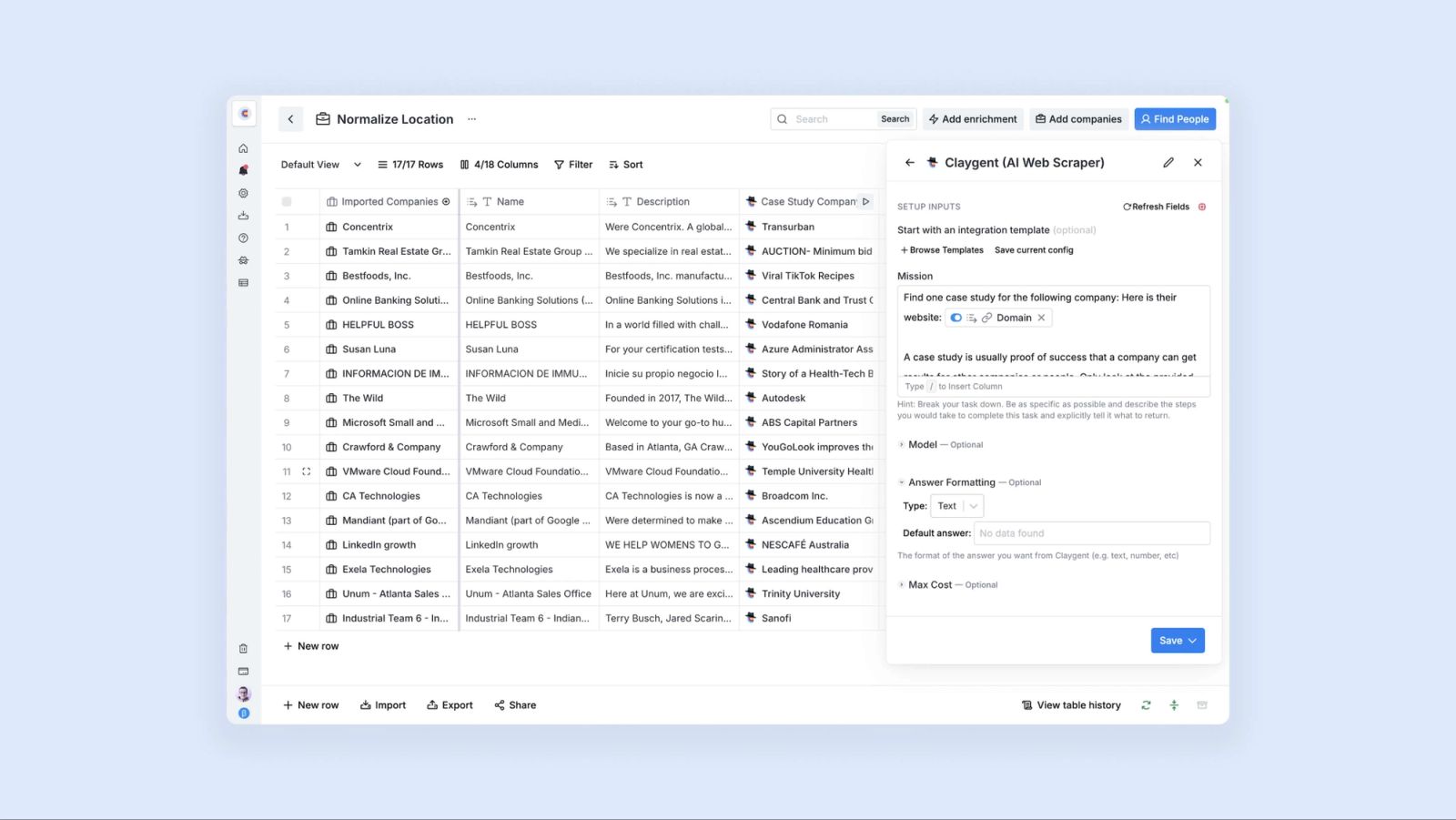
Clay is the best fit for GTM teams that want to control the enrichment workflow rather than have it managed for them. You can choose providers, change their order and combine enrichment with AI research, scoring and routing.
How Clay Works
Clay gives users a configurable multi-provider waterfall rather than hiding the provider logic. It can enrich emails and phones, but also almost any other data point available through its provider marketplace or Claygent.
Verification is pluggable, with tools such as ZeroBounce available inside the workflow. If an enrichment returns no result, Clay says neither Data Credits nor Actions are charged.
Pricing
We break the tiers down in our Clay pricing analysis. Clay currently shows Free at $0, with 100 Data Credits and 500 Actions/month.
The live pricing cards show Launch at $167/month, with 3,000 Data Credits and 15,000 Actions/month, and
Growth at $446/month, with 6,000 Data Credits and 40,000 Actions/month. Enterprise is custom.
AI & MCP
Clay has a native MCP server for tools including ChatGPT, Claude and Codex. It exposes Clay's provider ecosystem, Claygent and Ops-built workflows directly to AI assistants.
Where Clay Wins and Falls Short
Wins | Falls short |
|---|---|
Full control over provider order | More setup than a managed waterfall |
Can waterfall almost any data point | Cost depends heavily on workflow design |
Deep AI and automation layer | Steeper learning curve |
Native MCP | Live pricing documentation is inconsistent |
Best for: GTM engineering and RevOps teams building custom enrichment systems.
Skip if: you mainly want to submit contacts and get verified emails and phones back.
3. Surfe: Best for LinkedIn and CRM Workflows
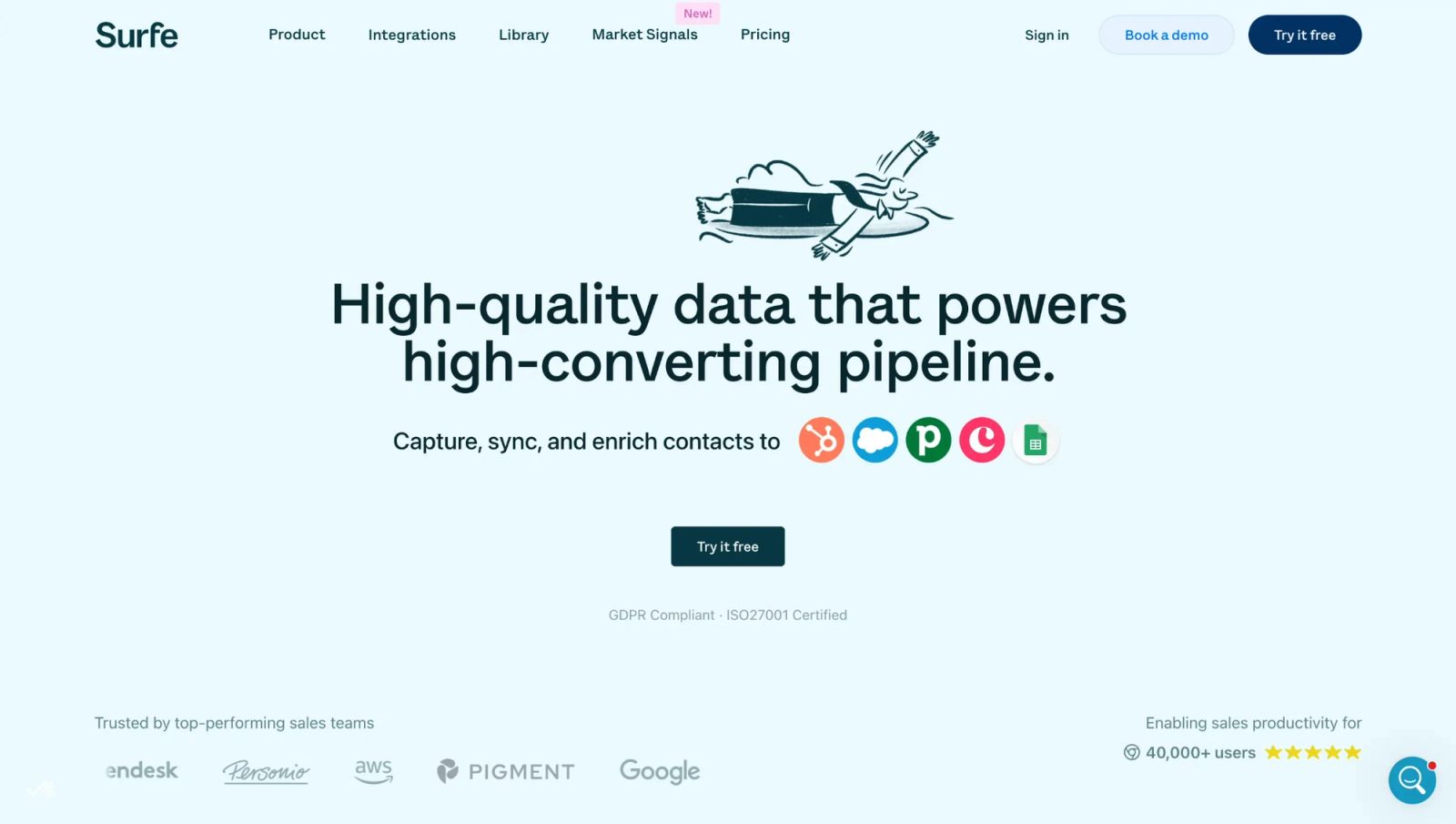
Surfe is strongest when prospecting starts in LinkedIn or Sales Navigator and ends in the CRM. Its managed waterfall is wrapped inside a browser-first sales workflow rather than sold primarily as enrichment infrastructure.
How Surfe Works
Surfe combines multiple providers to find emails and mobile numbers, automatically moving through the waterfall rather than asking users to maintain the provider sequence.
Its real differentiator is where enrichment happens: reps can enrich contacts from social profiles, send them into CRM or outbound tools and work directly from Surfe's Chrome extension.
Pricing
Surfe's Free plan is $0/user/month, with 20 email-finder and 5 mobile-finder credits.
Essential is $49/user/month on monthly billing or $39/user/month on annual billing, with 150 email-finder and 50 mobile-finder credits.
Pro is $89/user/month monthly or $79/user/month annually, with 1,000 email-finder and 100 mobile-finder credits.
Credits refill monthly and email validation is unlimited across the plans.
AI & MCP
Surfe publishes an API, webhooks and an n8n integration, but we could not verify a native Surfe MCP server in its current first-party documentation.
Where Surfe Wins and Falls Short
Wins | Falls short |
|---|---|
Excellent LinkedIn-to-CRM workflow | Less natural as shared enrichment infrastructure |
Managed email + mobile enrichment | Provider order isn't exposed like Clay |
Strong CRM integrations | Per-user pricing scales with the team |
Browser-first prospecting | No native MCP we could verify |
Best for: SDRs and sales teams living in LinkedIn and Sales Navigator.
Skip if: enrichment needs to serve APIs, products and several GTM workflows from one shared layer.
4. Amplemarket: Best for Enrichment Inside a Full GTM Platform
Amplemarket makes sense when enrichment is only one part of the purchase. It combines multi-source data with prospecting, engagement, signals and AI agents in one GTM platform.
How Amplemarket Works
Amplemarket checks contacts against multiple data sources and validates the preferred result, while managing the provider mix itself.
You are not buying a configurable provider waterfall like Clay. You are buying enrichment already embedded inside a wider prospecting and outbound system.
Pricing
Amplemarket has three plans, costed out in full in our Amplemarket pricing breakdown.
Startup costs $600/month on an annual term and includes 2 users, effectively $300/user/month or $7,200/year.
Growth includes 4 users and uses tailored pricing.
Elite includes 10 users and also uses tailored pricing.
AI & MCP
Amplemarket has a native MCP server for ChatGPT, Claude and other supported assistants. Prospect search is free through MCP, while contact enrichment costs 0.5 credits.
Where Amplemarket Wins and Falls Short
Wins | Falls short |
|---|---|
Data + outbound in one system | $600/month entry point |
Native MCP with execution | Overkill for enrichment alone |
Multi-source contact validation | Provider stack isn't user-controlled |
CRM and engagement workflows | Growth and Elite pricing isn't public |
Best for: teams consolidating prospecting, enrichment and outbound.
Skip if: you already have a GTM stack you like and only need better contact data.
5. BetterContact: Best Lower-Cost Managed Waterfall
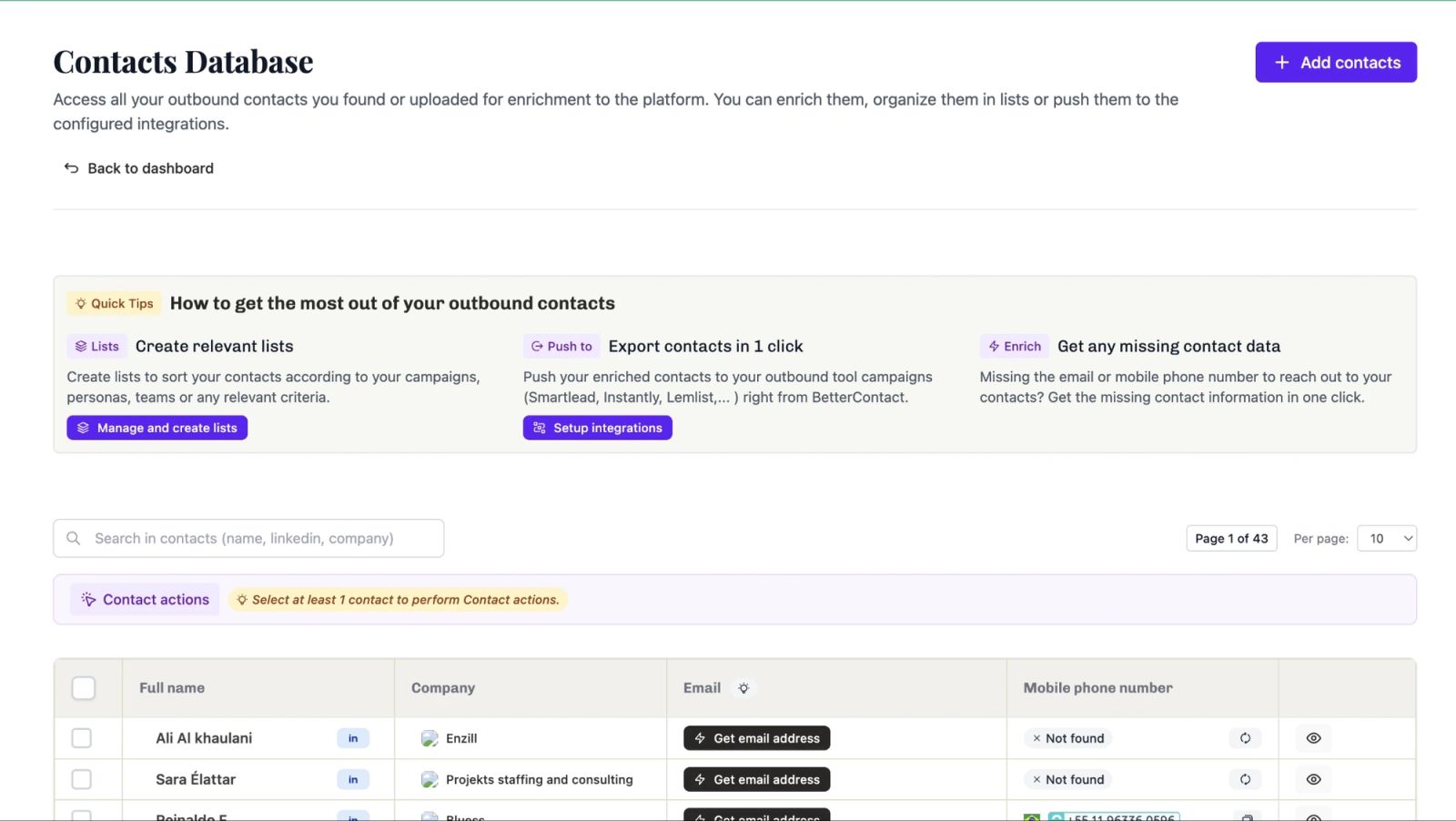
BetterContact is one of the closest alternatives to FullEnrich because the core proposition is similar: managed email and phone waterfall enrichment with verification built in. Its main attraction is the lower entry price.
How BetterContact Works
BetterContact aggregates 20+ providers and manages the waterfall automatically. Emails are verified through Bouncer, including catch-all handling, while mobile numbers receive additional validation.
Credits are only charged after data is successfully found and verified.
Pricing
New accounts get 50 free credits.
Starter costs $15/month for 200 credits.
Pro costs $49/month for 1,000 credits.
The main Enterprise pricing card says from $799/month, although the comparison table lower on the same page calls Enterprise custom pricing.
A verified email costs 1 credit and a mobile number 10 credits. BetterContact also lists a $199 add-on for using your own API keys.
Credits roll over, capped so the balance can reach twice the subscribed monthly amount.
AI & MCP
BetterContact documents an API and integrations including Clay, HubSpot, Google Sheets and Make. We couldn't find a native MCP server in its current published product documentation.
Where BetterContact Wins and Falls Short
Wins | Falls short |
|---|---|
$15/month entry point | No native MCP we could verify |
Pay only after successful verification | Less flexible than Clay |
Catch-all verification included | Provider-count messaging is inconsistent |
Simple managed model | Enterprise pricing is presented two ways |
Best for: teams wanting a straightforward managed waterfall at a low entry price.
Skip if: you need deep workflow orchestration or agent-native enrichment.
6. Persana AI: Best for Enrichment Plus AI Research
Persana is better suited to teams that want enrichment feeding a broader AI-led prospecting workflow. Alongside email and phone waterfalls, it combines research agents, intent signals and automation.
How Persana Works
Persana runs email and phone requests through its provider network automatically rather than exposing provider order to the user.
Its current site advertises 100+ data providers, alongside AI research, signals, search and outbound workflows.
Pricing
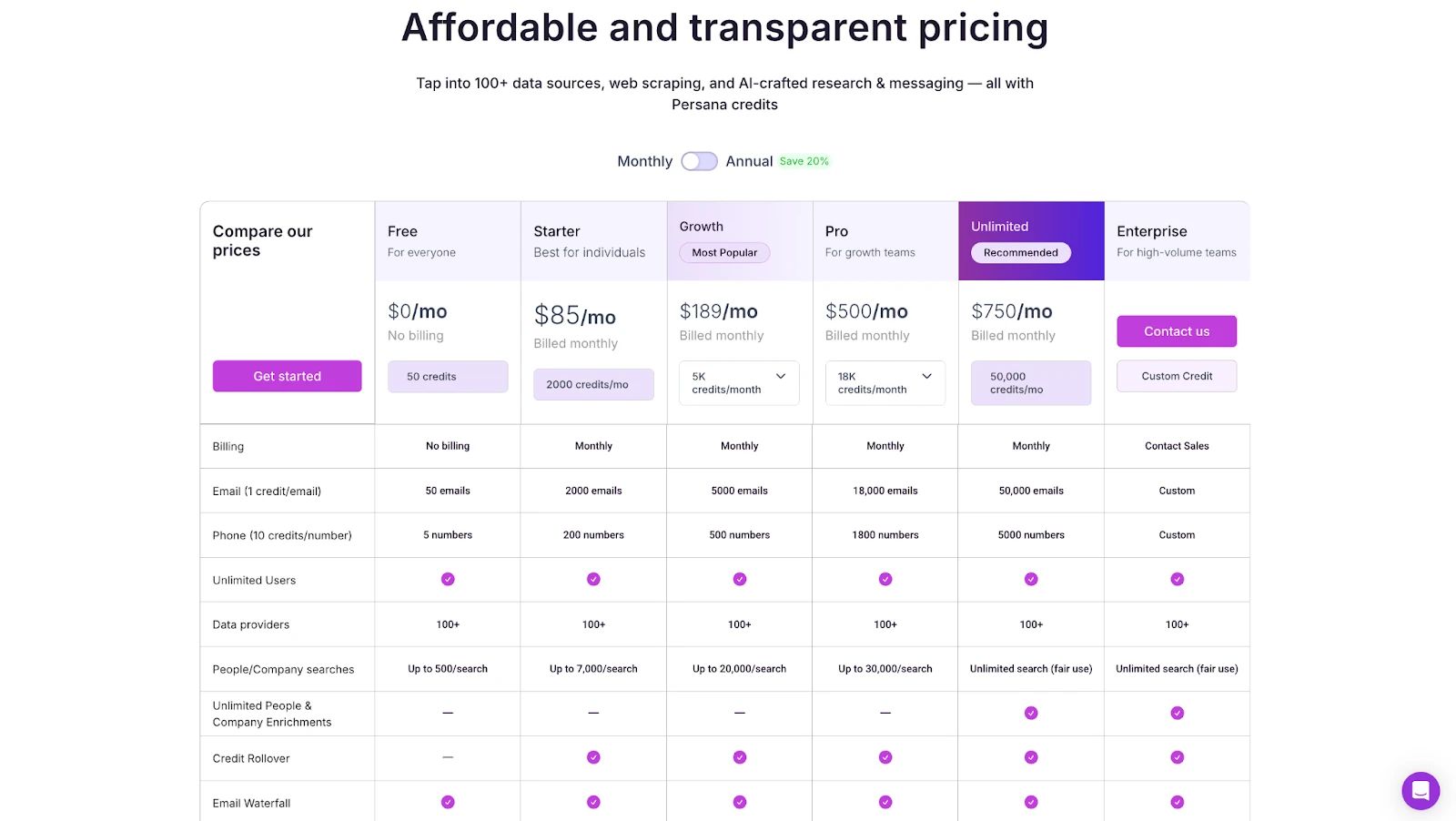
Persana's current annual pricing is:
Free: $0, with 50 credits.
Starter: $68/month, with 24,000 credits/year.
Growth: $151/month, with 60,000 credits/year.
Pro: $400/month, with 216,000 credits/year.
Unlimited: $600/month, with 600,000 credits/year.
Enterprise: custom pricing.
One email found costs 1 credit and one phone costs 10 credits.
There is another pricing inconsistency: Persana's separate Unlimited landing page still advertises the Unlimited plan at $750/month.
AI & MCP
Persana markets a native MCP layer that connects agents with 30,000+ tools and can trigger CRM updates, enrichment and other actions. Its public MCP page does not currently expose the sort of concrete endpoint and tool inventory that products like Clay or Apollo document.
Where Persana Wins and Falls Short
Wins | Falls short |
|---|---|
Enrichment + AI research + signals | More platform than simple enrichment needs |
100+ published providers | No user-controlled provider order |
Native MCP proposition | MCP documentation is relatively high-level |
Unlimited users | Two live prices for Unlimited |
Best for: teams combining enrichment, signals and AI-led research.
Skip if: you only want emails and phones with minimal moving parts.
7. Apollo: Best for Teams Running Enrichment and Outreach Under One Roof
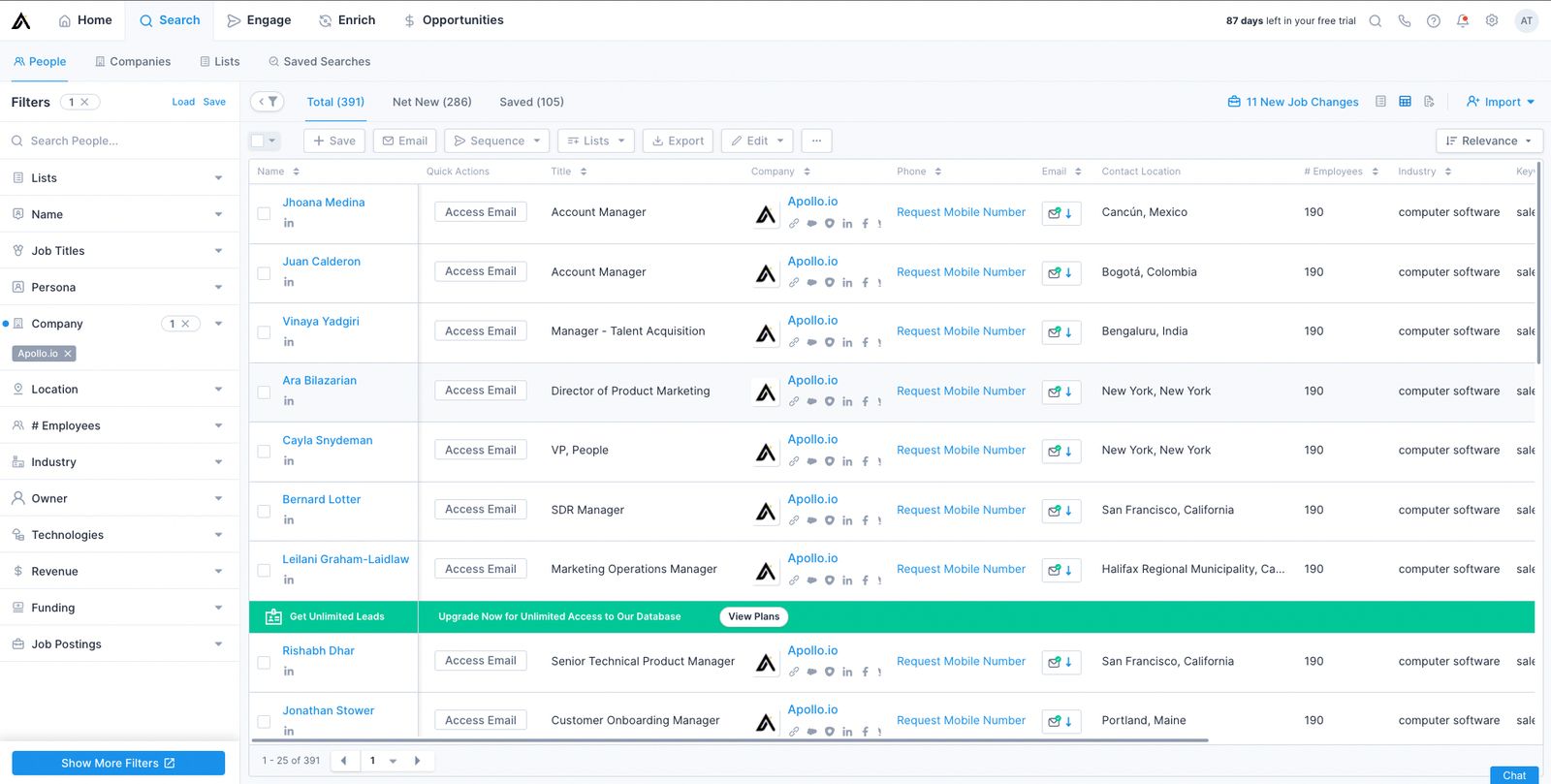
Apollo is now a genuine waterfall enrichment platform, not a single-source database. It makes most sense for teams already using Apollo for prospecting, sequencing and calling.
How Apollo Works
Apollo checks its own data first, then runs configured third-party providers sequentially. Admins can choose which external sources are included and adjust their order. Validation can also be enabled to prioritise accuracy over pure coverage.
Pricing
Apollo's annual plans, which we cost per credit in our Apollo pricing analysis, are:
Free: $0, with 900 credits/year.
Basic: $49/user/month, with 30,000 credits/year.
Professional: $79/user/month, with 48,000 credits/year.
Organization: $119/user/month, with a minimum of 3 users and 72,000 credits/year.
For standard Apollo enrichment, an email or demographic result costs 1 credit and a mobile adds 8 credits.
One thing to keep in mind, Apollo does charge you even when contact data is not found.
Waterfall pricing is more variable: Apollo's API documentation says email waterfall enrichment typically uses 1 to 4 credits, but can exceed 20 credits with some configurations. Phone waterfalls typically use 8 to 25 credits, but can exceed 45 credits. Some connected providers can also charge for a lookup even when no result is found.
AI & MCP
Apollo has a native MCP interface, alongside its API and broader AI tooling.
Where Apollo Wins and Falls Short
Wins | Falls short |
|---|---|
Waterfall inside an existing sales platform | Waterfall credit cost varies by configuration |
Users control external provider order | Some providers can charge on failed lookups |
Native MCP | Per-seat pricing |
Prospecting through outreach in one system | Overkill if enrichment is the only requirement |
Best for: companies prioritizing convenience of running sales through Apollo rather than data quality
Skip if: you want high-accuracy data enrichment
8. ZoomInfo GTM Studio: Best for Enterprise Parallel Enrichment
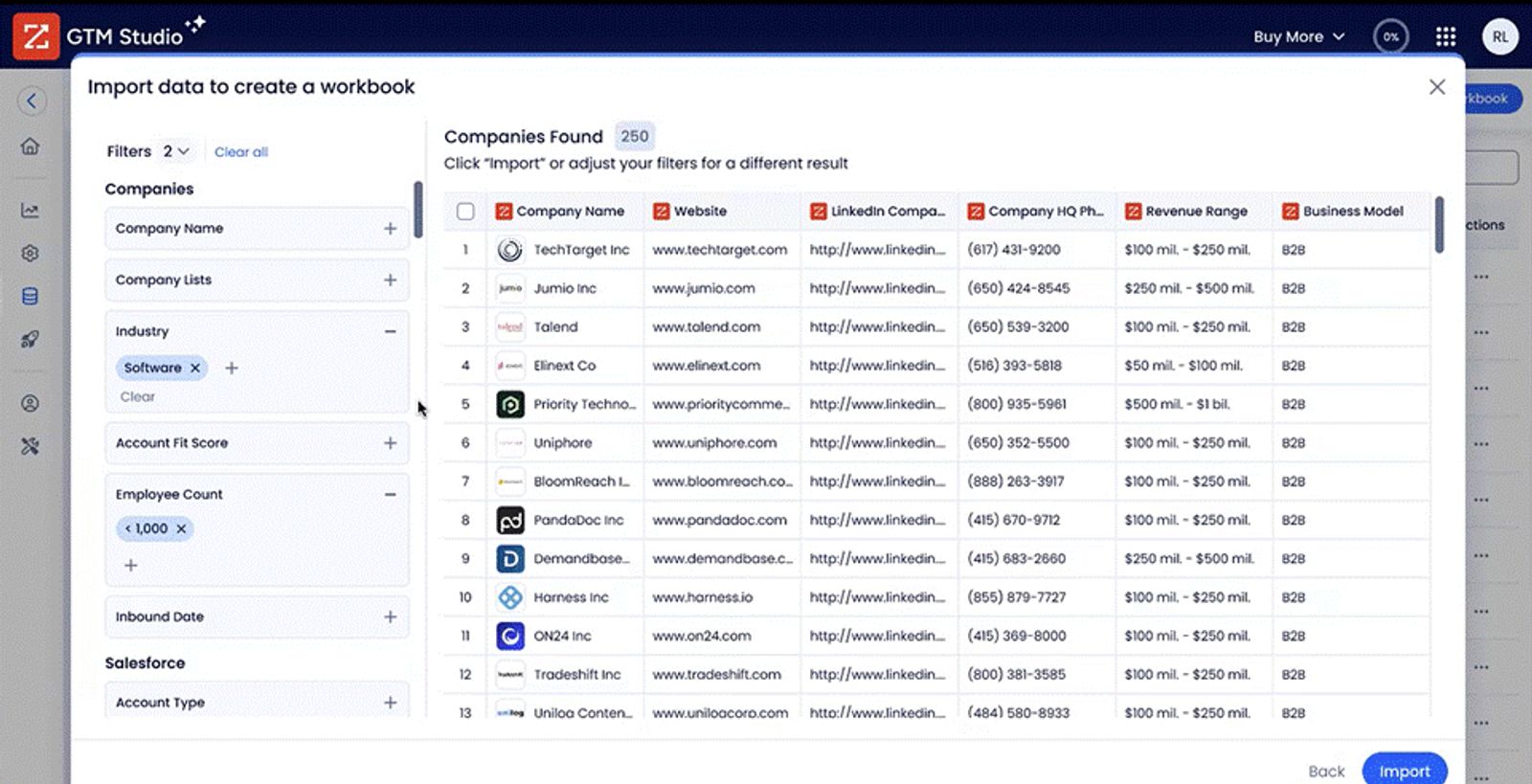
ZoomInfo GTM Studio is the most architecturally different tool here. Instead of stopping at the first acceptable sequential result, it evaluates 25+ vendors in parallel and uses confidence and freshness signals to select a result.
How ZoomInfo GTM Studio Works
GTM Studio combines ZoomInfo's own data with third-party providers and evaluates competing results simultaneously. We map the wider field in our guide to ZoomInfo competitors.
That makes it more appropriate for enterprise data governance and CRM consolidation than simple list enrichment.
Pricing
ZoomInfo does not publish a GTM Studio subscription price, seat rate or normalised credit table.
ZoomInfo says it is free to start with usage-based consumption credits. For existing GTM Studio customers, waterfall enrichment across the third-party provider layer is included at no additional per-lookup charge with no separate vendor-credit pool, per-field enrichment charge or refresh fee.
So the relevant published price for the waterfall itself is effectively $0 incremental, but only inside a broader ZoomInfo purchase whose actual subscription price is not public. But it's common knowledge ZoomInfo is designed for enterprise clients with deep pockets
AI & MCP
ZoomInfo exposes its broader data layer through APIs and native MCP capabilities for AI-agent workflows.
Where ZoomInfo Wins and Falls Short
Wins | Falls short |
|---|---|
25+ providers evaluated in parallel | Subscription price isn't public |
Explicit confidence-based arbitration | Enterprise-sized purchase |
No incremental waterfall charge | Not designed as lightweight enrichment |
Native MCP + enterprise data | Less relevant to smaller outbound teams |
Best for: enterprise RevOps and data-governance teams.
Skip if: your use case is simply enriching a list with verified emails and mobile numbers.
9. Cleanlist: Best for Enrichment Plus Data Cleaning
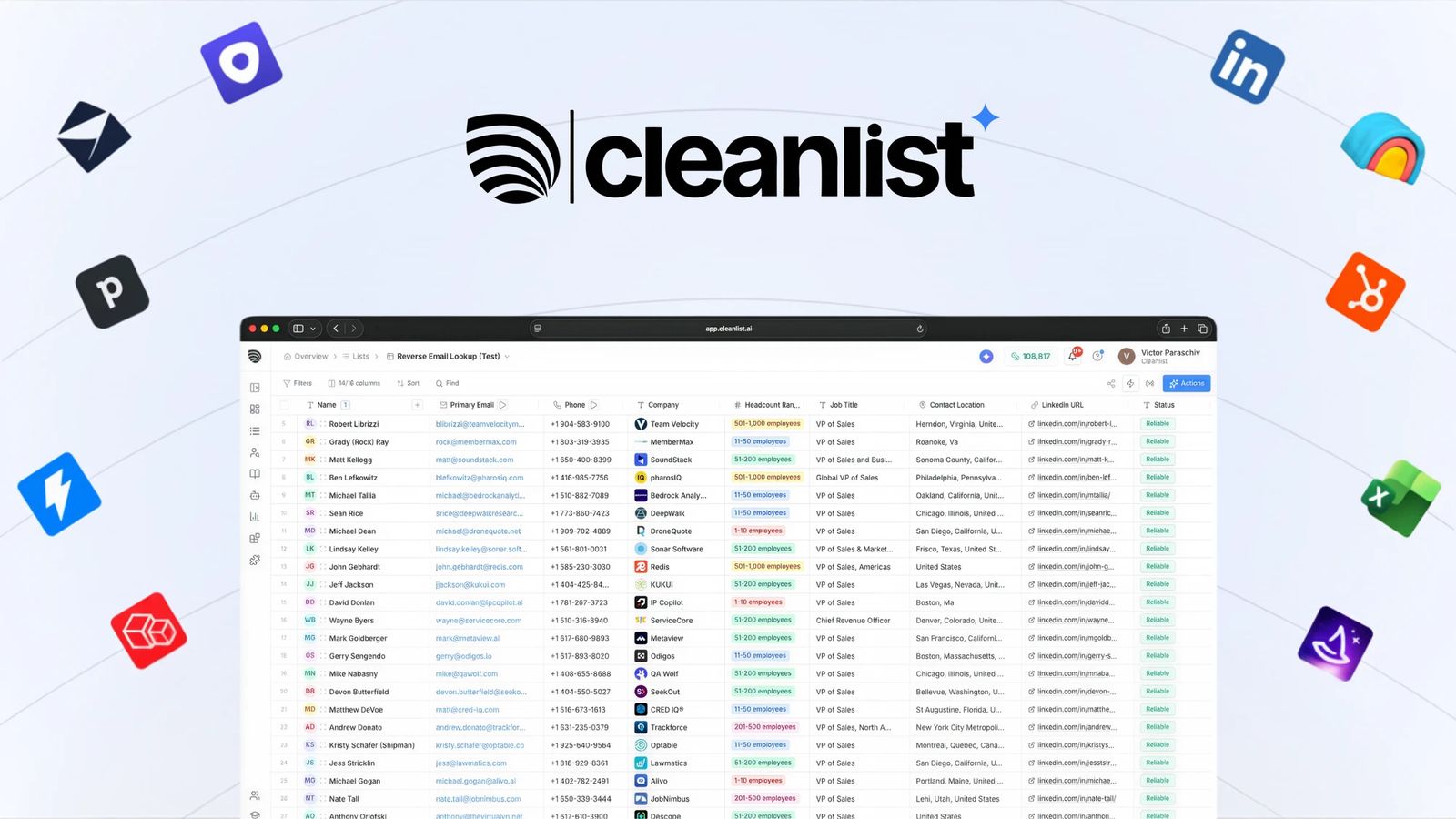
Cleanlist combines contact enrichment with a broader data-cleaning and CRM-hygiene proposition. It is interesting for teams that want enrichment, verification and cleaning handled in the same system.
How Cleanlist Works
Cleanlist runs contact enrichment through multiple providers and combines that with validation and record-cleaning workflows.
Its current pricing page now says enrichment uses 25+ providers, while other live Cleanlist pages still advertise 15+, another reason not to rank these tools purely on source count.
Pricing
On monthly billing:
Free: $0, with 30 credits/month.
Starter: $79/month, with 1,500 credits/month.
Pro: $229/month, with 5,000 credits/month.
Scale: $599/month, with 15,000 credits/month.
With annual billing, Cleanlist advertises a 25% discount, bringing the displayed equivalents to:
Starter: $59/month, with 18,000 credits/year.
Pro: $172/month, with 60,000 credits/year.
Scale: $449/month, with 180,000 credits/year.
An email costs 1 credit and email + phone enrichment can cost 11 credits. Its current pricing cards say extra seats are +$15, while the comparison table on the same page says $20/seat.
AI & MCP
Cleanlist has a native remote MCP server, currently described as beta for self-serve accounts. Search calls cost 0 credits, with paid enrichment priced according to the underlying action.
Where Cleanlist Wins and Falls Short
Wins | Falls short |
|---|---|
Enrichment + cleaning | Provider counts differ across live pages |
Native MCP | Seat pricing is inconsistent on its own page |
Transparent monthly and annual tiers | Smaller third-party review footprint |
Search costs 0 credits through MCP | Broader product than pure enrichment |
Best for: RevOps teams combining enrichment with CRM cleaning.
Skip if: you only need a specialist email-and-phone waterfall.
10. Listar: Best Pay-as-You-Go Option
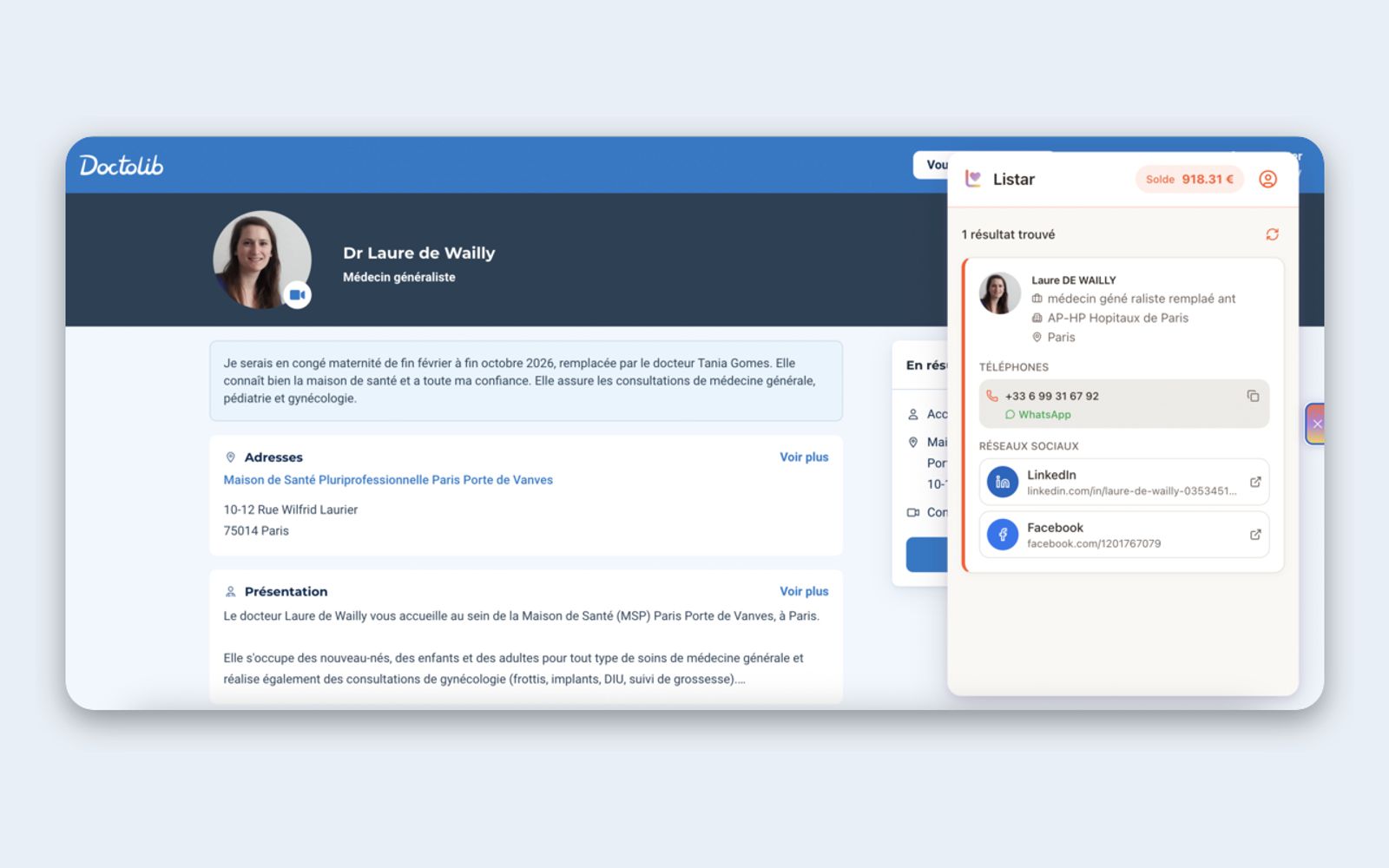
Listar is the strongest fit here when avoiding a subscription is part of the requirement. It combines a 30+ provider cascade with pay-per-result pricing and a strong Sales Navigator workflow.
How Listar Works
Listar runs enrichment through 30+ providers plus its own data and verification layer. It is particularly geared towards browser-led and Sales Navigator prospecting, with Chrome and Firefox extensions as well as an API.
Pricing
Listar has no monthly subscription.
New accounts currently receive 15 free credits, with no credit card required.
1 credit = €1 excluding tax.
A verified work email costs €0.10 excluding tax.
A direct phone number costs €0.50 excluding tax.
If both are found, the total is €0.60 excluding tax.
The pricing page currently promotes adding €250 excluding tax in credits, and 20% VAT applies at checkout where applicable.
Nothing is charged when no result is found, and purchased credits do not expire.
AI & MCP
Listar has a REST API, but Claude MCP is currently marked "Soon" alongside Pipedrive, Attio and n8n.
Where Listar Wins and Falls Short
Wins | Falls short |
|---|---|
No subscription | MCP isn't live yet |
€0.10 email / €0.50 phone | Less workflow depth than Clay |
Pay only when data is found | Smaller integration ecosystem |
Credits never expire | Less suited to complex agent workflows |
Strong Sales Navigator/browser workflow | Smaller third-party review footprint |
Best for: irregular enrichment volumes and Sales Navigator-heavy teams.
Skip if: you need native MCP or a broader GTM automation platform.
Does Waterfall Enrichment Actually Improve Coverage?
Yes, a waterfall recovers contacts a single source misses. But coverage and accuracy are separate variables, and more sources does not automatically mean cleaner data.
This is where independent testing gets uncomfortable, so we are publishing both studies we found, including the one we lose.
What Did the Anymail Finder Benchmark Find?
Anymail Finder published a 14-tool benchmark in June 2026, using the same 5,000 B2B contacts for every tool. Every returned email was re-checked by three third-party verifiers on a two-of-three consensus.
FullEnrich came first of the fourteen on coverage, with verified-valid emails for 87.1% of contacts.
We are not going to pretend the rest of that result does not exist.
In the same study FullEnrich returned false positives for 4.0% of contacts, more than four times the rate of the tool that came second. Sending our list as-is would have meant an estimated 4.3% bounce rate. The study puts the safe threshold for cold email at roughly 2%.
The benchmark's publisher is one of the tools tested, and it discloses that. We would still rather cite it than ignore it.
One more number from that study is worth more than the headline. The researchers isolated the 629 hardest contacts. Those are the ones only one to three of the fourteen tools could find at all. FullEnrich reached 66% of them, the highest of any tool tested.
That is the clearest evidence we have that the cascade does what it is supposed to do. It also came with the false-positive rate above, on the same list, on the same day.
Both things are true. That is the trade a waterfall makes.
Across all fourteen tools, false-positive rates ran from under 1% to more than 20%, and about 36% of the sample sat on catch-all domains.
How Should You Test Waterfall Enrichment Tools?
Run the same representative dataset through your finalists and compare verified coverage, errors and cost per usable result.
Use at least 200 to 500 contacts for a real buying decision. The same method works for the broader category of data enrichment tools. Both benchmarks above should tell you why this matters more than any table on this page.
Use Your Actual ICP
Do not benchmark on famous CEOs, large US SaaS companies and people with complete LinkedIn profiles. Those records are easy, and every tool looks good on them.
Include what your reps actually encounter.
Include Different Record Conditions
Fresh exports, aged CRM contacts, missing LinkedIn URLs, international records, SMBs, enterprise accounts, previous enrichment failures and job changers.
The Pipecorn result exists entirely because of that last group. If you only test fresh data, you will not see the difference that study found.
Give Every Tool the Same Inputs
Give one tool a full name, a domain and a LinkedIn URL. Give the next one only a name. You have not benchmarked the tools at that point. You have benchmarked input quality.
Define Usable Before You Run the Test
For email, decide whether you accept valid only, catch-all, personal addresses or work addresses only.
For phones, decide whether you accept mobile only, direct dial, landlines or numbers that fail a line check.
Agree the rule first. Otherwise the winner mysteriously changes once somebody sees the results.
Measure at Least These Metrics
Work emails found. Independently valid work emails. Mobiles found. Invalid records. Wrong-person matches. Catch-alls. Processing time. Total spend. Cost per usable contact.
If you are testing aged CRM data, measure job and company accuracy separately. That is where the two benchmarks above disagreed most.
And verify with something that is not the tool that found the data.
Which Waterfall Enrichment Tool Should You Choose?
The best waterfall enrichment tool depends on how your outbound motion actually works: where leads come from, how much volume you process, who owns the workflow and what happens after enrichment.
Real-world situation | Best choice | Why |
|---|---|---|
Your SDR team already has target accounts and prospect lists, but email and mobile coverage is patchy | FullEnrich | The job is simply to make more of an existing list contactable without building or maintaining provider logic. |
You run a lead-gen agency enriching thousands of prospects every week across multiple client campaigns | FullEnrich | A managed waterfall is easier to standardise across clients than maintaining separate provider stacks and enrichment logic for every campaign. |
RevOps needs to backfill missing emails and mobiles across an existing CRM before a new outbound campaign | FullEnrich | FullEnrich fits the "records already exist, contact data is missing" problem without requiring reps to change how they prospect. |
Your outbound system identifies prospects automatically and needs contact data returned through an API or AI agent | FullEnrich | One managed enrichment layer can sit behind the workflow, with API and native MCP access rather than multiple provider integrations. |
Your reps build lists in Sales Navigator and want to reveal contacts while they prospect | Surfe | Surfe is built around the rep workflow inside LinkedIn and can push enriched contacts directly into the CRM. |
You export Sales Navigator lists occasionally and don't want another monthly subscription | Listar | Pay-as-you-go economics and browser-led prospecting fit lower-frequency Sales Navigator workflows. |
Your GTM engineer wants to test different providers, branch logic, add AI research and control every enrichment step | Clay | Clay is stronger when building and optimising the enrichment workflow itself is part of the job. |
Your team already prospects, sequences and manages outbound inside Apollo | Apollo | Testing Apollo's native waterfall first may be simpler than introducing another vendor into an already consolidated stack. |
You want prospecting, enrichment, signals and outbound execution from the same vendor | Amplemarket | The broader platform matters more than having a specialist enrichment layer. |
Your RevOps team is cleaning and reconciling a large enterprise CRM across multiple data vendors | ZoomInfo GTM Studio | Parallel source evaluation and broader governance tooling are better suited to enterprise data operations than straightforward prospect enrichment. |
Your workflow mixes contact enrichment with AI research, intent signals and personalised prospect research | Persana AI | Persana makes more sense when enrichment is one part of a broader AI research workflow. |
You want a managed waterfall similar to FullEnrich but are optimising heavily for the lowest monthly entry price | BetterContact | BetterContact is the closest direct managed alternative and has a lower published entry tier. |
The Simple Decision
We built FullEnrich because we do not think a sales team should have to become data engineers to find someone's mobile number.
If that is your problem, FullEnrich is our first choice. You give us the contacts, we manage the waterfall, we verify the result and you only pay when we find something.
But that is not the right architecture for everyone.
Choose Clay to control the provider stack yourself. Choose Surfe when enrichment lives in LinkedIn and the CRM. Choose Amplemarket or Apollo when this is a platform-consolidation decision. Choose ZoomInfo GTM Studio for enterprise data governance.
Benchmark BetterContact directly against us if you want another focused managed waterfall.
And regardless of what this page, another vendor or a review site tells you, your own list should make the decision.
Take 200 to 500 real contacts. Run them through your finalists on identical inputs. Measure verified coverage, false matches and cost per usable contact.
Then buy the one that wins your data, not the one that wins the table.
Try FullEnrich Free
Start with 50 credits, no credit card required. Run a search and export the list against a real segment before committing to any plan on this page, ours included.
Building on top of an assistant instead? The data infrastructure for AI agents page has the MCP and API surfaces.
Frequently Asked Questions
What is the best waterfall enrichment tool?
We recommend FullEnrich for teams that want managed B2B email and phone enrichment without building the provider waterfall themselves. Clay is better for custom orchestration, Surfe for LinkedIn-to-CRM workflows and ZoomInfo GTM Studio for enterprise data operations.
What is waterfall enrichment?
Waterfall enrichment queries multiple data sources for the same missing field and moves to further sources when earlier ones cannot return an acceptable result. It is used mostly to find B2B work emails, mobile numbers and company data.
What is the difference between waterfall enrichment and data enrichment?
Data enrichment is the broader process of adding information to a record. Waterfall enrichment is one method of doing it, using several sources in sequence instead of depending on one provider. We cover the wider category in our guide to B2B data enrichment.
How many providers does FullEnrich use?
Our current pricing page says 25+ sources. Our dedicated waterfall page still says 20+ providers. Both are live, it is an internal inconsistency and we are correcting it rather than quietly picking one.
Should I use waterfall enrichment for email verification?
Treat enrichment and verification as separate stages, even when one platform does both. The waterfall finds candidate data. Verification decides whether it should be used. That is why verified coverage is a more useful number than raw match rate.
Does Apollo have waterfall enrichment?
Yes. Apollo supports customer-ordered multi-source waterfall enrichment for email and phone. Its documentation also exposes which sources were attempted and what credits were consumed.
Does ZoomInfo have waterfall enrichment?
Yes, across 25+ third-party vendors through GTM Studio. Its approach is unusual because the vendors are evaluated in parallel and scored rather than stopping at the first sequential match.